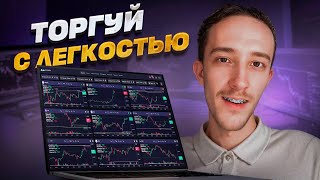

Massive Screener Update: New Design & Mobile!
42sThe visual overhaul and mobile adaptation are highly engaging for traders seeking modern tools.
▶ Play Clip"Title promises 'trading is easy' but the video is a feature update walkthrough, not a trading tutorial."
The video presents a major update to the Digash trading screener, featuring a complete redesign, new tools like a density map, and enhanced functionality for crypto traders. The update includes a mobile-adapted interface, improved notifications, and new features such as English translation and import/export of settings.
A large-scale update has been released after months of work, introducing a new design and various improvements to the screener.
The screener has been completely redesigned with a professional designer, featuring beautiful charts and a mobile version with full functionality.
Users can now customize workspace settings, select exchanges, filter formations, and sort by strategies. Automatic detection of horizontal levels and trend density levels is available.
The screener supports indicators like Relative Strength Index (RSI) and Average True Range (ATR), with configurable scales and timeframes.
Only the best coins for trading are included. A Telegram channel and chat screen are available for updates, sharing settings, and discussing ideas.
Notifications have been redesigned with sorting and selection options. Available notifications include new limit orders, price changes, correlation to Bitcoin, volatility, volume surges, listings, and price intersections.
The psychology tab has a new design. The listing tab allows sorting by exchange, coin, and date.
A unique density map monitors all densities across exchanges (Binance, Bybit, Bitget). It offers configuration, blacklist filtering, and real-time updates every 5 seconds.
The workspace displays circles showing distance ranges; coins closer to the center are closer to the spread. Hovering shows density graphs, and clicking provides detailed data.
The screener now supports English translation (top right). Import/export of settings is available in the profile tab, allowing users to share or apply configurations.
The Premium tab now clearly describes beginner vs. premium features. The team plans more improvements and welcomes user feedback.
The update significantly enhances the Digash screener with a modern design, powerful tools like the density map, and user-friendly features, making it a comprehensive solution for crypto traders. The team is committed to continuous improvement based on community input.
What are the available exchanges on the density map?
Binance, Bybit, and Bitget.
03:07
How often is the density map data updated?
Every 5 seconds.
03:21
What does the density map show?
It shows all densities across different exchanges, with circles indicating distance ranges; coins closer to the center are closer to the spread.
03:35
What indicators are supported in the screener?
Relative Strength Index (RSI) and Average True Range (ATR).
01:15
How can users share settings?
By using the import/export feature in the profile tab, which allows exporting settings or importing another user's settings.
04:44
Density Map Introduction
Introduces a unique tool for monitoring densities across exchanges, a key differentiator for the screener.
02:53Real-time Data Updates
Data updates every 5 seconds, ensuring traders have the most current information.
03:21English Translation Added
Expands the screener's accessibility to a global audience.
04:17Import/Export Settings
Allows users to easily share and apply custom configurations, enhancing collaboration.
04:44[00:03] very large and large-scale update for you, which we have been working on for the update for you, which we have been working on for the past few
[00:17] course, the new design. We worked with a professional designer and completely updated the entire screener for each tab. Now we are on the screener tab and our charts look very beautiful, beer is voluminous and you just want to
[00:31] trade them, pull them, green, we also adapted the screener for the mobile version and the entire design is completely all functions are also available on the phone. For this, we can open the site from the phone, turn on the mobile version and it is
[00:45] also very convenient to use the workspace settings now look like this here. We also select the exchanges of the formations that we will trade, filter it all in a way convenient for you, sort it in order to
[00:59] strategies. Then we can set automatic detection of horizontal levels of trend density levels on the charts, conveniently configure the scale, select a timeframe, connect indicators, technical data on coins, the
[01:15] relative strength indicator, the average true range of the ATR and configure the space so that it is as range of the ATR and configure the space so that it is as engage in trading. Our coins have also undergone changes. Now
[01:28] it looks like this. We also have only the best coins that we need for trading. I also wanted to remind you that we have a Telegram channel where we post current updates that we
[01:44] are working on right now. We also have a chat screen where you can communicate, share settings, current formation ideas, and ask questions of interest to anyone who is interested. I will leave links to Telegram in the description under the video.
[01:59] We have redesigned the notifications. Now we can select the desired notification here and we see sorting by this type of notification. We can also select all notifications. Here we also have a row that says: What
[02:13] notifications are available in the screener: a new limit order for the appearance of new densities, notifications about price changes, about correlation to Bitcoin, about volatility, about a surge in volumes, and about listings. Price intersection notifications are also available;
[02:26] they are located below. We can also edit those notifications by writing your comments. Click on the pencil and full customization is already available here. The psychology tab is also in our new design. Everything looks beautiful and everything is as
[02:40] clear as possible. The listing tab can now sort listings by exchange, by coin, and by date. When our listing took place, and a completely new thing we have been working on for a very long time - this is a
[02:53] density map. This is an absolutely unique tool for monitoring all the densities that we have on different exchanges. We can go here configuration exchanges so that they are shown to us. Now we have
[03:07] Binance, Bybit, and Bitget available. You can configure them conveniently, filter out unnecessary coins to the blacklist, configure the display, choose data updates in real time or manually. Our data is updated instantly. The
[03:21] update interval is 5 seconds. This is all very fast and allows you to monitor the most relevant coins. We already have a workspace with which we can work. Within the workspace, we see circles and they
[03:35] show the range of distance by which we sort coins. The closer the coin is to the middle, the closer it is to the spread. Here we see that we have the Neuro coin in the middle, and then we have the Ti coin. When we hover over the
[03:49] density, we can see a graph of this density and Also, take a closer look at what's happening with us. When you click on the density, we get all the density data, what this
[04:02] all the density data, what this density is and how it should be densities that we have on different exchanges. If relevant, write in the comments. I'll shoot a detailed video about the density map. There we'll analyze
[04:17] the settings for each exchange. How to use it correctly and how to most comfortably find the best formations that we have. Also, in this update, we added translation into English. It's available at the top right. Here you can click and
[04:31] select English, and then the screener will translate into English. The next thing we added is import-export of settings. It's available at the top right in the profile tab. Here we can select export or import.
[04:44] Export is ours. Save your settings and import is ours. Load another user's settings. Here we can check the boxes for what we want to download or unload, and then apply it, thereby
[05:00] sharing with other users, or, conversely, apply another user's settings. This is quite convenient and allows you to completely customize the entire screener of Premium tabs in a couple of clicks. The Premium tab has also been changed here. We've described in
[05:13] as much detail as possible to make it as clear as possible what the beginner functionality is responsible for and what the premium functionality is responsible for. For this, we scroll down and see all the comparisons for all the contributions written here, completely covering the
[05:27] entire screener. As a result, we got this update, and we'll be adding and improving a lot more to the screener. If you have an idea and you'd like to add something, be sure to write in the comments. We read all comments and take them into consideration.
[05:41] Well, this video will come to an end. Thank you all very much for watching. Let's shake hands. Let's have fun and enjoy ourselves. Let's get green. Thank you all very much. Goodbye, bye-bye. Thank you all very much. Goodbye, bye-bye.

⚡ Saved you 0h 05m reading this? Transcribe any YouTube video for free — no signup needed.