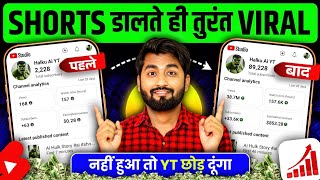

Get Lakhs of Views in 60 Minutes!
44sImmediately promises a high-view hack, capitalizing on creators' desire for quick viral growth.
▶ Play Clip"The title promises a quick viral trick, but the video is a lengthy, repetitive tutorial with a lot of filler and a late call to action."
This video is a tutorial for YouTube creators, focusing on how to make Shorts go viral. The creator demonstrates a step-by-step process using YouTube's 'Inspiration for You' feature to find trending content and audio, and then shows how to optimize the upload with titles, tags, and timing. The goal is to help viewers get more views and potentially go viral.
The creator shows a screen with high view counts and promises to reveal how to get similar views in 60 minutes.
Use the 'Inspiration for You' feature in YouTube Shorts to see trending videos in your niche and get inspired.
Check the number of videos made with a sound and the views it's getting to evaluate its potential.
Use the 'Use this sound' button to start creating your Short with the selected audio.
Set a custom thumbnail by clicking the pencil icon to make your Short stand out.
Use ChatGPT to generate titles and hashtags for your Short.
Use Rapid Tags to generate relevant tags for your video.
Keep your Short unlisted for at least an hour before making it public to give YouTube time to understand your audience.
What is the first step to finding inspiration for your Shorts?
Use the 'Inspiration for You' feature in YouTube Shorts to see trending videos in your niche.
02:00
How do you evaluate an audio track for your Short?
Check the number of videos made with the sound and the views it's getting.
03:49
Which tools are mentioned for generating titles and tags?
ChatGPT and Rapid Tags.
07:25
If your Short is AI-generated, what must you indicate in the upload settings?
Yes, you must mark it as 'Altered Content'.
09:54
How long should you wait before making your Short public?
At least one hour.
16:03
Why is it recommended to keep your Short unlisted for an hour?
To give YouTube time to understand where to show your Short and to whom.
16:19
Use 'Inspiration for You'
This is a direct, actionable feature that helps creators find trending content in their niche.
02:00Evaluate Audio by Views
Choosing audio based on performance data is a smart, data-driven approach to content creation.
03:49Use ChatGPT for Titles
Leveraging AI tools for content optimization is a modern and efficient strategy.
07:25Wait Before Making Public
This timing strategy is a key insight for improving Shorts distribution.
16:03Consistency Over One-Off Virality
It sets realistic expectations and emphasizes the importance of consistent uploads.
16:44[00:00] Friends, you might be seeing my mobile screen on the side. Please whatever views are coming here, brother, you must be getting a good amount of views here. show you the views of 60 minutes here, friends, you can see all the
[00:13] you will be getting views in lakhs here within just 60 minutes. So only this content gets views. Whatever your content is, whatever kind of your video can also get so many views. What needs to be done? How are views
[00:27] in this video. Brother, there are some ways to make your message viral. You have to take care of many things even at the time of uploading. Brother, don't miss you will upload the message but you will not get any views. So friends let's start the video.
[00:41] request, friend. Those who are new to the channel, you get the notification first and you can watch that video. like the video. Come on friends let's start the video.
[00:54] not matter. But don't skip from now on. Watch very carefully because this process is very important. Pay attention to whatever ? You have to open the YouTube application on your mobile phone. Ok
[01:06] go to the search bar here and after going there you have to search AI shs. You have to write this and search here. Please do the search like this. If you search, you will see some AI videos here. Ok?
[01:18] what do you have to do? Whatever videos you see here, if they are videos with I, then you just have to you just have to pause it. Have to stop it. Ok? Have to stop here. What do you have to do after stopping? If you look above, you can see that subscription, live lens
[01:33] is written Trends. What are these trends? Please And they also make mistakes. I am thinking brother, I should go to the trend and Look carefully what to do? So you have to click on trend here. As soon as you click on the trend,
[01:47] brother, here you have entered the world of shorts. Here you will see only shots. Long videos have no meaning. If you have come to this page. what are you going to do? Let us understand this also. Please pay close attention. The first process here
[02:00] friends is written Inspiration for You. Here we will show you some such shots which Similar shots will be shown to you here. From whom you can get inspired. Like him, you can make shots if you want. This is a new feature of YouTube.
[02:14] watch videos like this and get inspired. You should make videos like these. Because whoever shows you SMS here, all of them are viral SMS. YouTube itself is recommending all this to you. Do you understand? If you watch AI videos, if you watch AI shots, then
[02:28] show you AI shots so that you can make AI videos. Ok? So you should pay attention to what you see here in Inspiration for You. Whatever things are in your category, For example, suppose you are blogging or cooking, then you will
[02:42] see it, just scroll down like this. If it is still not visible then friends, then refresh it like this. If you refresh, your video will change here. You can find who make videos like you. Like I have refreshed here. So
[02:56] and find this I video. So look I see an I video here. So let me I will pause it and here friends, you will see some music which will be in the sound. Ok? All you have to do is
[03:09] friends, you can see that 27 lakh shots have been made here using this sound. can see the views in the shots that you are making now, how the views are coming. Friends, here you are getting views in crores. You here you are seeing views in crores. Ok? So in this way
[03:23] you can choose the audio from here. Plus that's not all, friends. If you want, you scroll. I saw another one here. I will open this also. And same sound is visible here. Correct? You
[03:36] can see. In this way, friends, you will get friends, you can take inspiration from it. Friends, if you look here, you can see that you will see a lot of trending written here. So you will say that all the
[03:49] which song will we use? How will you use it ? How will you select? So friends, what do you have to do? When you look here, you will see how many shots are made. So it is not that if there are more shots made then we should
[04:04] then we should not use its audio. This should not be done. You have to open it. Like I open this audio. see here how many views it is getting. Look at the views. You can see its views.
[04:18] Compare these views with the audio below. We will compare it with this. more views are coming here than the previous one. Here friends, in this way you have to select audio here. Ok? So now
[04:30] friends, you will see here that if your content has been found in Inspiration for You, then which audio this guy is using. You will see it from here. Plus, now that which audio is getting the maximum views in the trending here, you have
[04:44] also found this out. So you will think friend which one should I use? So first of all let me tell you that you should use the inspiration one. Because Ok? But you should also keep in mind that it is not necessary that
[04:58] Ok? When you feel that you have used this audio. That means I used the inspirational audio. It is not getting any views. Then You will also use trending audio here. Which of
[05:12] n't know this either. Ok? But you have to do the work like this. When you do such work, you will viral. But there is still something else to do. What is the plan? Please open it. What do you have to do with friends ? Whatever is made here, you just have to
[05:27] After clicking, friends, what do you have to do now ? It will be written here: Use this sound. Ok ? All you have to do is click here. Friends, as soon as you click, the camera of your mobile will what do you have to do? Whatever you might have made, like I have made this. Ok
[05:40] ? So I click here on the ad. After clicking, friends, made I video. So I will click on next here. After clicking, Click here to be done. You will get the
[05:52] ? You can see here that you must have created audio here, that is, created speaker, click here and the background audio like this is the reduce it, okay, after reducing it you do not make it zero, keep it at least one or two,
[06:05] okay, one or two, keep it, its audio will be a little less, okay and the audio of your video, make it full and tick it and put it like this, after doing this all you have to do is if you want to write something on the screen then what you have to do is,
[06:19] you have to do is, you want to write, write some such line, brother, if your source is recommended in front of someone, brother, read that line and click, okay then you can write something like this, it
[06:31] want to write then you can skip it, okay, for now I will skip it, as you will click on next, brother, see very carefully this process, if you If you do not do it here, then you will not get this option further on. What is the option,
[06:44] can see here a pencil is made, okay, you just have to click here, after clicking, now the frame of whatever shot you have will be shown to you here. Ok? You
[06:59] So I make this frame here a thumbnail here. I will just can see that our thumbnail is ready. Now if we show this to anyone or even recommend it, then this part will be shown. So it will be nice brother that all the boys are
[07:11] riding bikes. Ok? Now here comes Caption Your Shots. Write captions for your shots. write the title here. Look, if your video is in Hindi then brother, try to video is in English then write the English title. Now suppose what
[07:25] was there here? I have created an AI video. Ok? And what's happening here is a cat n't understand what to write. So brother, you can take the help of Chat GT here. See what to do. You have to go here. You have to write Chat GT here and you have to
[07:39] you have to describe whatever is there in the video and it will itself show you. Now here he has described the video that a cat is saving the life of a child. I have created such an AI video to upload on YouTube.
[07:52] Write a title for it and also a hashtag. Ok? I just clicked here. Now see, brother will write this himself and give it to me. Look what you have to do? You saw a lot of titles here. You can see whichever title you think is
[08:04] can copy it here. Ok? So suppose I have written here first that the cat killed the girl. Ok? Just what do you have to do here? This has to be copied. Friends, what do you have to do after copying? You have to come here and paste it here.
[08:19] Look, I pasted it. Ok? Now some hashtags that are too many title, then You can see that YouTube itself will recommend some hashtags to you. You can see it
[08:34] here. So if you want, you can take the first one. ? You have to come down Ok? Hashtag: Friends, you have to copy this hashtag. From here you can
[08:47] see how to copy. Click here and after copying this, friends, This has to be written in the title. What will you write in the title? Friends in the title, what do you want to do ? Just click here and the hashtag will keep showing you here.
[08:59] You just keep clicking here. Whatever hashtag will show you here, just You can see it has been filled completely in this manner. Friends, what do you have to do after filling it ? If you have created an AI then I will give you some hashtags which are very
[09:12] can see here 3 crore has been used in videos so far. Just make sure to apply this. Ok? that'll be. If it is not recommended to you then it will write it for you related to your title. Ok? What do you have to do now? Here, as soon as
[09:28] you will see the option of description here. Ok ? Click on the description and all you have to do here is paste the hashtag that you copied there here. you have to do here is paste the hashtag that you copied there here.
[09:41] What do you have to do after backing up ? If you look here, you can see it, here you will see written tags, these are tags, you just have to click here. You will click and it will be written here Alter Content. All you have to do is click here.
[09:54] As soon as you click, if you make AI videos, brother, you will have to say yes here. you make a video here, then the audience who will viewers, will recommend your shots, so say yes here, okay, after doing this
[10:07] you go back, it is written below, ad tags, these are not hash tags, these are tags, what do brother, for example, if you have written AI video, you want that any AI video you write, that is, your shots should also be shown in it, like I searched in the beginning, then in
[10:20] can write AI video yourself and here as soon as you tick or click on it, your tag has been created here, AI ss, you can write whatever you want here, if write, you are not able to understand anything related to my title, if you are not able to find it, then what
[10:35] you have to do is you have to go to the Chrome browser, friends, you go here and write Rapid Tags, you go and write this Rapid Tags, okay, look carefully, what you have to do, it will find the tag and give it to you, whether your Whatever the title is,
[10:49] scroll down, as you scroll down, it will be written 'Use Tag Generator', click on it, the title of the video or whatever content you are creating, like I have I will write AI video and generate it here. As I generate it, brother, you can see that here
[11:01] we have got a lot of tags written here. You just have to copy it by clicking on copy here. Copied it. What do you have to do to copy? from here you have to back it up. Ok? Have to back it up. After backing up, keep one thing in
[11:14] in unlisted only. You do n't have to do anything here. Ok? Keep it in unlisted only. Come down to the audience. Come to the audience. Please click here. So here it will video has been made for kids, if you want that it is not for kids then you
[11:28] you can pay yes. So mine is not for kids, so brother, even the older children can watch. Ok ? I put no pay here. can leave it if you want. It is not necessary. Friends, what is the option of related video
[11:41] ? As soon as you open it, if you have made a long video related to this topic, then it will be added here. For example, suppose I have taught AI how to make videos, I select only the AI video here. You can see. Now if anyone sees my ssh then
[11:55] below it, how to make AI video, which is my bigger video, will be Ok? You can do this if you want. Rest of the friends, if you want, you then here you will find friends inside the community. You
[12:09] click on it. As soon as you click here brother, you will see that comments are off. Many not even know. So what do you have to do? You have to click here. Comments have to be turned on. After turning it on, you have to turn it back on. Ok? This much must be done.
[12:22] What is written below, shorts remixing, this also has a very important role brother. Many As soon as you click, many people will see that only audio is allowed here. So you should select the one above and not the audio. Meaning, you should keep the video audio
[12:34] selected on this so that other people can also make remixes along with your shots. Ok? So please click here. Please back it up. Ok? Just click on upload on shorts. Now your shots have
[12:47] it has started uploading. Correct? What do you have to do now? Now friends, here Studio, you just have to open it. What do you have to do after opening? click here. Friends, by clicking you can see the shots,
[13:01] your shots are being uploaded here right now. Ok? This is being uploaded. time? You just have to click on the pencil icon that is made here. check once again carefully that you have placed the thumbnail as you can see here.
[13:16] Ok? You have put it on. You have written the title here. You Whatever you had unlisted, now you do not have to make it public. open Chrome browser in your mobile phone. And here you have to write studio.
[13:33] Look at the studio, look carefully. When you write studio, then studio youtube.com, you have to write it completely here. What will happen now? As soon as you write studio, it will people click here. They make this mistake. When you click here, brother, some
[13:46] look, there is a space in the middle. There is space here. There will be no space left in what you write. What will be in it? You can see above that it will After writing this, friends, you have to search here. As soon as you search, you
[14:01] open here in studio mode. As soon as it opens, you have to After clicking, you have to click on the shorts one here. As soon as you click on Shorts, you have to select your shot. I have short selected here.
[14:13] Show more what is written. You can see that it will be written here, Show More. Ok? All you have to do is scroll down. Here you will get an option of tags. shown you two tags by writing them in the beginning. Ok? If you want to keep it, you can.
[14:28] you can remove it by clicking on the cross here. Ok? And whatever tags you copied from Rapid Tag, you just have to click here and paste them. As soon as you can see that your tag is written here. Ok? But here the
[14:42] more has been written here. So you have to cut it here. You will cut from the last. until it is completed. You can see it came within 500 words. Just what do you have to do now? You have to save it here. You can see that we have
[14:57] added tags inside our sash, description is also there, title is also there. everything has. You just have to come to this page. I have to check once whether it has worked refresh it and come back here. Please go and check it again. See if the tags are attached or
[15:10] Scroll down. Go here. Look, all the tags here are written by us. Written in one go. Ok? Now after all this, what does everyone have to do here? Here you will get an option Category. This is very important. Many people do not even know where it comes from.
[15:23] Where will I find this option? Brother, you will get this option here. Once you upload the video What do you have to do? This is what is written plus. Ok? You just have to click on this plus. suppose I am uploading my AI shots, then in which category will the AI shots come? If you
[15:36] can see that our entertainment has been selected here. If you look here, If you make videos with animation then you can select animation. There is gaming. There are a lot of things. If you create AI then you
[15:49] selected entertainment. Rest of the things, whatever I had to turn on, Now friends, what do you have to do? Now you have to click here on the unlisted one. As soon as you click, you will get the option of public and when will you make it public
[16:03] ? Once you upload your shots, you will make it public at least after an hour. It is not that you upload the shots and make them public immediately. Not so. you do not have to click on public here right now. It has to be kept on the unlisted page only.
[16:19] When the uploading time is one hour, if you upload for one hour and then leave it, then YouTube understands very well where to show your shots. Where is the audience to watch it? It gets more views. Do you understand? In this
[16:31] way, when 1 hour is over, click on Public. Go back and here you uploaded. And now see the views of your shots. It is possible that when you upload the first shot, you may not get that many views. But if you keep
[16:44] shots you will get a good response. that no friend, I will just upload one shot and it will go viral, then it does not happen like that. Do you understand? It also depends on what shots you make. I found out that your
[16:57] shot and posted anything. You are saying friend why are we not getting million views. record anything and upload it, it won't get any views. At least there should be something like this in the content, brother. It should feel like you have created something. If you have made a good video
[17:10] , a good message, then you can try uploading this process brother. As I hope friends, if you have watched the entire video carefully, then yes friends, if you liked the video then please like it.
[17:23] then please subscribe to the channel. If you want to learn how to make this video, then you want to learn how to make this video, then

⚡ Saved you 0h 17m reading this? Transcribe any YouTube video for free — no signup needed.