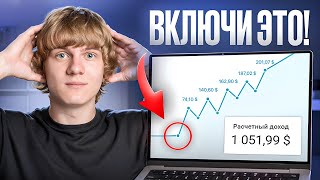

90% ignore these YouTube settings!
45sThe hook claims a shocking statistic and promises easy growth hacks, which triggers curiosity and FOMO.
▶ Play Clip"Delivers on the promise of eight practical settings, though some tips are common knowledge."
This video presents eight simple YouTube settings and optimization tricks that can significantly boost channel growth. The creator emphasizes that these small, often overlooked details help the algorithm understand and promote content more effectively, and shares personal experience of their impact.
The video claims that 90% of people ignore certain YouTube settings that can decide whether a channel gets promoted. These tricks take less than 2 minutes each but play a key role in growth.
Optimization is the language used to communicate with the algorithm. Clear titles, descriptions, and tags linked with keywords help YouTube promote the channel organically. Example: duplicating the video title in the description and using hashtags.
Set a default template for video descriptions to save time. Include standard sections like useful links, other releases, and hashtags. This saves significant time over a year.
Upload videos as unlisted (link access) for about 24 hours. This gives YouTube time to process the video, check copyrights, and understand the content before making it public. This can even lead to better ranking.
Customize who gets notifications. Turn off notifications when experimenting with new formats to avoid YouTube showing it to subscribers who might not click, which could hurt promotion. Turn on for niche content.
Use manual time codes instead of automatic ones, as automatic often makes mistakes. Proper time codes improve retention and navigation.
Use end screens and cards to keep viewers on your channel. Add at least two videos: one auto-selected and one manually chosen. This increases retention and algorithm loyalty.
Always ensure the 'Not for kids' checkbox is checked. If set for kids, videos go to YouTube Kids with lower monetization. Set this in advanced settings for all videos.
Turn off VPNs, proxies, and IP changes before accessing YouTube. These confuse the algorithm. Instead, focus on creating content in the language of your target audience.
By applying these eight simple settings and optimization tricks, you can dramatically speed up your channel's growth. The key is to communicate clearly with the algorithm and provide it with the right signals.
What is the first step to optimize a YouTube channel?
Optimize the channel title, description, and tags with relevant keywords.
00:28
Why should you upload videos as unlisted for 24 hours?
To give YouTube time to process the video, check copyrights, and understand the content before making it public.
03:21
When should you turn off subscriber notifications?
When experimenting with new formats or content that might not appeal to your usual audience.
04:15
Why are manual time codes better than automatic ones?
Automatic time codes often make mistakes and place them in wrong places.
05:05
What is the benefit of using end screens and cards?
They keep viewers on your channel, increase retention, and improve algorithm loyalty.
05:31
What happens if you mark your content as 'for kids'?
Videos go to YouTube Kids, where monetization is much lower.
06:27
Why should you avoid using VPNs when accessing YouTube?
VPNs confuse the algorithm because it doesn't understand why your IP address is constantly changing.
07:08
Optimization as language for algorithm
Frames SEO as a communication tool with the algorithm, making it actionable.
00:28Unlisted upload trick
A concrete tactic that can improve ranking by giving YouTube time to process.
03:21Notification strategy for experiments
Prevents algorithm from misjudging experimental content, a nuanced tip.
04:15Not for kids checkbox
A critical setting that affects monetization and reach.
06:27Avoid VPNs
Highlights a common mistake that can confuse the algorithm.
07:08[00:01] YouTube settings that 90% of people ignore. And it’s a shame, because it’s these small things that can ultimately decide whether your channel will be promoted or not. And it was these things that in many ways allowed me to get to where I am now. My
[00:15] results on my channels, my life, which I couldn’t have dreamed of, and my school, in which more than 300 people have already learned how to make money on YouTube. And the trick is that almost every one of these tricks takes less than 2 minutes, but plays a key role.
[00:28] And if you apply at least a couple of them, it will have a dramatic impact on the growth of your channel. Well, I won't drag it out , let's go. The first thing we'll start with is channel optimization. Essentially, it is the language we use to communicate with the
[00:41] algorithm. And if our language is understandable to him, then he will promote us without any problems. What optimization consists of is the channel title, description, and tags. And if we make them as clear as possible and link them using keywords, then
[00:54] will promote us organically. Let's take my channel as an example. on my channel is a step-by-step guide to making money on YouTube. By the way, if you haven't seen it, I highly recommend you watch it. This is not to be missed. This is the
[01:07] most popular video on my channel. And notice how the description is structured here. That is, we have the name 50,000 dollars without a voice or a face. And all this is duplicated in the description. That is, once. Then step-by-step instructions. Here it is.
[01:20] It is duplicated here. In this way, I let YouTube know what my video is about and who its target audience is. And also all these theses, they are written here for a how I made 50,000 dollars, how to make money on YouTube. That is, these are
[01:34] all, essentially, signs for YouTube about what this video is about and who it is for, and this makes it easier for them to promote it. Of course, a few hashtags that help us understand even more who our video is for. Well, and the video tags themselves. What we're essentially doing here is
[01:48] writing down the keywords that a person would type into YouTube to find our video . But don't forget about channel tags. These are keywords that will allow YouTube to understand not only the essence of each of our videos, but also the essence of the channel
[02:01] in general, where we are aiming and what we are promoting. And of course, YouTube isn't manually, after some time, what audience we want to create content for. But the more information we provide him with
[02:13] ourselves, such as optimization, descriptions, and channel tag names, the meaning we'll achieve our desired results faster. I think you understand if we can somehow speed up the growth of our channel, then it is worth doing. The
[02:28] next feature is the loading template. What is this? We have a separate section in our settings for video uploads, and here we can customize the basic template that YouTube uses for each of our videos. I didn't do this on my personal channel
[02:40] , but we can understand the basics by saying that, for example, in this video we first have a link to working with us, then a few paragraphs about the video, then useful links, then other valuable releases and hashtags. And we can
[02:53] basically, for example, leave useful links and other valuable releases in our description. Just like this. Now we've included here what will potentially be in each of our videos. It's not that it does n't really change
[03:05] depending on the theme of the [music] video. And this, even if only for half a minute, saves us video. And this can be worked with. The title, description, and tags for each new video and saving a significant amount of time. That is
[03:21] such a nice feature. Essentially, we set it up once, and within a year we save constantly spend manually entering these things. Take note. The on YouTube. Once I upload my video to YouTube, I don't make it
[03:35] publicly available, but rather make it accessible via a link. Why? Everything is as simple as possible. It takes YouTube about a day to figure out what the video is about and who it's for. Also check all copyrights and ensure that our content is unique. We
[03:49] also need to fully process the video and check for copyright issues in case we get into trouble for the music or video. And when, after 24 hours, we move our video from link access to public access, it is completely ready for
[04:01] and knows roughly what audience to show it to. I've even had some published via a link rank better on YouTube than videos that are immediately published in open access. So you
[04:15] next feature is a notification for subscribers. We can customize who receives our notifications. And at this point, many people make the mistake of clicking the checkbox so that each of our videos is sent to all viewers as a
[04:28] notification. But there is an important nuance here. If we experiment with content, try new formats, and do something unusual for our viewers, remember to turn off notifications, because YouTube will immediately show these
[04:40] videos to our viewers first. And if they don't click on the notification, the algorithms will decide that the video is uninteresting and will think twice before promoting it YouTube channel for promotion and suddenly post motivational videos, it's best
[04:53] the algorithm find the right audience on its own. But if our video is strictly in our niche, strictly for our audience, then we always turn on notifications and make sure that as many
[05:05] people as possible know about it. The next handy feature is video time codes. This is the feature that allows the viewer to easily navigate through the video and not lose interest. But I don't recommend checking the automatic time codes box. At
[05:17] almost every first time it makes a mistake and puts time codes in the wrong places. It's much better and more efficient to stages in your video where one topic transitions to another, and mark them
[05:31] time, but our retention will increase, and it will be easier for people to watch our video, engage with it, and, of course, return to our content. And for promote us. The next cool feature is the final bets and tips. I highly
[05:46] Many people, especially those just starting out, overlook this. But these are the getting views and keeping viewers on the channel. And if we don't use them, we literally lose views. Simply because it costs us nothing to add another thematic video from our channel to the end of
[06:01] our video, in our final bid, not to leave YouTube and go somewhere on TikTok or somewhere else, but to continue on to our content. I usually put two videos in the final bid. The most
[06:15] suitable one, which YouTube itself can determine and put there. And the second is a video that I manually select from my channel, which, in my opinion, watched it to the end. This way,
[06:27] stays on the channel, gives us more retention, and for the algorithm, this is a great indicator. The algorithm increases loyalty to us. The seventh feature, I would even say a tick [music] - is to always put our content not for children.
[06:41] can wipe out your entire channel, send it to YouTube Kids, and first of all, of course, I always advise making adult content. But no matter what content you create, double-check on your channel that this checkbox
[06:55] is unchecked. Fortunately, it can be set automatically. [music] advanced settings. And here you can select the value for all videos that no, my channel is not for children and there is no children's content on it. And then just
[07:08] double-check this box and don't let it say "yes" on your videos, because then our videos will be sent to YouTube Kids, where the rules are completely different and monetization is much lower. The eighth
[07:21] trick is to turn off all VPNs, [music] proxies, IP address changes, and anything else that might confuse the algorithm before accessing YouTube. Moreover, it doesn’t American, French or Spanish YouTube. In any case, I don't recommend
[07:35] turning on a VPN or anything similar, because YouTube doesn't understand why our IP address is constantly changing, and this only confuses the platform. The best we can do is understand who our target audience is. Let's say we're covering the
[07:47] essentially our audience is an ordinary businessman from America who watches the content. The best we can do in this scenario is to make our content in English, our title, description, tags, sweets and everything in English.
[08:01] And initially create our videos for such a person, studying them through the eyes of this viewer. Simply by not adding, for example, Russian or any other speech and focusing on the quality of the content. This is the best we can do, because
[08:14] over the years. YouTube is actually my age. It was also created in 2005. And here and do everything so that we have a ton of views. He himself will understand and find out who is worth promoting and whether it is worth promoting in general. Therefore, you
[08:30] are [music] in Russia, Belarus, Kazakhstan, Ukraine, you can afford content from your country. And you wo n't get into any trouble for it. Simply, when setting up monetization, you will need to connect to a different country, unless,
[08:43] of course, withdrawing income from YouTube is not available in your country. Well, I've written a separate guide about how to withdraw income through other countries, how to achieve these results, what to withdraw, and how I got into this. You
[08:55] first link in the description. This is something I would have loved to see when I started out in this video, you could months, or even years, off your journey. Today we've covered eight
[09:08] simple tips and settings that can dramatically speed up your channel's growth. If you found this helpful, please give it a like, leave your opinion in the comments, and follow me on social media. This is Instagram, Telegram. There I
[09:20] share my life, my insights on YouTube, my work with students, and current information about our favorite platform. Thanks for watching and platform. Thanks for watching and see you.

⚡ Saved you 0h 09m reading this? Transcribe any YouTube video for free — no signup needed.