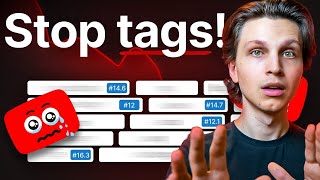

Do YouTube Tags Actually Matter?
44sDirectly addresses a common debate, creating curiosity and engagement.
▶ Play Clip"The title promises a radical shift, but the video delivers a balanced, practical guide that mostly matches the promise."
This video addresses the ongoing debate about whether YouTube tags still matter for video ranking and growth. The creator, Matt Parr, explains that while tags are not the most critical factor, they can still be beneficial when used correctly, and he provides a detailed strategy for tagging videos effectively. He also highlights more important elements like video content, titles, thumbnails, and descriptions.
Tags are compared to seasoning in a restaurant analogy; they can help but are not the main ingredient. Content quality is the core, thumbnails are the menu images, and titles are the order.
If tags are used incorrectly, they should be avoided entirely. If used correctly, they provide a slight edge, especially for smaller channels, as they help YouTube understand the video's topic.
YouTube recommends using tags for common misspellings and relevant keywords. It also prohibits using tags that are not directly related to the video content.
The strategy includes a title tag (similar to the video title), video-specific tags (generated via tools like Tube Magic), category-specific tags (reused for similar content), and channel-wide tags (including the channel name).
The spoken content in the video is more important because YouTube indexes the transcript. Titles should include one relevant keyword, and thumbnails are more critical for clicks.
Descriptions should have keywords above the fold, and timestamps/chapters are indexed by Google and YouTube, helping with search visibility.
Value is defined as databased information from successful videos. AI tools like Tube Magic can automate title, description, and tag generation, but human QC is still necessary.
Tags are not the most critical factor for YouTube success, but they can provide a small advantage when used correctly. Focus on high-quality content, engaging titles, and compelling thumbnails, and consider using tags as a supplementary optimization.
What is the primary factor for YouTube success according to the video?
Content quality
01:07
What does YouTube officially recommend using tags for?
Common misspellings and relevant keywords
02:15
What are the four types of tags in Matt's strategy?
Title tag, video-specific tags, category-specific tags, and channelwide tags
03:10
Why is the spoken content in a video more important than tags?
YouTube creates a transcript and indexes it in the algorithm
05:36
What is the recommended character limit for YouTube titles?
60 characters or less
06:40
What is the 'above the fold' in a video description?
The first few lines that are visible before clicking 'show more'
07:56
What is the role of timestamps and chapters in a video?
They get indexed by Google and YouTube, helping with search visibility
08:51
Content is King
Emphasizes that content quality is the most important factor, setting the foundation for all other optimization.
01:07Structured Tagging Strategy
Provides a clear, actionable method for tagging that can be replicated by other creators.
03:10Transcript Indexing
Reveals that YouTube indexes spoken content, making it a key ranking factor.
05:36Thumbnail Best Practices
Offers concrete advice on creating effective thumbnails, which are more important than tags.
07:43Value as Databased Information
Defines value in a practical way, suggesting to use proven successful content as a basis.
09:03[00:01] your videos is the key to ranking your videos higher in search and getting your videos more views. And I've talked a lot about the importance of tags in the past. But do tags even really matter anymore? I've had a lot of debate with
[00:13] different YouTube channels regarding tags. And we've come to some conclusions important for you to hear because it's going to help you grow your channel a "How do you explain, for example, these channels that blow up getting millions
[00:27] of views, yet they don't put a single tag on their videos?" Well, in this video, I'm going to tell you to stop using tags, and also to never stop using tags in the same video. And no, I have not lost my mind. There is actually a
[00:40] statements are true, and it's going to change everything about how you go ahead and optimize your videos. In this video, I'm going to explain everything and what tags if you actually want to blow up. So, how much do tags really matter? In
[00:54] you an analogy. Think of your YouTube channel as a restaurant and every video that you upload is a piece of food that you serve at your restaurant. Having good food or good videos matters a lot obviously because then people will come
[01:07] back to eat there or watch more of your videos. Now, the core food that you sell are your videos, your content quality. This matters the absolute most on YouTube. Now, thumbnails are the images that you have on your menu of those food
[01:21] items. Thumbnails make people want to click your videos, and titles are before people go ahead and order. So, you might be saying, "Okay, Matt, then what are tags in this strange analogy?" Well, I consider tags to be your
[01:34] seasoning because yes, good seasoning can definitely help a dish, but bad about if you put too much salt, for example, on any food, you're going to videos wrong, you should stop using YouTube tags entirely. Whereas, if
[01:48] you're tagging your videos correctly, then you can enjoy the little bit of an not going to be anything crazy. You're not going to just get millions of views video, but it will definitely help you, especially in the very beginning of your
[02:01] know what your video and your channels are about. So, this is especially important if you run a smaller channel. And then as your channel grows, tags are going to matter less and less as YouTube understands more about who your ideal
[02:15] "Okay, then how does YouTube tell us to use tags in our videos?" Because we YouTube tells us the following. They say to use tags for common misspellings and certain keywords that your audience
[02:28] be a little bit broad, and I'll explain to you exactly how I'm tagging my videos something really important that YouTube does tell us is that they don't allow putting tags on our video that don't directly relate to our video. This could
[02:42] And it makes sense if you think about it. When you search something on exactly what you're looking for. And YouTube's algorithm is smart enough to know this and to try to show the best match. So, if your tags are just random,
[02:55] with your video, YouTube's going to be like, "Okay, this is not what viewers the bottom." So, then, how do you get your video to the top? What is the show you that right now. I'm going to show you exactly how I tag my videos
[03:10] right now. So, my tagging strategy is that my first tag on a video is something that clearly describes a video and something that is very similar to the title of that video. I consider this to be my title tag because I want people
[03:23] they're looking for something hypersp specific and my video will show up. Now, are what I like to call video specific tags. These are tags that describe my video specifically. Now, I like to use the warp upload tool in my YouTube tool
[03:38] tags. You just simply put in the unlisted video link of your video or you and it'll generate you those tags or you can just simply copy paste. I like to use that tool because it finds very hyperrelated tags based off of the
[03:52] the video is about. Now, if there's anything that doesn't relate to the pop up on there. So, then I'll go ahead and delete that. And these video specific tags are the majority of the tags on the video. Now, the next set of
[04:05] tags that I like to put are what I like to call category specific tags. These are tags that fall into specific categories that my channel uploads about. So, I'll have a set of five or so tags that I put on every single video
[04:17] about how to make money on YouTube. These will be tags like make money on YouTube, how to make money on YouTube, YouTube monetization, and these will go subject. So, then those are that categories tags. Whereas my other bucket
[04:30] of content would have different category tags such as how to grow on YouTube, how subscribers. And then we have channelwide tags. This is usually describe my entire channel as a whole. These might be keywords like just simply
[04:44] channel it would be just health. And then the final tag that I put on is usually my channel name. So my final tag for my channel would be make money matt. So that's how I personally like to tag my videos because it tells YouTube
[04:57] exactly what your videos are about. But as I was saying, I was having some team who were telling me, "Look, Matt, tags really don't matter that much. Look millions of views with no tags whatsoever. What do you say about that?"
[05:10] Well, I say that YouTube figured out what those videos are about. So, certain things are definitely more important than tags. That is no doubt. However, if would YouTube give you the ability to add tags if it didn't have at least
[05:23] somewhat of an effect? So, it definitely has an effect. It can definitely help, to accurately describe what your videos are about. So, I say use them, but use just showed you. So, you might be saying, "Okay, Matt, that's great, but
[05:36] you're saying that certain things are more important than tags. What is more important and what should I actually be focusing on if I actually want to grow a of the most important things is actually what is said in your video because
[05:49] YouTube creates a transcript of what you say in your videos and then it will index it in the YouTube algorithm. For example, in this video, YouTube is going to see that I talk a lot about YouTube tags. So, it's going to then categorize
[06:01] in your video is more important than tags. What also is more important is the recommend for your title, just include one relevant keyword that you want your video to be found for. But remember that getting clicks and getting actual humans
[06:15] important than just putting random keywords in your video. You always want to optimize for humans first and then the algorithm. And that's mostly because people who actually watch YouTube. And the YouTube algorithm just optimizes for
[06:27] right videos. You also want to make sure that your videos aren't too much of get people to click, but you want to deliver in the actual video what they that people aren't watching throughout a significant portion of the video, it
[06:40] finally, with titles, make sure to stick to 60 characters or less so your titles appear everywhere on YouTube, including mobile devices and on desktop computers as well as TVs. You want that full title being shown. Now, thumbnails are also
[06:53] far more important than tags because this is the first visual representation of what somebody sees of your video before they decide if they want to click vibrant colors, the least amount of text possible. If you're going to put text in
[07:06] thumbnails, keep it to a couple words, if not less. If possible, show a face in be your own face. It could be an AI avatar, like for example, the channel Zini Studio, or it could be somebody else's face. The best AI, by the way,
[07:19] that I recommend for putting faces in thumbnails is called Cadream 4.0. You Open Art. It's the best for doing AI generated images. Now, depending on when already be a better software out there, but that's the best right now. And also
[07:31] thumbnail to a minimum. So if you're in the thumbnail, it should really just be you, maybe a background, but then you wouldn't put any text or it's you and just some text. So you want to keep your primary elements to three or less in
[07:43] best practices. You're going to see thumbnails that are the exception to the it's really important to have these rules so that you can be going in the important than tags are video descriptions. So how do you write a
[07:56] Well, first of all, you'll notice that your YouTube description only shows the first few lines before you have to click show more. And anything past that show more button is considered below the fold. So, what's above the fold matters
[08:11] people see first. So, you want to include relevant keywords in that first believe in the description of this video right here, there's probably going to be there. And then you can put some relevant links if you want. You can see
[08:25] copy it if you'd like. For example, I'll always make sure to link to a super long it will keep people on YouTube for a long period of time. Also hopefully giving them a lot of value, but YouTube will reward you with tons of views and
[08:38] platform. So, it's great to link to other videos on your channel if they're make sure to add timestamps to your fact that not many people know this. But when you add timestamps and chapters to
[08:51] your videos, those actually get indexed by Google and YouTube. So when people are searching, they can find those chapters alone and not just your videos. And then also, as we discussed, your actual content matters more than any
[09:03] lot of people like myself talk about, oh, you just need to put as much value does value even mean? Isn't that subjective, you might say? And in my databased information that has already worked in past videos and then just put
[09:17] it into your own videos. Which means taking information from videos that have already gotten tons of views on YouTube and then writing that in in natural ways you might be saying, "Matt, that's all great. This is a bunch of great
[09:29] information, but how do I implement it practically? Is there like an AI that could do it all automatically for me?" Well, I'm glad you asked because yes, there actually is. And I created this AI specifically for myself, but you can use
[09:41] Magic. I'll leave a link to it down below. And basically with Tube Magic, we put in the link of your video and generate a great title, description, and tags that you can use following all the best practices that I just gave you
[09:55] know. Not only that, but our flagship YouTube script writer feature within Tube Magic allows you to put context videos. And by doing that, you will take videos and then it will write it in original ways. And on top of that, it'll
[10:09] write it in a YouTube specific way, including all of the best practices that I have for writing YouTube scripts, including the best viral hook formats, the best YouTube script formats, the best advanced psychology to keep people
[10:21] throughout the video, to keep people watching throughout the entirety of the video, therefore giving you a ton of watch time. So, Tube Magic actually is Now, I do want to give a disclaimer. anytime you use AI, whether it's my tool
[10:34] double check everything and always QC everything, but it will help you save so much time. Now, the fact that you're focused on YouTube tags tells me that YouTube channel. You would not be watching this video unless you genuinely
[10:47] wanted to grow on YouTube and you wanted to get tons of views and subscribers. And why are you doing that? Is it just to get vanity metrics? Probably not. You out of doing YouTube as well and make a ton of money. And if you actually want
[10:59] completely free training. It's directly here on YouTube that you can check out training, I'm going to show you the real way that I'm making money on YouTube going to be showing you the new method that's working right now for getting
[11:13] didn't even share in this video, and you will see it right here. And also, how to explain what I mean there. My name is Matt Parr and I'll see you


⚡ Saved you 0h 11m reading this? Transcribe any YouTube video for free — no signup needed.