

Samsung's New AI Button on TV Remote
39sThe 'one-click AI button' is a simple, tangible feature that sparks curiosity and is easy to explain in a short clip.
▶ Play Clip"Delivers on the promise of showcasing four AI features, though it's a brief overview rather than an in-depth analysis."
The video showcases Samsung's new Vision AI technology announced at CES, highlighting four key features that bring AI to home TVs: Click to See, Live Translate, Universal Gesture, and Home AI with Pet Care. The presenter expresses excitement about Samsung's focus on on-device connectivity, personalization, and openness.
Press a button on the remote to identify actors/actresses and get information about what you're watching.
Provides real-time subtitles in your native language for content in other languages, even without existing subtitles.
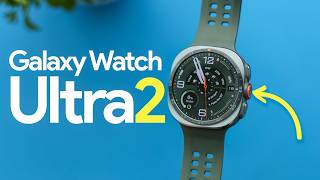
Control the TV using a Galaxy watch: pinch to select, fist to go back, double fist to return home.
Deeper smart home integration; ask about your day and get video highlights of your pet from connected cameras.
Samsung emphasized four keywords: on-device, connectivity, personalization, and openness, showing their strategic objectives.
Samsung Vision AI represents a significant expansion of TV capabilities, integrating AI to enhance viewing, translation, control, and smart home interaction, with a clear focus on on-device processing and openness.
What is the 'Click to See' feature in Samsung Vision AI?
It allows users to press a button on the remote to identify actors/actresses and get information about what they're watching.
00:01
How does Live Translate work in Samsung Vision AI?
It provides real-time subtitles in the viewer's native language for content in other languages, even without existing subtitles.
00:13
What gestures are used to control the TV with a Galaxy watch?
Pinch to select, make a fist to go back, and double fist to return to home.
00:26
What does the Home AI feature do?
It integrates deeper into the smart home, allowing users to ask about their day and see video highlights of their pet from connected cameras.
00:38
What four keywords did Samsung emphasize for Vision AI?
On-device, connectivity, personalization, and openness.
01:07
Click to See
Demonstrates a practical AI application for instant content identification.
00:01Live Translate
Shows AI breaking language barriers in real-time, a significant accessibility feature.
00:13Universal Gesture
Introduces a novel control method using wearable devices, enhancing user interaction.
00:26Home AI and Pet Care
Illustrates AI's role in smart home integration and personalized content.
00:38Samsung's Strategic Focus
Reveals the company's guiding principles for AI development, indicating future direction.
01:07[00:01] out their new Samsung Vision Ai and here are four features it brings to home with AI so you can click one button on your remote and find out a lot of you're watching so if you want to know who the actors or actresses are what
[00:13] different things like that you can just press this button and a tab shows up on number two is live translate so if you're watching anything in another language and they don't offer subtitles in your language well Samsung Vision AI
[00:26] is able to do that for you and give you subtitles in your native language on the personal favorite it's called Universal gesture where you can use your Galaxy watch to control your TV so you can navigate the cursor around the screen by
[00:38] pinch to select make a fist to go back or double fist to go back to home and number four the home AI experience and Pet Care kind of bundling into two right deeper level of integration into your smart home so for example if you want to
[00:51] ask like what's been going on today and it can find anything from your your cameras that it recognizes as your pet and show you the video so you can see today and Samsung made a focus on four key words and those words were on device
[01:07] connectivity personaliz and openness so that shows their objectives for Samsung Vision AI so I'm pretty happy to see Samsung expanding TV capabilities and Samsung expanding TV capabilities and I'm excited to use these new features


⚡ Saved you 0h 01m reading this? Transcribe any YouTube video for free — no signup needed.