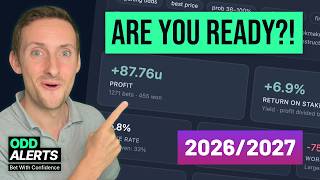

AI Summary
This video demonstrates how to use Odd Alerts AI to create football betting strategies for the 2026/2027 season, covering quick filters, the funnel, and the value bets app. It also highlights new updates and features added during June and July, including AI-powered filter generation, improved profit calculators, and bet slip enhancements.
Chapters
Odd Alerts AI can generate quick filters based on natural language prompts, such as 'games with high chance of BTTS and over 1.5 goals'. The AI analyzes the prompt and creates filter rules automatically, saving time and effort.
Even vague prompts like 'over 2.5 goals where both teams have been scoring 1.5 goals each in recent games' are interpreted correctly, using recent form and probability models to build filters.
The funnel, an automated in-play scanner, now supports AI-assisted settings. Users can describe desired alerts (e.g., home win with 4 shots on target and odds 1.9) and the AI configures the rules, including pre-match stats and live odds thresholds.
New features include setting a default strategy, hiding unused strategies, adding multiple bookmakers per strategy, and a profit calculator with backtesting over 120 days, showing 87 units profit for an under 2.5 goals system.
The reliability page rates systems (e.g., 85% overall) with breakdowns for sample size, return, consistency, league mix, and downside risk. The improve tab tests variations (e.g., raising min odds to 2.75) and shows yield change (+7.41%) without replacing current settings.
New features include automated bet slip generation at 8am and 6pm sent to Telegram, the ability to swap individual fixtures without regenerating the whole slip, and locking selections while regenerating others.
Direct deep links to bookmakers are now available across tools, with no affiliate links or ads on the site. Odd Alerts makes zero money from these links.
The page has been redesigned to surface probability models, correct score predictions, and edge filtering. Users can generate AI match reports and ask follow-up questions, with features improving before the season.
Odd Alerts AI significantly streamlines the creation of betting strategies, from filters to automated alerts, and the summer updates enhance usability and profitability analysis. The tools are designed to save time and improve decision-making for football bettors.
Mentioned in this Video
Study Flashcards (7)
What is the funnel in Odd Alerts?
easy
Click to reveal answer
What is the funnel in Odd Alerts?
An automated in-play scanner that monitors markets every second, always on.
05:35
How does Odd Alerts AI generate quick filters?
easy
Click to reveal answer
How does Odd Alerts AI generate quick filters?
Users enter a natural language prompt, and the AI analyzes it to create filter rules automatically.
00:17
What is the default backtest period for the profit calculator?
easy
Click to reveal answer
What is the default backtest period for the profit calculator?
120 days, but can be extended.
10:51
What does the improve tab do?
medium
Click to reveal answer
What does the improve tab do?
Tests close variations of your settings and shows yield changes, e.g., raising min odds to 2.75 increased yield by 7.41%.
13:26
What new feature allows swapping a single fixture in the bet slip generator?
medium
Click to reveal answer
What new feature allows swapping a single fixture in the bet slip generator?
You can click to generate a single game replacement without regenerating the whole slip.
16:03
What is the reliability rating for the example system?
easy
Click to reveal answer
What is the reliability rating for the example system?
85% out of 100.
11:46
How does Odd Alerts make money from bookmaker links?
easy
Click to reveal answer
How does Odd Alerts make money from bookmaker links?
It doesn't; links are direct deep links with no affiliate revenue.
17:41
💡 Key Takeaways
AI Quick Filters
Shows how AI can translate natural language into complex filter rules, saving significant time.
00:17Funnel AI Setup
Demonstrates AI configuring automated in-play alerts based on a simple prompt.
05:35Profit Calculator Backtest
Provides concrete example of 87 units profit over 120 days, illustrating system viability.
10:51Improve Tab
Automates strategy optimization, a typically time-consuming process.
13:26No Affiliate Links
Highlights ethical stance of the platform, contrasting with industry norms.
17:41Full Transcript
[00:00] AI is probably going to take over the world, but until it does, why don't we use it for good like creating some winning football strategies for the 26-27 season. In this video I'm going to show you how you can use Odd Alerts AI to create winning systems
[00:17] in seconds for the funnel which is automated always on live alerts and for quick filters as well. Powerful pre-match filters narrowing down thousands of games to create sensible
[00:31] and powerful shortlists ahead of the weekend. And that's not all, we're going to go through all of the updates that have been pushed to Odd Alerts in June and July. It's been a very busy summer, especially given that we had
[00:45] a World Cup as well. So without further ado, let's get into it. So the first AI feature that I'm going to show you to help you with your football in
[00:57] 26-27 is via quick filters. We've got four different AI features to show you in this video as well as many other new tools and updates around the site.
[01:10] So when you go to create a quick filter, you will now see this button, this call to action and you can build a filter with Odd Alerts AI. Let's click it and then it will give you some examples of the types of queries that you can generate or that you can prompt. But
[01:27] to be honest, it is an open book. You can put in here whatever you like and it will generate a filter for you. So for example, you could say I want games with a high chance
[01:39] of BTTS, with a high chance of over 1.5 goals. You can also filter on the odds, the probability, the live data if you want to create a live filter using quick filters in this way. I'm
[01:52] So here's the first example. I didn't record myself typing. I thought that would be a bit boring, but this says a filter for BTTS that focuses on the away teams. If you are a regular
[02:06] viewer of the channel, whenever I've covered other tutorials, especially for BTTS, you will know that I do like to lean on the away team. I think if you've got a strong away team that is expected to win or expected to score, certainly, then the home team, if
[02:21] they are capable or not terrible, as we have said in this filter, the home team should not be terrible with 1.2 points per game at home. They can always get a goal, can't they? They can fight back in the game. BTTS probability should be 55% or higher. We can click build
[02:38] filter. It will go away. It will analyze what you've said and then it will do its best to put together some filters based on what you've said. And we see here we have that away scoring
[02:51] record 80% or more. We have points per game for the home team of 1.2 minimum. And then the BTTS probability model. And it's actually going to sort the filter. If you click add
[03:03] to filter, we will do that. And then there are your three rules. That is enough to get you going, certainly. And then you can add more here. You really can add a huge amount
[03:15] of rules. As you can see, there is a great array. We can hit search, see if there's any games on Friday as I record this. And we see we've got BTTS at 80% in Australia. We've got quite a few games from Australia, from Finland, as expected. We've got games from
[03:31] Norway that also match these credentials. So that is one way you can do it. I was quite specific in my prompt to Odd Alerts AI there. Let's be a little bit more vague and see what
[03:44] kind of filter we get back. So for this second example, I am actually just saying a filter for over 2.5 goals where both teams have been scoring 1.5 goals each in recent games. Let's
[03:56] see what it thinks about that term recent games. Both teams should be no stranger to conceding goals. So we're not filtering for odds here or probability or any live metrics.
[04:08] We click build filter and let's see what it comes back with in this example. So it is going to lean on the probability model. It's going to look at the scoring occurrences across
[04:21] the last 10 games for scored over 1.5 goals. And it's going to do the same for conceded 0.5 goals. So you can see already how this tool is going to save you so much time. If you have a
[04:35] theory, if you have an idea on a filter or if you have an idea on the sort of teams that you like to come across during your research, maybe you've spotted patterns, you see a certain team and you want to try and replicate that. This is a good way to do that. So we can hit search and we do get
[04:53] games via this filter as well. And what you can do, of course, if you are new to quick filters, you can take those settings and apply them to the next seven days. And then you can see we have a
[05:06] whole range of games, a lot of games from Australia. And of course, if you are looking at goals, Australia, Norway, Finland, especially as I record this in pre-season for most of Europe, they are the certain leagues that are going to be popping up on your filters. So that was
[05:22] AI as it relates to quick filters. Next up, we're going to take a look at the funnel. Now on to the funnel and stay tuned if you are a fan of value betting, because we've got a lot
[05:35] of updates that have launched between June and July that we will get to after this section. So the funnel, what is it? It is our in play scanner that is always on, always working for you,
[05:47] completely automated, looking at the markets every single second of every single day. Don't worry, it doesn't get tired. It's a robot. You can click there where I just click to edit your settings. There is a setting for each market. So let's take the home win, for example.
[06:05] And again, you have this new call to action here. And what we can do is adjust the settings with AI. So let me give you a concrete example. So here is the prompt that I've put together,
[06:18] and we're looking at the home win here. So again, Odd Alerts AI in this context has access to all of the available settings and rules and customizations that are available on the
[06:34] if you wanted to, you could tell it to exclude women's football. We're going to go with some of the more popular settings in this prompt. So alert for the home win when the home team has had four
[06:46] shots on target, the odds are 1.9. So I am actually specifying the odds that I want to see when it triggers and the pressure is 65% or higher for the home team. And now we can also
[07:00] include pre-match stats to qualify the game. So we can say the away team should have conceded a goal or more in every one of their last five games. And if you missed it as well, also in the
[07:15] summer, you can now say, for example, the home team has had five more shots than the opponent, or they've had 10 more dangerous attacks than the away team. You can do it in gaps like that. So
[07:29] you don't have to specify exact amounts. If you just want to know they've had X amount more than the opponent, you can do that now, which is pretty powerful as well. So let's build these settings. It'll go away. It'll look at all the rules and analyze what we've actually asked it to do. And
[07:45] then it will come back with a ready made filter for us. And there we have it. It says ready to review alerts on the home win market when live odds are at least 1.9 and the home team is showing strong attacking signals, four shots on target and 65% pressure. It's absolutely nailed what we
[08:03] were asking of it. And you can see the specific stats here. Minimum probability 65% for the home win away team last five games, clean sheet is zero. Minimum odds increased 25%. We've got the
[08:17] minimum live odds set. So it will not trigger unless we hit 1.9. The alert is going to trigger before 75 minutes. We can adjust that if we want. Let's apply this setup. And there it is. It is
[08:33] done. You can go to the in-game tab to see your settings. You've got the home shots here, the home pressure. You can add as many more as you like. And we can actually see there are 200 plus fixtures
[08:46] that match this in the next five days. And you can actually click view and get a quick look at the funnel at that first stage. And then of course the in-game data and stats and odds will take over
[09:03] from that. So that is the funnel always on working for you and now easier than ever to set up with Odd Alerts AI. Next up a break from Odd Alerts AI. And we are looking at our value bets app here.
[09:17] I'm going to show you a profitable system that I have. And I'm also going to walk through all of the updates and changes that we have made this summer. So we're looking here at a under 2.5 goals
[09:30] strategy. And yeah, there's been a lot of changes and updates. And I've been listening to feedback from users and just applying it as and when I can. So now you can make a strategy your default. So if
[09:42] I click this, it will now be the first strategy we see when we go to the feed, when we open up the when it is time to check your value bets or when you've got an alert and you're going to the value
[09:55] bets app to check that out. You can also hide strategies that you're not using at the moment or markets that you're not really bothered about. You can hide them from the menu. You can also now add multiple bookmakers to a strategy. So for example, this is getting the best prices from
[10:13] all bookmakers. But what you could do is look at Bet365, 1xBet, William Hill, Betfair Exchange and then leave the rest. Or you could just look at maybe 1xBet and Bet365. It's completely up to
[10:25] you, but the option is now there. And this works seamlessly with the alerts as well. You will get multiple alerts for both bookmakers if you enable a couple of bookmakers on this part of the settings,
[10:37] for example. So next up, the profit calculator. This takes your settings and backtests it by default across the last 120 days. You can look back much further if you like. We can see that
[10:51] across the last 120 days, this system has produced 87 units of profit. That's not bad, is it? For the off season especially. We can see where the money was won and lost using this very nice chart.
[11:04] We can see the recent results and we can also use the bankroll simulator. So you can adjust your starting bankroll and see how you would have done. And you can adjust the staking method as
[11:17] well. 1% of bankroll, 2%, 5%, half Kelly, quarter Kelly, totally up to you. You can download the results. You can download the upcoming games as well. Not much has changed there. We have improved
[11:30] the UI, of course. These next pages are where the changes come in and they are pretty impressive and powerful. The reliability page now gives you a rating for your system. We can see here this one
[11:46] has an 85% rating out of a hundred, of course. And we can see that you've got ratings for things like sample size, the overall return, recent results, 100. That's not bad. Consistency over
[12:01] time, 75%, very, very respectable. The league mix, this is the consistency of the leagues that are coming in. So is there an over-reliance on a certain competition or certain country? And 100
[12:14] is fantastic. So no over-reliance on a certain league, especially in this system, which is always good. The downside risk, 58%. So there may have been a big losing streak with this system, which
[12:27] is to be expected with value betting. You have to acknowledge and accept that there will be downturns in systems. It's rare that you get a system where there aren't trends of defeats. You have to just
[12:40] be value betting. It should be a systematic approach. You shouldn't be bringing emotion into it really. And if you've done your homework and you've paper traded and you've used tools like
[12:53] this to build confidence in a system, then you should have no problem with losing a few games. And also on this tab, we have this new section, which takes the historic 70%, the baseline 70%
[13:07] of the results, and then compares against the 30% as well. So it can then break down the system into periods and see if you are performing as expected or if it's a system that needs some work, shall we say.
[13:26] The next tab is the improve tab. This is a very good tab. This is a special tab. People are absolutely loving this. And for good reason, it improves your systems. Whilst you are hitting get
[13:38] and generating your profit and doing the back test, it now also tests other close variations of your settings for you and presents you with this. Raise the minimum odds to 2.75. Why?
[13:55] Tests whether avoiding shorter prices improves returns. That's what it's tested for you. And all bets across the same period, 852. And the yield change 7.41% increase by raising the
[14:12] You can do all this yourself as well, because as you'll see in a minute, we've got a details tab where you can see the breakdown of profit per odds range. But clicking this button doesn't replace your settings. It creates a new strategy that you can
[14:28] rename to something. So yeah, you can just apply this, then check it out in more detail. So this is a really cool feature, of course, because improving strategies is hard. It takes time.
[14:42] But if we can help you do that in a couple of seconds, that's pretty good. And I mentioned the details tab. Here it is. We have a breakdown of how and where your filter filtered stuff. And we can see the value range doing the heavy lifting on this specific filter. We can also have a
[14:58] performance breakdown here by day, by value, by odds and by competition as well. So that is the new and improved performance calculator, the profit calculator on the value bets app.
[15:15] Now, the next feature I want to show you is from the bet slip generator. I will link all of these in the description, by the way, we're just going to use my default settings. You can get a feel for them here. We're looking at over 0.5, 1.5, 2.5 goals, BTTS and also team goals as well. So
[15:35] we do have alerts set what this does. This is a new feature as well. You can enable alerts for this profile. You can create many profiles of settings for the bet slip generator.
[15:48] What will happen at 8 a.m. and 6 p.m. every day is that it will generate a bet slip for me and send it to my telegram automatically. So that is a pretty cool feature. You don't have to keep coming back to generate if you don't want to. So we're going to hit get and it's going to generate
[16:03] the bet slips for us as you are used to. And the new feature here is that you can now actually swap out a single fixture. Let's say you like the look of this leg or you've got a treble,
[16:16] you like two of the three items, you don't want to regenerate the whole thing. You can now click to just generate a single game and you can see we now get another game, the odds update,
[16:28] the value updates, everything updates. So you can just click this button or you can click this one if you don't like this fixture, you don't want to see it again. And if you want to regenerate
[16:40] everything again, but lock that selection, you can do that and then you run again and it will be there in your selection in all of the selections if you lock a game. So very, very useful and it
[16:56] gives you more control as you build a bet slip. So we're only looking at doubles here, but imagine if you were looking at, let's say trebles and filtering for the championship, the Bundesliga
[17:10] two, the Danish Super League, you know, all the leagues that will be starting in a couple of weeks or so. So this is a very, very cool tool that we use on the videos quite often. And make sure you subscribe, by the way, if you are enjoying this content, because we will be doing plenty of
[17:25] for 26, 27 on the channel. Something else that launched this summer is a bookmaker link. So we can see here, for example, on our odds comparison tool or via the odds movement table and across
[17:41] other tools as well. And on various alerts, you can now click view on bookmaker. We're looking at for this example, we click it and it will take us directly to the game and we can just go and
[17:56] take a look at the odds as they are. This is not an affiliate link. Odd Alerts makes zero money from this. They are direct deep links. I would never, ever have affiliate links on the website.
[18:08] There are no adverts on the website. You probably haven't noticed because they're just not there. We've never, ever had a single banner ad, whereas other websites in the same space are covered and
[18:21] make money when you visit the bookmaker through the links that they share. And of course, they make money off your losses as well. So we're going to end the video. This was supposed to be a quick video summarizing the changes that we've made in June and July. It's gone on for quite a
[18:38] while. This is one of many more changes. You can check them all out in discord. The better of the day page has also received an overhaul, but the AI football predictions page, I think will be more fitting for the YouTube audience. I'm sure you'll like this. So it has been completely
[18:55] redesigned. It is now surfacing our probability model. By default, it's showing you the win probability. You can click to view the highest at the top. You can look at tomorrow, for example,
[19:07] and you can see how quick it is. It is lightning quick to load all of these games in. And we can see tomorrow, Saturday, as I record this, we've got 95% chance of a win. You can click on any
[19:20] of these games and view the full breakdown of the model and also generate an AI fixture report preview, a match preview. The other model options here, we have the correct score
[19:36] surfaced on this page. So we can see the games with the highest ranking for certain correct scores. We can see here quite a few games from Argentina. Argentina is very, very low scoring.
[19:50] So we've got 0-0, 1-0, 0-0, 1-0, 0-0, 2-0 here in the Russian Premier League women. And you can also filter by edge. We can sort by the edge that is on offer. And we can do that,
[20:04] let's say for BTTS. We can then see where we have some potential value. We have some friendly games. We've got the Portugal Super Cup on Saturday as well. Let's take a look at this game
[20:17] in Sweden. We can zone into the probability model and see all of the output. And there's also some snippets of information for you. And then what you can do further to that is create an AI
[20:31] match report, which will go away, grab all the data, do its thing, and come back to you with a little report that you can read to give you a bit more confidence in this game. We now know
[20:44] that Stocksund are winless in their last 10 home games. Their defense conceded two plus goals in just over 70% of games, and they've kept no clean sheets. And the away win at 2.35, that's one to
[20:57] keep an eye on, isn't it, for tomorrow, definitely. And it's also suggesting a bet builder here, the away win and over 3.5 goals. And then it can give you some key stats as well. And you can also ask
[21:09] a follow-up question now to Odd Alerts AI. That was introduced just towards the end of last season. And yeah, Odd Alerts AI, keep an eye on it because these fixture previews will be improving before
[21:23] the start of the 26-27. So make sure you are subscribed or you're in the Discord so that you don't miss a single feature that we add. And with that, I will love you and leave you because I've got more work to do on the website. All links in the description if you want to check out any of
[21:39] these tools before the 26-27 season gets going.