

Bot made $2 in minutes!
45sQuick profit showing immediate success hooks viewers interested in making money with AI.
▶ Play Clip"Title promises a high-frequency trading bot, and the video delivers, but results are modest and not guaranteed."
This video demonstrates building a high-frequency trading bot for PolyMarket's 5-minute Bitcoin up/down markets using AI coding agents like Cloud Code. The creator replicates strategies from a profitable trader, sets up a wallet, deploys the bot, and builds a real-time dashboard to monitor trades, achieving modest gains while emphasizing the project is for fun and learning.
The video aims to build a PolyMarket AI high-frequency trading bot using Cloud Code or other AI coding agents, focusing on Bitcoin 5-minute up/down markets.
Create a new project in Cloud Code named 'poly high frequency trading', set up a folder 'docs' with PolyMarket documentation, and use the Gamma API.
Use Cloud Code to generate a wallet, transfer Polygon for gas fees and USDC.e for trading on the Polygon network. Fund with $30 USDC.e and $5 worth of Polygon.
Analyze a profitable trader 'bonereaper' on PolyMarket leaderboards. His strategy is 'late window convergence scalping' with high volume, entering when prices are above 0.9, holding to resolution.
Cloud Code builds the bot with order placement, market fetching, and a dry run to test. A critical step is setting token allowance on PolyMarket via MetaMask.
After dry run success, run live trades. Build a Bloomberg-style React dashboard with real-time P&L, trade history, and decision log. Bot trades in the last 35 seconds of each 5-minute window.
After 2 hours, the bot is up ~$4 (from $30 to $34) with no losses. The creator emphasizes this is for fun and learning, not guaranteed profit, and invites viewers to join a Discord for AI automation discussions.
The project successfully builds a functional trading bot and dashboard, achieving small profits, but the creator stresses it's experimental and not a reliable income source.
What is the highest frequency market available on PolyMarket?
Bitcoin 5-minute up/down markets.
What two tokens are needed for trading on PolyMarket?
USDC.e for trading and Polygon for gas fees.
01:30
What is the name of the profitable trader analyzed in the video?
bonereaper.
03:00
What strategy does bonereaper use?
Late window convergence scalping, entering when prices are above 0.9 and holding to resolution.
03:00
How many trades did bonereaper make in the last week?
180,000 trades.
03:00
What is the critical step before placing orders on PolyMarket?
Setting token allowance so the CTF exchange can move your USDC.
06:00
What time window does the bot use for entering trades?
The last 35 seconds of the 5-minute window, skipping the final 8 seconds.
07:00
What was the starting balance and final balance after 2 hours?
Started with $30, ended with $34 (approximately $4 profit).
09:00
High-Frequency Trading Bot Concept
Introduces the idea of using AI coding agents to build a trading bot for prediction markets.
Replicating Profitable Trader Strategy
Demonstrates a practical approach to strategy development by analyzing on-chain data of successful traders.
03:00Token Allowance Gotcha
Highlights a common pitfall when interacting with DeFi protocols that can break automated trading.
06:00Real-Time Dashboard
Shows how to build a Bloomberg-style terminal for monitoring trades, enhancing the trading experience.
07:00Modest Results and Caution
Emphasizes that the bot is for fun and learning, not a guaranteed profit strategy.
09:00[00:00] So you can see we have done a couple of trades. We made a couple of dollars and if you go to the P&L now you can see we are $2 up already 7%. So that was a great start. Okay, so we put in like a buy and here we get the flash and you can see our balance updated super fast. So I like to see that we did actually go for an up. Hello. Hope you are
[00:26] doing well. So, in this video, I wanted to take you with me while we build out a polyarket AI high frequency trading bot. You can basically call it what you want because it's really fun and it's not that hard when we kind of leverage cloud code or let's say codeex or any other AI coding agents like open code if you want to get into that. But basically, I wanted to show you how we can set this
[00:53] up. And you don't even really need to create an account per se, as you will see soon. So, basically, I think we're just going to get started. So, you can see this is Poly Market. And when I say high frequency in the title, right, what I meant, of course, the highest frequency you can do on Poly Market is the Bitcoin up or down. So, we bet is the price is going to go up in the next
[01:19] 5 minutes or is it going to go down? Right? That is what we're going to focus on in this video. This is the highest frequency I think you can get in uh on Poly Market. So, the first thing we really want to do is just get us set up on um cloud code. So, I created like this new thing here. So let's just call it uh poly high frequency trading something like that and let's just go
[01:46] into that poly HFT and we can just go into cla right just find that and I'm going to do the dangerously skip and we should be set up. So let me also find that folder in cursor here so we can manage our files a bit. Uh poly hft. Okay. And let me just adjust this a bit. Get us set up here. I think that should be good. So, let's just uh I want to do a folder.
[02:12] Let's call it docs. And we need some information about polyarket. Polyarket.md. So, this is going to be our documentation. And I think that is the next thing we can do. We can just go here and we can find a polyarket uh quick start or something. Right. Get started. And you can see we have some information here and I can zoom in a bit here. So you can see basically uh what we are doing is we are
[02:38] using the gamma API on polyarket. So to make it easy let's just copy this page right and let's head back here and just paste that in here. And that should be all we need now to get started. And of course, we have to set up like an account and that will also be done by using cloud code in this case because we need to put some cryptocurrency. In this case, it's going to be Polygon into our
[03:05] wallet. Okay. So, let me just do set up that first, I think. So, let's just go back to cloud code and we can say read uh I'm on Mac now, of course. So read at uh what do we call it uh at poly market and let's just read the documentation. Okay. So now you can see we have read the documentation. So the first thing we need to do is to set up a wallet. So I'm just
[03:31] going to give that instructions to cloud code here. Pretty simple. First thing we need is a wallet. Let's set up a wallet we can trade with on Poly Market. And I'm just going to say move all details into an ENV file. When done, don't print this in the windows so we don't leak our private key. Right. So, I'm just going to let Cloud Code set up my a wallet now. And the next thing I'm going to
[03:58] do after that is I'm going to put some money into that wallet so we have some capital to start uh trading with our bot when we came when we are coming this far. So, I'm just going to wait now a bit until we have the wallet set up. And this should be pretty fast, I think. And yeah, I will take you back if there's something interesting here. Okay, that took like 1 minute or something, right? So,
[04:24] what I'm going to do now, if you go here, I just move removed the private key. So, you can see we have our wallet address. And I'm just going to transfer some funds over there. But first, I can just say something like uh check the balance of uh balance of uh wallet, right? So, we can just see that it should be empty. And after that I'm going to put up some uh polygon we can use on
[04:50] poly market. So that was done. So you can see we have zero zero and there's something called gas. We need to also transfer some polygon uh for gas fees on poly market. And the next uh the other thing I'm going to transfer is something called USDC.e. And all of this has to be transferred on the Polygon network. So, I'm going to see if I have my MetaMask here, and I'm going to show you how simple it
[05:17] is to transfer these funds, and then we can check back again if we have something in our wallet. Okay, so uh I didn't have um Metam Mask on this uh computer. But, uh I should put up just a couple of screenshots here, and you can see I just uh transferred 30 USDC. E on the Polygon network, and I took like $5 worth of Polygon as gas money. So, let's check the balance again now and see if
[05:43] all of this has been transferred and it should be pretty fast. Yeah, you can see now we have $30 and we have 57 Polygon. So, yeah, we are ready to start trading now. And you can see it want me to set up the Poly Market client next and place a test order or fetch some market first. So, now we're just going to get a bit into our strategy for today's trading. So, if you go back here
[06:10] and I wanted to do the Bitcoin five up and down, but uh what how should we trade this, right? Because there's a lot of strategies you can do here. Bunch of different bots you can build uh if you wanted to. But, uh something we can do, we can go to let's say since we have leaderboards, right? And we can go to crypto and we can check let's say bone reaper. He's like a big trader here on
[06:36] the five up and down markets. So what we can do is uh we can just copy his address right and we can try to see how he does this trading. This is a strategy you can do. So let me just do a prompt here and we can try to learn from how he because you can see he is a very profitable trader. If you go like one month that is a pretty steady graph. How much is
[07:02] it? $330 past month in $30,000 in profits. So let's just try to see what he do. So if we go here and let's do a prompt here. So let's just do uh we are building a trading bot on the 5minute BTC up and down market. We have a profitable trader here and we just paste in the address aka bone reader. Let's do extensive research to find out how it trades and try to replicate that. Come back
[07:29] when you have a plan use sub agent and let's build that profitable bot. So, I'm just going to launch this and we're going to see what we can find out from this. Since the blockchain is public, we can try to figure something out how we actually do this, but uh it's not going to work 100%, right? Because yeah, that's not it's not that easy. But we could get like an indication and we can try to do
[07:55] some of the things he does and then we can see how it goes. Right? Remember this is mostly for fun. You will not probably not make a lot of money on this but uh yeah we can talk about that later. So let's just execute this research. You can see we launched a couple of background agents that is going to check his trading history. We're going to look at the market mechanics and we have three local agents
[08:22] now and they are running. So let's just wait for this and then we're going to start building. So after I think I spent like 10 minutes researching 10 15 minutes you can see what bone reaper that's the correct name actually does strategy it's a late window convergence scalping not any directional predictions so he has made 180,000 trade over the last week that's crazy so basically what he's trying to do he is not uh he he also
[08:48] holds every position to resolution he's not selling out because that costs some kind of fee Right. And he is trying to get most of his dollar into prices when they are above.9. Right. So the market is pointing to it's going to close on. Yes. He puts in like a large bet. I would guess it's probably pretty large and maybe he puts in like $1,000 and make like 20. And he does that in a insane high volume.
[09:15] Right. So you can see his P&L is $20,000 over the last six days. That was pretty good. And basically now we're going to try to replicate that reality check against us. We are not going to probably do that, but we just going to try to set it up to have some fun. So we have our proposed plan here tooling. We're going to set everything up. We're going to do a live size scaling. And now we have
[09:41] some questions. So do we want to do like a shadow trade first? Probably you should do that. But we just going to go straight to live just to have some fun. Yeah. entry price cap. So yeah, we can just do uh 97. Doesn't really matter too much. This means that we will only enter when it's 97 or something like that. Uh or should we just do we can just do 95. It doesn't really matter too much.
[10:07] So that is our setup and hopefully now cloud code will look at all the data we have collected from the research phase and it will start building out this trading bot here. So when we have the back end set up we're going to do something fun and that is build like a cool dashboard where we can follow everything in real time and see how our trades go. So, let's just wait here now for Claude to kind
[10:34] of build out the back end and then we're going to build out the UI and we're going to try to set it up and do some trading. Okay. So, you can see now uh CL code is actually building out this. So, you can see we have our little to-do list here. Good. That looks pretty standard. We have the club book spot pride readers. Yeah. Order placement. We have the SDK. Yeah. Everything looks as I've seen it
[11:00] before. So, that's good. You can see we could even read the book. We could fetch the live market. That is pretty good. So, one thing that is not so important with this strategy is uh latency. But if you're going to do some other strategies like I done before like arbitrage and stuff like that, latency is very important. And I'm my system is just too far off the server. So, these high latency uh trades are very hard.
[11:27] But um this should work pretty good. I think it's not going to be a big problem. them, I think. So, yeah, let's just let this run through and then we're going to test it out first and then we're going to build the UI. So, you can see now we are just running this bot on like a dry run just to see that everything works. So, this is just going to be like yeah, we have to wait
[11:53] 6 minutes because of the 5 minute window and stuff like that. So, we're just going to wait and see if the dry run passes if we have to do any changes in our setup here. So you can see now the dry brought run has completed. Before going live I need to check one critical. Gotcha. Allowance when you buy uh when you place an order on the poly market the CTF exchange need allowance to move your USDC.
[12:19] Yeah this is important. This is something we should have probably have set up before. Okay. So the easiest way to fix this is uh let's say you don't have an account on Poly Market. Just hit sign up, right? And you can download Metam Mask first. I like to use that. So, I'm just going to create a new wallet here. And I'm just going to do it with my Google account, for example. Okay. So, I created my
[12:46] MetaMask wallet. I'm going to open it, right? And yeah, I'm just going to agree with that. Okay. So, now we can just uh sign up with MetaMask requesting signature. And we're going to connect this account. That was done. And we can just call this all about AI or something. Check that off. Where's your email? Enable trading. Approve token spending. Enable autoredeem. Okay, so now that we have our account, let's just copy our address here. And let's
[13:12] go back here. And I'm just going to say this is the poly account address. And let's just paste that. And from this, we should be able now to set it up. So we can start trading. Also see now that we have our portfolio balance here on Poly Market. So now we are running this bot live as a test. I'm just going to run through this first test. Now this is just going to take 5 minutes. And
[13:39] that if that is working, we're going to move on to building the UI so we can start monitoring our trades more yeah interactively and a bit more interesting than just looking at the the terminal here. So if you go in here now, we can go to our portfolio, right? And you can see open orders. We don't have anything. We don't have any positions, but I didn't think we closed a position because now our portfolio is over
[14:05] $31, right? But if you go over to history, you can see we place this uh here that has a $5 value and that means that we should be alive now. So I can just say how did we do? So let's just check up on that. And the fun part, what I think is the most fun part after we have done the after we have done the the back end is to build out the front end so
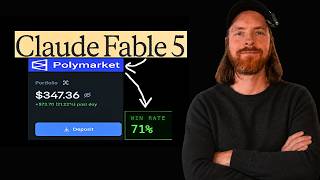
[14:31] we can kind of track everything in real time. So yeah, hopefully it everything is set up for that now and we can start doing that. So you can see we have done a couple of trades, we made a couple of dollars and if we go to the P&L now, you can see we are $2 up already, 7%. So that was a great start. But now we want to move on to our um yeah, we're just going
[14:58] to stop this now. Okay. Okay. So, here we're going to do some refinements to our strategy. Now, I think we're just going to implement all of those. We're going to raise the losser floor. We're going to uh raise the max price entry. Uh no, I'm not going to do that. I'm going to tighten the T remaining. So, we're only going to trade in the last 35 seconds, but we're going to skip the 8 seconds at the
[15:24] end. So, we only have like a 20 second window to trade on. I think that's pretty smart. And let's just do that. And how to long before the next checkpoint doesn't really matter. I'm just going to let it run because we're just going to follow this in real time. So, now we're going to make those changes. And before we fire it up again, I need the the front end. Okay. So, I'm just going to make a
[15:51] few adjustments to the I'm just going to keep one position open at the time because we only have like 30 bucks. So, I only want to keep a one open. So, we are ready to run this live. But before that, like I said, let's think about what kind of UI do we want for this. I was thinking maybe we can do some kind of Bloomberg terminal style, but uh let me think a few seconds. So the
[16:17] style we're going to go with is now we want a UI dashboard to keep track of the trade P&L stats etc and real time. Uh I prefer the react white text stack for this with low latency. Bloomberg terminal style 5-second terminal blink when a trade is placed realtime dashboard implement this and connect our back end so we can follow the trades in real time. So before we run the bot again now, we are going to build
[16:43] out this and then we're going to fire it up and I'm going to keep it running for maybe a few hours or something. So we're going to watch together the first kind of trades and then I'm going to come back later today and see how we have done. So yeah, let's just build this out and wait a bit. Okay, so we have our dashboard. So let's just look at it together. So I'm just going to copy.
[17:10] Yeah, we're just going to run this local, right? And yeah, how is it looking? All right, that's pretty cool, right? So, let me zoom in a bit here. So, you can see we have our recent trades. I like that. So, we have our two that's filled. Uh, yeah, that's fine. Yeah, that's good. And you can see here we have our total equity. I like that. We can see our address. And here is just a decision log
[17:36] live. And here is the window. Yeah, this is basically all I wanted. You can see uh Bitcoin 5 minutes. We have the time in my local. That's good. So now I just we think we're just going to say uh start looks great. Um great by the way. And let's just do it. So uh let me know started live and we should be up and running. And if you can see now there are only like 228 left
[18:03] of this window. And we can see the prices here. Down is now at 94. Hope you can see that. So this should be maybe something we will aim for. The ask is 95. Okay, we are up and running. That's good. So let's just wait and see now if we get into any open positions here. Maybe I can zoom in a bit more. Yeah, that's a bit better for you guys, I guess. Can we adjust this? This
[18:29] was a bit big. We should have maybe adjusted this window a bit. Uh but it's fine. Um yeah, maybe we should do that. But uh for now, let's just keep it like that. And we can check if we get into any open positions here. This decision log. Is it updating live? I don't know how frequent we are pulling this. Okay. So let's see. Now we are closing in on the window again. We are like yeah a
[18:55] few seconds away. And we should see the decision log live here. Starting to Yeah. pull now. And this is a very open. It's 75 at 30 seconds left. So hopefully we should be able to enter on a position here. You can see we have no open positions at this time. But uh we should start. Okay, so we put in like a buy and here we get the flash and you can see our balance updated super fast.
[19:22] So I like to see that we did actually go for an up. Oh, that radically changed. This might hold. Uh, it actually looks like Did it hold? Let's see. So, we went for up and we bought in at Yeah, let's see. I think it actually did resolve at up here. So, we made a few cents here. Maybe like we'll see afterwards, but I think we actually Yeah, that went a bit fast at the end here. So
[19:48] maybe we need some way to see the resolution. But actually they both worked and that is only what I wanted to see. So of course this is not redeemed this position. We have an open value of 171. So let's just see if we can redeem this over time. But you did see the flashing thing when we bought here. That worked very good. And I was quite happy how this um yeah we did manage to we actually
[20:15] got up to like 34 here. So, I'm not 100% sure what happened, but we might investigate that later. But I'm just going to let this bot run now, right? Okay. So, we did adjust down here again. But we made a few cents, so that's good. So, I'm just going to let this run now and I'm going to come back. Yeah, in like an hour or something and we can see how we're doing. Maybe I do a
[20:41] second update in like a couple of hours. And I'm just going to let this run. But like I have no expectations. It's just going to be for fun and that is what this is. It's pretty fun to just while you're playing some games, you can watch your trading and stuff like that on this dashboard. So, I just something I do for fun. So, let's just let it run for a while and I'll take you back when
[21:07] we Yeah, there's been some time passed. Okay, so there's been like an hour or something and you can see we are now on the final part of this window. But good news is we are almost at $34. So this means that during this time we were up like something like a $150 or something. Is that a lot of money? No, of course. But if you wanted to, you could scale this. Uh it doesn't look like we
[21:34] get in on actually this window, but that's fine. We only want to do trades that kind of align with our set parameters. So basically, this is looking good. So, I'm going to keep running it for a while more and let's see where we end up today. So, yeah, pretty interesting so far. Looking good. We are from we started on 30. We are almost $4 up. So, yeah, very good. Okay, so we are coming up on 2
[22:00] hours now and I'm just going to call it now for the video because I wanted to post it today. So, you can see we are still creeping slowly up. We are above 34 now. I think we were at before. I can't really remember. But we haven't run into any losses yet. Like all the trades you have done have been profitable. But uh don't get baited too hard. This could change anytime, right? If you make a miscalculated
[22:27] trade here now, we will probably lose by far the gains we have done so far. But for me, this is just for fun. This is something I like to do. I don't really care about the results. I'm just learning, having fun, and playing around with agents. We can build upon this. If we wanted to make it even more interesting, we might do that in the future. So, yeah, that is what I wanted to share with you
[22:53] today. Uh, is this like uh something that's going to make you rich, I wouldn't put a lot of money on this, like at least before you have done a lot of extensive testing over time, but you could play around with these parameters we set up in our config file if you are following the same as I did. But uh I just like to have it up for fun. I think it's just fun to follow along. I
[23:19] enjoy it more than just doing some random casino thing. It's just more interesting and you can kind of yeah uh affect the results a bit more. Uh if you are interested in uh automation, I have created a new discord. I got my discord back. So if you want to talk about AI automation, stuff like that, I will be sharing some other projects I'm working on. We already have a few people join the server. So, I'm going
[23:46] to leave a link to the Discord AI Automata server down in the description if you want to join. Talk about some AI automations, making money with AI automations, whatever can be anything. Just uh if this sounds interesting to you. So, yeah, that's what I wanted to share today. Hope you enjoyed it and yeah, good luck with your trades if you get into this and I'll see you again very soon.

⚡ Saved you 0h 24m reading this? Transcribe any YouTube video for free — no signup needed.