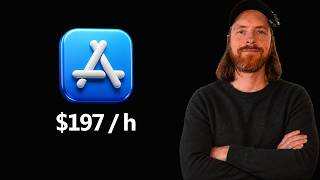

I Made $789 from 2 Apps in 4 Hours
45sThe high hourly rate ($197/hr) and low time investment are shocking and aspirational, making viewers want the secret.
▶ Play Clip"Title accurately reflects the content: using AI to automate app creation and submission for profit."
The video demonstrates a workflow for creating and publishing iOS apps using AI tools like Claude Code, with a focus on identifying trending topics and automating the development and submission process. The creator shares their results of earning $789 from two apps built in about four hours, highlighting the potential for profitable app development with minimal time investment.
The creator discusses automating app creation using AI, showing results of $789 from 319 app units sold, with daily earnings around $60 from two paid apps.
With about 4 hours spent on two apps, the hourly rate is approximately $197, indicating a high payoff and potential for scaling.
Sources include Google Trends (US, past 7 days, sorted by categories like gaming or entertainment), Subrif (top growing Reddit communities), and Google searches like 'is there an app for...'.
Using Subrif, the creator finds the 'non-toxic' subreddit as a rising topic and decides to create a simple app listing non-toxic products.
The creator uses Claude Code to research the topic, providing sources and instructions to create a research package for the app.
The research package is moved to a MacBook, and Claude Code is used to build the app with a neo-brutalist design, focusing on categories and tips for avoiding toxic products.
The app is previewed in the simulator, showing categories like kitchen, household cleaning, personal care, and ingredients. Minor bugs are fixed via prompts.
Using a custom automation package, the creator automates the App Store Connect submission process, including filling out details and uploading the build.
The entire process took about 1 hour. The creator notes the $70 Apple developer fee is recouped quickly, with $789 earned in one month, and encourages viewers to explore similar opportunities.
The video shows that with AI tools and a focus on trending topics, it's possible to create and publish profitable iOS apps quickly, with minimal upfront investment. The creator plans to scale this approach and keep viewers updated on the new app's performance.
What is the hourly rate earned from the two apps mentioned?
Approximately $197 per hour.
01:30
Name three sources used to research trending topics for app ideas.
Google Trends, Subrif, and Google searches.
02:30
What design style was used for the non-toxic app?
Neo-brutalism.
08:00
How long did the entire process from research to submission take for the non-toxic app?
About 1 hour.
14:00
What is the annual fee for the Apple Developer Program mentioned?
$70.
14:00
High hourly rate from app sales
Demonstrates the potential profitability of quick AI-assisted app development.
01:30Research methodology for trending topics
Provides actionable sources (Google Trends, Subrif, Google) for finding app ideas.
02:30Automated app building with Claude Code
Shows how AI can generate a functional app from a research package with minimal manual coding.
08:00Automated App Store submission
Highlights the use of automation to streamline the tedious submission process.
12:00Scalability and low time investment
Emphasizes that the approach can be scaled with minimal ongoing effort.
14:00[00:00] Hello, hope you are doing well. So, in this video, I just wanted to talk a bit about uh how I've been kind of automating using AI uh the app store, right? Or creating apps that I put up on the app store. So, you can see my results here. This has been going really well, right? We have sold 319 app units for $789. And you can see I think we're kind of trending upwards here. So, we've been
[00:26] making like 70 6050 around $60 uh each day now on these apps. So, you can see I don't have a lot of apps. I only have like two uh that is paid and two testing apps I did. So, basically we basically have just two apps and I think both these apps I spent around maybe one to two hours creating. So, let's say I spent I would say maybe four hours on these two apps. So if you
[00:52] do like 789 divided by 4 hours, how much is that per hour? Yeah, that's like $197 per hour, right? That's pretty good. That's a really good payoff, right? So if we can scale this. So this is what I wanted to talk about this video. Uh let's I just wanted to talk a bit about how I kind of think about these apps because I really want them to be not low effort. I guess it could be low
[01:19] effort but I want don't want to get like sunken cost fallacy into them. So you keep spending working a week, two, three weeks on one app because it's really hit and miss, right? And I don't even spend any money on marketing on these apps, right? So there is possibilities out there. So today I just wanted to talk a bit about my process and we might do like a simple example. Uh this video might be like some
[01:45] kind of voice over because I'm going to do that on my MacBook. But anyway, that's what I wanted to talk about today. if this sounds interesting to you, how we can kind of farm the app store to yeah, make some kind of change here if you want to. So, this is the video for you. So, yeah, let's get going. Just one more thing before we get into it. So, if you see this rabbit icon in the
[02:11] top left here, you might be thinking, what is this? So, this means that this video that you are watching now has like a hidden treasure hunt that I talked about in my previous video. So, if you see this rabbit after this video is posted, you can go to my Twitch account, follow, and you should see a tweet like this. So, the hunt is live, you get this wallet address, and there's a clue. And in this clue,
[02:37] there is a way to solve this. And you can find like a hidden treasure. If you find the wallet address and the private key that is hidden somewhere in the video, this could be a link to another page on the video. It's some kind of puzzle. I really wanted to do in my videos going forward. So I did the first one last uh last night or last day I guess and someone solved it after 20 minutes.
[03:04] So hopefully this one is a bit more uh advanced. So I tried to make the puzzle a bit more interesting. But that is why this white rabbit is in the corner. This means that this is a treasure hunt video. So, if you want to dive more into that, I'm going to leave a link in the description a bit more about the the the hunt contest or whatever you want to call it. So, yeah, that that that's
[03:30] why that is up there. So, now let's go back to the to the app store. Okay, so uh what I wanted to show you is kind of how I have been thinking about how to find these trending topics. I think that's the best way actually to do this because if we have like a trending topic uh we don't need to do that much marketing right so we kind of want to find something to create into an
[03:56] app that uh is like a trending topic or something that is rising so if we could catch that early and there's no market for it I think that's a good way to think about this so the sources I have been using to research this is like Google trends So, I've been just putting it to United States, uh, past seven days. And I just sort by categories. So, maybe I think one good category could be like, uh,
[04:22] gaming, right? So, let's say there's a new game that is very popular. You could do something with that. Let's say we find Subnautica 2. Or you can look here. Yeah. Halo vertle hint. Uh, so this is a good way to do this. Let's say we check something like entertainment. Here you can find something. So I've been just looking at this and sorting by search volume. So you can see Drake, okay, is on top on entertainment and
[04:48] for example shopping. Uh here we have like a popular watch. This could be maybe something you can check this out. So swatch some kind of yeah new watch here. You can look into that. And another thing I've been using is something called subrift. So this is uh discover top growing communities on Reddit. So this could be very effective too because you can sort by let's say weekly and then you can do all sizes and yeah let's
[05:15] say weekly that could be interesting and we can scroll down here and you can see weekly this random video sub rate has been growing really hard. Let's say if there are anything interesting here. Olden era, Veronica Miller. And you can just look through this. This is kind of things that are kind of trending, right? You can see daily growth, weekly growth. And of course, you can visit this subreddit and see what it's about. This is about
[05:41] a game. Okay. Right. And this is something olden era. Yeah, that was a game, right? What was the the other one? Veronica Miller. Yeah, this is a a girl, I guess. Okay, that's fine. But, uh, yeah, you kind of get the point. This is a good place to look at this to find trending things. Uh, let me close those. Okay. And of course, uh, another thing I use is Google. So, this is good, too. You can
[06:07] do something like, for example, I like to do is is there an app for? And I just do a I check like AirPods. Let's do G gas prices Google forms Gemini AI Y YouTube uh and Yorkshshire water. This is something you can do too. iCloud Indeed employees but of course this is a bit short list but you could find other ways to get longer lists right. So this is the three things I have been using. Google
[06:33] Trends, Subrif, Google, and of course if you're on YouTube, and like I'm not on Tik Tok or Instagram, but if you are there too, you can probably find some stuff. So, basically looking or just browse normal Reddit, right? So, basically, I'm just looking for things that are kind of trending up and I think these are good things to to target, right? That is what we're going to do today. We're just going to find something simple, turn
[07:00] it into something just to show you the workflow here. So, I think I'm going to find something now and then try to do something simple with it. Okay. So, after been searching for I guess 5 minutes, I found this non-toxic. So, I found this from subrif right. Non-toxic. This was yeah around here. So, this is like a growing subreddit and I checked explore. You can see this is like a rising topic non-toxic. Haven't looked at it
[07:26] myself, but I thought we can just make a simple list or like a simple app that kind of lists uh some products that is non-toxic, right? So, I think that is going to be pretty interesting and it's going to be super easy to make. So, I'm just going to hone in a bit more on exactly how I want it and how what kind of posts are kind of popular here. So, we can kind of go to
[07:52] top and we can check what post are kind of top um people like here. I think this one is a good one to start, right? And we can look at that and see how we're going to turn this into an app. And from there, uh we're going to build it out and I'm going to show you kind of the workflow of this. Okay. So, let's just do this on cloud code. So, let's to create a directory
[08:18] non-toxic, right? And let's just do that. Uh, and let's just uh go into claude here and let's just do this. Okay. And from there, we're just going to do some research. So, I'm just going to do uh I'm going to take this and paste it in as a source. Okay, it's fine. Uh let's do a couple other sources. Okay, so the instructions I'm going to give close code. Now you can see we have all these sources
[08:44] here. These are sources for a new iOS app called non-toxic. The app should be very beginner friendly app for people to understand what to look for to find non-toxic products. Your task is to do research for the app and create a research package we can use to build the app. Good luck. Use sub agents if needed. So now I'm just going to send off this. So this is going to be like anic workflow. So hopefully when
[09:11] I come back now, we have like a good research package I can bring over to my MacBook Pro. So where we can actually start to build out the app based on this. It's not going to be a complex app. It's not going to be something that is really difficult to build or really difficult to sign up to. It's going to be a super easy UI front-end focused app. So people can just look at and kind of
[09:37] learn about non-toxic products. That is the simple idea, right? Again, this is just an experiment. So, I'm just going to let this run and I'll take you back when we have the package. Okay, so that was our research packet was done. We did a lot of research on this topic. So, but I'm going to make it pretty simple. But basically, I did zip this. So, I want to move this over to my MacBook. So, I'm just
[10:03] going to reveal and I'm just going to move this over. So, I'm just going to share this with my MacBook. And from there, we're going to try to build out the app using some automation I have used before. So, let's just head over to the MacBook. I'm probably going to do voice over there, but uh I guess that's fine. Okay. So, now you see I am going to move this research. I'm just going to paste it
[10:29] in here. And if you go here now, you can see we have all the research. So, that's pretty good. And this is kind of my automated setup for doing these apps. So, I have done a video on this before. If you want to go back into my category, you can kind of see how I automate using or creating apps. But now, we should be ready to actually build out this app. So, I'm just going to say
[10:55] read uh and I'm going to tag the research uh document uh folder here. And when we have done that, I'm just going to give some instructions how I want this app to look, how I want it to feel. And hopefully Cloud Code can build out this app for us now. Okay, so now I'm just going to set cloud code into plan mode. I'm going to say next step is to build the app. Super easy to use.
[11:22] The goal of the app is to help users what to look for to find and avoid toxic products. Uh I want the design to basmute neo brutalism look. Colorful interesting icons non-complex only help users to avoid to find and avoid toxic products based on a category with tips and tricks. It should be on device no APIs. Create a detailed plan. So that is basically what I'm going to do now for the first iteration. This should be
[11:48] fairly automatic when we have the plan and I can just come back later and have the app. And if the app kind of is showing some kind of interest, let's say we publish this and it has some kind of interest, I think it's better to build upon that when we have that. So, let's just let this uh plan cook up. I'm going to start it. We're going to build out the first iteration and we're going to
[12:14] have a look at it in the simulator. So also I wanted to mention that now I have kind of Xcode here kind of hooked up to my automated system. There is a video on my channel you can find out more about this but basically we have created some kind of automated system to claude code can control Xcode. So you can write and connect to Xcode here. So yeah let's just get this going. Okay so this looks
[12:40] pretty good right you can see we have the neo brutalist styling here. We can scroll down and you can see we have a where to start. I don't know how good you can see this. We have some popular categories. Kitchen, household cleaning, personal care, know your ingredients. Can we click that? No, that's maybe a small bug, but we can go to categories. And here we have a lot of categories. Let's say we click into hair care,
[13:07] right? And here we can see what to avoid. That's pretty good. What to look for fragrance-free formulas. We have some better swaps. I saw we have an issue here. So this is like stacked on top of each other. So we got to fix that. We have something called glossery. How do you pronounce that? But here we can see all the kind of the chemicals. Parabins. We can read about that what they do, why it's flagged. We
[13:33] can read about this, right? So yeah, I think this is pretty good. And remember this was one prompt, right? So I am kind of tempted to just post this on the app store. Uh we're just going to fix this. So, I just took a screenshot and I said to Claude Code, fix the pro tip part or I didn't say it, but I'm going to do that. So, let's see if we can fix that. Rebuild this. And
[13:59] maybe we should just publish this. Uh, it will probably be a free app, I think. Uh, or we maybe we could do like a $1 app or something. $1.99 or something like that just for fun. and we can maybe we can maybe uh iterate on it later. So let's see if we can fix that and let's see if we can do a link to the know your ingredients as our uh thing here. Okay, so you can
[14:25] see we made those two changes. We fixed the kind of the pro tip thing and the home view. So if you go back to the simulator now, let's see if this has a link. Yeah, we just go straight to the that's good. And there was something about let's say house cleaning and the pro tip. Yeah, that's fixed too. So now you can see we have a clear here. So I think this is kind of ready to
[14:51] just publish now the first iteration of this non-toxic. That is the app. So um I'm going to just go back to cloth. I'm going to say something like uh use surf agent. This is a a package I have built to open a new crown cdp browser. Don't close the personal because on the app when we're going to submit an app there's a lot of things we have to fill out. So I have tried to automate this.
[15:18] So uh maybe I can show you a bit. So this should pop up uh okay so we need to just check that and this should pop up like a new Chrome instance uh where we can automate this. So now you can see we are logged into our app store connect and I can just say to uh cloud code here we are logged in on the app store in CDP chrome start work on the upload of the
[15:44] new app non-toxic. So this is something that is really nice to automate because now we don't have to fill out everything on the Apple store connect page because that takes us a lot of time and since our uh Chrome here cloud code I mean have all the information about the app we should be able to um to fill out everything. So, I'm just going to probably just speed this up for you now, and I'm going to
[16:10] take you back when you can see how far we have come here. So now we should be basically done here. All we have to do is add the build. Uh yeah, missing compliance. Uh okay, so this is none, right? And let's see now if we save this if we are able to add this for review. I also created this app icon. That looks pretty cool, right? So that's the app icon. Uh oops. Uh let's just click
[16:36] add for review submissions. Let's see. Yeah, 1.0. Submit. And that's it. That took me yeah I was out and stuff but basically for this full thing now and we actually published it for review I would say about 1 hour with the research and everything we did in the previous segments. So I would say basically around 1 hour here of uh yeah research building using cloud code and everything to set this up. So basically all we have
[17:03] to do now is wait for this to complete. This could take like 24 hours and we should be up and running on the app store. Sometimes we have to do some small changes, iterations and stuff. But uh basically this is what I wanted to share today. And I think we are going to head back to the Mac Mini and just to end this video and do my final thoughts on this and how I plan to maybe
[17:29] scale this going forward. So yeah, I hope this video gave you some inspiration of how you can start getting into kind of farming if you want to call it that. at the Apple iOS app store. Uh because there are opportunities out there if you want to put in some time, learn the AI tools, cloud code, codeex, open code, study a bit on kind of Xcode, how you can do this, set up your account. The only downside
[17:55] is that you have to pay the Apple dev fee that is $70. But you can see I already earned back like 10x of that so far. And I've been only doing this for like one month now, I think. Can I see like the full thing? Last 90 days. Yeah, you can see I started exactly a month ago and you can kind of see the growth here. So for me it's been really good, right? So I think
[18:21] there's opportunities for you too. So I'm going to keep you posted on how the non-toxic app is going to do and how we are doing going forward. So look out for that if you're interested. Also remember this video is a white rabbit video. You can see it in the corner there. Uh, I'm going to leave a link in the description to how it works. Uh, if you want to join in on the hunt and find yourself
[18:47] a nice prize or reward somewhere. Also, I have started doing rewards for clips. If you clip up this video and you post it somewhere and I will give an reward to anyone that gets X amount of views. Uh, but if you go to my homepage/clipips, you can submit your clip and we'll figure something cool out if you do that. So look out for that too. But uh basically today just wanted to share these nice things. Basically
[19:14] I want to cover what you can use AI for today to yeah make some money or whatever your goal is. So don't forget to follow me on X if you want to join the hunt like I said and thank you for tuning in today. I hope this gave you some inspiration and I'll see you again uh
⚡ Saved you 0h 19m reading this? Transcribe any YouTube video for free — no signup needed.