
The Volume Profile Strategy That Predicts Price Moves
56sInteractive quiz-style opening grabs attention with a simple yet powerful trading strategy that promises clear entry and exit points.
▶ Play Clip"The title promises a price action strategy, and the video delivers a specific volume profile technique, though it's brief and lacks depth."
This video presents a straightforward trading strategy based on the Volume Profile (VP) indicator, specifically using the Point of Control (POC) and Volume Area High/Low (VAH/VAL) to identify entry and exit points. The creator demonstrates how to apply the strategy on TradingView, emphasizing its simplicity and effectiveness.
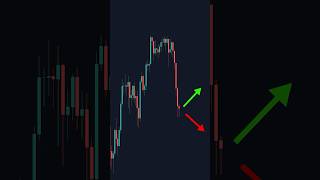
The video opens with a quiz to illustrate the VP strategy's predictive power, asking viewers to guess price direction based on volume profile zones.
VP stands for Volume Profile. On TradingView, use the 'Fixed Range Volume Profile' tool from the left sidebar. Mark the range from the low to the high of a trend.
In the volume profile settings, enable the VAH (Volume Area High) and VAL (Volume Area Low) lines to identify key price levels.
Wait for price to pull back to the Point of Control (POC), the red line. Ideally, there should be an area of demand (support) coinciding with the POC for a high-probability entry.
Set a stop loss below the area of demand. Take partial profits at the Volume Area High (VAH), the top white line, and full profits at the recent high.
The creator emphasizes the simplicity of the strategy, stating 'nothing beats the volume profile,' and encourages viewers to rewatch the video until they understand it.
The creator emphasizes the simplicity of the strategy, stating 'nothing beats the volume profile,' and encourages viewers to rewatch the video until they understand it.
The video delivers a concise, actionable trading strategy using Volume Profile, focusing on the POC and VAH/VAL levels. It's a simple yet effective approach for traders looking to time entries and exits in trending markets.
What does VP stand for in the context of this strategy?
Volume Profile
00:15
Which TradingView tool is used to apply the volume profile?
Fixed Range Volume Profile
00:15
What are VAH and VAL?
Volume Area High and Volume Area Low, which are price levels indicating high trading activity.
00:29
Where should a trader enter a trade according to this strategy?
At the Point of Control (POC), ideally with an area of demand.
00:43
Where is the stop loss placed?
Below the area of demand.
00:56
Where are partial profits taken?
At the Volume Area High (VAH).
00:56
Where are full profits taken?
At the recent high.
00:56
Volume Profile Setup
Provides a clear, actionable method for configuring the indicator, making it accessible for beginners.
00:15Entry at Point of Control
Explains the core entry logic, emphasizing the importance of confluence with demand zones.
00:43Profit Taking Strategy
Offers a concrete exit plan, which is crucial for risk management and maximizing gains.
00:56[00:02] said down, congratulations to you, you understand the VP strategy. Now, what about this one right here? Now, if you said up, congratulations, you understand the VP strategy. So, what about this one right here? Did you say up? Did you say
[00:15] down? Well, the answer is neither. Notice how simple that is using the VP strategy. VP stands for volume profile. Go to TradingView, go on the left, and find the fixed range volume profile. Find a trend, mark from the low of the
[00:29] trend to the high of the trend. Next, go to the settings of the volume profile. Turn on the VAH and the VAL. The strategy is simple. Wait for price to come down to the point of control, the red line. This is where we look to enter
[00:43] trade. Ideally, you want to see an area of demand exactly where your point of control is. Here, we have a beautiful area of demand, and the point of control is right in the middle of it. Enter, set your stop loss below the area of demand,
[00:56] and for the take profit, you're going to take partial profits at the volume area high, the top white line. Notice how when price hits this white line, it rejects a bit. Then, you're going to take full profits at the recent high. I
[01:08] know it's stupid simple, but nothing beats the volume profile. Now, all you watching this video over and over again watching this video over and over again till you get it.
⚡ Saved you 0h 01m reading this? Transcribe any YouTube video for free — no signup needed.



![BEST MACD Trading Strategy [86% Win Rate]](https://img.youtube.com/vi/rf_EQvubKlk/mqdefault.jpg)