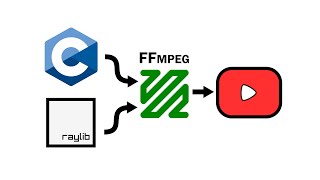

C + FFmpeg + Raylib = High Quality Videos
45sShows a quick, impressive demo of a music visualizer and promises a tutorial on rendering high-quality videos, which hooks viewers interested in creative coding.
▶ Play Clip"The title is mostly accurate; the stream successfully builds a working pipeline, but the path includes several bugs, audio sync issues, and a critical debug session, making it more involved than 'that simple' implies."
The stream demonstrates how to build a video rendering pipeline from a C program using FFmpeg's CLI. The goal is to capture frames from a Raylib visualization, pipe them to an FFmpeg child process, and generate a high-quality H.264 video file.
The project aims to capture frames from a graphics library (like Raylib) and pipe them to FFmpeg to produce a video. The stream had already built a similar pipeline using olcPixelGameEngine, and now seeks to replicate it with Raylib.
FFmpeg commands must follow a specific schema: global options, then input parameters ending with the input URL, then output parameters ending with the output filename. This structure explains why the order of some arguments matters.
The stream explores a 'dirty trick' found in Raylib source: using a 4-byte array literal `{(int)color}` and reinterpreting it as a Color pointer to pass a color directly to `ClearBackground`.
Instead of reading from the screen, the stream uses `load_image_from_texture()` to capture pixels from a dedicated render texture. This avoids glitches from the real-time buffer swapping and ensures a clean frame is captured.
For offline rendering, audio must be loaded as a Wave and its samples iterated manually to perform FFT analysis. The sample cursor is synchronized with the frame generation rate (sample rate / FPS).
The initial rendered video had visual glitches. The root cause was that the running Raylib music stream was still calling its callback, interfering with the offline rendering data. Stopping the music stream fixed the issue.
What are the steps to send raw frames from a C program to FFmpeg for encoding?
Create a pipe, fork the process, connect the pipe to the child's standard input, then run FFmpeg with flags for reading raw video from stdin.
9:43
How can you pass a single integer color value to Raylib's `ClearBackground` function?
By encoding each individual color component (R, G, B, A) into a single byte and reinterpreting that 4-byte sequence as a Color structure.
26:12
What Raylib function reads pixel data from a render texture into an Image structure?
The `load_image_from_texture()` function.
42:30
What FFmpeg input flags specify that the incoming data is raw RGBA pixels with a given resolution?
Use `-f rawvideo -pix_fmt rgba -s WIDTHxHEIGHT`.
16:35
Is it necessary to stop the Raylib music stream before starting an offline render?
Yes, stopping the music stream is required to prevent the real-time audio callback from interfering with the offline rendering data.
1:08:22
Explain the 'order of arguments doesn't matter, until it does' principle for FFmpeg commands.
The order of arguments within an input or output 'chunk' does not matter, but the order of the chunks themselves (global, input, output) is critical.
15:30
Which Raylib functions are used to load an audio file and extract its normalized sample data for offline analysis?
`load_wave()` and `load_wave_samples()`.
1:04:10
FFmpeg Pipe Pipeline
Demonstrates a practical, cross-platform method for encoding frames by forking a process and piping raw pixel data to FFmpeg's stdin.
11:02FFmpeg Command Schema
Explains the unintuitive 'chunk-based' syntax of FFmpeg commands, which is a crucial insight for anyone automating video encoding.
15:38Dirty Color Cast Trick
A clever C trick to reinterpret a 4-byte array literal as a Raylib Color struct, demonstrating low-level data manipulation.
28:35Offline Audio Sychronization
Describes how to manually iterate through audio samples to perform FFT analysis for offline video rendering, a key distinction from real-time playback.
1:04:35Real-time Callback Interference Bug
The discovery that a running audio callback can corrupt the offline rendering data even when `UpdateMusicStream` is not called, highlighting the complexity of multithreaded graphics engines.
1:12:23[00:00] are we live looks like we're live hello
[00:03] everyone and welcome to yet another
[00:06] recreational programming session with
[00:08] Aus let's make a little bit of
[00:10] announcement and officially start the
[00:12] stream as usual as usual so let's do the
[00:17] red circle uh live on Twitch and what
[00:20] are we doing today on Twitch at
[00:23] television website uh today we are doing
[00:28] rib Plus F FM pack how about that so I'm
[00:32] going to give the link to where we doing
[00:33] all that twitch.tv/ toing and I'm going
[00:35] to Pink everyone who's interested in
[00:37] being pink there go the stream has
[00:39] officially started so have you guys seen
[00:41] the latest Mizer do you guys watch the
[00:45] offline sessions on soing daily uh do
[00:48] you do all of that look what kind of
[00:50] [ __ ] we have now look at that look at
[00:53] that
[00:55] Sher I hope the encoding is not
[00:58] completely ruined but you get the idea
[01:01] yeah look at this
[01:03] [Music]
[01:07] shitu you know there is something even
[01:09] more epic so this is not the most epic
[01:11] actually song that you can play in here
[01:14] uh you can do [ __ ] like that right so
[01:16] let's actually uh put my favorite sample
[01:19] of all time from n uh it's a just
[01:21] obstacle in my way uh and it's the first
[01:24] sample this is my favorite sample so
[01:28] far
[01:46] [Applause]
[01:51] [Music]
[01:54] and it repeats actually so the the
[01:56] visualizer basically repeats all the
[01:57] samples that you put in there so yeah
[01:59] that's basically the state of visualizer
[02:02] but unfortunately right now the only
[02:05] thing you can do with this visualizer is
[02:06] just like look at this
[02:09] visualization and it's just like that
[02:12] means it's just a glorified like a
[02:14] Windows Media Player and Windows Media
[02:16] Player even had like a even better
[02:18] visualizations uh so you know what we
[02:21] need to have we need to have an ability
[02:24] to render that into an actual video in
[02:27] full HD 60 FPS
[02:30] buttery smooth so you can upload it on
[02:32] all of your social media platforms get
[02:34] [ __ ] ton of likes and [ __ ] ton of
[02:36] external validation that's the main goal
[02:40] of this tool in fact the main goal of
[02:42] this tool is not just visualize and look
[02:44] at it but actually produce videos high
[02:48] quality videos of that
[02:50] visualization and so that that you can
[02:53] like basically postprocess it or maybe
[02:56] uh you know upload it as it is and stuff
[02:59] like that so that's kind of the main
[03:01] goal that's kind of the main goal and
[03:03] this is exactly what we're going to do
[03:05] today right so uh luckily with FFM back
[03:09] it's relatively easy we already done
[03:11] something like that uh right and we're
[03:13] going to revisit that uh specifically
[03:16] today and I even created a separate
[03:18] Reaper for that I just remembered like
[03:20] right before the stream I remember that
[03:21] I created separate Reaper so there is a
[03:23] complete example that demonstrates how
[03:25] to do that uh right I'm going to copy
[03:27] paste it in the chat and of course it's
[03:29] going to be in description as well so uh
[03:31] and this entire thing just does that
[03:33] unfortunately it doesn't even have a
[03:35] video maybe this is something that we
[03:37] can do on today's stream just like
[03:39] render a video uh that this thing sort
[03:41] of demonstrates and just like put it in
[03:43] here because GitHub recently allowed you
[03:45] to upload videos there so I think it
[03:47] would make sense and you know what's
[03:48] cool about this specific example it uses
[03:50] Olive C uh to to render videos right it
[03:54] generates each individual frame with ol
[03:55] IFC and it just passes it to FFM Pac and
[03:58] FFM pack does all of the encoding and
[03:59] produces the video and stuff like that
[04:02] so it doesn't use rap right so the new
[04:05] thing that we need to figure out today
[04:06] is to how to I suppose grab the image of
[04:11] Ray leap window and pass it to FFM pack
[04:14] so this is like a no thing that we'll
[04:16] need to you know explore today uh and in
[04:19] fact we developed this entire thing on a
[04:21] stream uh maybe I should put like the
[04:23] link to the stream in here but uh the
[04:25] link to the stream where uh we develop
[04:27] this entire thing is going to be in the
[04:30] description of course and for people who
[04:31] was in the chat uh I'm going to past it
[04:33] in the chat it's basically one of the uh
[04:35] you know machine learning Inc episodes
[04:38] where we basically uh rendered video out
[04:42] of the model that we trained right so we
[04:44] trained the model to interpolate between
[04:45] two images at at upscaled uh resolution
[04:49] and we generate like interpolation as a
[04:51] smooth video right and we use f FM to do
[04:54] that um so this is basically what we did
[04:57] um all righty people are sub subscribing
[05:00] like crazy uh thank you so much uh rako
[05:03] for1 subscription with a message nice
[05:06] nice it is indeed uh Marca thank you so
[05:09] much for tier one subscription with the
[05:10] message has it been 12 uh months already
[05:13] thanks for the all for all of the
[05:16] amazing projects it really helps keep
[05:17] programming fresh you're welcome right
[05:19] you're welcome so this is one of the
[05:21] probably reasons why I quit the industry
[05:23] because industry kind of kills all of
[05:25] your passion about programming you
[05:27] cannot maintain passion about
[05:28] programming while you work in an
[05:30] industry so you have to do that from the
[05:32] outside uh unfortunately and what's
[05:35] interesting is that like this industry
[05:37] would not be even possible without
[05:40] passionate people like us because like
[05:43] nobody would want to do this kind of
[05:45] [ __ ] right like honestly programming is
[05:48] horrible it it is absolutely horrible
[05:50] it's a mental torture unless you
[05:54] actually passionate about it you won't
[05:57] [ __ ] do that no matter how much money
[05:59] like they will pay you you have to be
[06:00] passionate about this [ __ ] to actually
[06:03] withstand the mental damage that you
[06:05] endure uh right so you have to be
[06:10] passionate right and this industry does
[06:13] not even respect passionate people right
[06:15] it just uses them up and throws them
[06:16] away right the next passionate students
[06:19] from the from the Cs University are
[06:21] going to come in come in we're going to
[06:22] squeeze out of them and then we're going
[06:24] to take the next ones and the next ones
[06:27] and the next ones so this is how the
[06:28] industry sort of perpetuates itself it's
[06:30] just like uh very very much
[06:33] cannibalistic and devour all the you
[06:35] know enthusastic people and throw them
[06:37] outside of the industry and they never
[06:39] come
[06:40] back um which creates an interesting
[06:43] problem in itself right because there's
[06:45] a lot of passionate people but there's
[06:48] not enough passionate and competent
[06:50] people right because as soon as you
[06:53] become competent in this industry you
[06:55] stop being
[06:57] passionate and that might create a
[06:59] problem that may blow up in the future
[07:02] we really need not only just passionate
[07:05] people but also competent
[07:08] ones yikes yikes yikes void M jur thank
[07:12] you so much for one subscription with
[07:13] the message thank you so much for
[07:14] entertaining and teaching us how to
[07:16] write characters in the text editor and
[07:18] make it fun your F right I'm just a huge
[07:21] language model uh that looks at the
[07:23] prefix of characters and just makes a
[07:26] decision what's the most probable
[07:28] character is going to be next and picks
[07:30] it randomly to keep it interesting so
[07:33] that's that's how I code that's
[07:35] literally how the human brain works Kaa
[07:38] so uh thank you so much appio Echo for
[07:41] tier one subscription with a message
[07:43] hello hi hi
[07:44] hi um so Yu Yu yesu so let's take a look
[07:50] at this example that renders videos in C
[07:54] with FFM P so I don't remember how it
[07:57] even works but what I remember it
[07:59] created creat FFM pack as a separate
[08:00] process and then establishes the pipe
[08:03] between your current process and uh FFM
[08:06] pack and sends the frames over that pipe
[08:09] and FFM pack just like compresses those
[08:11] frames I mean uh encodes them and turns
[08:14] them into like an actual video so let's
[08:16] go ahead and do that I think I already
[08:18] have it somewhere here so maybe FM oh no
[08:21] I do not have it that's that's bizarre
[08:23] oh it's it actually starts with
[08:25] rendering no it it still doesn't exist
[08:28] bizar bizar m from the actually bizarre
[08:32] so let's actually do cloning all right
[08:34] so we cloned this entire stuff uh and
[08:37] let's go there and let's try to build
[08:39] this entire thing and see that's it so
[08:42] that's how much time it took to build
[08:43] this entire example look at that can
[08:46] your rust do that look at the time look
[08:48] at look at the
[08:50] timing 100 millisecond can your rust do
[08:54] that I don't [ __ ] think so mate so uh
[08:57] let's go ahead and just run it and see
[08:59] okay so it started FFM pack and
[09:01] apparently it is rendering things and it
[09:03] finished
[09:05] rendering all right so that's pretty
[09:08] cool so what do we have in here we have
[09:10] output MP4 so and let's see uh what is
[09:14] output
[09:17] MP4 so yeah we generated that video from
[09:21] C using ol C right and then we fed the
[09:26] frames into FFM and FFM created the
[09:28] final video so this is how I want to
[09:32] visual to basically uh record the result
[09:35] of the visualizer right so that's
[09:36] basically how we want to do that so
[09:38] let's take a look at how it looks
[09:40] internally uh right so let's go to
[09:42] rendering video in FFM
[09:45] P all right so uh we have this entire
[09:49] thing all right so we are creating the
[09:52] pipes we creating uh we forking the
[09:54] current process then within the child
[09:57] process we are establishing a pipe right
[09:59] so essentially we're just like um
[10:02] connecting standard input and the pipe
[10:04] that we created and then we're starting
[10:07] FFM PS with [ __ ] ton of uh Flags so
[10:11] that's what we're doing in here we
[10:12] stting FFM back with [ __ ] ton of Flags
[10:15] uh right and
[10:17] essentially yeah essentially then we are
[10:19] initializing Olive canvas uh and we're
[10:23] starting the process of rendering each
[10:25] an individual frame and as we render
[10:27] each an individual frame we're sending
[10:29] that frame over the pipe to FFM pack uh
[10:32] and we do that for the duration right so
[10:35] duration is 10 we multiplying that by
[10:37] FPS so that means we're doing that for
[10:39] 10 seconds right we're generating 10c
[10:42] sort of video and within that video
[10:44] we're like literally simulating bounce
[10:46] in the circle off of the off of the
[10:48] walls right and uh we're just like
[10:51] sending the actual frames to to FFM pack
[10:53] after that we're closing that pipe and
[10:55] we're waiting until FFM pack done
[10:57] rendering things and that's basically
[11:00] that's the entire example so the most
[11:02] sort of like difficult part here is
[11:06] creating a pipe forking the process as
[11:08] and then connecting that pipe with the
[11:11] child process and just running the FM
[11:12] pack and figuring out the like all of
[11:15] the flags and stuff like that and what I
[11:18] remember really struggling with this
[11:20] example um especially when it came to
[11:23] flax of FM pack because flax of f FM
[11:26] pack is just like a separate torture
[11:28] it's a separate circle of hell uh right
[11:33] it's just like it is so weird um so
[11:36] essentially the order of the flags
[11:40] doesn't matter until it
[11:43] does so it doesn't matter and matters at
[11:47] the same
[11:48] time it it is so weird like I I'm
[11:51] telling you it it is so weird but uh
[11:53] recently I think I figured out um so the
[11:57] secret the secret for formula of ffmp
[12:00] flags I think I did right so if you go
[12:02] into the FFM official website so there's
[12:06] a documentation and stuff like that so
[12:07] it's actually
[12:09] fine uh so I think it's basically like
[12:13] the first thing that you want to see
[12:15] your FFM back uh
[12:18] description uh I think somewhere here
[12:20] yeah this is the most this is basically
[12:23] the description of how uh FFM pack Flags
[12:28] work right
[12:29] so uh let me actually put that in the
[12:31] description on in a YouTube video right
[12:34] so back uh documentation right
[12:38] documentation and this is basically
[12:41] basically the thing so let me go ahead
[12:43] and just like copy paste it uh I just
[12:46] wanted to copy paste that specific line
[12:48] so I can do it in here right so first
[12:52] come the global
[12:54] options first come the global
[12:57] options then you have to specify the
[13:01] input file options the input file
[13:04] options and basically uh after the input
[13:08] file options you have to spec specify
[13:11] Dashi and the input URL so Dashi is one
[13:17] of the most important Flags it's sort of
[13:19] the separator between input and
[13:24] output right between input and output uh
[13:28] right as soon as you specifi the input
[13:32] all of the flags that are related to
[13:35] input before are just applied to that
[13:39] specific input and
[13:42] reset so you apply Flags in FM peg in
[13:47] chunks so here is the first chunks of
[13:51] the flags and it ends at providing the
[13:53] input file and it sort of collapses into
[13:56] that single Chunk we provided the input
[13:58] with this parameters then you continue
[14:01] by providing the output parameters in a
[14:05] similar fashion in a similar fashion and
[14:08] the least of the output parameters
[14:10] finishes is with providing output URL
[14:13] but look how there's no a similar like
[14:16] minus o uh flag for the output URL this
[14:21] is because the output URL is decided by
[14:23] looking at the argument and if it
[14:26] doesn't look uh like any of the known
[14:30] arguments it is considered a URL for the
[14:35] output so this is how it works but wait
[14:40] there is more you can have several
[14:43] inputs and several
[14:45] outputs so
[14:49] yeah it does make sense but it's not
[14:53] intuitive unless you actually sit down
[14:55] and start reading this goddamn
[14:57] documentation it's not something that
[14:59] you can just like pick it up like you
[15:01] have to actually know this schema it's
[15:03] not intuitive like you need somebody to
[15:05] explain you or maybe read it somewhere
[15:07] just like you cannot pick it up so
[15:11] yeah that's basically how it works
[15:14] that's why like within this single chunk
[15:17] the order of the arguments doesn't
[15:19] really matter I hope maybe there are
[15:22] some cases where within that chunk they
[15:24] they do matter matter but as soon as you
[15:26] like finish that chunk like this is
[15:28] where it starts to matter so the uh the
[15:31] order of the argument doesn't matter
[15:33] until it
[15:34] does and also like a global parameters
[15:37] are like a special kind that can be
[15:39] provided at the beginning so it's just
[15:43] like so yeah but it kind of makes sense
[15:46] it kind of makes sense you kind of get
[15:47] used to
[15:51] that so uh that's basically what it all
[15:55] means and now all of a sudden this mess
[15:58] starts to make sense right so uh log
[16:02] level uh and uh yes right yes basically
[16:05] automatically answers yes to any of the
[16:07] question that FM may want to ask right
[16:10] in case of for example it it is about to
[16:13] rewrite already existing file it may ask
[16:15] you do you really want to rewrite it so
[16:16] if we provide Dash y it always answers
[16:20] yes to any of the questions that it may
[16:22] potentially ask right so these two are
[16:24] Global parameters of a
[16:25] FM so that means that everything uh that
[16:29] comes after that is some sort of input
[16:31] parameters that ends with providing the
[16:33] input and this is our first chunk so
[16:35] what we're doing here we say that the
[16:37] format of the input is going to be Row
[16:39] video the pixel format is going to be
[16:42] rgba the resolution is going to be the
[16:44] resolution that we provided and then FPS
[16:46] we don't have any sound and the actual
[16:48] input is Dash which means standard input
[16:52] so essentially what we're describing in
[16:53] here we're describing that we're
[16:55] receiving row frames from the standard
[16:57] input right so and then we're connecting
[17:00] insteed input to the pipe and uh in the
[17:02] par parent application where we
[17:04] generating frame we're sending those
[17:06] Royal frames to that pipe and FFM pack
[17:09] receives that from the standard input
[17:10] and it just like encodes that um so yeah
[17:14] so after that uh we get the output
[17:16] parameters and the output parameters we
[17:18] just say that the codak for the video is
[17:20] going to be lip X 264 it's basically H
[17:23] 264 uh and the output file name is
[17:26] output MP4 and that's basically so as
[17:29] soon as you know the schema of the FFM
[17:32] back parameters like all of that starts
[17:34] to make sense all of a sudden just like
[17:35] yeah yeah it makes sense uh if you
[17:38] didn't know that it doesn't make sense
[17:39] you you wouldn't know why for example if
[17:42] you swap these two parameters it's going
[17:44] to error out like you wouldn't know that
[17:47] like why this is okay but like this is
[17:49] not okay but this is okay at the same
[17:51] time swapping these two is not okay you
[17:54] see what I'm talking about like some the
[17:56] order of some of the parameters matter
[17:58] the order of other parameters doesn't
[17:59] matter and if you deal with that for the
[18:01] first time it's just like so [ __ ]
[18:02] confusing unless somebody told you about
[18:04] this schema this Grand schema that you
[18:07] have to follow so this is the chunk of
[18:09] the input parameters this is the chunk
[18:11] of the output parameters and so on and
[18:12] so forth uh so hopefully now you know so
[18:17] and maybe you're going to avoid all the
[18:19] frustrations that I had uh with this
[18:21] tool right so as soon as you understand
[18:23] the schema all like a lot of frustration
[18:25] just goes away you go like ah okay so
[18:27] that finally makes
[18:29] uh
[18:32] right uh
[18:34] [Music]
[18:36] okay okay guys so we've got some subs uh
[18:40] all
[18:42] right uh thank you so much uh a Ros for
[18:45] which Prime with the message yeah I have
[18:47] the same experience with it industry
[18:48] just overworks you and speeds you back
[18:50] out on another note uh will there be any
[18:53] more nn. H Videos we'll see we'll see so
[18:56] I want to finish Mizer first
[18:59] and then I want to finish Google Google
[19:01] is basically finished to be fair like uh
[19:03] as soon as I finish
[19:05] visualizer I'll look at Google and see
[19:07] if there's anything like left to stream
[19:10] there's obviously some something left to
[19:12] do but not everything is interesting to
[19:14] stream right and I may go back to nn.
[19:18] we'll see we'll see how it goes uh MB
[19:21] ilov thank you so much for t one
[19:22] subscription uh chimon thank you so much
[19:24] for tier one subscription with the
[19:25] message
[19:26] toing and f777 thank you so much for
[19:29] tier one uh with a message thanks for
[19:31] letting me know about FM schema you're
[19:34] welcome I hope it was useful right I
[19:36] don't know so for people who work with
[19:38] FFM pack all the time it might be
[19:40] obvious right so but when you work for
[19:42] the first time it's like really not
[19:44] obvious it's really really not
[19:48] obvious all right so um let's try to
[19:53] integrate this thing with rip because we
[19:55] want to be able to actually render the
[19:57] raps
[19:58] stuff um so let's go ahead and maybe
[20:03] include uh array uh lib in here and here
[20:07] is an interesting thing this entire sort
[20:11] of thing this entire piece of code we're
[20:13] probably going to copy paste it to um to
[20:15] visualizer it uses a lot of Linux
[20:18] specific stuff so which means that this
[20:20] stuff is not going to work on Windows so
[20:23] for W on Windows we'll have to integrate
[20:25] with the FM pack slightly differently
[20:27] but as far as I know it's pretty much
[20:30] the same right it's pretty much the same
[20:31] you can quite easily create a pipe and
[20:35] then you can sort of like pass that pipe
[20:37] as a standard input for the child
[20:39] process there is some stuff for that on
[20:41] in wi API and in fact I use that to
[20:45] implement no build piping right so for
[20:48] those who never heard about this uh
[20:50] thing I have like a custom build tool
[20:52] it's sort of experiment and it can pipe
[20:56] stuff on Windows as well well uh so we
[20:59] may try to look into that and see how
[21:03] piping is done is done on Windows and do
[21:05] a similar thing on Windows for FFM pack
[21:08] right so I'm going to copy paste it in
[21:10] here and also I'm going to put that in
[21:12] the description so uh sing No build
[21:18] so here just in case you're interested
[21:20] in this kind of stuff just in case
[21:22] you're interested um all right so we're
[21:25] integrating with Ray liap so in here we
[21:29] are just
[21:31] creating uh the pipe and we're starting
[21:34] rendering so I suppose we're going to
[21:37] disable this entire piece of code right
[21:41] uh and just do something like this right
[21:44] I'm going to be switching between sort
[21:46] of like Olive C mode and uh the array Li
[21:49] mode in Array Li mode I'm going to init
[21:52] um I window right I'm initial
[21:55] initializing window so do we have width
[21:58] and I think we do have width and height
[21:59] yeah so there's a global parameter here
[22:01] width and height so we're going to use
[22:03] that width uh height uh so Ray Li plus
[22:07] FFM so that's going to be the title um
[22:11] so we're going to set Target FPS so
[22:14] let's say it's going to be 60 and while
[22:18] uh while window shoot close actually
[22:23] should not close uh we're going to begin
[22:26] drawing
[22:28] while we're drawing we're going to clean
[22:30] the background we're going to set the
[22:31] background to be uh black for now right
[22:34] so and then I'm going to end the drawing
[22:36] it is very important to do begin drawing
[22:39] and end drawing because in end drawing
[22:41] as far as you know there is like there
[22:43] is a handling of the events right so if
[22:46] you don't do end drawing at least like
[22:48] once in a frame um you won't receive any
[22:51] actual inputs from from the user so you
[22:53] won't be able to even close your window
[22:55] because the stuff that is checked by
[22:57] window should close is not updated it is
[22:59] only updated in the end drawing right
[23:03] it's not particular obvious but if you
[23:04] follow this sort of schema over it kind
[23:06] of works right it just works and then we
[23:09] want to close the window um
[23:11] right so funny enough that should just
[23:14] work that should just work so let me try
[23:16] to rebuild this entire thing um so it
[23:19] cannot find R because we need to
[23:22] actually build with r now right we have
[23:26] to build with r so maybe I'm going to
[23:28] just take these flags and put them into
[23:30] C Flags like so so this is going to be C
[23:33] Flags uh and here we're going to have
[23:36] package config C Flags Ray Li uh so for
[23:41] the ray Li we probably also have to have
[23:44] libraries uhhuh so this is going to be
[23:46] leaps right because we need to link with
[23:48] the r leap it's not enough to just
[23:50] include the headers from the rap you
[23:51] need to link with this kind of stuff
[23:53] it's not a header only
[23:55] Library uh right it it can contains the
[23:59] you know static libraries that you need
[24:00] to link with in our case we're using
[24:02] Dynamic library for R because we need to
[24:05] be able to hot reload with our Mizer
[24:08] right so and to be able to like easily
[24:10] do that it's better to have rip as a
[24:13] also as a dyamic li um right and this
[24:16] seems to be working okay so let me try
[24:18] to run Main and it seems to be working
[24:21] as well so as far as I know FFM is
[24:23] currently actually waiting for the
[24:25] frames but since ra doesn't really send
[24:27] anything it is not receiving any frames
[24:29] so because of that yeah it was just
[24:33] waiting for the frames but it didn't
[24:34] receive anything right so it received
[24:36] zero packets zero bytes and yeah that's
[24:39] it
[24:40] so it was just like yeah it didn't
[24:43] receive anything we can take a look at
[24:45] uh what actually got rendered but I
[24:47] didn't think yeah it's nothing it
[24:49] doesn't even play anything it's just
[24:50] like it's it's an empty video right so
[24:53] to actually have something there we need
[24:55] to constantly send something over with
[24:58] this specific pipe over this specific
[25:01] pipe so let's try to
[25:05] replicate the the animation right let's
[25:08] try to replicate this animation so we
[25:10] have these parameters of the animation
[25:12] so XY is basically the position of the
[25:14] circle right so that bounce off of the
[25:16] adjacent stuff like that and radius is
[25:18] the radius of the circle DX Dy is the
[25:19] velocity DT is the FPS I suppose we can
[25:24] move all of that stuff all these
[25:25] parameters outside of this conditional
[25:27] compilation so it is applied for both
[25:30] Ray and olc version of this test right
[25:34] and in fact we can do this logic we can
[25:37] literally copy paste this entire logic
[25:39] to I suppose here like literally copy
[25:42] paste it in here so that's the logic now
[25:45] and the only things that we need to P in
[25:47] here actually uh feel the entire
[25:51] background and draw a circle at X and Y
[25:54] with this specific radius so that's it
[25:56] that's going to be the entire porting so
[25:58] of speak so filling this thing is
[26:02] effectively clear background right so
[26:05] ween to clear uh background uh with this
[26:09] color which is rather weird right so
[26:13] this is an immediate value but I need to
[26:15] reinterpret it as a
[26:17] color right so because a clear
[26:20] background let me show you this is a
[26:22] kind of interesting situation so uh
[26:25] clear background it accepts Cor color
[26:28] which is a
[26:29] structure right color which is a
[26:32] structure but it's a structure with four
[26:34] fields of single bite so it's four bytes
[26:38] structure and the color that I pass in
[26:41] here is also four bytes I actually
[26:43] encode each individual component of the
[26:45] color within the bite so technically if
[26:48] I just take this sequence of bits and
[26:51] reinterpret it as that structure I would
[26:53] be able to actually pass it in here and
[26:55] it would work but I can't
[26:58] do that easily within like a single line
[27:01] I have to do something like this uh
[27:04] right where I save this color to a
[27:07] separate variable take it as a pointer
[27:09] that convert that pointer to color
[27:11] pointer and D reference it and only then
[27:13] it will be able to do
[27:15] that recently I found a very interesting
[27:19] trick to avoid that so but let's
[27:21] actually first see if this thing works
[27:23] all right so this is going to be
[27:25] background and let's introduce
[27:28] uh something like foreground uh
[27:30] foreground so you insert you to T
[27:34] foreground uh there we go so we take a
[27:37] pointer we reinterpret that poin as the
[27:40] color pointer and we D reference it and
[27:42] that should work and here we have to
[27:43] actually draw Circle uh right so in draw
[27:47] a circle we accept uh position of the
[27:48] center radius and the core I think let
[27:51] me actually confirm that 100% yes so the
[27:54] radius is float but I mean it's going to
[27:56] be converted anyways so it's fine let's
[27:59] go ahead and try to compile this enre
[28:01] thing uh so it doesn't accept OC uh
[28:04] there we go so and if we try to run this
[28:06] enti thing there we go so we have this
[28:08] kind of
[28:09] stuff isn't that aers isn't that a PO
[28:13] wers I think it is
[28:15] so uh it got uh you know ported very
[28:19] easily so it's the same code that we had
[28:21] in olc which supported I think to rib
[28:25] very very easily so how can we just do
[28:28] this kind of [ __ ] but
[28:31] within like um with this within a single
[28:35] line within a single line recently
[28:39] specifically in the source code of Ray I
[28:42] found really dirty I found the dirtiest
[28:45] trick I've ever seen in my entire
[28:47] freaking life like holy
[28:49] [ __ ] so let's think um of this
[28:54] [ __ ] as an array imagine that you have
[28:57] an array array of U uh in 32t and the
[29:01] array has only one element and that
[29:03] element uh is in fact that
[29:06] value you can actually think of that
[29:09] array as a literal as the literal
[29:14] array and if you pass this entire thing
[29:18] to as an argument it gets degraded uh
[29:21] Decay to a pointer so that means in here
[29:24] you can reinterpret that decay pointer
[29:27] as a pointer to color and reference that
[29:35] color and it [ __ ] works the worst
[29:38] part of this trick is that it [ __ ]
[29:41] works I hate that this [ __ ] Works uh
[29:45] rayan why did you show me
[29:48] that my brain got infected with this
[29:51] forbidden goddamn [ __ ] knowledge why
[29:54] the [ __ ] do I know that why the [ __ ] do
[29:56] I know that now
[29:59] like how am I supposed to sleep now
[30:02] knowing that this is how you can do
[30:10] that did you guys know about this trick
[30:13] did you guys know about it I didn't know
[30:15] that I actually learned it literally
[30:17] yesterday by just exploring the ray leap
[30:19] source
[30:20] code so yeah don't blame me for that
[30:24] blame
[30:26] RAC
[30:29] now you all also infected with this
[30:32] knowledge look look at this [ __ ] just
[30:36] look at it just just look at it just
[30:38] look at
[30:40] it you creating a literal array that you
[30:45] pass which makes a Decay to a pointer
[30:47] and then you reinterpret that pointer as
[30:50] uh pointer to a color in you reference
[30:52] set and it [ __ ] works I hate it I
[30:56] hate it but it works
[30:58] so yeah this is how you can do
[31:03] that
[31:08] um so we got some sub from and deot
[31:12] thank you so much for one subscription
[31:14] thank you thank you thank you really
[31:15] appreciate that really appreciate that
[31:18] so okay uh how can we get the current
[31:23] sort of like a
[31:24] frame um like the rendering orinal so I
[31:28] remember I do in fact remember that uh R
[31:33] had something with screenshot ah there
[31:36] we go you can take a screenshot of the
[31:38] current screen right so but you have to
[31:41] provide the file name uh so let's do the
[31:44] following thing so I'm going to
[31:46] do if is key pressed uh
[31:51] keyp right and uh we can take screenshot
[31:56] PNG right so this is what you can do at
[32:00] least we can take a screenshot 60 times
[32:02] per second right and then we can use FFM
[32:06] pack to concatenate all of that into a
[32:08] final video so doesn't sound that bad
[32:10] right um so let me let me see and I'm
[32:15] going to start this entire thing I'm
[32:16] going to press p uh it actually stopped
[32:18] for a second and did it create the
[32:21] screenshot PNG look that here is the
[32:23] screenshot we just got a screenshot
[32:26] isn't that aers isn't that aers yes yes
[32:29] it is a
[32:31] screenshot uh but that is not
[32:33] particularly useful right like we don't
[32:34] want to save that uh to a file system as
[32:37] a PNG because PNG just like already
[32:42] compresses it we need to let FFM pack to
[32:45] compress this shy that's what we need to
[32:48] do so maybe there is something else in r
[32:52] that doesn't save it to a file something
[32:53] related to screen uh there's a screen SI
[32:57] is left screen get screen width and
[32:59] height swap screen buffers is screen on
[33:01] the screen blah blah uh take
[33:06] screenshot load image from screen load
[33:10] image from screen buffer and screenshot
[33:13] and it returns you an image
[33:16] okay maybe that's what we have to do
[33:19] right so let's take a look at what
[33:20] exactly does this function do because it
[33:22] it sounds like something that we may
[33:24] want to do uh R um so so let's go to
[33:27] this source code and literally find uh
[33:30] this entire thing literally find maybe
[33:33] we could have used a debugger a debug
[33:36] buer right so that would have been
[33:38] actually useful um so let me let me go
[33:41] because like I don't want to do grap I
[33:42] just want to step into this function and
[33:44] see what exactly it is
[33:46] doing uh so main let see um so take uh
[33:53] R so it creates an image right
[33:58] and let's maybe exit
[34:00] afterwards
[34:02] uh so let's rebuild this enti stuff and
[34:05] I'm going to do main but I'm going to do
[34:08] that through software GF gf2 uh yep yep
[34:12] yep and I'm going to break load image
[34:16] from screen there we go so we're going
[34:18] to break on that and I'm going to run
[34:19] this entire thing and we actually broke
[34:23] there so let me put this thing away uh
[34:26] and so what do we doing here read screen
[34:28] pixels right so essentially uh it does
[34:31] GL read pixels I think so it's a open
[34:35] gel function that like reads the current
[34:37] frame buffer right so it's usually used
[34:40] for um taking screenshots and stuff like
[34:43] that uh right and essentially what it
[34:45] does it just like it takes the current
[34:46] screen screen coordinates uh it says the
[34:49] format and it just performs um you know
[34:51] read pixels but it uses RL wrapper uh
[34:54] Ray has its own wrapper over open jail
[34:56] so I suppose it's a wrapper over uh G
[34:59] read pixels so let's actually confirm
[35:01] let's actually step into that um okay so
[35:04] it allocates memory Jesus
[35:07] Christ God damn it one function saves
[35:11] all of that stuff to file system another
[35:13] one keeps allocating memory like we're
[35:15] going to be calling this function on
[35:16] each frame but to be fair we don't have
[35:19] to render it in real time so maybe
[35:22] allocating memory like each frame here
[35:24] is not that big of a deal we can just
[35:27] try to use that and if it's going to be
[35:28] tooo slow I'll try to do something about
[35:30] that and there we go it uses G read
[35:32] pixels so uh right
[35:36] so it allocates it
[35:39] again oh to to
[35:44] okay imagine do doing at least two Malo
[35:48] per
[35:48] [Music]
[35:50] frame anyway so I feel like we'll need
[35:52] to actually call uh you know G read
[35:55] pixels ourselves we can kind of invert
[35:57] this entire thing ourselves as well uh
[35:59] can we when we are actually sending that
[36:02] frame over the pipe right we can just
[36:05] send it row by row in a reversed order
[36:08] and that way we can flip it right we
[36:10] don't have to allocate additional memory
[36:12] to to flip it because we can just like
[36:14] send it in a reverse order without any
[36:16] additional memory uh right so and as you
[36:20] can see yeah here then it and then it
[36:22] frees it like it does two Mals and a
[36:24] single
[36:25] free okay so and then we just return out
[36:29] of that okay so I I think it's good I
[36:32] think it's good so I'm going to try to
[36:35] use this entire
[36:37] thing and uh as far as as I know right
[36:41] so if we take a look at the definition
[36:43] of the image it's just data width and
[36:45] height and this is something that we can
[36:47] straight up send over the pipe over the
[36:50] right pipe like right here so instead of
[36:53] sending pixels we can just send uh data
[36:57] and the size that we're sending we're
[36:59] basically sending u u in32 right so
[37:02] that's what we're sending in here and
[37:04] can we free the image or maybe it's
[37:08] called unload image like freeing things
[37:10] is called unload in R if I remember
[37:13] correctly uh right so now we're not only
[37:16] rendering everything we're also um you
[37:19] know sending it as well I have a feeling
[37:21] that we probably have to do that after
[37:23] we ended rendering Because the actual
[37:25] swapping the frame buffers happens in
[37:28] here so it probably makes sense to do
[37:30] that like kind of outside once we
[37:32] finished rendering and here we're
[37:34] actually rendering indefinitely so maybe
[37:37] we may want to do this thing right so
[37:41] essentially we're going to be rendering
[37:42] this amount of frames and also while the
[37:46] window is not closed right so we're also
[37:48] going to be handling the user input but
[37:50] on top of that is going to be limited to
[37:52] like to how long we want to render all
[37:53] of
[37:55] that so
[37:58] um okay so let's give it a try so if I
[38:00] go to semicon so it feels like it's
[38:02] going to be super slow like seriously we
[38:05] are allocating like twice per this
[38:08] entire thing and also deallocating but
[38:10] at the same time it isn't we are not
[38:12] rendering real time things so maybe
[38:14] that's fine maybe that's totally fine so
[38:16] by the way taking a screenshot doesn't
[38:17] really matter anymore
[38:20] so okay uh I got so let's just run it
[38:27] and see okay it's it's actually okay
[38:31] it's not that slow
[38:35] honestly uh it wasn't that it's finished
[38:39] rendering and did it
[38:44] really what the [ __ ] is this
[38:48] [ __ ] why is it so jerky do do you see
[38:52] that as well what the [ __ ]
[38:55] is
[38:57] excuse
[38:58] me why is it like this is so bad holy
[39:02] [ __ ] but I mean it's it's random in the
[39:04] video right because if we switch to to
[39:07] Olive C right so let's actually try to
[39:09] do Olive C
[39:10] instead
[39:12] uh very beef
[39:15] Jerk It's actually Olive C is way
[39:18] faster yeah look at this butter is
[39:21] smooth [ __ ] what the
[39:25] [ __ ]
[39:27] maybe there's like what would even cause
[39:30] something like that is it something with
[39:32] a frame buffer because we are
[39:34] updating this thing using DT which is
[39:38] fixed we're not using the get frame um
[39:43] get frame time we're not using Delta
[39:46] time of RA we're using fixed our own
[39:49] Delta time so the final animation should
[39:52] be all right so that means the
[39:55] simulation is fine the simulation is
[39:57] fine it must be something within the
[40:00] current frame buffer the frame buffer
[40:02] might be containing some Bush
[40:05] I
[40:08] um so it might be containing some Bush
[40:17] ISO um you're probably taking the
[40:19] screenshot at the wrong time maybe maybe
[40:22] that's the problem uh I can try to do
[40:25] that in here before I didn't think it's
[40:28] going to uh okay so just a second I need
[40:31] to go
[40:33] back uh I need to go
[40:36] back all
[40:47] right God damn
[40:49] it h that is weird not going to
[40:55] lie what if we try to
[40:58] eliminate this problem of like not
[41:02] knowing what the [ __ ] is going on when
[41:03] the frame
[41:04] buffer is rendered or something like
[41:06] that what if we render the whole
[41:09] scene
[41:12] into
[41:14] um into the separate frame buffer right
[41:17] because the ray leap has so-called
[41:19] render
[41:21] textures uh render
[41:23] texture right and essentially you can
[41:27] take your rendering code you can take
[41:29] your rendering code and you can um
[41:32] basically render into the texture
[41:34] instead of the screen all right and then
[41:37] maybe we can always get the image out of
[41:39] the render texture by the way how can
[41:40] you do that I have Google by the way so
[41:43] I can I should be able to do some cool
[41:46] sh uh so essentially let me give it a
[41:48] try so this is going to be programming
[41:50] sing cogle cogle uh I'm going to provide
[41:53] the rayap include r H and here we're
[41:57] going to say so I need a function that
[41:59] returns an image but accept the render
[42:02] texture uh 2D right so it accepts that
[42:06] uh do we have any function like that
[42:07] because I don't remember yeah unload
[42:10] that's really weird
[42:12] [Music]
[42:14] um
[42:17] what okay maybe it's not render texture
[42:19] maybe it's just texture Tod yeah load
[42:23] image from texture so essentially yeah
[42:25] we can render everything into render
[42:27] texture and then we should be able to
[42:30] pull out the pixels out of that render
[42:32] texture so and as far as I know if you
[42:34] take the render texture uh right so it
[42:37] is the texture in here so this is one of
[42:40] the things we can try to do right one of
[42:42] the things we can try to do so but to do
[42:45] that we need to create that texture
[42:46] first of all right so let me see how you
[42:49] do that well I mean I can use Google to
[42:51] do that so essentially I need something
[42:53] that returns render texture to D but
[42:56] except maybe the size of the texture
[42:59] right so let's
[43:00] see uh yeah low texture go look at that
[43:05] Google is so goddamn [ __ ] useful holy
[43:08] [ __ ] it's just like I don't remember how
[43:10] it is called like I know roughly that it
[43:13] it's supposed to return rended texture
[43:14] and what rended texture needs it needs
[43:16] the size so it probably accepts the size
[43:17] as integers and yeah there you go there
[43:19] is a function like that like I don't
[43:20] have to remember the names right so I
[43:23] know what it does so I can find it uh so
[43:26] that's actually super cool [ __ ] damn
[43:28] it I love it so this is why I was like
[43:30] uh I was using Hogle so much right
[43:32] because it is a very useful concept uh
[43:36] right being able to just like put a
[43:37] signature roughly and it roughly like
[43:40] finds you something that looks like
[43:42] this um right and by the way for those
[43:45] who doesn't know this is the thing
[43:46] Google I I haven't uploaded the source
[43:48] code for this thing yet it's still in
[43:50] development I was about to give you the
[43:52] link to this magical tool that I use but
[43:55] I can't give you yet because it's not
[43:57] finished so it's only for me it's it's
[43:59] in better it's enclosed better it's
[44:02] enclosed better you can't have that tool
[44:04] yet only I can use that uh unfortunately
[44:06] but soon it's going to be ready so I'm
[44:08] going to upload it for everyone so
[44:10] here's the screen um and essentially we
[44:13] need a function that accepts uh render
[44:17] texture Tod right it accepts render
[44:19] texture Tod it doesn't return anything
[44:21] and this is basically like a begin
[44:23] texture mode uh yeah begin texture mode
[44:25] so this is the function that we need so
[44:28] we begin rendering uh but instead of
[44:31] rendering We Begin another mode right so
[44:34] this is a screen we render into this
[44:36] texture and then we end uh texture mode
[44:39] there we go um uh so
[44:43] interestingly uh on top of just
[44:46] rendering everything into the texture we
[44:48] can also render it on a screen who said
[44:51] we can't do that right so just to be
[44:52] able to see that thing um just to be
[44:55] able to see that I think I think it
[44:56] would make sense so I suppose that thing
[44:59] should accept texture to D it should
[45:00] accept the position maybe a couple of
[45:03] integers um and yeah that's basically it
[45:07] so set texture filter um load render
[45:11] texture no it is not called like that so
[45:15] maybe it also accepts the color we can
[45:17] say that it's yeah there we go draw
[45:18] texture there we go so we found that so
[45:21] that's what we want to put in here uh
[45:23] draw texture and we're going to take the
[45:25] screen
[45:26] and the position is going to be zero uh
[45:28] zero and tint is going to be white so we
[45:31] are rendering scene into the texture we
[45:33] also displaying it on the screen so we
[45:35] can see that uh right but we're going to
[45:37] be saving the stuff from that texture
[45:39] instead so texture uh image so what was
[45:43] that called load image from texture
[45:46] okay so this is going to be screen
[45:49] texture so we got the image we're going
[45:51] to be sending it there and then we're
[45:52] going to unload the image because I
[45:54] suppose it uh allocates the memory for
[45:56] that so this is how we can do all
[45:59] that uh all right so let's try to um
[46:05] recompile this inti I think so let's go
[46:07] to H where is the
[46:10] build let me see if it compiles still
[46:14] okay so that's cool and let's run this
[46:17] entire thing what the [ __ ] pixel data
[46:20] retrieve why the [ __ ] do you look
[46:24] that really
[46:27] why the freak do you log that I do not
[46:30] understand it this is so bizarre to
[46:34] me why don't you log it when I take the
[46:37] current screen thingy but you log it
[46:39] when you retrieve that data this is
[46:43] like I swear to
[46:45] God just a
[46:48] second I want to see where it is logged
[46:51] like what the [ __ ]
[46:54] um grab pixel data retrieved
[46:57] successfully show show me that um
[47:04] why
[47:05] uh okay so it is locked can can you make
[47:09] it debug at least like please
[47:13] um I think this must be a debug right
[47:16] debug by default is not really displayed
[47:19] so
[47:21] yeah let's let's keep it debug uh I'm
[47:24] going to try try to rebuild it I wonder
[47:27] if it will just pick up my
[47:29] change yeah it picked up my change okay
[47:31] so we can rebuild R time
[47:35] R
[47:37] mhm okay so it needs to relink all of
[47:40] that stuff but I mean it's not going to
[47:41] be too long uh because it doesn't need
[47:43] to recompile everything and let's just
[47:46] install it
[47:48] again all right so yeah I can in real
[47:52] time modify reap to use in my current
[47:55] project
[47:56] unfortunately it's not it's not
[47:58] particularly useful in my opinion right
[48:00] because I can't really ship it on Linux
[48:03] right on Linux people
[48:06] essentially build with their own version
[48:08] of R so it's not particularly useful so
[48:11] yeah
[48:12] [Music]
[48:13] whatever anyways so where is the main C
[48:17] uh this is main C and if I rebuild the
[48:21] entire stuff yeah there we go as you can
[48:23] see it doesn't log that anymore uh it's
[48:26] actually it looks all right it looks all
[48:28] right and if we take a look at the
[48:31] VLC it is
[48:33] smooth it is
[48:36] smooth not bad not bad at
[48:40] all
[48:43] okay just make a vendor folder it's not
[48:46] a bad idea actually maybe because ra ra
[48:49] itself is really small we might as well
[48:53] make the compilation of really part of
[48:55] the compilation of the project uh
[49:02] right I put R inside of project in its
[49:05] internal dependency yeah so I feel like
[49:08] this kind of approach becomes
[49:09] increasingly more and popular as the
[49:12] sort of like a dependency delivery
[49:14] infrastructure becomes more and more
[49:17] hostile uh right so I think I think it's
[49:21] I think it does um so let
[49:24] me
[49:26] um we can compare this thing to Olive C
[49:32] right so let me let me do so let's do
[49:36] the ol
[49:43] [Music]
[49:47] C
[49:50] wait don't you not just something
[49:54] weird
[49:56] don't you don't you don't you something
[50:05] weird they feel
[50:07] different
[50:10] oh so uh
[50:13] Ray okay let's take a look this is Olive
[50:17] C this is
[50:24] Ray
[50:26] it's freaking
[50:27] flipped so R flips for the screenshot
[50:32] but it doesn't flip when you try to take
[50:33] the pixels out of
[50:42] C God [ __ ]
[50:49] [Music]
[50:53] Dam uh so we get some subs thank you so
[50:57] much ghosty X 101 for t one subscription
[51:01] with a message hi hi and Anonymous
[51:04] gifter thank you so much for gifting one
[51:06] sub thank you thank you thank you uh so
[51:10] let's try to flip that and as already
[51:12] said by the way we can actually flip
[51:15] this
[51:16] shis without allocating any memory or
[51:19] anything like that so essentially here
[51:21] we're just passing the whole image like
[51:23] we're just writing the whole image as it
[51:25] is we can write the image uh row by row
[51:29] right so let's actually go ahead and
[51:30] iterate the rows so we're going to
[51:32] iterate from zero and Y less than height
[51:37] so something like this uh right and
[51:41] essentially in here we are going to be
[51:43] writing the whole row of the width and
[51:47] here we're going to do plus y multi by
[51:51] width so but we have to be careful with
[51:54] the pointer arithmetic here what is data
[51:57] uh let me take a
[51:58] look Ray li. H so this is going to be
[52:02] it's void star so we need to cast it to
[52:04] appropriate pointer so let's cast it to
[52:06] pointer this so it just like naturally
[52:09] upsets properly so here we're writing it
[52:11] row by row and now we can quite easily
[52:16] just swap it right iterate up until
[52:19] greater than zero right so in just minus
[52:21] minus and in here we probably will have
[52:23] to do y - one but right so Y is UN
[52:27] signed so we have to be careful with
[52:28] going below zero right so it's actually
[52:30] very important um right and essentially
[52:33] here we're writing the rows in the
[52:36] reverse order so that's what we're
[52:39] doing uh okay good so let's try to do
[52:45] [Music]
[52:47] that and now if we compare this thing uh
[52:51] let's call it maybe Ray lib
[52:54] flipped so this is uh okay it goes down
[52:58] and this one goes down as well okay so
[53:01] they're like you know equivalent so this
[53:03] is basically what we have to do right
[53:05] that's the easiest way to go
[53:08] about
[53:10] [Music]
[53:12] um all right so that's pretty cool but
[53:17] how the [ __ ] do we synchronize this
[53:21] [ __ ] with the
[53:23] music that's a very interesting question
[53:26] right
[53:26] because we need to do that
[53:30] somehow we can I suppose overlay music
[53:34] on top of this stuff right so let's grab
[53:39] some songs let's grab some songs I'm
[53:42] going to copy programming sting uh Mizer
[53:47] so music uh null um VIPs just another
[53:53] and uh this is going to be one so I'm
[53:55] going to grab this specific song and I'm
[53:57] going to copy paste it in here so we can
[54:01] essentially treat that as the second
[54:04] input so in FFM pack you can actually
[54:06] have several inputs right you can have
[54:08] several inputs
[54:10] essentially uh this is the first input
[54:13] it we accept it through the standard
[54:16] input uh we say that it's a row video
[54:18] the pixel format is that the resolution
[54:21] frame rate and stuff like that it
[54:22] doesn't have audio we don't really have
[54:23] to specify that it doesn't have audio we
[54:25] can just like never provide it right and
[54:28] then we can say okay uh the second input
[54:33] the second input is going to be
[54:36] this right and that essentially means
[54:41] that it's going to merge them together
[54:43] so it will detect that okay so you
[54:44] provided two inputs uh and one input has
[54:47] video the second input has audio so that
[54:49] means you basically want to merge them
[54:50] and FFM pack will make an executive
[54:52] decision of just creating the final
[54:53] video so this is how it work works right
[54:56] it tries to kind sometimes kind of guess
[54:57] what the [ __ ] you want from it um so not
[55:01] like it doesn't really work every time
[55:03] and because of that there is a syntax
[55:05] that allows you to pick certain channels
[55:08] within certain inputs to merge them
[55:10] properly right so maybe you want to
[55:12] input from one video uh right so the
[55:14] video from the um the video from the
[55:18] first input but the audio from the
[55:19] second output so you you can specify
[55:21] what exactly you're taking from where um
[55:24] right but here I think we can just
[55:26] provide it like that and it will just
[55:27] like merge them uh so let's go ahead and
[55:31] just literally run it
[55:34] right uh and see if it's going to do the
[55:39] thing
[55:41] um okay so it just included the
[55:44] video right included the
[55:47] audio but what's going to happen after
[55:49] 10
[55:50] seconds so okay that's very interesting
[55:53] uh basically it took the longest one
[55:56] right and there is no more video anymore
[55:58] so it just like
[56:01] stopped uh that's very interesting so
[56:04] essentially what we have to do the video
[56:07] generator needs to generate the video
[56:10] while analyzing the audio right while
[56:14] analyzing the audio so it needs to
[56:16] actually generate as much of the frame
[56:19] as the length of the audio and as the
[56:22] generates the frame it should iterate
[56:23] through the wave form and do the fft
[56:26] analysis and stuff like that and then we
[56:28] give all of that to FFM Pac and
[56:31] hopefully it will just like synchronize
[56:32] and merge everything together so that's
[56:35] basically the
[56:36] idea uh you'll need frames from the
[56:39] audio uh says c64 cost me yeah so and
[56:43] because of that uh we'll have to load
[56:45] that specific audio so we're going to be
[56:47] giving that audio to FFM back and we're
[56:49] also going to load that audio
[56:52] ourselves we're going to also load it
[56:54] ourselves and we're going to be
[56:55] analyzing it as we generate the frames
[56:57] so and that's why I suppose we're going
[56:59] to how we're going to do that right so
[57:01] and depending on the FPS we're going to
[57:03] be handling the samples from the audio
[57:05] with a different speed right so to to
[57:07] make sure that we synchronize the audio
[57:09] with the uh with the video so and this
[57:11] is very interesting thing right
[57:14] because in the actual visualization in a
[57:17] mutualized visualization we don't have a
[57:19] control over how we synchronize audio
[57:21] and video right because the audio system
[57:23] is just running in SE in a separate
[57:25] threat and periodically calls our call
[57:28] back giving us the new frames but as far
[57:31] as I know the audio system of rip and
[57:34] the video system of rip they do not
[57:36] communicate with each other and they
[57:37] don't try to synchronize with each other
[57:39] so it's just like it works as it
[57:42] works right it just works as it works
[57:46] but when we're doing the offline
[57:48] rendering when we're doing the like
[57:50] final offline rendering we'll have
[57:52] control over that and we'll have to take
[57:53] this conscious decision of how how many
[57:55] samples we're handling per frame but I
[57:57] mean we usually know the amount of
[57:59] samples per second right and it's
[58:02] usually 48,000 samples per second so we
[58:05] can just take 48,000 and divide it by
[58:08] FPS which is 60 48 by 60 and this is how
[58:11] many samples per frame we will have to
[58:12] handle right so we can even see if it
[58:14] div divisible right if I divide it like
[58:17] that it actually divide perfectly right
[58:19] so we have 48,000 samples in the audio
[58:22] we divided by 60 FPS and this is
[58:23] basically how many samples we handle per
[58:26] per frame uh and we just put that into
[58:29] fft you know analyzer and it's just like
[58:32] okay so everything just like you know
[58:34] works out more or less properly
[58:40] um uh what happens if the application is
[58:42] slow it cannot do 60 FPS it doesn't
[58:45] matter because we're rendering video in
[58:47] offline right so essentially we just
[58:51] have to say to FFM we are rendering
[58:54] video that is 60 FPS and what we have to
[58:57] do we have to supply enough frames for
[58:59] the duration to be at 60 FPS and the F
[59:02] imp will just synchronize all of them to
[59:03] 60 FPS so just because we're rendering
[59:06] 60 FPS video doesn't mean that we have
[59:08] to render the frames at 60 FPS we just
[59:10] have to render enough V enough frames
[59:13] for 60 FPS video right you see what I'm
[59:16] talking about right we are not
[59:18] displaying at 60 FPS right we're not
[59:20] displaying in real time at 60 FPS we're
[59:22] displaying them in offline so that means
[59:24] we can take as much time as we want to
[59:26] render a single frame we can render
[59:28] single frame per minute but at the end
[59:30] of the day we we're going to have 60 FPS
[59:32] video uh
[59:37] right so that's why the the actual speed
[59:40] doesn't really matter that much for the
[59:41] end result it would be better if it was
[59:44] faster of course but I mean doesn't
[59:47] matter
[59:50] uh all right okay guys so that seems to
[59:54] be good that seems to be good so I think
[1:00:00] I want to make a small break I want to
[1:00:02] make a small break and after the break
[1:00:04] we're going to try to integrate this
[1:00:06] entire thing into the visual into the
[1:00:09] visualizer right so essentially let me
[1:00:13] show you visualizer one more time so
[1:00:16] that's the visualizer and the point of
[1:00:18] visualizer is that you can basically
[1:00:20] take any song and it will start
[1:00:22] visualizing it like that uh I hope the
[1:00:25] encoding doesn't really ruin the The
[1:00:27] View too much uh right but essentially
[1:00:29] our goal is to be able to then press
[1:00:31] some button and it should call it back
[1:00:33] and start start rendering it at very
[1:00:36] high
[1:00:37] resolution so uh yeah that's basically
[1:00:40] what we're doing in
[1:00:42] here so that's pretty cool all right
[1:00:45] let's make break and um okay so one
[1:00:49] thing I want to do in here right the one
[1:00:50] thing I want to do in here is I want to
[1:00:52] take this entire stuff that starts up
[1:00:54] the FFM FFM pack process and put it in a
[1:00:58] separate function right uh so maybe we
[1:01:01] can do something like um FFM
[1:01:05] pack start rendering uh right and it's
[1:01:09] supposed to return the uh the pipe right
[1:01:12] it's supposed to return the pipe uh into
[1:01:15] which you're going to be you know um
[1:01:18] send in the frames and stuff like that
[1:01:19] so let me put this stuff in here um
[1:01:23] right and
[1:01:25] yeah I think that's fine so we probably
[1:01:28] may want to accept two things in here
[1:01:31] yeah we'll definitely have to accept the
[1:01:33] um the resolution and stuff like that uh
[1:01:36] because it might be variable so here
[1:01:38] right now the resolution is just like
[1:01:42] fine
[1:01:44] mhm uh you know what I think I'm going
[1:01:46] to start like literally uh copy pasting
[1:01:50] this thing into the final
[1:01:52] Mizer uh somewhere in the the in a
[1:01:56] plugin uh somewhere here I think it
[1:01:59] would be fine so we close the read end
[1:02:02] but we supposed to return the Right End
[1:02:06] right so this is the right end and you
[1:02:09] know what I think naturally we may have
[1:02:13] FFM pack and rendering right FFM pack
[1:02:16] and rendering which will accept the pipe
[1:02:20] that this thing returns right so this is
[1:02:22] the pipe and it will close that pipe
[1:02:26] close that pipe and wait until the
[1:02:29] process finishes right so it needs to do
[1:02:31] wait null uh right and after we close
[1:02:34] the pipe we wait until the status of the
[1:02:37] child process changes and uh that way we
[1:02:40] sort of synchronized with with the child
[1:02:42] process so that's actually kind of kind
[1:02:44] of cool right so you start the rendering
[1:02:46] and then you finish the rendering so and
[1:02:49] in here we may accept things like uh the
[1:02:52] width and height with which we're
[1:02:55] rendering then
[1:02:56] FPS uh and then maybe things like sound
[1:03:02] file path right so sound file path that
[1:03:05] we're going to actually put in
[1:03:06] here uh sound file path so that's
[1:03:11] basically uh what we can do in here so
[1:03:14] interestingly we do a return in here if
[1:03:17] something wrong happens and we return
[1:03:20] one as an indication uh as as as an
[1:03:23] error but if we're going to be returning
[1:03:25] the pipe right if we're going to be
[1:03:27] returning the right pipe one is a valid
[1:03:30] pipe so what we have to do we have to go
[1:03:32] through all of these returns and return
[1:03:33] like a negative thing right so so now uh
[1:03:36] the error is indicated by a negative
[1:03:38] value and I think it makes sense and if
[1:03:41] you return return something that is not
[1:03:43] negative uh that's the final pipe that
[1:03:45] you can work with um right so that's
[1:03:49] basically what we can have that is
[1:03:52] basically what we can have that's pretty
[1:03:55] cool uh so and let me maybe try to
[1:03:59] compile visualizer just to see if this
[1:04:01] entire thing will compile in here
[1:04:02] because we'll have to copy paste a lot
[1:04:04] yeah okay so we'll have to include a lot
[1:04:07] of things right because pipe is
[1:04:08] available in a very specific place and
[1:04:12] here's another unpleasant thing in here
[1:04:14] chat here's another unpleasant thing it
[1:04:16] uses a lot of Linux specific things but
[1:04:19] here we're using only crossplatform
[1:04:22] things right so far we been using all
[1:04:24] cross crossplatform stuff leap C all
[1:04:27] that stuff is available on Windows array
[1:04:29] liap is available on Windows but now
[1:04:31] we're using Linux specific uh
[1:04:33] interprocess communication and that is
[1:04:35] not available on Windows so it feels
[1:04:40] right to maybe separate this entire
[1:04:43] thing into like a module and whatnot
[1:04:46] right what if we have like a separate
[1:04:48] translation unit so we're going to have
[1:04:49] FFM pack header right so let's have
[1:04:52] inclusion guard right if not uh defined
[1:04:55] f f pack H let's define that and let's
[1:04:58] close the include guard so we can't
[1:05:00] include header twice and we're going to
[1:05:02] have uh
[1:05:04] two signatures in here so start
[1:05:07] rendering and end rendering and maybe
[1:05:11] we're going to have a C file which is
[1:05:13] called FFM Linux C and this is where
[1:05:16] we're going to have Linux implementation
[1:05:18] of this
[1:05:20] interface what if we say okay so here is
[1:05:22] the crossplatform interface of starting
[1:05:26] uh FFM pack process and I'm going to
[1:05:29] implement it only for Linux and then uh
[1:05:32] when it's time to Port this entire thing
[1:05:34] for Windows and Mac OS we're going to
[1:05:36] have separate FFM pcore Windows FFM pack
[1:05:39] andore Mac OS that use the native
[1:05:42] mechanisms of operating system to start
[1:05:44] the child process and communicate with
[1:05:46] that child process right so yeah right
[1:05:50] now like it's it's not going to compile
[1:05:52] on Windows obviously but we leave a
[1:05:54] little bit of a room uh to to add
[1:05:57] Windows support for this kind of stuff
[1:05:59] later uh and maybe we can do that on the
[1:06:01] stream as well right so I recently
[1:06:03] discovered such thing as you know wine
[1:06:06] GCC and also I recently learned that MW
[1:06:09] also available on Linux so we can
[1:06:11] theoretically do windows development on
[1:06:14] Linux by doing cross compilation and
[1:06:16] just like test this kind of stuff on in
[1:06:18] wine so that would have been interesting
[1:06:22] um that would been
[1:06:29] interesting yeah that's pretty
[1:06:34] cool so much work for a niche video game
[1:06:37] system I know
[1:06:39] right too many gamers too many gamers uh
[1:06:43] all right so let me let me copy paste
[1:06:46] the implementation in
[1:06:47] here uh and we're going to put it like
[1:06:51] that so here we're gonna just
[1:06:54] include uh FFM pack right so here is FFM
[1:06:58] pack so okay and when we're building
[1:07:02] this entire stuff um we're going to be
[1:07:05] linking with FFM pack Linux so here
[1:07:08] we're just building visualizer uh but
[1:07:12] here we're building the plugin for
[1:07:13] visualizer for hot reloading so we're
[1:07:15] going to have SRC FFM pack Linux and
[1:07:18] when we disable hot reloading we're
[1:07:20] going to link everything together uh
[1:07:23] like so
[1:07:24] never so let's try to compile and see
[1:07:27] how misly it's going to fail right so it
[1:07:29] doesn't have size T but this is because
[1:07:31] it needs the standard input you know
[1:07:33] what I'm going to go and just like copy
[1:07:35] paste like literally all of these
[1:07:37] headers in here because I know that
[1:07:39] they're going to be sufficient enough
[1:07:41] for for compilation hopefully so read
[1:07:44] and we don't have read and defined it's
[1:07:47] a custom macas that just Define the
[1:07:49] index for the array of pipe file
[1:07:53] descriptors right because when you
[1:07:55] create a pipe it gives you two file
[1:07:56] descriptors and so uh I don't confuse
[1:07:59] myself I assigned like a read end to
[1:08:01] zero and right end to one right so at
[1:08:03] least they have like a human readable
[1:08:06] pneumonics uh all right so let's go and
[1:08:10] okay so here uh we supplying wids and
[1:08:14] height but we do it like that because it
[1:08:16] was known at compile time we can't
[1:08:19] really know that stuff at compile time
[1:08:22] anymore so
[1:08:24] what if we allocate some buffer for the
[1:08:29] resolution uh and just basically asend
[1:08:33] printf this stuff in here width and
[1:08:37] height um with hide and just pass it
[1:08:41] like that I think that's a it's a good
[1:08:43] thing to do the same can go for FPS as
[1:08:46] well uh but the question is how big of a
[1:08:48] buffer this should be how big of a
[1:08:50] buffer this should be okay so size T is
[1:08:54] assigned a 64-bit integer so that means
[1:08:57] its maximum value is 64 uh if you take
[1:09:00] the amount of characters it's 20
[1:09:03] characters right so here we have width x
[1:09:07] height so that means we'll need this
[1:09:09] kind of stuff twice and plus additional
[1:09:12] character for the X so we need at least
[1:09:16] 41 character plus maybe zero uh for for
[1:09:21] n Terminator so 42 essentially it makes
[1:09:24] sense to just allocate 64 bytes in here
[1:09:26] on the stack and it's going to be uh
[1:09:28] like always enough it's always going to
[1:09:30] be enough in here so I think that's good
[1:09:33] right and for the frame rate FPS is also
[1:09:35] the same thing we can just do uh frame
[1:09:39] rate and just render it like that so
[1:09:42] this is going to be FPS and yeah so
[1:09:45] that's fine and you know 128 bytes on a
[1:09:49] stack is not that much to be
[1:09:52] fair
[1:09:54] um so I think we can afford to have that
[1:09:56] on the
[1:09:58] stack we can also increase the quality
[1:10:01] right so here I'm specifying the codic
[1:10:03] for video uh so the codic for a audio
[1:10:06] usually the one that works on Twitter
[1:10:09] right by the way uploading videos on
[1:10:11] Twitter is such a huge pain in ass
[1:10:13] because Twitter only works with videos
[1:10:16] with a specific video and audio codec it
[1:10:19] has to be specifically H 264 and the
[1:10:22] audio codec has has to be specifically
[1:10:24] AAC if it's something else it's going to
[1:10:28] tell you I can't process what the [ __ ]
[1:10:30] is this sh I do not understand what the
[1:10:31] [ __ ] you just uploaded it's just like so
[1:10:34] frustrating so maybe it makes sense to
[1:10:36] by default have AAC so it's uploadable
[1:10:40] uh on Twitter right so because that's
[1:10:43] primarily where you want to show off to
[1:10:45] to to those plbs who can't program right
[1:10:49] and that's why they're uh spending all
[1:10:51] day on
[1:10:52] Twitter
[1:10:54] so anyway um right and we can specify
[1:10:57] the bit rate uh so the video bit rate is
[1:11:01] VB if I'm not mistaken so what's going
[1:11:03] to be let's say it's going to be three
[1:11:06] let's not put too much frame rate
[1:11:07] because I'm not sure if it's going to be
[1:11:09] too uh resource consuming for my PC
[1:11:11] while I'm streaming so let's not put too
[1:11:14] much load on
[1:11:15] that uh okay so uh let's uh try to
[1:11:19] compile it one more time so here we have
[1:11:22] height oh it's as print F so I have to
[1:11:24] provide the buffer and the size of the
[1:11:27] buffer uh before I can actually you know
[1:11:29] render all of that stuff so this is a
[1:11:32] frame rate and size of uh frame rate let
[1:11:36] we
[1:11:37] go okay so with compiles this entire
[1:11:40] piece of code in fact compiles that is
[1:11:44] very
[1:11:45] cool uh okay how we're going to be doing
[1:11:49] all of that right from the from the
[1:11:52] visualizer user
[1:11:54] perspective uh I
[1:11:57] suppose you
[1:12:00] upload um a file and you just press a
[1:12:03] button and it starts
[1:12:05] rendering so what's going to be the
[1:12:07] rendering I suppose rendering is going
[1:12:09] to be a separate mode so plug update
[1:12:12] it's is a very big function but what it
[1:12:14] does it renders a single frame right it
[1:12:18] renders a single frame so one thing it
[1:12:20] checks it checks whether music current L
[1:12:23] playing right if the music currently
[1:12:25] playing it does the visualization if the
[1:12:28] music not playing it displays uh Drag
[1:12:31] and Drop Music here right so we can
[1:12:33] essentially even demonstrate right so
[1:12:35] the music currently is not playing but
[1:12:37] there is no error uh going on so error
[1:12:40] has not happened so it just like prints
[1:12:42] Drag and Drop Music here uh if you drag
[1:12:45] and drop something that it cannot read
[1:12:47] uh it will tell you could not load the
[1:12:49] uh the file but if you drag and drop
[1:12:50] something that it can it starts
[1:12:51] visualizing so this is basically three
[1:12:53] different states in
[1:12:55] here uh right and uh essentially all of
[1:12:59] these three states are encoded in this
[1:13:02] function so we need some sort of like a
[1:13:05] another
[1:13:07] state uh that essentially says we're
[1:13:10] currently
[1:13:11] rendering right we need some sort of
[1:13:14] special state that says we're currently
[1:13:16] rendering we can indicate that State uh
[1:13:19] with a Boolean
[1:13:21] rendering right if it's true we
[1:13:23] currently rendering if it's false we're
[1:13:25] not currently rendering I think I think
[1:13:27] that makes sense um okay so here this
[1:13:31] entire stuff that checks that music is
[1:13:34] currently playing we do visualization
[1:13:36] which is 143 lines of code and also the
[1:13:40] else branch that uh prints the drag and
[1:13:42] drop music and couldn't load file all of
[1:13:45] that is behind a huge condition we are
[1:13:48] not rendering so if we're not rendering
[1:13:52] this is basically what we're doing here
[1:13:55] right but if we are rendering right this
[1:13:59] is where we're going to be basically
[1:14:01] advancing the simulation of the uh of
[1:14:04] this fft thingy right as as we do in the
[1:14:06] actual rendering stuff like that and
[1:14:08] sending the frames into FFM pack process
[1:14:11] so if we reach this condition FFM pack
[1:14:14] process should be already running
[1:14:17] somehow it should be already running
[1:14:20] somehow so uh okay but
[1:14:23] how is it going to be running so here
[1:14:26] we're not rendering and within the
[1:14:28] rendering we handling different Keys
[1:14:31] like when you press space it pauses the
[1:14:33] music right and then pauses it so you
[1:14:35] can see and also when you press Q it
[1:14:37] restarts the music from the beginning we
[1:14:40] can maybe add another key in here that
[1:14:43] starts the rendering right another key
[1:14:46] that starts the rendering key is pressed
[1:14:48] which key is it going to be um maybe R
[1:14:51] right so for for rendering and what
[1:14:53] we're going to do in here for now at
[1:14:55] least for now we're going to say
[1:14:58] rendering true so now this entire
[1:15:01] condition will be redirected to here so
[1:15:04] effectively uh now if I press R we're
[1:15:07] going to soft lock ourselves oh R is
[1:15:09] already taken because it reloads the the
[1:15:12] thing let's let's use maybe F right
[1:15:16] because I'm pretty sure we're going to
[1:15:17] die a lot while trying to do that so why
[1:15:19] not call this feature F uh right so
[1:15:22] let's call it f
[1:15:24] uh right so uh let me restart the the
[1:15:27] entire
[1:15:29] thing so it's plain and I'm going to
[1:15:31] press
[1:15:32] F and it stopped playing effectively it
[1:15:35] stopped playing and doesn't display
[1:15:37] anything okay so we have an ability from
[1:15:41] the actual plane uh switch to rendering
[1:15:44] state but we don't do anything there so
[1:15:46] it will be kind of nice to know that we
[1:15:48] are in a rendering State maybe it makes
[1:15:49] sense to just print something I'm going
[1:15:51] to L copy paste this entire code this
[1:15:53] the same code that displays drag and
[1:15:54] drop and stuff like that I'm literally
[1:15:56] copy pasting this entire code but uh
[1:15:58] what I'm going to do I'm going to just
[1:16:00] set the color to I think white right so
[1:16:03] we're going to render with white and the
[1:16:05] label is going to
[1:16:07] be uh rendering rendering video
[1:16:12] something like that I think that that's
[1:16:13] good and that's it right so let's try to
[1:16:17] recompile this entire thing and I'm
[1:16:19] going to
[1:16:21] quickly uh so let's put something
[1:16:24] something from
[1:16:26] here rendering
[1:16:28] video Isn't that cool I think that's
[1:16:31] pretty cool but but you can't really go
[1:16:33] outside of that state as soon as you
[1:16:35] went into the rendering video State you
[1:16:37] kind of soft locked yourself right
[1:16:39] because there's no way to get out of it
[1:16:41] as of right now we can try to put
[1:16:43] something like a temporary measure right
[1:16:46] if is key uh pressed and that key is f
[1:16:50] if you press F again we're going to
[1:16:52] reset Plus block rendering to false
[1:16:56] right so we's try to recompile reload
[1:16:58] and I press again it continues playing
[1:17:00] and now we can flip flop between these
[1:17:02] two states right so you see how it works
[1:17:04] so basically it's like a huge State
[1:17:06] machine uh right so we have like a
[1:17:09] single Boolean that switches whether
[1:17:11] we're in a rendering state or not
[1:17:12] rendering state so it's sort of like a
[1:17:15] big Contraption right so programming is
[1:17:18] basically building like a Contraption
[1:17:20] out of the
[1:17:22] instructions
[1:17:24] right so and
[1:17:28] okay uh let's go back to this state
[1:17:31] where we start rendering right where we
[1:17:33] start rendering when we start rendering
[1:17:35] what we want to do I suppose we need to
[1:17:39] reset the state of fft analyzer right we
[1:17:44] need to reset the state of fft analyzer
[1:17:46] because we're going to start the
[1:17:47] simulation from scratch we need to start
[1:17:49] the simulation from scratch so we can
[1:17:50] render it for the video uh the whole
[1:17:53] whole state of the fft analyzer is these
[1:17:56] six buffers so essentially what we need
[1:17:58] to do we need to reset them to zero so
[1:18:00] the the first two buffers contains the
[1:18:02] input that we receive from the audio
[1:18:04] system then um output after fft analysis
[1:18:07] and then smoothing some scaling and
[1:18:09] stuff like that uh right for example the
[1:18:12] state of the smooth depends on the
[1:18:14] previous state of the log and the smear
[1:18:17] depends on the smooth so they kind of
[1:18:19] like do ass simulation and stuff like
[1:18:21] that so uh maybe we can do fft reset
[1:18:27] maybe
[1:18:28] clean uh right so and in here
[1:18:31] essentially what we have to do we have
[1:18:32] to just like mem set to zero all of
[1:18:34] these three things I think I can use a
[1:18:36] little bit of emx magic to do that uh so
[1:18:39] if I do it like that so essentially it's
[1:18:42] going to be mem Set uh yep so I'm going
[1:18:46] to remove that set it to zero with the
[1:18:48] size of that uh and then boom uh look at
[1:18:53] that we just reset all of
[1:18:56] that so that's pretty cool uh keyf right
[1:19:01] the first thing we have to do we have to
[1:19:04] clean the fft state before switching to
[1:19:07] the rendering State that's what we do um
[1:19:10] then we have to start the FFM pack
[1:19:14] process we have to start the FFM pack
[1:19:17] process um so we's go ahead and do that
[1:19:20] so we have FFM pack start render
[1:19:23] and the question is the question is what
[1:19:27] size do we have to provide what size do
[1:19:29] we have to
[1:19:32] provide we can maybe
[1:19:36] provide um the size of the current
[1:19:38] window but the problem is the size of
[1:19:40] the window can
[1:19:43] change so and funny enough funny enough
[1:19:49] the visualization very much depends on
[1:19:51] the size of the window
[1:19:53] it very much depends on the size of the
[1:19:54] window so we need to render with a fixed
[1:19:58] size all the time so that's what we need
[1:20:01] to do so what I'm thinking is that maybe
[1:20:04] we have to render everything into this
[1:20:07] separate texture so the same trick that
[1:20:09] we've been using to sort of make the
[1:20:11] animation Smooth by the way I still
[1:20:12] don't [ __ ] know why R leap was not
[1:20:15] making smooth thing but we want to
[1:20:17] render everything in separate texture
[1:20:19] anyway so maybe that's fine so um yeah
[1:20:22] let's go ahead and create a separate
[1:20:24] texture for for the screen where we're
[1:20:26] rendering all of that so this is going
[1:20:27] to be render texture Tod and this is the
[1:20:30] screen uh right and when we are
[1:20:33] initializing the plugin uh we need to
[1:20:36] create that texture so this is going to
[1:20:39] plug um
[1:20:41] screen uh load render texture and we
[1:20:44] have to provide like a very fixed size
[1:20:48] very fixed size so what's going to be
[1:20:50] that size let's say that it's going to
[1:20:51] be 16 multiply by Factor some sort of a
[1:20:54] factor 9 multip by some sort of a factor
[1:20:57] uh right and factor for now is going to
[1:21:01] be uh maybe
[1:21:04] 60 maybe a 60 when we reloading we don't
[1:21:08] really need to uh reload anything so we
[1:21:11] just allocate the structure once and
[1:21:13] we're just like run with it so that's
[1:21:15] basically what we do uh that is
[1:21:17] basically what we do and when we're
[1:21:19] starting FFM Peg uh we're going to be
[1:21:22] supplying the width of that specific
[1:21:24] texture so this is going to be plug
[1:21:27] screen width so I wonder if render
[1:21:30] texture actually has the width inside of
[1:21:32] it right I know it's a structure uh but
[1:21:35] I don't remember if it has a a width so
[1:21:38] render texture okay so it has a texture
[1:21:41] inside of it so we have to go a little
[1:21:43] bit Yeah so this is where you can have
[1:21:45] width and height all right so we can do
[1:21:47] that
[1:21:48] texture uhuh and similarly plug screw
[1:21:52] green texture height so what's going to
[1:21:55] be the FPS
[1:21:58] um I don't know maybe it's going to be
[1:22:00] some sort of a global parameter right so
[1:22:02] it can be fixed it doesn't really have
[1:22:03] to be whatever FPS of R is fixed right
[1:22:06] it can be our uh sort of like a render
[1:22:10] FPS right so let's call it render FPS
[1:22:13] and here comes the very interesting
[1:22:14] thing we need to supply sound
[1:22:17] file but we don't really keep track of
[1:22:19] the sound file to be fair when we load
[1:22:23] uh load music right when we load the
[1:22:25] music we just load the music and we
[1:22:28] forget about it and I don't think when
[1:22:30] we loaded the music the file path is
[1:22:32] associated with the music somehow I
[1:22:34] don't think so I I don't remember seeing
[1:22:36] that so R where is the r so here is the
[1:22:41] music yeah there there's no there's no
[1:22:43] file in here so as soon as you loaded
[1:22:45] the music the file path is lost so we
[1:22:47] don't have that but we need to provide
[1:22:49] that for to start the FFM back process
[1:22:51] unfortunately
[1:22:53] all right so one of the things we can do
[1:22:57] we can maybe store the file path in the
[1:23:00] plugin like
[1:23:02] so initially it's going to be null right
[1:23:05] and look um essentially instead of uh Lo
[1:23:10] like getting the file path into this
[1:23:11] variable we're going to save it into the
[1:23:13] plugin but we have to be careful because
[1:23:16] this thing is going to be lost as soon
[1:23:18] as we unload the dropped files right so
[1:23:22] we we probably have to do Str strr dup
[1:23:24] right but that means we're going to leak
[1:23:28] a little bit of memory every time we
[1:23:29] draw a new file in there so that means
[1:23:31] we need to First free whatever we have
[1:23:34] before that whatever we got from the
[1:23:36] previous EST dup and only then do the
[1:23:38] next so that's basically what we're do
[1:23:41] right initially file path is going to be
[1:23:43] null and passing null to fre is actually
[1:23:46] safe so just these two operations is
[1:23:48] totally safe and it's not going to leak
[1:23:49] in memory so it's not going to like free
[1:23:52] corrupt memory or anything like that so
[1:23:54] that should be fine uh and that also
[1:23:56] means that uh we have the file path that
[1:24:01] we can pass to here is that simple right
[1:24:05] so we can just do plug file path and
[1:24:07] there we go so we just started the uh
[1:24:10] the rendering
[1:24:11] process that's pretty cool but starting
[1:24:14] the rendering process actually returns
[1:24:16] you the pipe so we need to save that
[1:24:19] pipe somewhere we can also save it in
[1:24:21] the plugin
[1:24:25] so yeah so here everything is reled to
[1:24:28] related to rendering so maybe I'm going
[1:24:30] to put like a group all of the things
[1:24:33] related to rendering like separately so
[1:24:36] it's clear uh here we have stuff that is
[1:24:38] just like General stuff and here is the
[1:24:40] rendering so in here we need to have a
[1:24:43] FFM pack pipe right so this is FFM pack
[1:24:46] pipe maybe we can just call it FFM pack
[1:24:49] uh the god object I mean you can think
[1:24:52] about this thing as a global scope like
[1:24:54] I just put all of that stuff into into a
[1:24:57] global scope and the the reason why it
[1:25:00] is in in a structure so it survives
[1:25:03] between the plugin reloads right because
[1:25:06] we allocate this entire thing in um in a
[1:25:08] dynamic memory right and we just keep a
[1:25:11] pointer to it and we keep passing that
[1:25:13] pointer between different versions of
[1:25:14] the plugin so all of that stuff survives
[1:25:16] between reloads right it's a persistent
[1:25:19] State yeah so uh NRI Dev persistent yeah
[1:25:22] so essentially that's what it is uh so
[1:25:24] all of the global variables outside of
[1:25:26] that structure do not survive hot
[1:25:28] reloading everything inside survives it
[1:25:31] so I wouldn't say it's a gut object it's
[1:25:32] just like two Global Scopes
[1:25:35] essentially um right two Global
[1:25:39] Scopes
[1:25:41] um so here maybe this stuff should also
[1:25:44] survive hot reloading to be fair but
[1:25:47] that means I have to do six allocations
[1:25:49] in here for all of these buffers it's
[1:25:51] just like I don't know
[1:25:52] no I don't know I don't know I don't
[1:25:54] know we'll see we'll see okay
[1:25:56] so FF andex start so and we can just
[1:26:01] assign plug FFM pack all right so we
[1:26:05] cleaned fft we started FFM pack and we
[1:26:09] switch to the rendering State
[1:26:12] essentially and that's it so we can just
[1:26:15] start simulating things we can just
[1:26:16] start simulating things and sending
[1:26:18] frames to a corresponding place I think
[1:26:23] right but we need to factor out the
[1:26:24] process of simulation right so because
[1:26:26] here uh we need to trigger fft analysis
[1:26:30] and fft Analysis requires to apply the
[1:26:33] window to the to the input then do fft
[1:26:36] then squash the logarithmic scale uh
[1:26:38] normalize frequencies smooth out and
[1:26:40] spear values you know all of that Nur
[1:26:42] theed that we looked into in the
[1:26:43] previous sessions right uh we need to do
[1:26:46] that during the rendering as well so
[1:26:49] what I'm thinking is that we need to
[1:26:51] factor out this this sort of stuff into
[1:26:53] a separate
[1:26:54] function uh so how we're going to call
[1:26:56] that so fft clear maybe we can call it
[1:26:59] fft analyze analyze something like this
[1:27:04] right and essentially it's just going to
[1:27:07] do all of that stuff in there right so
[1:27:09] it will apply the window does the actual
[1:27:11] fft squash logarithmic scale smooth out
[1:27:15] and stuff like that so
[1:27:17] here it needs the Delta time right so it
[1:27:21] needs to be aware of Delta time so that
[1:27:23] means we'll need to pass it in there in
[1:27:25] fact we'll probably have to pass more
[1:27:27] stuff in here so I'll let the compil
[1:27:28] tell me what we have to pass in there so
[1:27:31] it needs fft so that means F of the
[1:27:33] actual F of has to be defined a little
[1:27:35] bit earlier so let's go ahead and Define
[1:27:38] it somewhere in
[1:27:40] here need to be defined a little bit
[1:27:42] earlier so amplitude function has to be
[1:27:45] defined even earlier than that it's a
[1:27:47] very small function can we just do
[1:27:49] static in line so it just like in lines
[1:27:50] all these functions all the time right
[1:27:52] so I didn't see any reason to not inline
[1:27:55] that stuff so free it doesn't know what
[1:27:58] is free this is because we never really
[1:28:00] it doesn't know what is free oh this is
[1:28:02] because I the file path is Con okay so
[1:28:05] it doesn't really have to be con to be
[1:28:06] fair because Str strr dup St dup returns
[1:28:10] non cost thing anyway so that's fine to
[1:28:13] not keep track of the con so I think
[1:28:15] that's fine so fft analyze we actually
[1:28:18] extracted it
[1:28:19] successfully so uh let me find so that
[1:28:23] means I can grab this entire stuff this
[1:28:26] fft analysis thing and just replace it
[1:28:30] with fft analyze and since it accepts
[1:28:33] Delta time we can just get the frame
[1:28:36] time since this is the real time
[1:28:39] analysis we get the frame time from
[1:28:42] rayap right we get the frame time from
[1:28:44] Ray leap but uh in the rendering
[1:28:48] somewhere here in the rendering when
[1:28:50] we're going to be doing the fft analy
[1:28:52] we're going to be doing one divided by
[1:28:54] render
[1:28:56] FPS right so it's going to be fixed like
[1:28:59] that so we're not going to call it right
[1:29:01] now but this is something that just to
[1:29:03] to keep uh to keep to keep track of to
[1:29:05] keep at the back of our heads um so and
[1:29:10] this one is rather interesting so we
[1:29:13] have to also do
[1:29:16] fft uh
[1:29:19] rendering oh [ __ ] by the way
[1:29:22] this one is rather interesting fft
[1:29:25] analyze after squashing the logarithmic
[1:29:29] scale it computes the amount of samples
[1:29:33] in a smaller logarithmic scale and we
[1:29:35] kind of lose that information so that
[1:29:37] means we have to return that thing out
[1:29:40] of this function like so so then
[1:29:44] later where is it I'm surprised this
[1:29:46] [ __ ] compiled how the [ __ ] did it
[1:29:48] compile it's yeah yeah it's not supposed
[1:29:51] to compile how how the [ __ ] do you comp
[1:29:52] yeah exactly that's exactly what I'm
[1:29:54] talking about I think I forgot to
[1:29:55] compile it let's go through the
[1:29:56] compilation errors and yeah so we don't
[1:29:58] have M but we can get the M out of the
[1:30:02] fft analyze there we go yeah boy so we
[1:30:06] don't use that stuff anymore all right
[1:30:08] everything is coming together
[1:30:11] nicely um okay so now I need to take
[1:30:14] this thing um and factor out to like a
[1:30:18] separate function something like f of
[1:30:20] Renda right that's what we need
[1:30:22] so uh fft anal eyes and let's do fft
[1:30:28] Renda so fft NLS let's just grab all of
[1:30:33] that stuff in here all of this rendering
[1:30:37] and do fft render and by the way I think
[1:30:42] we'll have to pass m in here right so
[1:30:44] we'll have to pass m in here
[1:30:47] um it's actually like uh like comes
[1:30:51] together really nice thing like all of
[1:30:52] the Pieces Just Like fall in places
[1:30:54] that's kind of cool
[1:30:58] um I think I over copy pasted [ __ ] [ __ ]
[1:31:01] damn uh [ __ ]
[1:31:04] bra yeah yeah I over copy pasted God Dam
[1:31:08] so let's try this one more time but this
[1:31:10] time do not over copy
[1:31:13] paste uh yeah so end shade remote so
[1:31:16] here display in circles yeah okay so
[1:31:18] that's the that's the last place where
[1:31:20] we're going to do fft random
[1:31:22] pass M
[1:31:24] fft render so this is very dangerous
[1:31:28] oparation we're doing right now where
[1:31:30] shuffling uh around huge pieces of code
[1:31:33] this is called refactoring this is very
[1:31:35] important step in our entire process
[1:31:38] right so we're just treating these
[1:31:39] pieces of code as black boxes and we're
[1:31:41] shuffling them around and uh of course
[1:31:43] when you put them in a different context
[1:31:46] they may not compile because of that so
[1:31:48] you have to sort of like Stitch together
[1:31:50] to to fit them properly into the new
[1:31:52] context but I think we're doing quite
[1:31:53] fine uh [ __ ] okay so well I mean the
[1:31:56] only thing we have to
[1:31:58] provide is just the the render width and
[1:32:01] render height so it's not that big of a
[1:32:03] deal so we can just put it in here uh
[1:32:05] and everything's fine everyone come down
[1:32:08] everything's fine so moving a huge chunk
[1:32:11] of code to a different place was not
[1:32:12] that scary was not that scary okay so
[1:32:16] everything is working
[1:32:19] nicely um so so we just done that okay
[1:32:23] okay okay cool so when we switch to a
[1:32:28] separate like to a rendering State the
[1:32:30] first thing we do in this rendering
[1:32:32] State we are just telling the user that
[1:32:35] we're rendering [ __ ] right we're
[1:32:37] rendering shed and while we are
[1:32:39] rendering shed we need to do fft analyze
[1:32:42] right we do fft analyze uh and does fft
[1:32:45] analy accept yeah so it accepts the
[1:32:47] Delta time oh yeah we already have that
[1:32:49] and stuff in here so it also returns
[1:32:51] like how many Squatch samples we have
[1:32:53] and we do fft render uh and here comes
[1:32:56] the punch line we need to do that fft
[1:32:59] render the same fft render we do up
[1:33:02] there but inside of the frame buffer
[1:33:05] right so we need to do begin texture
[1:33:07] mode plug screen right so there we go
[1:33:10] you have a screen and then you render
[1:33:12] this entire thing in
[1:33:14] there this one is rather interesting by
[1:33:16] the way because when we we have to
[1:33:19] render it as I already mentioned we must
[1:33:22] render it with a fixed size and here I
[1:33:25] made a huge mistake I'm rendering with a
[1:33:27] size that we get from ra no
[1:33:30] no this is not how it works my NE this
[1:33:33] is we have to do this kind of [ __ ] right
[1:33:36] so we have to pass it like that right
[1:33:39] and depending on the context where you
[1:33:41] preview or actually render in the final
[1:33:43] video you have to render for different
[1:33:46] resolutions we have to R it for
[1:33:48] different this is very [ __ ] important
[1:33:51] okay so let's go to the compilation
[1:33:52] errors okay so this is the context what
[1:33:54] is this context this is context of
[1:33:56] preview in a preview we're doing get
[1:33:59] render width so we take the uh width of
[1:34:01] the window uh and uh height of the
[1:34:04] window so that's totally fine okay but
[1:34:07] in the context of final rendering we
[1:34:09] have to take the width and height of the
[1:34:11] texture into which we're rendering all
[1:34:13] that this is very important different
[1:34:15] context different parameters the same uh
[1:34:18] the same thing with fft analyze when
[1:34:20] we're prev
[1:34:22] we're doing the uh the Delta time of the
[1:34:24] radi of the actual window refresh window
[1:34:26] and stuff like that when we are doing
[1:34:28] like a final rendering it's fixed it's
[1:34:31] fixed to whatever FPS we want to render
[1:34:33] it into very important so the same with
[1:34:37] the with the resolution
[1:34:39] so in different context these parameters
[1:34:42] are different okay so in here we end the
[1:34:46] texture mode so and here we have a
[1:34:49] texture that contains the pixels of the
[1:34:51] current frame it contains the pixels of
[1:34:54] the current frame so the only thing that
[1:34:56] is left is to grab those mother flipping
[1:34:58] pixels uh with load image from texture
[1:35:01] like so we grab those mother flipping
[1:35:03] pixels and we have to send them down the
[1:35:05] pipe just look shove it down the F FFM P
[1:35:09] pipe so it can render in code that frame
[1:35:11] and save it into the file
[1:35:14] system okay so here is an interesting
[1:35:16] thing we're using write which is a Linux
[1:35:20] specific
[1:35:22] cull and I'm trying to not use anything
[1:35:24] Linux specific in this place right I'm
[1:35:27] trying to put everything Linux specific
[1:35:29] to FFM pack uh Linux so that means that
[1:35:33] maybe we need
[1:35:35] to uh create another function right
[1:35:40] something like FFM pack send
[1:35:43] frame you know what I mean you know what
[1:35:45] I mean so and essentially here uh you
[1:35:49] you have to provide the pipe right so
[1:35:51] the PIP pipe that you created with this
[1:35:53] thing when you started the the the
[1:35:54] process and you have to provide the data
[1:35:57] the pixels themselves and width and
[1:36:00] height right so this is what we're going
[1:36:02] to do so and then I'm going to go to
[1:36:04] Linux in here I'm just going to do it
[1:36:06] like that and we can take this very
[1:36:09] Linux specific piece of
[1:36:11] shis and copy it there and it's pretty
[1:36:14] safe to do this kind of stuff in here uh
[1:36:17] right so and what we'll have to do in
[1:36:18] the future in the future we'll have to
[1:36:20] go through all of these three functions
[1:36:21] and Implement them for Windows because
[1:36:23] on Windows these kind of things are
[1:36:24] going to be different uh right so that's
[1:36:27] very important mind for that's very
[1:36:30] important so uh okay so this is going to
[1:36:33] be data this is just a width this is
[1:36:35] just uh height and I think that's that's
[1:36:38] it right so essentially what we can say
[1:36:41] instead of doing it like that we can say
[1:36:43] FFM pack send frame plug FFM pack and we
[1:36:48] do image data um image width and image
[1:36:52] height boom that's it and we have to not
[1:36:56] forget to unload the image right so
[1:36:58] otherwise we're going to leak some
[1:37:00] memory so that's pretty cool isn't it I
[1:37:03] think it is maybe we can even align this
[1:37:07] stuff like this so it makes a little bit
[1:37:08] more sense right so as you can see we do
[1:37:10] fft analysis then we render our fft
[1:37:14] visualization into this texture and then
[1:37:17] we get the pixels of the texture and we
[1:37:19] sending those pixels to the FFM pack
[1:37:21] and then we're going to repeat that on
[1:37:23] the next
[1:37:25] iteration in fact we can keep rendering
[1:37:29] these textures yeah we can keep
[1:37:31] rendering these textures on the screen
[1:37:33] so we can see what is the current frame
[1:37:36] that we are visualizing that is not a
[1:37:38] bad idea honestly but since the window
[1:37:41] can be of different siid it's kind of
[1:37:42] difficult to you'll have to feed that
[1:37:45] thing right you have to feed that thing
[1:37:48] so let's try to compile this entire
[1:37:50] thing and see if it compiles all right
[1:37:51] so uh you don't have to provide this
[1:37:54] thing in here so you have to provide one
[1:37:56] here and seems to be compound okay
[1:37:59] that's pretty
[1:38:00] cool that is pretty cool but there is
[1:38:03] one problem in here there is one problem
[1:38:05] in
[1:38:07] here we don't handle the sound right we
[1:38:12] do fft
[1:38:14] analysis but fft analysis of
[1:38:18] what fft analysis of what exactly excuse
[1:38:21] me like what exactly are we analyzing so
[1:38:24] to analyze something we should have
[1:38:26] something in this buffer but while we're
[1:38:29] rendering nothing puts anything into
[1:38:31] that buffer when we do preview we have a
[1:38:35] call back that is called but by the
[1:38:37] sound subsystem every time something
[1:38:39] needs to be played and it gives us a
[1:38:41] bunch of
[1:38:42] frames it gives us a bunch of frames and
[1:38:46] we just put those frames into that input
[1:38:48] row and then we can analyze that but in
[1:38:51] case of the rendering the final render
[1:38:53] of the video nothing is plain and in
[1:38:56] fact nothing should be plain because we
[1:38:59] we synchronizing the sound perfectly to
[1:39:02] the
[1:39:03] frames
[1:39:05] right so how can we solve
[1:39:08] that we need to
[1:39:11] have this frames somewhere like the the
[1:39:14] sound frames loaded
[1:39:16] somewhere uh as far as I know like we
[1:39:18] have a music music doesn't keep the
[1:39:22] entire file in memory so that's the
[1:39:24] problem it kind of loads it lazily as
[1:39:26] it's playing so it's not particularly
[1:39:28] useful for analyzing in
[1:39:31] offline we need to load the wave of that
[1:39:34] sound separately as far as I know R
[1:39:37] introduces a notion of a wave right that
[1:39:41] basically literally contains the samples
[1:39:44] of the sound file that you just loaded
[1:39:46] so and there is a thing like load wave
[1:39:48] and you can take any file and it just
[1:39:50] like loads it uh and you can analyze it
[1:39:52] it's like loading pixels from the from
[1:39:54] the image so you can just load this kind
[1:39:56] of stuff and this is what we can do we
[1:39:57] can just load it and uh as we generate
⚡ Saved you 2h 12m reading this? Transcribe any YouTube video for free — no signup needed.