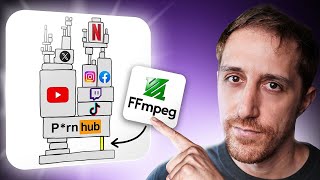

FFmpeg: The Ultimate Media Tool You Already Have
45sReveals that a powerful, free tool is already on your machine, sparking curiosity and a 'why didn't I know this?' reaction.
▶ Play Clip"The title is slightly exaggerated but the video genuinely teaches FFmpeg with practical examples."
FFmpeg is a powerful, free, open-source multimedia framework that can handle video, audio, and image processing tasks like GIF creation, compression, resizing, screen capture, and more. Despite its reputation as a complex tool for experts, this video demonstrates that with a few key commands, anyone can use FFmpeg effectively.
FFmpeg is the engine behind YouTube, Netflix, OBS, and many other apps. It can create GIFs, compress videos, resize images, capture screens, and rip audio.
FFmpeg stands for 'Fast Forward MPEG.' It was created by Fabrice Bellard, who also created QEMU, to handle various media formats during the chaotic early internet era.
Commands typically use '-i' for input, '-vf' for video filters, and specify output file. Example: creating a GIF with reduced frame rate and size.
FFmpeg can resize images using the scale filter. Using '-1' for one dimension maintains aspect ratio.
Use '-vn' (video no) to extract audio, and specify audio codec like MP3. Example: 'ffmpeg -i input.mp4 -vn -acodec mp3 output.mp3'.
Compress video using libx264 codec and CRF (Constant Rate Factor) for quality/size balance. CRF 23 is a good default.
FFmpeg can capture screens, webcams, and microphones. On Mac, use AVFoundation; on Windows, dshow; on Linux, v4l2. Example: 'ffmpeg -f avfoundation -i 7 output.mkv'.
Use the drawtext filter to add text watermarks with customizable font, color, size, and position.
Use atuin (a command history manager) to create and run scripts for common FFmpeg tasks, making it easier to reuse commands.
FFmpeg is an incredibly versatile tool that, once you learn a few basic commands, can handle almost any media task. Automating with tools like atuin makes it even more accessible.
What does FFmpeg stand for?
Fast Forward MPEG
01:56
Who created FFmpeg?
Fabrice Bellard
02:18
What flag is used to specify input file in FFmpeg?
-i
03:06
What does the '-vf' flag stand for?
Video filter
03:13
What is the CRF range in FFmpeg?
0 to 63, where 0 is highest quality and largest file size.
07:28
What is the default CRF value for good balance?
23
07:34
How do you extract audio from a video using FFmpeg?
Use '-vn' flag and specify audio codec, e.g., '-acodec mp3'.
06:34
What flag is used to capture screen on Mac?
-f avfoundation -i [device_index]
08:42
How do you add a text watermark with FFmpeg?
Use the drawtext filter: -vf "drawtext=text='...':fontcolor=white:fontsize=24:x=10:y=10"
10:36
FFmpeg as Universal Media Tool
Establishes FFmpeg as the hidden backbone of many media applications.
Origin of FFmpeg
Reveals the historical context and creator behind the tool.
01:56Simple GIF Creation Command
Provides a practical, copy-paste command for a common task.
03:00Video Compression with CRF
Explains a key concept for balancing quality and file size.
07:00Screen Capture Capability
Demonstrates an often overlooked feature of FFmpeg.
08:25[00:00] Do you ever battle with finding the right tool
[00:04] or resize an image? How about capturing
[00:08] or audio ripping from a video you found? You
[00:12] just mentioned. What if I told you the ultimate
[00:17] machine working silently under the hood in the
[00:21] and it's the engine that powers everything from
[00:26] with an unintended Twitter storm that ended in
[00:32] me thinking. People think of FFmpeg as a silent
[00:37] do anything with. I mean, FFmpeg is just this
[00:42] system? Not only is open source and completely
[00:46] option out there. Everything else is mostly an
[00:51] probably fmp underneath the hood. all the prof
[00:56] has one huge problem. It's overwhelming and like
[01:01] user so much power eventually facing them with the
[01:06] to config. I I think ffmpeg like they have all
[01:11] the command line. It's like one of those cryptic
[01:17] I'm here to say that FFmpeg isn't this impossible
[01:23] And the truth is, you don't need to be an expert
[01:28] just need to know the right secrets and how to
[01:32] use a rubber. In this video, I'm going to
[01:36] but also how to add a touch that makes using
[01:42] from FFmpeg's surprising history to the simple
[01:46] you work with media forever. FFmpeg is probably
[01:51] day and does not get the love it deserves. I just
[01:56] started. FFmpeg's name is basically fastforward
[02:02] back then. Who here remembers the early 2000s
[02:08] babies and rotating word art gifts were at the
[02:13] required a specific often terrible player to be
[02:18] a legendary programmer, the same genius who later
[02:24] container users run daily, started a secret
[02:28] unlock every media format. Little did anyone know
[02:34] backbone of the entire internet's video. The logo
[02:39] meg codecs handle entropy encoding a lossless data
[02:44] memory, then we're in good company. Doubled it.
[02:50] for them. Okay, a nice trip down memory lane, but
[02:55] for developers, but we're here for the CLI. So,
[03:01] from a previous video. I still remember the day,
[03:06] input introduced by hyphen i and then a file. When
[03:13] filter followed by what you're looking for. We're
[03:19] pixels is our width and minus1 tells ffmpeg to
[03:25] Lancos is a highquality algo for resizing
[03:30] for codec for video which in our case is GIF.
[03:35] different processes. Don't worry about remembering
[03:40] lots of output in the logs including useful
[03:45] a beautiful GIF that's way way too small. Let's
[03:50] configuration of once you have that oneliner
[03:56] mode in the terminal, that's exactly why you want
[04:03] uh, 1.8 megabytes of a nicely sized GIF, and job
[04:10] looked for online gift creators where I can upload
[04:16] code injected into my browser just to get this.
[04:21] form of an image, let's talk about images. For
[04:25] a neim debugging video. A fairly large image of 3
[04:32] tools or online utilities, but ffmpeg can easily
[04:38] Then the video filter, which will hold one pair
[04:44] the output file and wham, 54 kilobytes, which are
[04:50] time for that. Let's see what we got. A lovely
[04:55] could use the trick from earlier. Just add minus
[05:00] we have a nicely shrunk image. Perfect aspect
[05:05] compressed media is only half the battle for a
[05:10] delivery. That's where having a premium manage
[05:14] difference. As a business owner, your focus should
[05:19] to crash. If you're constantly worried about slow
[05:24] support chatbot, it's time for a change. This
[05:29] for WordPress and are trusted by over 120,000
[05:34] sudden traffic spikes to giants like Screaming
[05:39] 350 providers. Here's why. First, speed. Just by
[05:46] One agency saw a mind-blowing 1,600% speed boost.
[05:52] firewall, DOS protection, and is so certified,
[05:57] part, when you need help, you talk to a real
[06:03] just actual solutions. Tired of being your own IT
[06:08] entire site for free. Plus, you get your first
[06:13] so there's literally zero risk. Visit the link in
[06:18] to claim your offer and let your hosting just
[06:23] time that you want to separate audio from video.
[06:28] 2000s when we wanted the MTV tracks music only.
[06:34] This time with a VN flag, which the doc suggests
[06:42] Then a codec of MP3. This is actually old syntax,
[06:48] ready to play. How about VC for the job? And there
[06:54] I still remember the day, the moment. Okay, GIFs
[07:00] shall we? That's one of the main selling points
[07:05] which is another super fascinating technical uh
[07:12] just fills me with joy. Same input, this time a
[07:18] widely used compression standard that's both
[07:23] factor. Not a straightforward term, but basically
[07:28] 63, where zero is higher quality and larger files,
[07:34] 23 is a common default with good balance, so you'd
[07:39] that. It takes about three whole seconds and the
[07:45] of the previous 15.2. Is it any good though? Well,
[07:51] you're probably thinking, am I going to
[07:55] just mentioned? Well, you don't have to. And if
[08:00] here's an open source exactly for that. Handbreak
[08:05] use interface. It comes with readymade presets for
[08:10] results without diving deep into technical flax.
[08:15] highquality video compression. Although, I must
[08:20] we've seen earlier, it does not use FFmpeg or its
[08:25] useful feature you probably didn't know about
[08:30] mean? It can capture your video cams, microphones,
[08:35] importantly, your screens. Yes, ffmpeg is a screen
[08:42] for AV foundation format which is Mac specific.
[08:47] direct show media format while Linux users can use
[08:55] So there's my list of both video and audio devices
[09:00] my desk to my DSLR cam or meeting webcam on top.
[09:06] right from FFmpeg. Remember Zuckerberg was taping
[09:12] look how easy it is to script something that
[09:16] worried for a good reason. Let's start with
[09:20] let's get it into the list of flags here, which by
[09:25] things run. Time to move things on the screen
[09:29] finder around, stop recording with Ctrl + C, and
[09:34] out. Here's the window moving around. Not too bad
[09:39] here is the cursor. Want it in. There's a flag for
[09:45] dragged window while it's playing a GIF. Let's
[09:48] the GIF from the start. Now, here's the fun part.
[09:54] as my iPhone camera, which is immediately turned
[09:59] it up and see whether FFmpeg actually gets input
[10:05] Hello, that's my screen. There's the camera and a
[10:10] second here like a crazy person, which explains
[10:15] it works. This brings up malicious ideas
[10:20] about that shakiness. FFmpeg has a solution for
[10:25] index and accuracy added to it. I didn't have a
[10:30] very keen to hear from others who did. Just before
[10:36] on media for you. Don't believe it? Look at that.
[10:42] add. This can also take a font color and size and
[10:47] And there you have it. burnt on the top left hand
[10:52] burnt on media you publish. Okay, how about we
[10:58] flags and covering what each means, there's no way
[11:03] for shrinking an image. So, while there are many
[11:08] while serving as my command history manager,
[11:13] relevant here because it's easily tweaked. A twins
[11:18] here to create gifs on the fly. If we ever need
[11:23] edit make gif will load it into the configured
[11:28] a twin scripts. I'll link it up here. But for now
[11:32] its place here. But configured parameters will
[11:37] them configurable interactively. I'll do that with
[11:43] Obviously, I can change the scale, FPS, etc. But
[11:49] which I, by the way, mapped to ASR locally,
[11:54] output file name, then the input file, which
[11:59] there it is. And there's our new GIF created
[12:04] head around FFmpeg, you're ready to put things in
[12:10] taking it all in the flags, the switches, and
[12:15] presenting my choice for automating FFmpeg. But
[12:19] an entire history manager with data persistency,
[12:25] can't work without. Check it in the video up here
[12:30] Don't forget to check out Kinsta for a faster,
[12:35] on screen or the link in the description. Thank
⚡ Saved you 0h 12m reading this? Transcribe any YouTube video for free — no signup needed.