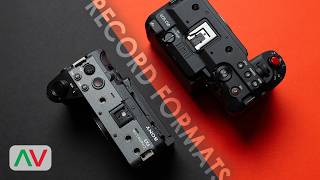

Sony FX3 Codecs: H.265 vs H.264 vs All-I
45sBreaks down the three Sony codecs with clear pros and cons, helping viewers choose the right format.
▶ Play Clip"Title accurately describes the codec comparison; video delivers detailed breakdown as promised."
This video compares the video codecs available on the Canon C50 and Sony FX3 cameras, covering H.264, H.265, and RAW formats. It details the strengths and limitations of each codec for professional video work.
Three codecs: XAVC HS (H.265), XAVC S (H.264 long GOP), XAVC SI (H.264 all-I).
Only 4K UHD, no FHD or DCI 4K. PAL: 50/100 fps, no 25 fps. NTSC: 24/60/120 fps, no 30 fps.
UHD 4K and FHD, 4:2:2 10-bit or 4:2:0 8-bit. PAL: 25/50/100 fps; NTSC: 24/30/60/120 fps.
All-I H.264, industry standard. Supports 4K UHD, DCI 4K, FHD. DCI 4K locked to 24 fps, 4:2:2 10-bit only.
Four internal codecs: XF AVC S, XF HEVC S, XF AVC, and Cinema Raw Light.
H.264, MP4 container. DCI 4K, UHD, DCI 2K, FHD. 4:2:2 10-bit (long GOP or all-I) or 4:2:0 8-bit (long GOP only). All-I bitrates: 500, 375, 250 Mbps.
H.265, long GOP, 10-bit only (4:2:2 or 4:2:0). DCI 4K, UHD, DCI 2K, FHD. Supports open gate 7K at up to 30 fps.
Similar to XF AVC S but uses MXF container. Broadcast-friendly, supports interlace. No thumbnails without software.
12-bit raw, .CRM container. 7K 60 fps in full frame (LT/ST). Three flavors: LT, ST, HQ. More noise but greater grading flexibility.
Both cameras offer robust codec options, but the Canon C50 provides more flexibility with HEVC, MXF, and internal raw recording, making it superior for high-end production.
What are the three codecs available on the Sony FX3?
XAVC HS (H.265), XAVC S (H.264 long GOP), XAVC SI (H.264 all-I).
00:40
What frame rates are available for XAVC HS in PAL mode?
50 and 100 fps, no 25 fps option.
01:31
What is the maximum resolution and frame rate for Cinema Raw Light on the Canon C50?
7K at 60 fps in full frame mode (LT/ST).
08:00
Which codec on the Canon C50 uses an MXF container?
XF AVC.
06:33
What color spaces are available for XAVC HS on the FX3?
4:2:0 or 4:2:2 10-bit.
01:22
XAVC SI Industry Standard
Highlights the codec's importance for broadcast and commercial work.
02:49XF HEVC S as Preferred Codec
ProAV uses it exclusively for its efficiency and quality.
05:14Internal Raw Recording Advantage
Only way to achieve 7K 60 fps on the C50, offering maximum quality.
07:21[00:01] [music]
[00:02] >> Continuing our side-by-side look of the
[00:04] Canon C50 and FX3, it's now [music] time
[00:07] to shift our focus to video codecs
[00:09] because having a variety of different
[00:11] video codecs and formats [music]
[00:13] is the backbone of what makes
[00:14] video-focused cameras like these the
[00:16] right choice as a professional tool for
[00:18] video work, whether it be for broadcast
[00:20] work, documentary, narrative short
[00:22] films, content creation, long-form or
[00:24] short-form, having access to the right
[00:26] codecs and formats makes all the
[00:28] difference in giving you the
[00:28] flexibility, performance, and quality
[00:31] you need. [music] With that in mind, we
[00:32] wanted to take a look at the codecs on
[00:34] offer on the Canon C50 and FX3. Let's
[00:37] start with the Sony FX3A. There are
[00:40] three codecs available. Sony's XAVC HS,
[00:44] which is their H.265 HEVC format. Then
[00:47] there's their XAVC S, their long GOP
[00:50] H.264 format. And then there's their
[00:52] XAVC SI, which is their industry
[00:56] standard intra frame all I H.264 base
[00:59] codec.
[01:00] Let's start with XAVC HS. As stated,
[01:04] this is Sony's implementation of their
[01:06] H.265 HEVC format. And when using this
[01:09] format on the FX3A, you only have the
[01:12] option to shoot in 4K UHD
[01:14] >> [music]
[01:14] >> with no FHD option and no DCI 4K. It's
[01:18] also available only in 10-bit with two
[01:22] options of either 4:2:0 or 4:2:2 color
[01:24] space. There's some other limitations
[01:27] here with Sony's XAVC HS. When shooting
[01:31] in PAL mode, you only have 50 and 100
[01:34] FPS with no 25 FPS option. If you happen
[01:37] to be in an NTSC region, then the option
[01:40] is 24, 60, and 120 FPS, but there's
[01:43] still no 30 FPS option, so just
[01:45] something to consider. Overall, HEVC as
[01:48] a format is very efficient when it comes
[01:50] to the quality you can capture with
[01:52] minimal storage space taken up, and with
[01:54] the correct supported computer and
[01:56] hardware, playback and editing with it
[01:58] works great. Now let's look at XAVC S.
[02:02] This is Sony's H.264 long GOP format.
[02:05] You can record this in both UHD 4K and
[02:08] FHD, but again, no DCI 4K. You get the
[02:11] choice of 4:2:2 10-bit and 4:2:0 8-bit.
[02:16] This also applies the same in 1080p.
[02:19] This format sits as a nice in-between
[02:21] choice. It's not as high quality as
[02:23] their XAVC SI, and it's not as efficient
[02:27] as their H.265 base XAVC HS, but you can
[02:31] access all the frame rates when in PAL
[02:33] at 25, 50, and 100, and also in NTSC,
[02:37] which is 24, 30, 60, and 120 FPS when
[02:41] shooting in 4K UHD and FHD, and it will
[02:44] work better on older computers than
[02:47] compared to the XAVC
[02:49] HS. Last is XAVC SI. This is Sony's
[02:54] high-performance, high-quality all I
[02:57] H.264 format, and it's widely regarded
[02:59] as the industry standard when it comes
[03:02] to broadcast and commercial work, which
[03:04] says a lot about the quality and
[03:05] performance that is associated with
[03:07] Sony's XAVC SI as a codec. You can
[03:11] choose between 4K UHD, DCI 4K, and FHD.
[03:16] So, for those that need that DCI 4K 17:9
[03:19] aspect ratio, this is the codec and
[03:21] format to use on the FX3A. Do note in
[03:24] the DCI 4K mode, you are locked to 24
[03:27] FPS only, and the camera does do a
[03:30] system reboot. For the recording
[03:31] setting, you are locked down to just one
[03:33] option of 4:2:2 10-bit with no 8-bit
[03:36] option or 4:2:0. Even down to the
[03:39] bitrate, that is also locked down to
[03:41] match the frame rate and resolution that
[03:44] you're using, so it shows the intent of
[03:46] the codec for acquisition to be as high
[03:48] quality as possible. This is the largest
[03:50] option in terms of sizes, but the
[03:53] performance is very smooth when working
[03:54] in post-production. Now with the Sony
[03:57] FX3A covered, let's move over to the
[04:00] Canon C50's internal codecs and formats.
[04:03] There's a lot happening here with the
[04:05] Canon C50 with four internal codecs
[04:07] available, including a raw video format.
[04:11] Let's first start with XF AVC S. This is
[04:14] Canon's H.264 AVC codec, which is based
[04:18] around an MP4 container file. It's
[04:21] available in DCI 4K, 4K UHD, DCI 2K, and
[04:25] FHD. The color space option available is
[04:27] 4:2:2 10-bit and 4:2:0 10-bit. Now in
[04:31] the 4:2:2 10-bit mode, you have the
[04:33] option to select between long GOP or all
[04:36] I compression. For the 4:2:0 8-bit, this
[04:39] is purely long GOP only. A nice added
[04:42] extra flexibility and touch is that when
[04:44] recording in the 4K UHD or DCI modes,
[04:47] the all I compression gives you three
[04:50] bitrates to choose from at 500, 375, and
[04:54] 250 megabits per second. This is great
[04:56] to see because usually when recording in
[04:58] all I, there isn't an option to scale
[05:00] the bitrate to manage your storage for
[05:02] longer record times if it's something
[05:04] you need, so the flexibility here is a
[05:06] nice touch to give you control over your
[05:08] file sizes at the same time as giving
[05:11] you the post-production benefits of an
[05:13] all I codec.
[05:14] Next is XF HEVC S.
[05:18] This is Canon's professional H.265
[05:20] codec. With this format, it only shoots
[05:23] in 10-bit color with the option of 4:2:2
[05:26] and 4:2:0 sampling, so no 8-bit option
[05:29] here. For the Canon C50, this is a long
[05:32] GOP compression technique being used,
[05:34] and in fact, for us here at ProAV, this
[05:36] is now our most widely and regularly
[05:38] used codec for recording when making
[05:40] these videos. We almost exclusively use
[05:43] XF HEVC S on our Canon C80 and C50 cuz
[05:47] it gives us all the quality we need for
[05:49] relatively simple videos like this while
[05:52] being very friendly on storage. On the
[05:54] Canon C50, the XF HEVC S can be recorded
[05:57] in DCI 4K, UHD, DCI 2K, and FHD, so very
[06:02] flexible options here.
[06:04] Now because the C50 supports open gate
[06:06] full sensor 3:2 recording, you can tap
[06:09] into the full 7K resolution of the
[06:11] sensor whilst still using XF HEVC S,
[06:14] using it either in 4:2:2 10-bit or 4:2:0
[06:17] 10-bit, which is great. You will be
[06:20] limited to a max frame rate of up to 30
[06:22] FPS, but this is still impressive
[06:24] nonetheless. With modern chipsets in
[06:26] computers being so efficient in how they
[06:28] handle HEVC, using it has been such a
[06:31] benefit to our workflow. Now let's look
[06:33] at XF AVC. Now it may sound like we've
[06:36] been here before, and it does sound very
[06:37] similar to the XF AVC S, but regular XF
[06:40] AVC uses a .MXF container rather than a
[06:45] .MP4 container. You still get the same
[06:48] option of long GOP and all I compression
[06:50] with resolutions of DCI 4K, 4K UHD, DCI
[06:54] 2K, and FHD. Now the .MXF container or
[06:58] wrapper was designed specifically to
[07:00] give you easier playback and editing
[07:02] performance in post-production and other
[07:04] benefits such as being able to use
[07:06] interlace scan formats rather than
[07:07] progressive. So, this is more broadcast
[07:10] friendly, but it does still mean that
[07:13] you can't see thumbnails and quick
[07:15] playback for your video clips without
[07:16] bringing it into some post-production
[07:18] software. Last, but by far not the
[07:21] least, top of the food chain is raw.
[07:23] Yes, with the Canon C50, you have
[07:25] internal raw recording using Canon's
[07:27] Cinema Raw Light codec. This is a 12-bit
[07:30] raw format which uses a .CRM container
[07:32] and allows you to shoot the maximum
[07:35] resolution of the sensor mode that
[07:36] you're in. For example, in full frame
[07:39] 3:2 open gate and full frame, you get
[07:42] the maximum 7K resolution of the C50
[07:44] sensor. When you go down to Super 35 mm
[07:47] and Super 16 mm, then it goes down in
[07:50] resolution to 5K and 2.5K, respectively.
[07:53] Raw comes in three flavors: LT, ST, and
[07:56] HQ. When you shoot in LT and ST, this is
[08:00] when the C50 has the option of 7K 60
[08:02] [music] FPS in full frame mode. This is
[08:05] a major benefit of shooting internal raw
[08:07] on the C50 because [music] this is the
[08:09] only way to get the full resolution and
[08:11] frame rate of the sensor together. 7K 60
[08:14] FPS is not available on the other more
[08:16] compressed codecs we've already looked
[08:18] at. The performance of Cinema Raw Light
[08:20] in post-production can be more
[08:22] demanding, and you will get slightly
[08:24] more noise in your image straight out of
[08:26] camera because there is no noise
[08:27] reduction in the camera being done to
[08:30] this codec at that time, but raw formats
[08:33] like these are all about enabling you to
[08:35] get the best possible image quality in
[08:37] your grading suite with control over
[08:39] things like your white balance, ISO, log
[08:41] format, sharpness, tint, and more. As
[08:44] long as minimal compression is a thing,
[08:46] which is designed for performance in
[08:49] your grading suite. So, that's codecs on
[08:52] both the FX3A and the Canon C50. For a
[08:55] lot of people and the work that they'll
[08:57] be doing, both these cameras will
[08:59] definitely have you covered when it
[09:00] comes to the codecs you need for
[09:02] acquisition during capturing and
[09:03] recording, post-production in the
[09:05] intermediate [music] reprocess, and also
[09:07] for final delivery for the platforms you
[09:09] need for your work [music] to be seen.
[09:11] That said, it's clear to see the added
[09:13] options that are available here on the
[09:15] Canon C50 [music] from very modern
[09:17] codecs like HEVC up to the top internal
[09:20] raw codec, which truly unlocks the
[09:22] maximum recording capability of the C50.
[09:25] If you want to buy any of these cameras
[09:27] yourself, [music] then head over to
[09:28] ProAV, and we'll be more than happy to
[09:30] help. Like, subscribe, and turn on the
[09:31] notification. Thanks for watching, and
[09:33] we will see you next [music] time.
⚡ Saved you 0h 09m reading this? Transcribe any YouTube video for free — no signup needed.