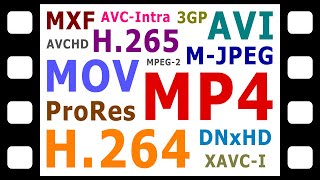

Video formats aren't what you think
39sReveals a common misconception that file extensions define video formats, which is surprising and educational.
▶ Play Clip"Title accurately describes the content; the video thoroughly explains digital video formats, codecs, and containers."
This video explains the fundamentals of digital video formats, focusing on the distinction between video codecs and containers. It covers common codecs like H.264, H.265, ProRes, and DNxHD, as well as containers such as MP4, MOV, and MXF, and how they combine to create various video formats for acquisition and delivery.
Digital video formats are not defined by file extension but by a combination of a video codec and a container. File extensions indicate the container, not the codec.
Common codecs include H.264 (AVC), H.265 (HEVC), H.262 (MPEG-2), MJPEG, ProRes, DNxHD, and DNxHR. Common containers include MP4, AVI, MOV, MXF, 3GP, 3G2, MTS, M2TS, and TS.
A MiniDV tape is a container that can store video encoded with different codecs: consumer DV, professional DVCAM, or HDV. This illustrates that the container does not determine the format.
Intra-frame compression encodes each frame individually, while inter-frame compression uses keyframes and delta frames. Intra-frame is higher quality and easier to edit but produces larger files.
H.264 is a popular inter-frame codec defined by MPEG in MPEG-4 Part 10. It produces relatively small files but can also be used as an intra-frame codec in some professional formats.
H.265 is a newer inter-frame codec that offers the same quality as H.264 with roughly half the data rate, but requires more processing power for encoding and decoding.
H.262 is an older inter-frame codec used for standard definition TV broadcasts and DVDs. It is less efficient than H.264 or H.265, producing larger files.
MP4 (MPEG-4 Part 14), AVI (Audio Video Interleave), and MOV (QuickTime Movie) are common containers that can store video encoded with many different codecs.
MXF is used in professional production, 3GP/3G2 for mobile phones, and MTS/M2TS/TS for AVCHD and Blu-ray.
AVCHD uses H.264 with MTS/M2TS containers. XAVC-I and XAVC-L use H.264 with MXF or MP4 containers. XF-AVC uses H.264 with MXF. ProRes is stored in MOV, DNxHD/DNxHR in MXF or MOV.
For consumer delivery, H.264 in MP4 is common and recommended for YouTube. Professional delivery often uses MXF with ProRes, DNxHD, DNxHR, or AVC Intra. Digital cinema uses DCP with MJPEG in MXF.
Digital video formats are complex, combining codecs and containers. Understanding this distinction is crucial for choosing the right format for shooting, editing, delivering, and archiving video.
What two components define a digital video format?
A video codec and a container.
01:08
What does codec stand for?
Coder decoder.
01:12
What is the difference between intra-frame and inter-frame compression?
Intra-frame compresses each frame individually; inter-frame stores keyframes and delta frames with incremental changes.
04:00
Which codec is also known as AVC?
H.264.
05:56
Which codec offers the same quality as H.264 with roughly half the data rate?
H.265 (HEVC).
06:40
What is the container used in professional video production and distribution?
MXF (Material Exchange Format).
08:58
What codec and container are used in the AVCHD format?
H.264 codec and MTS or M2TS container.
09:53
What is the recommended upload format for YouTube?
H.264 codec with an MP4 container.
11:52
What format is used for digital cinema projection?
Digital Cinema Package (DCP) using MJPEG codec and MXF container.
12:36
What does AVI stand for?
Audio Video Interleave.
08:26
Digital Video Formats Defined by Codec and Container
Clarifies a common misconception that file extension defines format.
00:35Intra-frame vs Inter-frame Compression
Explains trade-offs between file size and editability.
04:00H.264 Popularity
H.264 is the most widely used codec for both consumer and professional video.
05:56H.265 Efficiency
H.265 offers significant compression improvements but requires more processing power.
06:40Recommended YouTube Format
Practical advice for content creators: H.264 in MP4 is universally compatible.
11:52[00:01] [Music]
[00:12] welcome to another video from explaining
[00:14] computers
[00:17] this time i'm going to talk about
[00:19] digital video
[00:20] formats to do this i also need to
[00:23] explain
[00:23] digital video codecs and containers
[00:27] so let's go and get started
[00:35] digital video files can have many
[00:38] different file extensions
[00:40] including mp4 mov and
[00:43] mxf however the first thing to
[00:46] understand about digital video formats
[00:48] is that they're not defined by their
[00:50] file type
[00:51] this makes digital video formats far
[00:54] more complex than for example
[00:56] image formats where you can be certain
[00:58] that a jpg
[00:59] file is an image in the jpeg format
[01:04] rather than being defined by a file type
[01:06] a digital video format
[01:08] is a combination of a video codec and a
[01:10] container
[01:12] codec stands for coder decoder and
[01:15] refers to the algorithm used to
[01:17] digitally encode a video
[01:20] meanwhile a container is a digital box
[01:22] or wrapper
[01:23] used to store video streams in related
[01:25] content in a single
[01:26] file it is therefore digital video
[01:29] containers that can be identified by
[01:31] their file extension
[01:33] and not digital video formats
[01:37] today the great many video codecs and
[01:39] containers are in use
[01:40] with common codecs including h.264
[01:44] also known as avc h.265
[01:47] also known as hevc h.262
[01:50] also known as mpeg-2 part 2 mjpeg
[01:54] prores dnxhd and dnxhr
[01:59] common containers include mp4 avi
[02:03] mov mxf 3gp and 3g2
[02:07] and mts m2ts and ts
[02:10] there are many other digital video
[02:12] codecs and containers
[02:14] but the ones listed are those i'll
[02:15] explain in more detail
[02:17] later in this video
[02:21] as you probably gathered digital video
[02:23] is complex
[02:24] and can get somewhat confusing so
[02:28] to help us get our heads around the
[02:29] critical concept the video format being
[02:32] a combination of a codec
[02:34] and a container let's take a look at one
[02:36] of these
[02:37] a mini dv tape which was for years a
[02:40] common means of storing
[02:41] digital video however a minidv
[02:45] tape is a container and not a format as
[02:48] it can be used to store video
[02:49] in three different ways specifically a
[02:52] minidv
[02:53] tape like this one can store video
[02:55] encoded with the standard definition
[02:57] consumer dv
[02:58] codec with a professional standard
[03:00] definition codec called
[03:02] dv cam and with a high definition codec
[03:05] called hdv this means that it's
[03:08] impossible to look at the dv
[03:10] tape like this and to know its format
[03:13] and precisely the same is true when it
[03:15] comes to digital video
[03:17] files where the file extension indicates
[03:19] the container
[03:20] but not the videos codec
[03:29] digital video just like a reel of movie
[03:31] film
[03:32] is made up of a series of still frames
[03:35] a codec or coder decoder digitally
[03:38] encodes these frames
[03:40] with the term codec used to refer to
[03:42] both the software or hardware
[03:44] that performs the encoding operation as
[03:46] well as the algorithm
[03:47] it applies because videos contain a
[03:51] great deal of information
[03:52] most but not all codecs compress a
[03:55] video's frames
[03:56] to limit file size such compression can
[03:59] also
[04:00] be achieved in two ways known as
[04:02] intra-frame
[04:03] and interframe intra-frame compression
[04:07] compresses each frame individually in
[04:10] contrast
[04:11] inter-frame compression stores some
[04:13] complete frames as keyframes
[04:15] but all frames in between as delta
[04:17] frames which only contain
[04:18] incremental changes this allows
[04:21] interframe compression
[04:22] to produce smaller video files however
[04:26] intra-frame video is generally of a
[04:28] higher quality
[04:29] and is easier for a computer to edit as
[04:31] every frame is immediately accessible
[04:34] so if you are planning to edit your
[04:36] video it's best to shoot it using an
[04:38] intra-frame codec if possible
[04:42] common intra-frame codecs include mjpeg
[04:46] prores dnxhd and dnxhr
[04:50] as you may guess mjpeg stands for motion
[04:53] jpeg
[04:54] and stores each video frame or field as
[04:57] an individual jpeg image
[04:59] prores is a family of intraframe codecs
[05:02] created by
[05:03] apple which is widely used in
[05:05] professional video acquisition
[05:06] and production for different codecs in
[05:09] the prores family are named prores 422
[05:12] proxy which has the lowest data rate and
[05:14] quality
[05:15] up to prores 444xq which has a very high
[05:19] data rate
[05:20] and produces very large files
[05:24] dnxhd stands for digital non-linear
[05:27] extensible high definition and is a
[05:30] family of intra-frame codecs
[05:31] created by avid for professional video
[05:33] editing but now also used for
[05:35] acquisition
[05:37] as you may guess dnxhr is a higher
[05:40] resolution
[05:41] version of dnxhd supporting 4k video
[05:44] and above in common with prores dnxhd
[05:48] and dnxhr data rates and file sizes can
[05:51] get very large
[05:53] indeed
[05:56] one of the most popular codecs in use
[05:58] today is h.264
[06:00] also known as avc or advanced video
[06:03] coding
[06:04] h.264 was defined by the motion picture
[06:07] experts group
[06:08] or mpeg in part 10 of their standard
[06:11] mpeg-4
[06:14] most of the time h.264 is an interframe
[06:17] codec
[06:18] that produces relatively small video
[06:20] files by storing keyframes
[06:22] and the incremental differences between
[06:24] them however
[06:25] the specification allows h.264 to be
[06:28] used
[06:28] as an intra-frame codec and some
[06:30] professional video formats take
[06:32] advantage of this
[06:33] usually describing their codec as iframe
[06:36] h264
[06:40] a more recent and increasingly popular
[06:42] interframe codec
[06:43] is h.265 also known as hevc
[06:47] or high efficiency video coding this was
[06:50] also defined by the motion picture
[06:52] experts group
[06:53] in part two of their standard mpeg-h and
[06:56] can produce video with the same quality
[06:58] as an interframe h.264 codec
[07:00] with roughly half the data rate and file
[07:02] size
[07:04] however h.265 requires more computer
[07:07] power to encode and decode with h.264
[07:10] and so is not as easy to edit
[07:15] an earlier and still very important
[07:17] interframe codec
[07:18] is h.262 which was defined by the motion
[07:21] picture experts group
[07:23] in part two of their mpeg-2 standard
[07:26] h.262 is not as efficient as h.264
[07:30] or h.265 so produces much larger video
[07:34] files however it is still widely used
[07:37] for standard definition digital
[07:39] television broadcasts
[07:40] and dvds
[07:48] as noted earlier a digital video format
[07:51] is a combination of a video codec and a
[07:54] container
[07:55] here a container is a digital box or
[07:58] wrapper
[07:58] that is used to store a video stream as
[08:01] well as one or more accompanying audio
[08:03] streams
[08:03] and potentially other related content
[08:05] such as subtitles
[08:07] and metadata digital video containers
[08:11] include mp4 avi and
[08:14] mov mp4 was defined by the motion
[08:18] picture experts group
[08:19] in their mpeg-4 part 14 specification
[08:23] avi was developed by microsoft and
[08:26] stands for audio video into leave
[08:28] and mav was created by apple and is
[08:30] short for movie
[08:32] all three of these containers can store
[08:34] video encoded with many different codecs
[08:37] with mp4 and mov currently having the
[08:40] widest
[08:40] range of both professional and consumer
[08:43] applications
[08:45] more niche containers include mxf 3gp
[08:49] and 3g2 as well as mts m2ts
[08:53] and ts mxf stands for material exchange
[08:58] format
[08:58] and is a container used in professional
[09:00] video production and distribution
[09:03] meanwhile 3gp and 3g2 are containers
[09:07] developed by the third generation
[09:08] partnership project
[09:10] for use on mobile phones finally
[09:13] mts m2ts and ts
[09:16] were created for the avchd video format
[09:19] and blu-ray discs and stand for mpeg
[09:22] transport stream
[09:23] and peg 2 transport stream and transport
[09:26] stream
[09:26] respectively
[09:33] the codecs and containers we've just
[09:35] looked at can be combined
[09:37] to create a wide variety of video
[09:39] formats some of which
[09:40] are mainly used for recording and others
[09:42] for the delivery of final video files
[09:46] to provide just a few examples when it
[09:48] comes to acquisition
[09:50] videos recorded in the still relatively
[09:52] popular consumer format
[09:53] avchd which stands for advanced video
[09:57] coding high definition
[09:58] use the h.264 codec and either an mts
[10:02] or m2ts container the xavc-i
[10:06] and xavcl formats used on many sony
[10:09] cameras then store h.264 video in an mxf
[10:13] container
[10:13] while the closely related xavcs format
[10:17] uses an h.264 codec and an mp4 container
[10:21] many canon cameras shoot in a format
[10:23] called xfavc
[10:25] which again uses the h.264 codec and an
[10:27] mxf container
[10:30] often especially in the consumer arena
[10:33] video formats are not given a name
[10:36] for example most dslrs do not declare a
[10:39] format
[10:40] but use an h.264 or h.265 codec
[10:43] with either an mp4 or mov container
[10:47] similarly video captured on cameras and
[10:49] recorders that use a prores codec
[10:51] is typically described as being in the
[10:54] prores format
[10:55] and stored in a mod container whilst
[10:58] dnxhd
[10:59] and dnxhr codec videos are usually
[11:02] placed in either an fxf
[11:03] or mov file videos shot on smartphones
[11:08] also don't have a named format but are
[11:10] usually encoded with an h264 or h.265
[11:14] codec
[11:15] and stored in a 3gp 3g2
[11:18] or mp4 container on an android device or
[11:21] in a mav container
[11:22] on an iphone
[11:25] when it comes to the delivery of final
[11:27] digital video files
[11:29] once again we often lack specific format
[11:32] names
[11:32] although h264 and h.265 codex
[11:36] used with mp4 or mov containers are the
[11:39] most common
[11:40] in the consumer space and if you are
[11:43] ever in doubt
[11:44] render your final video using the h.264
[11:47] codec
[11:48] and an mp4 container as this is always a
[11:50] very safe bet
[11:52] as well as being the recommended upload
[11:54] format for youtube
[11:57] the professional delivery of final video
[12:00] files
[12:00] usually takes place in an mxf container
[12:03] using codecs that include prores dnxhd
[12:07] and dnxhr this said
[12:10] an intra-frame panasonic codec called
[12:13] avc
[12:13] intra is also very common
[12:17] indeed in october 2014 all uk
[12:20] broadcasters began using a format called
[12:22] as11dp for hd program delivery
[12:26] which uses the avc intra codec and an
[12:29] mxf container
[12:32] finally most cinemas these days project
[12:35] from a format
[12:36] called digital cinema package or dcp
[12:40] this uses an mjpeg codec and an mxf
[12:43] container
[12:44] so the mjpeg codec is not as rare
[12:48] as you may have imagined
[12:56] for the best part of a century the most
[12:58] stable and widespread motion picture
[13:01] format
[13:01] was this 35 millimeter film now
[13:06] technically we could argue that even the
[13:07] role of 35 millimeter film
[13:09] is a container and not a format because
[13:12] the
[13:12] frames on a roll of 35 millimeter film
[13:15] can be
[13:16] optically stretched to accommodate
[13:18] different aspect ratios and
[13:20] the vista vision format shot 35
[13:22] millimeter film
[13:23] horizontally and not vertically in order
[13:25] to get a bigger frame with higher
[13:27] resolution but for the most part
[13:30] for the best part of about a hundred
[13:32] years if you wanted to shoot
[13:34] high quality moving images with a good
[13:36] archive potential
[13:37] you chose the 35 millimeter film format
[13:41] today digital video reigns supreme
[13:45] online on television and in the cinema
[13:48] and as we've seen in this video there
[13:50] are a wide range of codecs and
[13:52] containers available
[13:54] which give us a bewildering array of
[13:56] digital video formats
[13:59] and deciding which one to shoot in to
[14:02] edit in to deliver in
[14:03] and to archive in is a very tricky
[14:06] decision
[14:07] but i hope at least in this video i've
[14:08] given you some useful
[14:10] information but now
[14:13] that's it from me and the role of 35
[14:15] millimeter film
[14:17] if you've enjoyed what you've seen here
[14:18] please press that like button if you
[14:20] haven't subscribed
[14:21] please subscribe and i hope to talk to
[14:23] you again
[14:25] very recent
[14:31] [Music]
[14:42] you
⚡ Saved you 0h 14m reading this? Transcribe any YouTube video for free — no signup needed.