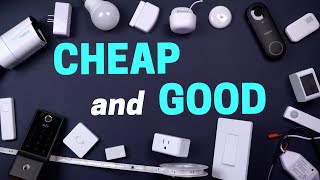

Cheap Smart Bulbs That Are Worth It
60sHigh engagement as it challenges the assumption that cheap means bad, with a humorous Seinfeld reference and practical recommendations.
▶ Play Clip"Delivers exactly what the title promises: a thorough, honest rundown of budget smart home devices that are actually worth buying."
This video reviews budget-friendly smart home devices across multiple categories, highlighting which ones offer the best value without compromising on quality. The creator tests and compares products like smart bulbs, light strips, doorbells, locks, switches, cameras, sensors, and more, focusing on compatibility, features, and price.
The video starts by emphasizing that the devices featured are cheap in price but not garbage, and covers various smart home categories.
Casa bulb is $13, 1000 lumens, CRI 88, not Matter certified. Topo bulb has terrible connectivity. Lincoln bulb is Matter certified, CRI over 90, comes in 800 and 1600 lumens, recommended for price and compatibility.
Whiz light strip at $33 has good warm/cool whites but less vibrant RGB. Accara T1 at $45 has brighter colors, uses Zigbee, but requires hub for multiple colors. Whiz recommended for living rooms.
Real Link Wi-Fi doorbell at $110 has no fees, 24/7 recording to SD or NVR, and HDR. UI E340 is $150 but lacks HDR. Real Link recommended for value.
Yuthi E31 at $150 is lightweight, uses Matter, but fingerprint reader doesn't work with wet hands. Accara U100 at $142 is heavier, works with HomeKit and Home Key, fingerprint works with sweaty hands. Accara recommended for best value.
Casa dimmer and on/off switch at $20 are Matter compatible, work well with Home Assistant, and are described as 'cheap and good'.
Topo C120 at $25 records 24/7 to SD, has many alert types, and integrates with Home Assistant. Recommended for budget indoor monitoring.
Rio Link RLC 810A at $80 is 4K, records 24/7 to NVR, works well with Home Assistant. Hardwired recommended over battery/solar for reliability.
Accara and Third Reality motion sensors are around $20, use Zigbee. Third Reality uses AAA batteries (rechargeable) and is recommended for battery convenience.
Treatife at $30 is basic. Accara FP1E at $40 uses Zigbee, connects to Home Assistant. Apollo MSR2 at $40 uses ESPHome. Accara slightly preferred for Zigbee.
Third Reality uses AAA batteries and has stronger signal; Accara uses coin cell and has offline issues. Third Reality recommended.
IKEA sensor at $10 is half the price of Accara/Third Reality, uses Zigbee, works with Home Assistant. Recommended for savings.
Third Reality button uses Zigbee, detects single/double/long press. Philips Hue Switch at $22 is better for lighting scenes, pairs with Home Assistant.
Third Reality vibration sensor at $20 is more responsive and adjustable, uses AAA batteries. Accara is $17 but less reliable.
Casa Wi-Fi plug with Matter lacks energy monitoring via Matter. IKEA and Third Reality Zigbee plugs at $12-13 measure energy and act as repeaters.
Maros has $30 and $50 versions; $50 connects locally to Home Assistant, reliable, sensor with cable no batteries. Recommended.
Honeywell X2S is $100 Matter certified. EcoB Essential at $130 is recommended for features, works with EcoB sensors, local integration via HomeKit.
Apollo MSR2 with CO2 sensor (add $20) helps with air quality automations. IKEA sensor measures PM2.5 and VOC, uses Zigbee. Both around $50.
The video provides a comprehensive guide to budget smart home devices, emphasizing value, reliability, and smart home integration. The creator's top picks include Lincoln bulbs, Whiz light strips, Real Link doorbells, Accara locks, and Third Reality sensors, with a strong preference for Zigbee devices and Home Assistant compatibility.
Casa smart bulb
tool
Topo smart bulb
tool
Lincoln smart bulb
tool
Whiz light strip
tool
Accara T1 light strip
tool
Real Link Wi-Fi doorbell
tool
UI E340 doorbell
tool
Yuthi E31 lock
tool
Accara U100 lock
tool
Casa dimmer switch
tool
Topo C120 camera
tool
Rio Link RLC 810A camera
tool
Accara motion sensor
tool
Third Reality motion sensor
tool
Treatife Millimeter Wave Sensor
tool
Accara FP1E
tool
Apollo MSR2
tool
Third Reality contact sensor
tool
IKEA water leak sensor
tool
Third Reality smart button
tool
Philips Hue Switch
tool
Accara vibration sensor
tool
Third Reality vibration sensor
tool
Casa smart plug
tool
IKEA smart plug
tool
Third Reality smart plug
tool
Maros garage controller
tool
Honeywell X2S thermostat
tool
EcoB Essential thermostat
tool
Apollo air quality monitor
tool
IKEA air quality monitor
tool
What is the CRI of the Casa smart bulb?
88
00:44
Which smart bulb is Matter certified and has a CRI over 90?
Lincoln bulb
01:25
What is the price of the Real Link Wi-Fi doorbell?
$110
03:39
Which smart lock works with Apple HomeKit and Home Key?
Accara U100
06:08
What is the main drawback of the Yuthi E31 lock?
Fingerprint reader doesn't work with wet hands.
05:29
Which indoor camera is recommended for budget and Home Assistant integration?
Topo C120
07:17
Why is hardwired outdoor camera recommended over battery/solar?
More reliable and integrates better with smart home.
08:13
Which motion sensor is preferred and why?
Third Reality because it uses AAA batteries.
09:52
What is the price of the IKEA water leak sensor?
$10
13:03
Which smart plug allows energy monitoring via Zigbee?
IKEA and Third Reality Zigbee plugs.
15:44
What is the main feature missing from the EcoB Essential thermostat?
Motion sensor on the thermostat.
17:06
Lincoln bulb recommended
Surprising pick for best budget Matter bulb despite initial skepticism.
01:52HDR importance in doorbells
Demonstrates how HDR prevents blown-out footage, a key security feature.
04:21Fingerprint lock reliability
Highlights the importance of fingerprint sensor performance in real-world conditions.
05:29Millimeter wave presence detection
Explains a technology that detects breathing, enabling better automation.
10:19EcoB Essential value
Shows that paying a bit more for a thermostat can be worth it for features and reliability.
16:53[00:03] they're not just the cheapest devices out there because sometimes the cheapest is just complete garbage. So these devices are cheap in price while still
[00:15] different kinds of smart home devices. So let's get into it. All right, let's start off with the classic smart home bread and butter, smart light bulbs. And these bulbs are so cheap that even George Castanza would
[00:30] be impressed. I'm cheap. You think I'm cheap? How could you say that to me? I can't believe it. These smart bulbs are only about 12 or 13 bucks at the time of if you're just starting to build out your smart home or if you have a lamp
[00:44] off in the corner that you don't want to splurge on. The first bulb is from Casa. It's a,000 lumen, so pretty bright and the colors are fairly bright as well. The CRI is only 88, so it's not the best, but it's only 13 bucks and it will
[00:59] work with most smart home systems. It's not Matter certified, so if you want something that will be the most smart home compatible and work long into the future, all these next ones will work with Matter. This is an 1100 lm bulb
[01:11] from Topo that uses Matter, and I thought this would be a slam dunk for the price and brightness, but I was wrong. It has horrible connectivity, like absolutely terrible. I would not recommend this at all. So, this next is
[01:25] this bulb from Lincoln, and I bought devices from this company years ago, so they've been around for a bit, but these matter bulbs connected a million times better. The colors were not as bright and vibrant as the Casa bulb, but the
[01:38] white colors look decent. The CRI is over 90, so better than the Casa. And the bulbs come in two sizes, a smaller 800 lumens and a larger A19 size at 800 lumens and a larger A19 size at 1,600 lumens, which is extremely bright.
[01:52] So, if it were me, I would go with the matter bulb from Lincoln. Not something I thought I would say before testing these bulbs, but for the price, matter compatibility, and how well it works, it's difficult to beat. Before I move on
[02:04] to the next category, I just want to point out that I bought most of these devices with my own money. There are a few that companies sent a while back for I'm making this video, so you don't need to worry about any of that. Okay, next
[02:17] up is light strips. And no, they don't have to be tacky. There are some really cheap options out there that don't look great, and that's because they don't have dedicated warm and cool white LEDs, but this was a must-have for me. So, I
[02:31] have two really great budget options with good warm and cool whites. The my family room, and they match really well with the Philips Hue lights, and makes sense since signify is the parent company of both. These are $33, and the
[02:46] warm and cool whites look great and are very bright. The RGB colors are not so bright and vibrant, though. They use Wi-Fi and integrate into most smart home systems. But if you want to use light strips that use ZigG and are a little
[03:00] bit more fun, check out the Accara T1. These cost more at $45, but the colors are brighter and can connect directly to Home Assistant using a Ziggby dongle. Unfortunately, you can't do multiple colors at once if you connect straight
[03:13] to Home Assistant. Instead, you need to connect to the Accara Ziggby hub for the different lighting effects. The warm and cool whites were not as bright as the Whiz light strip. So, if you're going to be using in a living room like ours and
[03:25] mainly using the cool and warm whites, I would save some money and go with would save some money and go with Whiz. One of the most, if not the most doorbell. And there's some good budget options out there, but one stands out as
[03:39] the best budget option. That is the Real Link Wi-Fi doorbell. It's about $110 right now, and it has three standout features. The first is no fees. Some of those cheaper doorbells will have sneaky tactics to try to get you to pay a
[03:54] monthly fee for certain features. None of those games here. The second reason is that it can record 24/7 to an SD card on the doorbell or you can connect it to a real link NVR inside your house to record 24/7 footage to that, which is
[04:08] huge so you don't miss any footage. It was a little challenging to connect the doorbell to the NVR because you have to connect a monitor and keyboard to the NVR and add the doorbell that way. And so it is a little bit of a pain, but the
[04:21] doorbell is so inexpensive that I can't complain too much. The other standout feature is HDR. And here's why that matters. Look at it compared to the UI E340. All the footage in front of my house is blown out on the UI, but not on
[04:35] the Real Link doorbell. The UI doorbell is still a good budget option since it doesn't have any fees and it's not too expensive at 150 bucks. But for much less money and 24/7 recordings, I would go with the Real Link doorbell. While
[04:49] front porch, next let's look at smart door locks. And to me, smart door locks door locks. And to me, smart door locks are all about convenience and security. Of course, a little security. So, I'm really looking at high convenience at
[05:03] the lowest price. I've tried out locks that scan my hand, face, and fingerprint. The quickest and most reliable is the fingerprint reader option. So, both of these locks have a fingerprint reader and are not too
[05:15] expensive. First up is the Yuthi E31. It's the same as the E30, but this one has a rechargeable battery and it's about 150 bucks and it's probably the lightest weight lock I've ever felt before, which might not be a good thing.
[05:29] I didn't do a durability test, but I don't know if I would have a lot of confidence if someone was trying to break in the door. The UI E31 uses matter, but when I connected it straight to Home Assistant, there wasn't much it
[05:42] can do. I could lock it and unlock it, but I couldn't set any codes or set up the fingerprint reader. I had to use the Yuthi app, which I'm sure lots of people little card that says that right when the box is opened. Kind of lame. I feel
[05:56] lock without using the app, especially Am I just overblowing this? Or do you agree? Let me know down in the comments. The other lock is the Accara U. And this
[06:08] is probably the heaviest lock I've tested, so it's the complete opposite. Apple's HomeKit, and it works with Home Key, so you can just tap your iPhone or watch to unlock it. You can connect it to an Accara hub to make it matter
[06:21] it into Home Assistant. The fingerprint sensor works great even if my hands are sweaty, unlike the UI lock that didn't work if my hands were wet. Hey, I live in Arizona, so this test is important. The Accara U00 is $142 and I think it's
[06:36] the best value for the price, but the Yuthi E31 is also a good lock if you and you don't need an extra hub to work with matter. When it comes to smart light switches on a budget, there is only one
[06:50] that really stands out from the pack. It's the Casa dimmer and onoff switch. They work really well. They're inexpensive at around $20 and are compatible with all the main systems since they use Matter. It connected
[07:03] right away to Home Assistant using Matter. And there's really not much else to say about these. It's pretty much the definition of cheap and good. Now, for on things in the garage or monitor a baby. There are some decent inexpensive
[07:17] options. Wise, Topo, Yui, and I've used them all, but my go-to is Topo. That's because of the price, no fees, detection types, and smart home integration. I've been using the C120 in my garage for a while, and it's great. It costs around
[07:33] 25 bucks, can record 24/7 to an SD card, and it's really easy to scrub through the footage, and there's a lot of alert types, such as baby crying if you want thing that pushes it over the edge is that it integrates with Home Assistant.
[07:47] so I can view the live stream on my Home Assistant dashboard. And I know there are definitely better cameras that are more expensive, but for the price, I wouldn't be surprised if a few were already added to your cart. As for
[07:59] outdoor cameras, there is one that really stands out as the go-to budget option, and that's Rio Link. There are no fees, they work extremely well with Home Assistant, and the cameras are a great bang for your buck. There are a
[08:13] seem convenient to go with something like the solar and battery powered camera like this, but be careful because it will not integrate into Home Assistant. So, I would go with a hardwired camera to be more reliable and
[08:26] integrate better with your smart home. I've been using this RLC 810A that's around 80 bucks. The price isn't too bad since it's a 4K camera and it can record 24/7 using a Riolink NVR. This camera has worked on the side of my house
[08:40] flawlessly for years. Of course, you could go with a less expensive camera could go with a less expensive camera that records 247 to an SD card, but I would hesitate to do that for an outdoor camera because it's less secure and less
[08:52] reliable because SD cards can fail over time. But I get it. It's a lot more convenient to add one of those if your house isn't pre-wired for Ethernet. So, features, great smart home integration and a low cost, Real Link would be my
[09:09] pick. All right, let's move on to a home automation essential. Motion sensors. And some motion sensors cost more for extra features that you may not even need, like the ones from Phil 2 can detect light and temperature. But maybe
[09:24] you just want to detect motion for half the price. Well, that's what these motion sensors are. My two favorite budget options are one from Aara and Third Reality. Both of them use ZigGB and around 20 bucks. Deciding between
[09:37] the two will really come down to two factors, size and battery. The Accara motion sensor is smaller, comes with a stand for easier positioning, but takes coin cell batteries. Third Reality is slightly larger and takes two AAA
[09:52] batteries. I've been using rechargeable AAA batteries and it's a million times better. They're so cheap on Amazon and I never have to worry about running out. I always have batteries recharged and ready to go. I currently use both motion
[10:06] sensors in my house and if I was going to buy another one between these two, I would choose third reality. That's because of the AAA batteries, the sensor works great with Home Assistant. And if you have an Echo with a Ziggby hub in
[10:19] will work with it. Moving on to millimeter wave. And if you don't know what that is, that's okay. Think of it as presence detection. So, the motion there's no motion if you're sitting still at a desk, but the millimeter wave
[10:34] because it can detect small movements like breathing. Pretty sweet. There are three budget options ranging from $30 to $40 and they're all good, but it will depend on your smart home setup. If you only use Amazon or Google, then the
[10:48] Treatife Millimeter Wave Sensor is a good cheap option. It's 30 bucks and there are no bells or whistles. You can run routines based on if someone is in the room or not. There are two slightly better options that cost a little bit
[11:00] more at $40. The Aara FP1E, which uses Ziggby, and I connected it straight to Home Assistant using a Ziggby dongle with no issues. You can see how far away up. Comes with a little stand, so you can put it on any countertop. Super
[11:16] easy. The other option is the Apollo MSR2. It's a little bit smaller and can mount straight to a wall outlet so you don't have to deal with wires. I like that. It's around the same price and it can detect how far away someone is, but
[11:29] it uses ESP Home to connect to your smart home. So, if you don't use a system like Home Assistant, well, it might not be a good option. If you force me to choose between the two, I would probably lean towards the Accara one
[11:41] just because it uses Ziggby, but it's pretty much a tie with all things considered. Okay, let's look at contact sensor. Similar to motion sensors, I think the best budget options come down to third reality and Aara. Those guys
[11:54] know their sensors. Third Reality uses AAA batteries and is much larger than Aara, which uses coin cell batteries. Yes, I know this might be deja vu, but you need to know this before buying. Besides the convenience of rechargeable
[12:08] AAA batteries, sensors with a bigger battery can have a stronger signal. I thought before, but I recently talked about how the Accara contact sensor has gone offline for me, more than I would like. It's been happening about twice a
[12:23] world, but it's been happening often enough that I probably would consider the larger sensor. The magnet is also very strong on the third reality contact sensor. So, if there was a large gap on the installation, it wouldn't be a
[12:37] problem. Again, both of these are great options, but I would probably go with Third Reality just because of the batteries. Up until now, many of the and Third Reality. And I haven't included IKEA because I tried their
[12:50] sensors, they didn't work with Home Assistant using Ziggby Home Automation, but for water leak sensors, that's not the case. And they're really inexpensive for a smart water leak detector, which you know how much those normally cost,
[13:03] right? I mean, it's one banana, Michael. What could it cost? $10. Yes. The IKEA water leak sensor is 10 bucks and it's around half the price of Aara and third reality. Plus, it uses Ziggby and works great with Home Assistant. Nice. It uses
[13:17] one AAA battery which can be rechargeable and has a little siren on detecting water. It also looks a little more sleek than the third reality one, but the third reality sensor has a louder siren
[13:31] and more water contact options. Is that worth twice the price though? I don't leak sensors for around my house, I would go with IKEA to save money. For smart buttons, IKEA's new Ziggby buttons don't work well with Home Assistant,
[13:47] which is a bummer because they are very inexpensive. But there are two buttons I would consider that are still reasonably priced. Third Reality has one that uses Zigg AAA batteries and comes in different colors. And it's great to see
[13:59] smart home devices that are not just white or black. Home Assistant can detect a single press, double press, or a long press. And if you're looking for a button to start up an automation, it's a good option. Now, if you want a smart
[14:11] button to mainly change lights, then I would get the Philips Hugh Switch. It's a bit more money at $22, but much better for lights. It can be paired directly with Home Assistant, and each button can detect a single, double, or long press,
[14:25] so lots of different lighting scenes for just one device, and very intuitive. It can attach to your wall, which is useful. When it comes to vibration sensors, there's not a ton of options. It might seem like a good idea to save a
[14:40] few bucks to go with the Accara vibration sensor. It's around $17 right now. I use it in a few places around my house and it can be fine, but I personally think it's worth spending $3 extra dollars on a third reality
[14:52] vibration sensor. You can adjust the sensitivity and it's super responsive. Also, no coin cell batteries. Yeah, can you tell I hate those? It is a bigger sensor, but I'm usually hiding the vibration sensor anyways, so the size
[15:05] With all that said, the vibration sensors that I'll keep buying are third reality, even though they cost a little bit more than the Accara ones. Having a smart outlet that can measure power usage is so helpful to automate devices
[15:19] around the house, like my washing machine or dishwasher. And CASA makes an inexpensive Wi-Fi version that uses Matter. The only problem is if you connect it to a system like Home Assistant using just Matter, you don't
[15:31] have access to energy or power monitoring. You can only turn the outlet on or off. If you don't use Matter and instead connect it to Home Assistant using the Casa integration, then you do get access to it. So, keep that in mind.
[15:44] For about the same price, IKEA and Third Reality make a Ziggby smart outlet that measure both energy and power usage. Plus, if you already use Ziggby, these repeaters to extend your Ziggby range for all your sensors. The IKEA and third
[15:59] reality outlets are around 12 or 13 bucks. So, that's what I would go with. Years ago, if you would have asked me what my favorite budget smart home garage controller is, I would have said Evil Corp., but no way would I say that
[16:12] now. Instead, hands down, I would choose Maros. They have a $30 version that works with Amazon, Google, and Smart Things. There's also a $50 version that version because it connects locally to Home Assistant, and it's been working
[16:26] flawlessly for over a year. There's a sensor that attaches to the garage door with a long cable, so it doesn't use batteries. I love this because it makes it way more reliable. There is a little attachment that you might need if you
[16:38] will send you the piece for free if you need it. I have tons of automations that accidentally leave it open. For how reliable it works and how inexpensive the price is, it's definitely worth it. Lately, we have seen more budget smart
[16:53] thermostats like Honeywell just released the X2S that is matter certified and is only a h 100red bucks, but I think it's probably worth paying an extra $30 for the EcoB essential, which is basically an Eco3 light. I have a couple of them
[17:06] in my house and they work amazing. The reason it's cheaper than the more expensive EcoB thermostats is that it's missing one main feature. There's no motion sensor on the thermostat. It's not a huge deal because you can still
[17:20] use the EcoB sensors to detect presence, which are compatible with the essential version. I personally think EcoB thermostats are the best because I can dial in the settings exactly how I like them. And now the controls are pretty
[17:33] easy to use, too. The only issue with Eco is that you need to use the HomeKit Assistant. That integration is all local, so it's extremely reliable, but it is missing a few of the EcoB features. So, even though EcoB isn't the
[17:47] most inexpensive option, I think it's worth the extra money for all the benefits. The last category is something I've only added to my smart home in the past year or so, and I'm really liking it. They're air quality monitors.
[17:59] There's some pretty expensive sensors out there that have tons of bells and whistles, but there are two that are around 50 bucks, and it might be the only thing that you need. The first one is from Apollo. I showed the MSR2
[18:11] millimeter wave sensor earlier. Well, for another 20 bucks, you can add a CO2 that can get stuffy, and you can set up automations to help you air it out. And I've been doing this in my studio, and it's made a massive difference. The
[18:25] other sensor is from IKEA that uses Ziggby. It measures 2.5 particulate matter and VOCC. This can be helpful near a 3D printer or in a kitchen to particles are in the air. So, depending on where you need an air quality sensor,
[18:40] either one of these will do a great job and they're not too expensive. I know this video is long and if you're still watching, thank you so much. I hope building out your smart home. And if you haven't subscribed yet, make sure you
[18:52] do. Thanks for watching. Hey, so I'm going to get a few Don't worry, they're they're really cheap. M I don't know. We could go out and feed our whole family for that. Okay, I'll take care of it.
[19:10] All right, dinner time. Why are we eating cereal for dinner, Dad? Oh, don't eating cereal for dinner, Dad? Oh, don't worry about it.


⚡ Saved you 0h 19m reading this? Transcribe any YouTube video for free — no signup needed.