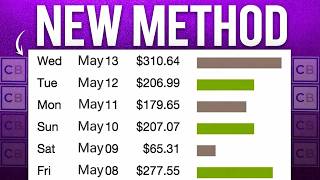

$154 per sale without ads or face
45sHigh commission and no upfront cost hook viewers seeking easy money.
▶ Play Clip"The title accurately describes the beginner-friendly ClickBank method using free traffic, though the 'free' part relies on using a paid AI tool (Clipwise)."
This video presents a method for making money with ClickBank affiliate marketing using free traffic, specifically by creating faceless short-form videos with an AI tool called Clipwise. The strategy involves promoting high-commission products like Providend, a dental supplement, and leveraging pre-written email swipes to generate video scripts. The key is to post consistently on platforms like Instagram Reels to drive organic traffic to an affiliate link in the bio.
Promoting a product like Providend on ClickBank can earn $154 per sale, and you don't need your own product, show your face, or spend on ads.
Search for a product like Providend in the ClickBank marketplace; check the gravity score (e.g., 48 affiliates making sales) and review the sales page to understand the problem it solves.
Access the affiliate page's resources section, specifically 'creatives' for GIFs and images, and 'email swipes' for pre-written promotional scripts that contain proven angles and hooks.
Clipwise creates viral-style videos from a simple prompt, handling script, visuals, voiceover, and captions automatically. It's designed for short-form content like Reels and TikTok.
Select a style that matches the product; for dental supplements, use 'dentist-style' to make content more natural and believable.
Copy email swipes from affiliate resources, paste into ChatGPT with a provided prompt to convert into a short video script.
Clipwise uses an AI chat interface to build videos step-by-step, allowing tweaks to scenes, visuals, voiceover, and captions before finalizing.
Convert animated scenes to realistic video style for better engagement and believability on platforms like Instagram and TikTok.
Create a niche Instagram account (e.g., dental/health) and post 2-3 Reels daily, adding the affiliate link in the bio to drive sales.
Starter plan: $10/month for 40 videos; Creator plan: $20/month for 200 videos (best value); Business plan: $32/month for 625 videos.
By combining ClickBank affiliate products with AI-generated faceless videos and consistent posting on social media, you can generate free traffic and earn commissions without upfront costs or ads.
What is the commission per sale for promoting Providend on ClickBank?
$154 per sale.
00:01
What is the gravity score of Providend mentioned in the video?
Around 48.
00:53
What are email swipes used for in this method?
They are pre-written promotional emails that contain proven angles and hooks, used to generate video scripts via ChatGPT.
03:35
What is the cost of the Creator plan on Clipwise?
$20 per month for up to 200 videos.
07:28
How many videos per day does the video recommend posting on Instagram?
2-3 Reels every single day.
06:48
High Commission Potential
Demonstrates the earning potential of affiliate marketing without needing a product or ads.
00:01AI-Powered Faceless Video Creation
Introduces a tool that automates video creation, lowering the barrier for content creation.
02:13Leveraging Email Swipes for Scripts
Shows a clever method to repurpose existing marketing materials into video content.
03:35Consistent Posting Strategy
Emphasizes the importance of frequency for algorithm-driven organic growth.
06:48[00:01] affiliate link and buys the product, you get paid $154 in commission, not once, every single time. And the best part? You don't need your own product. You don't need to show your face, and you don't need to spend
[00:15] money on ads. Because in this video, I'm going to show you a completely free traffic strategy that can bring in clicks on autopilot. This isn't some overused method everyone is doing. Most people are still ignoring this, which is
[00:28] exactly why it's working right now. So, if you've been struggling to get traffic closely. I'm going to walk you through this step-by-step. Let's jump into my screen and get started. The first step
[00:40] is to head over to ClickBank. Once you're inside the marketplace, you'll see a bunch of top-selling products that are currently paying around $150 per sale. Now, for this video, we're going to promote a product called Providend,
[00:53] which is a dental supplement. So, just go up here, search for Providend, and you'll see it pop up right here. This is actually a newer product that's already selling like crazy. If you look at the gravity score, you can see around 48
[01:06] affiliates are already making sales with it. And each time someone buys through your link, you're earning about $154 in commission. Now, before we promote anything, let's quickly check out the sales page. So, click on the product,
[01:19] and as you can see, it's a dental supplement, and the page looks clean and professional. This part is important. You want to spend a few minutes going problem it solves, and how it's positioned, because that's going to make
[01:34] the next steps way easier when it comes to getting clicks and conversions. All right, next step. Let's head over to the affiliate page. This part is important, marketing materials you'll need to promote the product properly. So, once
[01:48] you're here, go to the resources section, then click on creatives. And inside, you'll find things like animated GIFs, images, and other assets you can use in your promotions. This basically saves you a ton of time, because you
[02:01] don't have to create everything from scratch. Now, the real question is, how do you actually get people to click your affiliate link and buy? That's exactly what I'm going to show you next. We're going to use an AI tool called Clipwise,
[02:13] which basically lets you create full viral-style videos just from a simple idea. You don't need to edit. You don't need to record your voice, and you don't even need to film anything. You just give it a prompt, and it automatically
[02:26] creates the script, visuals, voiceover, and captions for you all in one video, ready to post. It's specifically designed for short-form content, like Reels, TikTok, and YouTube Shorts. So, you can create faceless videos,
[02:41] UGC-style ads, or product promos in minutes. And the best part is, you can create multiple variations of videos fast, which means more chances to go viral and get clicks to your affiliate link. So, let me show you exactly how to
[02:55] use this step-by-step. First, head over to Clipwise. I'll leave a link in the the dashboard you'll land on, and this is where everything happens. This is where you can create viral-style videos just from a simple prompt. If you scroll
[03:10] down, you'll see different AI video styles to choose from, like UGC talking head, viral selfie, story-style videos, and more. Now, for this method, we're going to use the dentist-style video, because our product is related to
[03:23] dental, so this makes the content feel more natural, more believable, and way more likely to convert. Next, this is where you are going to write a prompt for the video. Now, instead of trying to come up with a script from scratch,
[03:35] we're going to make this a lot easier. Remember the affiliate resources I showed you earlier? That's exactly what we're going to use here, because inside those resources, you'll find something called email swipes. And these are
[03:47] basically pre-written promotional emails designed to sell the product, which means they already contain the angles, hooks, and messaging that's proven to convert. So, instead of guessing what to say, we're going to take those email
[04:00] swipes and turn them into short-form video scripts using AI. So, head over to the affiliate resources, then go to email swipes, and click access. This is high-converting email scripts that are already designed to sell the product.
[04:14] Open it up, and just copy the content. Now, head over to ChatGPT and paste it in. The next step is to turn this into a short video script, and for that, you'll need a simple prompt. But don't worry, you don't have to write this yourself.
[04:27] for you. Just click the link in the description, and it'll take you to a Google Doc where you can copy the prompt and use it instantly. So, I'm going to copy this prompt, paste it in here, and let's see what it gives us. All right,
[04:41] as you can see, the script is ready. Now, just copy this and head back over to Clipwise. Paste the script in, set the duration to around 30 seconds, choose a style. I'm going with explainer, and then hit generate. Now,
[04:54] this is where it gets interesting, because Clipwise doesn't just create the video instantly. It actually takes you into an AI chat-style interface where it builds your video step-by-step, almost like you're chatting with it. It will
[05:07] generate the scenes, visuals, voiceover, and captions right in front of you, and you can tweak anything along the way before finalizing the video. All right, next, it's going to ask you to choose a voiceover. So, just click next. You'll
[05:20] see a bunch of voices here. You can preview them to see which one fits your video best. In the theater of life, we are all actors sharing going to go with this one and hit confirm. Now, it'll ask you to generate
[05:35] the scenes. So, go ahead and click next. This usually takes a few seconds, and once it's done, your scenes will be ready. Let's hit play. What if cavities There's a sticky film on your teeth feeding [music] bacteria non-stop, even
[05:51] if you brush twice. Now, one thing to keep in mind, what animated scenes. But if you want, there's also an option to turn all of this into a more realistic video style instead of animations. So, you can test
[06:05] both and see which one performs better for your content. That's exactly what I'm going to do. I'm going to click on convert images to video, and let's see teeth like this. You might be making it worse. Cavities
[06:20] aren't just from brushing less. The real issue is biofilm, a sticky bacterial layer deep around teeth and gums. All right, and as you can see, this looks way more realistic now. The scenes feel more like actual footage instead of
[06:35] animations, which makes the video more engaging and believable. This is perfect for platforms like Instagram Reels and TikTok, because it blends in with normal content and doesn't look like a typical ad. All right, now the next step is
[06:48] simple. You want to create an Instagram account just like this, focused around your niche, in this case, dental or health-related content. Then start posting consistently. Aim for at least two to three Reels every single day,
[07:03] because the more content you put out, the higher your chances of going viral important part. Make sure you add your affiliate link in your bio. So, whenever someone watches your videos and wants to
[07:15] learn more, they can click the link and land directly on the product page, and that's how you start getting sales. So, stay consistent with posting, test different videos, and let the algorithm do its thing. Now, let's talk pricing.
[07:28] They offer three pricing plans. The first one is the starter plan, which is $10 per month. This gives you up to 40 videos per month, so it's perfect if you're just getting started. Next is the creator plan, which is $20 per month.
[07:41] This is the best value option, because you can create up to 200 videos per month. Plus, you get premium videos, voice cloning, and more credits. And finally, there's the business plan at $32 per month. This is built for
[07:55] scaling. You get up to 625 videos per month with higher limits and more output overall. So, if you want to grow faster and post consistently, the creator plan is a solid choice. But if you're just testing things out, the starter
[08:11] plan is more than enough to begin. And if you want to create these kinds of anything, make sure to check out Clipwise. I've left the link in the description. Go try it out and start creating your first videos today.

⚡ Saved you 0h 08m reading this? Transcribe any YouTube video for free — no signup needed.