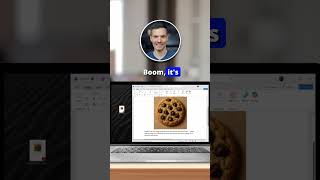
Convert PDF to Word in 5 Seconds!
45sThe title promises a quick solution to a common problem, and the visual demonstration of dragging and clicking satisfies the viewer's desire for instant gratification.
▶ Play Clip"Delivers exactly what the title promises — a quick, no-fluff tip with zero wasted seconds."
This video demonstrates a quick and simple method to convert a PDF file into an editable Word document using Microsoft Word's built-in features. It also shows how to export the document back to PDF format, all in under 30 seconds.
How do you convert a PDF to an editable Word document?
Drag the PDF onto the home screen in Microsoft Word and click OK when prompted to convert.
How do you save a Word document as a PDF?
Go to File, Export, Create PDF, name it, and click Publish.
00:13
Drag-and-drop PDF conversion
Shows a built-in Word feature that eliminates the need for third-party converters.
Export back to PDF
Completes the round trip, making the workflow fully self-contained in Word.
00:13[00:00] Want to turn a PDF into a Word document in five seconds? Just drag your PDF onto the home screen in Microsoft Word. Click OK when it says convert the file. Boom, it's now editable.
[00:13] Need to save it as a PDF again? Go to File, Export, Create PDF. Name it, click Publish, and you're all done.




⚡ Saved you 0h 00m reading this? Transcribe any YouTube video for free — no signup needed.