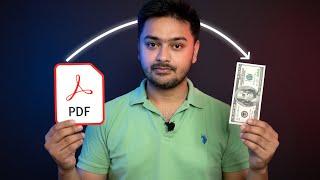

Sell Your Knowledge: Ebook in Days
44sHigh-value promise of creating and selling an ebook without design skills or a huge audience is a compelling hook for aspiring entrepreneurs.
▶ Play Clip"Delivers a solid, actionable walkthrough, but the 'FAST' promise is softened by realistic caveats about marketing time."
This video provides a step-by-step guide to creating and selling an ebook using only free tools, without requiring design skills or a large audience. It covers everything from idea validation and writing with AI assistance to designing in Canva and selling on platforms like Payhip and Gumroad.
The best ideas come from your own life—things you've figured out that made things easier, like budgeting, meal prepping, or content consistency.
Use Google search results, Amazon Kindle, Pinterest saves, and Gumroad listings to check if there's existing demand for your topic.
Open a Google Doc for the draft and use ChatGPT with clear instructions: topic, audience, goal, tone, and format (e.g., five main sections). Paste the generated outline into the doc.
Use Canva's free version to design the ebook. Search for 'ebook' templates, customize the cover with title and subtitle, and use brand colors (e.g., Instagram's pink, purple, orange).
Copy content from Google Docs into Canva in small chunks, add bold headings, graphics, and icons. Use whitespace to keep pages clean and professional.
Click Share > Download and choose PDF Standard. This is the file customers will receive.
Sign up for a free account on Payhip or Gumroad, upload the PDF, set a price, and share the product link.
Use Pinterest as a search engine: create pins in Canva linking to your product page. Consistency is key—post regularly and share tips from the ebook.
At $10 per ebook, just 100 sales equals $1,000. The process can be completed in 3 days or less using only free tools.
You can create, design, and sell an ebook in three days or less using only free tools, turning your existing knowledge into a profitable digital product.
What is the first step in creating an ebook?
Deciding on an ebook idea, ideally from your own life experience.
00:16
Name four places to validate demand for an ebook topic.
Google search, Amazon Kindle, Pinterest, and Gumroad.
00:29
What instructions should you give ChatGPT to generate an ebook outline?
Topic, audience, goal, tone, and format (e.g., five main sections).
02:04
What file format should you export the ebook in for selling?
PDF Standard.
05:38
Which two platforms are recommended for selling the ebook?
Payhip and Gumroad.
06:04
How can you market an ebook without paid ads?
Use Pinterest pins linked to your product page and post consistently.
06:46
What is the profit potential if you price an ebook at $10 and sell 100 copies?
$1,000.
07:14
Ideas from personal experience
Emphasizes leveraging your own knowledge, making the process accessible to anyone.
00:16Demand validation methods
Provides concrete, free ways to test market interest before investing time.
00:29Structured AI prompting
Shows how to get a well-structured ebook outline from ChatGPT, not just a messy blog post.
02:04Free design with Canva
Demonstrates that professional-looking design is achievable without paid software.
03:01Profit math
Makes the potential income tangible and motivating for beginners.
07:14[00:01] the exact steps so you can create and sell your own ebook from day one without needing design skills, without expensive software, and without a huge audience. everything you need to launch your ebook and start making sales. All right, the
[00:16] first real step is deciding on your ebook idea. Best ideas usually come from your own life. Think about something you figured out that made things easier for you. Maybe you learned how to budget in a way that finally worked. Maybe you
[00:29] found a routine for meal prepping that saves you hours each week. Or maybe you discovered a way to stay consistent with content creation. The next step is to in it. A simple way to start is with Google. Type in your topic and look at
[00:42] the search results. If you see blog posts, guides, or tutorials that get lots of clicks, that's a sign there's demand. Next, try Amazon. Go to the Kindle ebook section and type your topic there. If you see books with reviews and
[00:56] already buying information on that subject. You can also use Pinterest. Just type in your idea and see if pins are getting saves and shares. Pinterest works almost like a search engine. So,
[01:08] if people are saving content on your topic, it means they want more of it. And one more great place is Gumroad. This is a marketplace where people sell digital products, including ebooks. Search for your topic there and see what
[01:21] comes up. All right, let's start writing our first ebook. For this video, I'm going to use the topic of Instagram growth hacks. You can pick any topic you want, but I'll use this one as an example so you can see the exact process
[01:34] step by step. The first thing we need to do is open up a Google doc. This is write, and it will become the draft of our ebook. At the top, I'll type in a working title, 30-day Instagram growth playbook.
[01:49] Next, I'll open up Chat GPT in another tab. This is the tool we're going to use to speed up the writing. The trick here is to give Chat GPT clear instructions so the ebook is structured well and doesn't feel like a messy blog post.
[02:04] So, here's the first thing I'll tell it. You are helping me write an ebook. The topic is Instagram growth hacks. The audience is beginners and small business owners. The goal is to help them reach 1,000 followers in 30 days.
[02:18] The tone should be friendly and simple and the format should be five main and the format should be five main sections.
[02:31] Once chat GPT gives me the outline, I paste it straight into my Google Doc.
[02:47] my Google Doc. And you can keep adding new chapters to cover the rest of your topic at your own pace. But here's the next big step. It's not just about the words, it's about how your ebook looks. And if your ebook
[03:01] doesn't look eye-catching, people won't take it seriously. So, in the next chapter, I'll show you exactly how to design your ebook so it looks professional and ready to sell. and we'll be doing it using Canva, the free
[03:13] version. Open up canva.com in your browser. If you don't already have an version is more than enough for what we need. Once you're logged in, go to the search bar at the top and type ebook. Canva will show you a bunch of
[03:26] template that fits the style of your book. Since my ebook is about Instagram colorful, and easy to read. So, I'll click on one of the free templates and open it up. As soon as the editor opens, you'll see the first page, which is
[03:41] usually the cover. This is the most important page because it's the first impression of your ebook. So, let's customize it. Click on the title text and change it to the name of your ebook. For me, I'll type 30-day Instagram
[03:54] growth playbook. Then, I'll change the subtitle to something short and catchy like simple hacks to get your first 1,000 followers. If the colors don't match your topic, don't worry. Just click on the background or the text and
[04:07] use Canvas color options to change them. For example, I might use Instagram's brand colors, pink, purple, and orange, so it instantly feels connected to the topic. Once the cover looks good, we'll move on to the inside pages. Start by
[04:20] creating a simple introduction page. Just copy the introduction we wrote earlier in Google Docs, paste it here, and adjust the text so it looks neat. You can make the heading bigger and keep the body text readable.
[04:42] Paste in the text from your Google Doc, but don't dump everything in at once. Break it into smaller chunks so it's easy to read. Add bold headings, maybe a nice graphic. And if there's a checklist, use Canvas icons or shapes to
[04:55] make it stand out. Do the same for section two. Copy the content, paste it in, and adjust the formatting. If you want, you can add a few images or graphics from Canvas's free library. Just type words like
[05:10] social media or growth in the search bar and drag the image onto the page. clean. Don't overcrowd the page with too much text or too many graphics. Whites
[05:25] space is your friend. It makes the ebook feel modern and professional. Once introduction, and your first two sections, you already have something that looks and feels like a real ebook. Every time you finish another section in
[05:38] your Google Doc, just paste it into Canva and format it the same way. When you're happy with the design, go up to the top right corner, click share, and then click download. Choose PDF standard. That's the format we'll use to
[05:52] actually sell the ebook. Canva will create a finished PDF file for you and that's the file your customers will receive when they buy your ebook. So now we have a professionallook ebook and we didn't spend a single dollar. Now that
[06:04] it. You have many options to sell you stick with two of the best platforms. One is payhip.com and the other is gumroad.com. Go to payhip.com and sign up for a free account. Payhip
[06:19] works in a very similar way. You upload your ebook. Free plan works perfectly for starting out. Set a price, share your product link, it's uploaded, and now it's live on Gumroad or PayHip.
[06:34] But here's the truth. Just putting it online doesn't guarantee sales. You need people to actually see it. That's where marketing comes in. The good news is you don't need paid ads or a massive following to get started. You can use
[06:46] to. Pinterest works like a search engine for ideas. You can create simple pins in Canva that showcase your ebook. Link them back to your Gumroad page and they'll keep driving traffic for months. It's slow at first, but over time it
[07:00] snowballs. The key here is consistency. Don't just post once and disappear. Share small tips from your ebook regularly. Talk about it often and available to download. That you don't need thousands of sales to make this
[07:14] worth it. If you price your ebook at $10 and just 100 people buy, that's $1,000. knowledge you already had using free tools in just a few days. And there you create, design, and sell your first ebook online in 3 days or less using
[07:31] only free tools. If you found this video helpful, make sure to give it a thumbs up, subscribe to the channel, and turn on the notification bell so you don't on the notification bell so you don't miss the next
⚡ Saved you 0h 07m reading this? Transcribe any YouTube video for free — no signup needed.