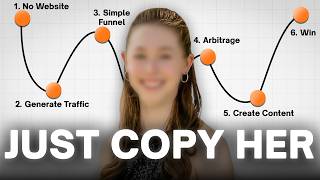

AI Built My App in Minutes
45sLive demo of AI creating an app without coding is a high-engagement hook that showcases tangible results instantly.
▶ Play Clip"The title promises a complete business model, and the video delivers a solid framework, but it's padded with motivational fluff and a sales pitch for a free training."
The video demonstrates how to build a complete digital product business from scratch using AI, without any coding or technical skills. The creator shows how to create an app, set up a sales page, and drive free traffic through short-form content, claiming to have made over $500,000 per month for the past year. The focus is on a repeatable system that combines AI-powered production with strategic content distribution.
The creator demonstrates building an entire app by simply telling AI what they want, with no code or developers involved. This takes only an afternoon and costs almost nothing.
The creator emphasizes that with AI, production is easy. The real challenge is consistency and choosing one platform to focus on, posting 1-3 videos daily.
Every video is a 'lottery ticket.' When a short video performs well, it's the algorithm signaling a winning topic. The creator advises turning that winning short into a longer, deeper video to build trust.
Responding to comments and messages starts conversations that turn attention into sales. This is the key to converting viewers into buyers.
The entire system is a complete business: product, storefront, and traffic. It's built by the creator with AI, requiring no ad spend to start.
Success comes from consistent effort, not talent. The creator notes that those who keep going after the first week are the ones who succeed.
The creator advises viewers to rewatch the video at their own pace, take it step-by-step, and not try to do everything at once. A free training is offered for those who want to scale further.
The video provides a complete, step-by-step system for building a digital product business using AI, emphasizing consistency and engagement over technical skill. The creator stresses that while the process is accessible, it still requires dedicated work and effort to succeed.
AI Builds an App
Demonstrates the core promise of the video: creating a product without coding skills.
Production is Easy
Shifts the focus from creation to distribution and consistency.
39:53Algorithm as Feedback
Explains how to use performance data to guide content strategy.
40:21Conversations Convert
Highlights the importance of direct engagement for sales.
41:26Consistency Over Talent
Provides a realistic expectation for success in this field.
42:54[00:00] Watch this. I just told AI what I wanted, and it's going to build me an entire app right now live. While you watch, there's no code, no developer, no engineers, I don't have any technical skills. And in a few minutes, this is going to turn into something that I can charge people every single month.
[00:16] In fact, in the last 12 months, I have consistently made over $500,000 per month selling digital products, just like this one I'm about to show you. It's what got me featured in New York Times Square. those got me invited to be a keynote speaker at the largest online marketing conference in North America.
[00:31] And that right there is what we call a digital pie. It's the single best business model on the internet that almost nobody is teaching correctly. And I know what you're thinking right now, because I think it is as well. Okay, what now? So, let me show you the part that most people completely miss right here.
[00:45] This right here, it took me an afternoon. It cost me almost nothing. There are people doing this quietly right now, while everyone else is still fighting over the scraps and dropshipping and trading in Facebook's YouTube channels that have turned one of these into a real business.
[00:58] Here's a promise here. By the end of this video, you will have built one of these yourself. Not just merely understand it, not bookmark it for later, build it. And I'm going to walk you through every single step how to come up with a product, how to build it with AI,
[01:10] where to host it so people actually know where to buy it, and how to get the right people to find your digital product for free without spending any money on ads and without any following. And if you don't want to show your face, you don't need to. It's all here, completely free
[01:23] in this full course. And the only thing I ask you to do is don't try to do this in one sitting. Say this, come back to us, build right alongside with us. If this is the first time you've met, I'm Ms. Richard. I've made a little over 32 million in the last four years selling digital
[01:36] products using this exact process. And I've helped over 3,000 people build thriving AI businesses. So that being said, let's get right into it. So let's address the elephant in the room. Every single person you follow who talks about making money online. The dropshipping guy, the Amazon
[01:49] guy, the trading guy. Look closely at what they're actually doing and what they're selling you. Follow the link in their bio. Follow the DM you call to action. Click on the link in the description. It always leads to the same place. A course, a guide, a coaching program, a consultation
[02:03] call. You know what these are? These are all called digital products. That's the real business. In the gold rush in the 1800s in California, they said that the people who made the most money were not those who dug for gold. It was those who sold the shovels. Digital products are the shovels.
[02:17] That's the real business. Teaching the thing is the business. Selling a digital product that teaches other people how to be successful is a product. And it turns out dropshipping, Amazon trading, that's basically digging for gold. It's hard. It's crowded. Everyone's walking in
[02:30] with a shovel, walking out with nothing. Selling a digital product, that's the equivalent of selling the shovel because you're giving them the education so that they can go do the thing. Just like people used to do shovels so that people could actually go digging. You're simply You're teaching people how to do the thing instead of cramming it out yourself.
[02:45] Now, let me tell you why this specific business model of digital products is so good. It is beyond just this gold rush idea. First, it's completely digital. There's nothing physical about it. That means there's no inventory that you can sit in a garage.
[02:57] There's no shipping. There's no dealing with overseas manufacturers. You build the product one time and you can sell it again and again without ever making a note again. Second, because there's nothing physical about this, the margins are unlike any other business you've ever seen.
[03:10] You're not paying for materials on every show. Aside from a small payment cost to see and a little bit of software, less than $100 a month that you need, what you sell is mostly all profit. And there's a reason why people stay in this business once they understand it.
[03:23] This is how Alish Mozy made his money. This is how Iman Ghazi made his money. This is how I make my money. This is basically how any influencer that you follow online in the online business space, this is how we make our money. And third, this is the part that matters most for you. You can start this on your own.
[03:35] You do not need to hire any employees. You don't need a team. You don't need to raise money. And in the beginning, it's just you, your phone or laptop, and the process I'm about to walk you through. Now, here's what's actually new about this. For most of the time that this business model has existed, the hardest part was building the product itself.
[03:50] Writing the thing, designing the thing, making it look professional, building the technology behind it. That's where most people got stuck, and that's where most people completely quit. AI removed that wall. The part that used to stop everyone is now the easy part.
[04:02] That's exactly what I'm about to show you how to do. So now you understand why digital products win. Let's talk about what you're actually going to build. There are a few different kinds of digital products that you can sell. You can sell a simple low-ticket digital product,
[04:15] something like a guide or a short course for around $20 to $40. You can sell a high-ticket product, a premium program or a coaching offer at a higher price point. And you can even do what's called arbitrage, where instead of making your own product,
[04:27] you promote one that already exists and you earn on it. All of those work. But I want to show you the one that I think is the biggest opportunity right now and the one that almost no one is teaching beginners how to do. Building your own AI app.
[04:39] Which is just a fancy way of saying a digital product that people pay every single month instead of just a one-time purchase. And I'm not talking about building a billion-dollar app with a team of engineers. I'm talking about a small, micro-niche-focused app that solves one specific problem really well.
[04:53] A fitness app for busy moms. A content planning app for creators. Something simple. And here's why that beats a regular guide or a PDF. A guide is something that someone buys one time. And that's the end of it. An app is something that they pay you, and every single month they continue to use it,
[05:07] and that's why they keep paying you for it month after month. Same product, but once, but instead of getting paid once, get paid again and again. And for a long time, this was completely off the table for normal people. Because building an app meant hiring developers and spending a fortune.
[05:22] That's not true anymore. There's now an AI tool that builds the entire app for you, and you do not need to know how to code at all. I'm going to walk you through exactly how it works. Start to finish. follow along and by the end of this part you have built a real app. Now in order to build a
[05:36] Dunn-Suite AI app we're going to need a custom tool in order to do that for us and that tool we're going to use is Day 44. Now before you go anywhere click on one of the first links down below in the video description because that right there is what you're going to want to use in order
[05:49] to follow along. By the way when you use the special link specifically down below this video don't go on Google, don't go on Safari, you're going to get a special 30% discount on all annual plans. That's my gift to you guys for supporting this channel. So click on that and actually set
[06:02] up an account because we're going to be using it and I want you to follow along as we build out an AI app together. Let's go ahead and build an app together while you follow along. Please pay attention because this is going to change the way you think about business. All right. So first off, this is a training on how to get to building a five to $10,000 a month business with a dumb
[06:18] few AI app. Cool. Now you're probably familiar with a lot of apps because Netflix is an app. Spotify is also an app. Audible is an app, okay? Uber is an app. If you use an app on your phone, you probably know what an app is. And if you use social media, YouTube is an app.
[06:30] Instagram is an app. But app or application, for the real long word, it's just something that's on your phone or your desktop that you can use. And the thing is about all these tools, they're all monthly recurring. Have you ever thought about that?
[06:42] When you pay for Netflix for $17, $20 a month, whatever the price is, or Spotify if you listen to music, it's like $14 a month or $20 a month for the family plans, or even Amazon Prime. You probably use one-day shipping, two-day shipping with Amazon Farmer. It's awesome. That's, I think, $150 to $200 a year.
[06:55] The thing about all these tools is they're recurring. You don't pay them one time. You pay them once. It doesn't say bill you month after month after month. And the reason why this is so powerful is because you can make passive income, monthly recurring revenue that continues to generate new sales for you,
[07:09] even though you never have to sell that customer anymore. You only have that conversation and have that buyer by one time. But then that person pays you for as long as they continue to subscribe to the tool. That's what an app is. And you have to understand, these are billion-dollar companies. Now, we're not going to build a billion-dollar company.
[07:22] Okay, that's not what we're going to do here. These are very complex apps. We're going to build something called a micro-niche app, which is an app that is specifically solving one small problem. And when you do this right, you build an app that makes you $300 a month, $3,000 a month.
[07:35] Like, I've seen apps that are micro-niche apps make up to $30,000 to $50,000 a month. So this is how we're going to do this. Cool? We're going to use one cutting-edge AI tool to build an app that can generate 100 a day, 200 a day, even 500 a day or more. Okay? So let's look at this basic math.
[07:47] If you charge $29.99, basically $30 a month, for an app, it could be anything. It could be a fitness app. It could be a digital marketing app. It could be a productivity app. It could be an app specifically helping moms on how to lose weight. It could be one for dads on how to improve the relationship with their wives.
[08:01] It could be literally anything. It's just any type of app idea that you have, you can turn it, and I'll show you how to use the coding tool to build this out. So you don't have to do any of the coding yourself. If you look at the math here, if you just get 10 customers, 10 customers times $30 a month, you're making $300 a month now.
[08:13] And that's month after month after month. Now, of course, some people will cancel, but when you have a good, good product, many people don't, and they stay on paying you, right? If you acquire 100 customers, meaning you get 100 customers, 100 times $30 a month, that's $3,000 a month, month after month after month, right?
[08:28] This is what's called MRR. MRR stands for Monthly Recurring Revenue, because it's monthly, right? They pay you every single month, and it's recurring, meaning every single month, they keep coming back and paying you, cool? And the best part about this, I'm going to be very quick. Some of you are watching this right now, and you're going, but Richard, I don't have technical experience.
[08:42] I never went to school for computer science. Richard, I'm a tech dinosaur. I'm 65. I'm 75 years old. I don't know anything about tech. It doesn't matter. I don't have a technical background either. That's how incredible this tool is. Just wait with me for another couple minutes. I'm going to show you how this tool works. All right, so now this is what you've
[08:55] been waiting for. Richard, can I see actually us building an AI app together? Let me show you how simple this is, okay? I have gone ahead and given you access to the full copy and paste prompt. Prompt means instructions. Okay, so if you don't know what prompt means, just think prompt,
[09:08] instructions, same word. These are the instructions, the prompt that we're going to give to the AI app so that we can build a custom Dumbfew app ourselves, okay? So let's just go ahead and type this out. It's pretty easy if you read it. I want you to build a simple but high-quality fitness and wellness app for busy moms.
[09:22] App idea, a paid fitness membership app called Fit Mom Reset. The app helps busy moms lose weight, reduce body fat, build strength, eat healthier, improve energy, reduce stress, and feel confident in the body again. Again, you can read the whole thing if you want. Just for the sake of time, I'm just going to give this to you, okay?
[09:35] We're going to take this prompt, and you're going to copy and paste this. Now, this prompt, you're going to have for free. All right, I'm going to give you this prompt, and we're going to go here into Base44. Face44 is a custom AI builder. That's literally what they do. It is an app that builds apps.
[09:47] It's kind of funny, right? It's an app that builds apps. And what we're going to do is we're going to paste it in here and we're going to hit enter. And that's it. That's literally the only thing that we're going to do. And then we're going to wait about five to 10 minutes for this to actually build an app. Now you see here on the left side that it is actually going to start syncing and you can see the AI actually building an app.
[10:03] Look, I'll build Fitmonresa, a premium fitness and wellness app. Now it is building a design system, the entities, the pages, the homepage, the pricing, the login, the membership, the dashboard, the onboarding quiz, right? Now, out of respect for your time, I'm going to go ahead and just fast forward five minutes.
[10:15] And that way we can see what the app looks like. And boom, it is 100% ready to go. Guys, in less than five, 10 minutes, the app is done. Let's take a look. Fit mom reset, lose weight, feel strong, and get your confidence back. Simple workouts, healthy meal plans, habit tracking,
[10:28] support design for real moms with real lives, right? As you can see here, there's a see how it works here. Wow, it literally shows you exactly how it works. It even gives you customer reviews. Now, the AI automatically does that. If you don't like that, you can tell the AI very simply to remove them.
[10:41] That's totally fine as well, right? And look at this. It's got the pricing and the checkout page. Simple, transparent pricing. One plan, everything included, cancel anytime. $47 a month with a 7-day free trial. And you can give people a 7 trial a 14 free trial 30 free trial whatever you like And it gives all the stuff that included And then check this out this is crazy it even came up with a frequently asked question How crazy is that Do I need any equipment Nope Is it safe for postpartum moms
[11:04] Yes, we have specific post-paginancy friendly workouts. How long are the workouts? You can choose 10, 20, or 30-minute sessions. Can I cancel any time? Absolutely. Will the recipes work for my family? Yes, all recipes are family-friendly, right? All right, so we just covered the entry
[11:16] page for this app. Let's actually look at what the onboarding looks like, which is what the experience is going to be like for people who actually just recently purchased this app and actually start using it. So as you can see here, it's loading up the app preview. Okay, so as you can see, we're in the onboarding feature now. And as you can see, it says, let's get to know you.
[11:31] Pretty cool, right? What's your age? Let's just use some examples. Let's say I'm 33 years old. Let's say that I'm 170 pounds and I want to get to, let's say, 150 pounds. Cool. I'm going to lose 20 pounds. Then I'm going to hit next. Then it asks you, what's your fitness level, right?
[11:44] I'm a beginner, intermediate, advanced. Let's say that I am a beginner. I don't work out that often. cool and then it says let's figure out what your lifestyle so how many kids you have you see how relevant that is because this is an app that's specifically for women and moms right as we gave
[11:56] them the instructions and so this is very very relevant let's say i got two kids right how much time do you have available to work out each day let's say i only got 20 minutes i'm a pretty busy woman right busy mom here right for all the busy ladies stress level let's say that i'm pretty stressed right kids running around things are crazy right now in life so high stress and i'm
[12:12] gonna hit next right and then ask where your goals that's pretty cool right let's say that i want to lose weight. That's the main goal of why I'm signing up for this app in the first place. And then, as you can see right here, I'm going to click on start my reset. And boom, just like that, it now has a custom dashboard in this fitness app to help me achieve my goals, custom
[12:29] specifically to me. So first off, it has a section where you can actually track your water, right? Then into the today's workout section, look at this. It has a 10-minute morning energizer, right? And then from here, this is so cool, right? It literally gives me the workout information.
[12:43] Look at this. Jumping jacks, 30 seconds, bodyweight squats, 12 reps, rest, 10 seconds, push-ups, modified, right? And if I finish it, I can click on the complete workout, and now it logs my workout, right? Let's go back here. Now, maybe that's for 10 minutes long, but maybe let's say I have 20 minutes of your workout.
[12:57] Now, it gives me a 20-minute workout, right? And if I have a 30-minute workout, it's even got time for that as well. This is super cool. Gentle pose baby recovery for people, for moms that recently just had a baby, right? And because, remember how I said that I have high stress? Look at this.
[13:10] Down here, it's got a 10-minute stress relief stretch. How cool is that? It literally shows on how to relieve your stress, right? So let's go ahead and let's back out of the workout section and go back to the dashboard. So that's just workouts.
[13:22] But now we can also go to the meal plan section, right? And this is cool because not only does it track my workouts, but it also gives me recommended meals. Look at this. Powered protein smoothie bowl, right? It literally gives me the instructions. It gives me the ingredients.
[13:34] It shows me how to cook the food step by step by step, right? Look at this. one pan chicken and veggies. I go here, look, calories. It's got my macros here, protein, carbs, and fat, the ingredients, the instructions on how to cook it, step one, step two,
[13:47] total prep time, 10 minutes to 25 minutes, right? Throw everything on a sheet pan and dinner is done. Perfect for busy weeknights. How cool is that, right? And it caters because it knows the fact I'm a busy individual, which is why it gives me food that is quick for me to prep.
[14:00] Then I can also track my progress. Look at this. I can log in my weight. If I click on this, I can log in the dates, my current weight, my waist, my sleep hours, my mood, my energy level, right? There's a toggle down here, and I can save my progress, right?
[14:13] And that way, it begins to log all the stuff on a day-by-day basis, and it even looks at recent entries. How cool is that? And there's a challenges section, which is where I can participate in seven-day challenge, four-day challenge, guys. It goes on and on. There's a community. So if you like a school community, if you like a Facebook community,
[14:27] you can literally build your own community inside of this program so that other app users, the customers are paying you money to use this app. Let's say you have 100 people paying you $27, $30 a month for this app. They're all inside the community and they can interact with one another.
[14:40] There's a motivation tab where every single day you get a motivational quote, right? But today's affirmation, I'm building habits that will last a lifetime. And then there's the admin section where you can go ahead and you can adjust your subscription. Look at this, I can manage my subscription, right?
[14:52] And this is an app that's $47 a month. Guys, AI literally built this in less than 5, 10 minutes. And sure, AI may make some mistakes here, But if there's ever a mistake, what you do is you just come here to the sidebar and you just type in what adjustments you like to make.
[15:06] And you're like, hmm, I don't like the colors. Or you type in, I want to change this one feature or this one feature is in motion. That's totally fine. You just type it in here. Give it another two, three minutes, five minutes max, and boom, the features are done. This entire app was built in less than a few minutes, and I don't have any technical experience.
[15:21] This is how powerful this app, Space44, this custom AI app builder is. Now, this is just a fitness app. Let's go ahead and do another example of a digital marketing app, given some of you are digital marketers or content creators. So let's go ahead and let's build one more app so we can show you another version.
[15:36] All right, so you just saw a fitness app example. Let's see a digital marketing app. CreatorOS is a subscription-based platform that helps beginners grow on Instagram by creating follow-up content. The platform ships with modern, clean, easy-to-use, constant operating system for creators.
[15:48] Pretty basic stuff, right? Now, again, I'm not going to read through all of this, but you can go ahead and read through this on your own time. I'm going to give you access to this prompt. All we're going to do is we're going to copy that prompt and we're going to base44. And now we're just going to go ahead and paste that in here.
[16:01] And then we're going to hit enter. That's it. And what you see is base44, this AI app builder, is going to begin coding, doing the syncing, and building out the app in real time in less than 10 minutes. You see over here, it's starting to sync, right?
[16:14] I'll build, create OS, key features, homepage, onboarding flow, dashboard, bot hooks, file examples. And let's just fast forward five minutes and let's see what the app actually looks like. And boom, it's done. Guys, this is what the app looks like. Look at this.
[16:26] The top left corner, Creator OS. Know exactly what to post every single day. Stop guessing. Creator OS gives you viral content ideas, proven hooks, a complete system to grow fast on Instagram, whether you show your face or not. How cool is that? And they'll be good at view pricing.
[16:38] You can look. It's got the monthly plan for $27 a month. They also have here the yearly plan, right, for $197 a year, and you can save 39%. How cool is that? You got, again, reviews. It automatically does that.
[16:50] You can remove those if you like. It's got the frequently asked questions. Look, is this for beginners? Yes, absolutely. Creator OS is specifically designed for beginners, right? Do I need to show my face? No, Creator OS has two modes, personal brand, face on camera, and the faceless mode.
[17:02] How cool is this, right? And then let's go over the onboarding flow. Let's look at what the app actually looks like. Look at this. How do you create your content? Choose the mode that fits your style. You have faceless mode, you have personal brand. Let's go for personal brand, because that's what I do. I kind of do both, but let's just use the personal brand.
[17:15] Now, what's your niche? Let's go, I'm in the business niche. I'm also in motivation. Let's go business niche. Cool, how about that, right? What's your experience level? Let's say I'm just a beginner. I'm getting started, right? And what are your goals? Let's say that I want to make money online.
[17:28] I want to build my brand and I want to go viral. How about that? Press start going and boom, look at this. Now the app is done. And look how crazy this is. Let me just make this screen a little bigger so you can see. It gives you today's viral ideas. The three mistakes authority hook.
[17:40] You can copy and paste these. You can save these, right? Over here, there's recommended hooks. Five tools every creator needs. PLB, your real just hit a million views. I dare you try this for seven days. It even does an analysis of what's working on social media, of what's actually trending, right?
[17:54] If we go here to viral hooks, you can see every single viral hook idea. It gives us endless viral hook ideas. Do you not think you could sell this app for $20 a month? Heck, $7 a month? Don't you think I would pay $7 a month, $20 a month to use this type of tool?
[18:08] And AI should literally build this thing for you right now, right? Let's go to viral example ideas. The morning routine that just changed my life. And then look, the full breakdown. It tells you, why does this hook work? Why does it work? Because it combines relatability with aspirational content.
[18:20] The content structure, hook, go to problem, daily routine, with a call to action, the call to action use, the editing style, it literally teaches you how to execute on each one of these hook ideas, right? And then, look at this, this is really cool.
[18:32] You have a constant calendar. So if you want to log in a post, let's say today I want to make a post on how to go borrow. Okay, look at this. I can add that in here. And now that I'm in here, I can actually use this as a checkbox. I can say, hey, I did this, I completed it, or it's got a functional checkbox now.
[18:47] How cool is that? So you have a content calendar where you can track all your posts. You have the settings side where you can choose between personal versus Facebook friends. You can change your niche, right? And then, of course, you have the admin section where you can save your ideas. You can use the examples. And if you're selling this to other people, you can track the number of users that use your app.
[19:02] This was literally all built by AI, and this is a simple app idea that you could build. Anyone can build, and you can make as many adjustments to this as you'd like. Now, after I showed you this entire tool, do you not want to seriously build an AI app without any coding experience like yesterday?
[19:16] Well, how about I show you exactly how to do this? Now, let me just show you how expensive this used to be when you didn't have AI tools to build this for you, okay? Previously, if you wanted to build an app, you would need to hire a developer and pay that developer, and developer is an engineer, $10,000 a month minimum.
[19:30] And this would be a three-month build, okay? So what that means is you're going to be paying $30,000 to build out just one app. And then after you build the project, let's say it costs you $30,000 to build the project, then afterwards, you have to continue to maintain the tool because apps break.
[19:43] You're not just going to let the engineer just run off and do their own thing after. No, you need to continue to keep the app maintained, which means you're going to continue to pay that engineer to maintain the app, which means within 12 months of building an app and maintaining it, you're literally paying over six figures, $120,000 just to build one app.
[20:00] And here's the thing. With Base44, as you're going to see, Base44 allows us to build an app with quite literally just $20 to $40 a month. That's it. That's the only expense. And Base44 is your engineer. It is your designer.
[20:12] It is your coder. It is literally everything and you do not need any technical experience to make this work as you already saw. So if you want to go ahead and build an app, which I strongly, strongly recommend, this is going to be the future of how you build an app the right way.
[20:24] What I want you to do is, first and foremost, you actually need to get a paid plan of Base44, obviously. Now, what I've done is I've actually negotiated with Base44 because they're building a partnership with us and on all annual plans, not monthly plans, annual plans.
[20:38] So if you sign up for a full 12 months, they're going to get you 30% off. But this is for a very limited amount of time because they genuinely, I don't think they're making much money. They might be losing money on this company because I really negotiated with them to get you better rates.
[20:50] Okay? So you sign up for the annual plan, which I strongly recommend because, to be honest with you, you're not going to build an app for just 30 days. You're going to build the app, but you're obviously going to want to start selling it. And in order to maintain your app, you're going to need to use it for more than the next couple of months.
[21:02] So I strongly recommend you do the annual plan. Think about what this would have taken even just a couple years ago. Building something like this would mean hiring developers, waiting months, and spending more money than most people could ever justify for a first product.
[21:14] That barrier is just gone now. The tool did all the building. You just bring your idea. So that's your product. In the time it takes to watch an episode on Netflix, you just built an app that you could actually charge people for. No code, no developer, no months of waiting.
[21:26] But here's the thing that nobody's telling you when you start out. Having the product alone is not enough. You need a place to put it so that you can actually start selling it. A website where people can actually go to, look at, and buy from. And right now your app lives behind a link.
[21:39] But think about how people actually buy things online. When you go to Amazon, do you just click on the link? No, you click on the link and it takes you to a clean, elegant looking website page. It explains what you getting and lets them pay for it And that page is what turns your product into an actual business So the next step is to build that page This is your home base the place that your product lives
[22:00] where every link you will ever post will send people and where the sale actually happens. And just like the app, you don't need any technical skills to build it. Let me show you the tool that I use and exactly how to set it up. So the tool that we're gonna use is gonna be Wix
[22:13] to build out our home base. Now don't go anywhere because I actually have special link down below to get you 50% off Wix on any of the annual plans. Use that and click on it right now because you can go ahead and build and follow along with me. So again, don't go to Google
[22:25] and try clicking on somewhere else. If you do so, you're not going to get the discount. Get the discount by clicking the link down below right now and follow along as I teach you. Let's go. So right now, I'm going to be teaching on this Google Doc. Let's jump into it. So the very first thing you have to understand is that every successful business that sells anything has a
[22:41] beautiful website. It's kind of obvious, right? If you go to Amazon.com, Amazon.com, you probably bought on Amazon, right? That has a website. Netflix.com, guess what? There's a website. Rolex, even nice watches, guess what? There's a website. Any brand. I don't care if you're
[22:53] selling supplements. I don't care if you're selling makeup, skincare products, clothing, a watch. It can be literally anything. You need to have a website. I feel that's pretty obvious, right? So then the question then becomes, what is the best, most beginner-friendly way to actually
[23:06] build a beautiful website? And better yet, how do we use AI to do 95% of the work to build us a website in less than five minutes. The tool that we're going to be using right now is going to be Wix. And for your convenience, right below this video, I've actually left a special link. Click
[23:21] on that right now because I want you to follow along in this process. So pause this video, scroll down right below the video in the description. You'll see there's going to be a Wix link. Click on that right now. Once you're done, come back to the video. All right, click on that and you're going to be able to have it. By the way, that special link gives you a 50%
[23:35] discount. I negotiated with Wix to get you this deal on any of the annual plans. Plus you get a free domain URL for your first year, which is an incredible deal. So I would strongly recommend you go ahead and use this. Okay. So again, tabloids down below, let's go ahead and let's start watching this video. Cool.
[23:49] So let's talk about what a beautiful design website actually looks like. Well, let me show you a couple. Okay. For a fitness app like this one, Fit Mom Reset, you can see here that this was 100% designed by Wix. Look at this.
[24:01] Workout library, meal planning, mindset and habits, how Fit Mom Reset works. Step one, join your goals. Step two, practice a flexible plan. Step three, reset, don't restart, right? How cool is that? And by the way, all of this copywriting, meaning the
[24:13] words that are on here, like the description, the colors, even these photos, which are generated by AI, these are stock images that AI made. This is not made by me. This is 100% built by AI, right? So this is an example of a fitness mesh. So if you want to build an app on weight loss,
[24:27] on muscle building, if you want to make an app specifically for moms, or you want to go for dads, you're going to go for busy 9-to-5ers, it doesn't matter what the custom app you're going to go after, this is what Wix can build up for you, okay? Now, let's go here to another one. This year is going to be in the digital marketing space.
[24:41] So let's say that you want to build a digital product or an app or a coaching program that helps people get more views and go more viral, right? Or maybe you teach people how to make your first sale online. Or maybe you teach people how to make your first e-commerce product sale. Like anything in the business, online business niche, take a look at this one.
[24:55] This one here is called CreatorOS, the operating system behind viral creators. CreatorOS is built for beginners, entrepreneurs, steam pages who are tired of guessing what to post and ready for a clear daily plan of Instagram growth, right? Even has a story. By the way, AI wrote literally all of this, so you don't have to write any of this, right?
[25:09] It breaks it down into three sections. It's system genesis, framework proof, operational skill. Look how cool this thing is. It even has our philosophy, clarity, consistency, performance, right? If you come over here and you click on start free trial, it's going to actually redirect over to the signup page.
[25:22] So give it a couple of seconds here. And boom, look at that. Now you have an option where you can pay for $27 a month or you can do the annual plan for $200 a year. How cool is that, right? So again, this is 100% all built by AI and this is because of Wix.
[25:34] So let me actually show you how to use this app again click on the link down below this video Don't go to Google and type in Wix over there because if you do that you're going to lose your 50% discount So only use the link down below. So go ahead and click on it open this up Now we're going to have a website prompt this one. I'll leave down in the description so you can copy and paste this as well
[25:51] Okay, so I'm gonna go ahead. I'm going to copy this prompt again. This is my gift directly to you You can use any AI tool in fact we're going to have a session where I show you how to use ChaiGPT to go ahead and build a a new custom prompt, but this prompt again, prompt just means instructions is what we're
[26:05] going to use actually copy and paste in. So I'm going to copy this in here right now. Give me a second. I'm going to copy all that. I'm going to go over to Wix now and inside of Wix, as you can see, this is going to be the Wix Harmony ARIA setup.
[26:19] If you're like, what the heck does that mean? Wix has an internal AI website builder called ARIA, A-R-I-A, as you can see on the screen here. And this is a custom AI builder. So what I've done is I've pasted exactly what I just copied. Again, that prompt is going to be right below this video,
[26:32] and we're going to click on Generate Site. Give it a couple seconds, and look at this. So you can see here, look at this. It's starting to work, and it's starting to code. So it's all the benefits of vibe coding, none of the hassle. Cool? And it looks like it's loading, it's loading, it's loading.
[26:44] Give it a couple more seconds. So you can see here, it says, Hi, I'm Aria. I'm here to help you build a stunning website every step of the way. I understand that you want to feel modern and premium. I've designed many websites since school, so let's get started on bringing your vision to life.
[26:56] That's pretty cool, right? All right, so after a couple minutes, you can see the website is 100% done and wow, look at this. It is custom built, the brand colors that we wanted. It looks clean. All the words, the copy that is around the website is 100% done.
[27:10] And the cool thing about Wix that's different from any other app out there, so there's Base44, there's Shopify, there's all these other options out there, is that even though it's an AI that builds the app for you, as you can see, I can still move stuff around.
[27:22] Like right here, you can see I can move this stuff around. I can delete this box if I don't like it. I can change the shape and the format and the font size of different things. If I don't want the AI to do a certain thing, I can just go in there and do it myself. So it gives you the optionality of if you want to use AI to make changes, you just type
[27:38] directly into the chat box. But if you want to actually make the changes directly yourself, you can also just go in there with your mouse and just click and drag and drop and delete stuff as you like, which is just a really nice extra thing because it still gives us the ability to maintain
[27:50] control over the design and how we want the app to look like. So now all I'm going to do is I'm going to click on Publisher and Save. And now you can see this is what the final website looks like. Wow, look how clean it is. This is the exact website I just showed you prior,
[28:03] but I showed you the step-by-step process of what we did in order to build up to that. So as you can see, the reason why Wix is so powerful is because you can build a full-blown website for any product. It doesn't matter if you're selling a PDF. It doesn't matter if you have a vocal call funnel.
[28:15] It doesn't matter if you have a coaching program or you have an app or a software. Any digital product that you have, you should be using an AI website builder like Wix. And again, the link to sign up and get 50% off is down below. So strongly recommend you go ahead and click that to get your discount.
[28:27] All right. So a couple of questions here I just want to cover. Now, what's the difference between Base44 and Wix? Let me clarify here. Base44, as you've previously seen, builds an actual app. It's an app builder. So you type basic English into the chat box and Base44 in 5-10 minutes will build you an actual app.
[28:44] Wix is basically the exact same thing, but instead of building your app, it builds your website. Think about that. These are two different things, right? An app is typically an app on your phone, an app on your desktop. It's an app. A website is the place where people actually go to first before they actually purchase.
[28:59] So think about Base44 as building your back end, right? When people pay you money and now they can start using your app. And Wix is your front end, meaning when people click on an ad or when they see one of your organic videos on Instagram, on Facebook, on TikTok, and they click and they go to the
[29:13] very first landing page that they land on, that's going to be what your workbook site is. So it's the first thing that they see before they actually even pay you money to get access to your app. So that's what the key difference is here, okay? And also, one other thing I want to mention about Wix that I would strongly recommend
[29:27] is Wix hosts the domain for you. So for example, let's say your name is John or your name is Jessica, okay? If you want to sell a fitness app, I would strongly recommend you buy a domain that has your name associated. So something like John's Fitness Coaching.
[29:40] Or if you don't want to have your name with it, you have a Facebook account and you can call it, I don't know, fitnessaccelerationcoaching.com, fitnessacceleratorapp.com, right? You can name it anything. You can name it .com, .co, .org, .io, .ai. You can use any of these things.
[29:52] Let's say another one, just an example. Let's say your name is Jessica. JessicaProductivity.ai. And so Wix does two things. One, it builds out the AI website for you. And two, it also builds and hosts your domain.
[30:04] And a domain is www.whatever the website is. That's what domain means. Okay, so Wix is really powerful because it also gives you a domain. And one really cool thing is when you sign up for any of the annual plans on Wix, again, the link is down below.
[30:16] when you choose one of the annual plans Wix actually gives you a free domain for the entire year the domain is anywhere typically from 10 to 20 a year some domains get really expensive so like 50 a year or even 100 a year when you buy an annual plan with Wix which by the way you're
[30:30] not going to use Wix for only 30 days right think about it are you only going to have an online website for 30 days or are you probably going to have an online website for the next six months the next 12 months right so if you use anything up to six months just remember when you do an annual plan, you literally get 50% off. So that's the equivalent of if you're going to pay monthly
[30:47] for six months, that's going to be the same price as if you just buy the annual plan, right? Because the annual plan is 50% off. So you're going to get the whole year for basically a six-month price. So I strongly recommend if you can afford it, go ahead and do the annual plan. And in addition, when you choose any of the annual plans, you're also going to go ahead and get a free domain in
[31:04] addition to the 50% off discount, okay? So a couple of things. When you go ahead and you click on the link down below this video. This is what it's going to look like. It's going to take you to a page like this. Personally, for me, I like this middle tier. The basic plan, which is, I think it's 20, 24 bucks
[31:17] a month. Again, it depends on what state or what country you live in. It's going to vary based on pricing. It's good, but the one that I recommend is the middle tier. So what I would recommend is you click on this middle tier, you go ahead and all you got to do, put in your card information,
[31:29] your name, email, just sign up for normal software and go ahead and sign up. And if you can, choose the annual plan. Worst case, if you can't, just go ahead and do the monthly plan. Either one is totally fine. Okay. So this is going to be the way that you sign up for this. And the one thing I
[31:42] also want to clarify, because some of my students may ask me, how come some people will say it's 24 bucks, some people say it's 22 bucks, some people say it's 27 bucks. Let me just clarify, every state and every country, depending on where you are, has a slightly different tax percentage,
[31:56] just depending on your local tax laws. So, you know, it might vary by two or four dollars a month and the annual, it might vary by 10, 20 bucks a year. It doesn't matter. It's the same product. It's the link that's down below. So go ahead and tap on that. Don't freak out if the
[32:08] price difference is like an extra two or $2 less, regardless of where you're currently living. Okay. So this is what I'm going to do. You understand now exactly how to use it. When you sign up for Wix and you sign up using the link below, what I'll also do is I'm going to give you access to
[32:21] a step-by-step course that normally we sell standalone for $997. Okay. Stop and look at what you have now. You have a product, a real app that people can use, and you have a place to sell it a clean page with a link that you can send to anyone. And with the knowledge that you
[32:34] had just a few days ago, that would have taken a developer or designer a pile of money to do. You just did it yourself. So, want to be honest with you, because this is the exact moment that most people get stuck. You've got the product and you've got the page. And
[32:46] then you look at it and you think okay but who actually going to see this That the real question isn it It not how do I build it It how do I get people to find it Because a product that nobody sees doesn make any money And no matter how good it is, it's not going to make any money.
[32:59] So this last part might be the most important thing in the entire video. I'm going to show you how to get people, the right people, who actually want what you're selling, to find your product for completely free, without paying for ads, and without needing a following that you don't have yet.
[33:11] So let's clear up the biggest fear first, because I know some of you are already feeling it. Richard, I don't have a following. And even if I did, I don't want to show my face. I don't have an audience, and I don't want to be some dancing monkey on TikTok. Great news. You do not need any of that.
[33:23] In fact, starting from zero is a huge advantage right now, and I'll show you exactly why in a second. The way that you get free attention, I'm talking tens if not hundreds of thousands of views and interested buyers, is short-form content.
[33:36] The 7 to 15 second clip that you only scroll past every day on Instagram and TikTok. And here's the part that most people don't realize. When platforms like Instagram push to compete with TikTok, They started handing out free reach to Reels in order to attract more content creators.
[33:49] And the newer accounts often get a real boost because the platform wants more people posting. So if you're sitting there thinking, well, I don't even have an Instagram, great. That's actually not a problem. I prefer that you don't because that means you don't have any bad habits yet. Let's have a head start and keep one simple idea in mind as we go.
[34:04] 1,000 views is 1,000 people who could potentially become buyers. You don't need to become mega vile. You just need the right people seeing it consistently. Now, before I show you what to post, I need you to understand what a piece of content is actually made of, because once you see this, you'll never stare at a blank screen again.
[34:19] Every single post is just two things. The first part is the creative. That's the part that people see. The video, the photo, the clip of you talking, the AI video. It's whatever footage is on the screen. The second part is the copy. That means the words.
[34:31] That means the text on the video, the caption underneath it, the subtitles that are on the video itself. That's what copy is. That's it. Creative and copy. And every viral video that you've ever seen is just those two things working together. And I'm going to show you how to get both right right now.
[34:43] Let's start with the creative. Because this is where most people freeze up. They sit there and they wonder, what could possibly go wrong? You don't have to guess. You're going to model and modify what's already working. I call that M&M. Model and modify. Now here's the framework I would give to people.
[34:55] I call it the 5x5 framework. Go and find 5 accounts in your niche that are already getting views. And then look at the best 5 from the videos each. If you look at that, that's 25 proven pieces of content sitting right there in front of you. I like to go for a 5x multiple, which means videos that have 5 times more views than they do followers, to show that it's actually viral.
[35:13] And also, I like factoring in the recency factor, which is, this is a video that was posted within the last 30 days. Because, you gotta understand, the algorithm changes every 30 days. And so what was viral 6 months ago, is not gonna be viral anymore. Now, once you have these 25 posts, you are not going to copy them.
[35:27] You're going to study them and ask 3 questions. First, what was the hook? The first line or image that stopped the scroll? What was the problem that this was speaking to? And why did this one specific one get way more views than the others? Once you see the pattern, you make your own version, in your own words, about your own product.
[35:42] You're not inventing from scratch. You're modeling proven winners. That's the whole game. And it takes the pressure off completely. Now, the single most important part of any piece of content is the first line. The hook. If the hook doesn't stop the scroll, nothing else matters.
[35:56] Because nobody sees the rest. So let me give you a few hook styles that work over and over. There's the problem hook. You call it the exact thing that your person is struggling with. If your posts are getting no views, here's why. There's the result hook. You leave with where someone ended up.
[36:08] This is how someone with zero followers made the first sale. There's the mistake hook. Stop doing this if you want to actually grow. And there's the curiosity hook. You open the loop that the viewer has to close by watching to the end. Notice how these are the same kinds of hooks that make people click a video just like this one here.
[36:23] The principle scales from a seven-second clip all the way up to a full video. Master the hook, and you've mastered the hardest part. And then there's the copy, the words that actually go with it. Here's a simple rule that keeps you out of trouble. Most of your content just gives value.
[36:35] No strings attached. Teach something. Show up. Help someone. And then, every so often, you can make a post that actually asks for something that points people towards your product. A good rhythm is to start roughly two value posts, every one that drives towards your
[36:48] offer. If every single post is selling, people tune out because you come off as a sellout. If you give far more value than you ask, they ask actually for work. Now, you've got two ways to actually show up in both works. The first is a personal brand.
[37:01] You're on camera, you're talking to people, you're building a relationship with your face and your voice. Some people love this. I personally find a lot of fulfillment in this. There's a real connection because you can make an impact on your students. And the second way is the faceless brand. And this is the one that surprises people.
[37:14] You never have to show your face if you don't want to. You can post simple videos with text on screen, voiceover, B-roll, and never appear once. And I have students who have built real businesses completely faceless. One of them, Lola, built her videos, simple videos, just like this one right here.
[37:27] And by the way, that's not her. That's an AI replica clone of her. And she's done over 20,000 digital product sales in the last few months. These videos were almost embarrassingly simple. And that's the point. Simple is what works. But here's where AI changes everything about producing these.
[37:41] If you do the faceless route, you can either still record yourself or just put a blur of your face like what Lola does. Or you can actually build an AI clone. And there are tools that generate voiceovers that sound completely real so you never have to speak. There are tools that create a presenter on the screen,
[37:55] an avatar that connects, that actually talks so you never have to film. and then tools that pull together clips in B-roll so the video looks professional without you ever touching an editor. Put those together and you can produce a week's worth of content in a single afternoon and you never show your face.
[38:09] You never have to say a word out loud if you don't want to. For example, let me show you right here. This is my friend, Young Manas. Young Manas, as you can see, has 2.5 million followers and he grew this to over 2 million followers in less than 90 days.
[38:21] And this is going to shock you. This account generates consistently annual from $50,000 to $70,000 in pure profit on a monthly basis. Let me just play one of these videos here so you have an example here. Let me open up this one here.
[38:33] You can see that it's got over 300,000 views. That's a massive city full of people. Let's play this and see what it says. People who overthink everything. They're not overthinking just because they're anxious.
[38:45] They're overthinking because their mind was trained to look for danger. Let me pause this. This video, as you can see, you might feel it's real, but it's 100% made by AI. This was made with a tool called Hey Gem, which costs less than 20 bucks a month to get started with,
[38:59] and you can even make a free account, and 11 labs to be able to generate an AI voice. And then, all he does is he edits on CapCut on his phone and actually puts captions on the video. This video takes less than 5 minutes to actually make, and he posts simple videos like this,
[39:14] which is what grew him over 2 million followers. So if we go over to Lilith's profile, and you'll come down here, and you'll see that she basically posts all these videos in a completely faceless. Now this video right here, she actually used an AI clone. So you might think that's her,
[39:26] it's actually not her. That's 100% generated by AI and so no one has actually ever seen Lola's face online. And if you value privacy, or maybe you work an end of job where you can't make content online because your boss could get upset, this is the exact way that you do it.
[39:40] You should consistently generate thousands on a monthly basis without ever having to show your face, simply driving reviews onto a profile just like this one. The thing that used to require a camera, a microphone, and the confidence to be on video, AI just handles for you now.
[39:53] I'll point you towards the specific tools that I use, but I want you to understand this principle first. Production is no longer the hard part. Now, let's talk about the rhythm. Because consistency is what actually wins. Take one platform, just one. Do not try to be everywhere
[40:05] at once when you're shotting, you'll spread yourself way too thin and you'll burn out. Post consistently. One, two, even three videos a day. And I know that sounds like a lot, but remember what I just said. With AI helping you produce them, that's an hour or two, not your whole day. And the reason the volume matters early is simple. Every video is a lobby
[40:21] ticket. And the more you post, the faster you learn and get better at what your audience actually responds to. Which brings me to the smartest move in this entire section. Almost no one's talking about this. When your short video pops off, one will get way more views than the others.
[40:33] And that's not luck and it's not random. That's the algorithm telling you information. It's telling you the exact hook, this exact topic is something that people care about. So don't just let that video sit there and fade away. Take that winning idea and turn it into a longer video. A full
[40:46] walk through a deeper explanation, exactly like the one you're watching right now. Here's why that matters so much. Short videos grab attention, but long videos don't trust. A seven-second clip can make someone aware you exist, but when someone watches you for 10, 20, 30 minutes a day, and then
[41:00] something completely different happens, they start to feel like they know you now, and people buy it from people they know and trust. The short-form content is how you get discovered, and the long form is how the viewers turn into actual buyers. Use the short video to find the winning topic,
[41:13] and the wrong video to go deep on it. One feeds the other over and over. And here's the last piece that ties it all together and what actually happens when someone likes your content. When people engage, when they comment, when they message you, that is the opening of a conversation, not the end of one.
[41:26] The simplest version is this. Someone comments or messages you, and instead of ignoring it, you reply. You start a real conversation, and you point them towards the free thing that you made or the product that you built. You often have people raise their hand and tell you they're interested,
[41:39] and all you have to do is actually respond. That's how attention quietly turns into sales. one conversation at a time. That's the whole traffic engine. Start to finish. You understand content is just created for the crappy. You model what's working with the 5x5. You lead with a strong hook every time
[41:52] and you give far more value than you ask for. You use AI to produce simple, short videos, faceless if you want. You pick one platform and you post it on your phone. And when something hits, you expand it into long form
[42:04] to build real trust and you actually talk to the people who respond. Every video points back to the link in your bio which sends people to the page you built which sells the product you made. That's a complete business. Product, storefront, and traffic. All built by you, most of it powered
[42:17] by AI. None of it requiring a single dollar of ad spend to start. So let's bring it all together because you came into this video with nothing and look at what you have now. You understand why digital products are one of the best business models out there. You've built a real product,
[42:30] your own app, without writing a single line of code. And you've got a page where people can actually buy it. And you know how to get the right people in front of it for free without an audience and without spending a dollar on ads. That's not a tip. That's not a hack.
[42:42] That's an actual business. And you put the whole thing yourself following along on this video. Now, I want to be straight up with you. The way I'd want someone to be straight with me, this is not a magic button. You still have to do the work. You have to actually build the thing. You have to post the content. You have to show up consistently.
[42:54] The people I've watched succeed with this model are not the ones who are the most talented. They're the ones who kept going after the first week. But here's what's different now. The part that used to take months and a fortune now
[43:06] takes an afternoon and almost nothing. The barriers that stopped people for years is gone. What's left is just the doing. And here's what I do if I were you. Go back through this video on your own pace. Go alongside it. Do not try to do it all in one sitting.
[43:18] Save it. Come back and take it one step at a time. That's exactly what it's here for. And if you want to go deeper, if you want to see how all of these pieces fit together in one system, and how people are scaling this beyond just the first few sales, but then to 10,000 and eventually 100,000 a month,
[43:32] I put together a free training that will see through exactly that. It's the next natural step after this video It's linked at the first link below. There's no cost. It's completely free. It's here on YouTube. It's the next layer if you're ready for it. Either way, you've got everything you need to start right here.
[43:45] The only thing left is to begin. Tap this right here and I'll see you in the next one.
⚡ Saved you 0h 43m reading this? Transcribe any YouTube video for free — no signup needed.