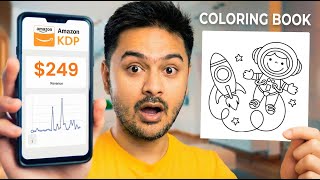

Sell Coloring Books on Amazon KDP?
45sTaps into the popular passive income trend with a step-by-step tutorial promise.
▶ Play Clip"The title promises a passive income idea, but the video only shows how to make a coloring book; the income part is barely touched, making it slightly oversold."
This video provides a step-by-step tutorial on creating a coloring book using Canva, specifically designed for selling on platforms like Etsy or Amazon KDP. It covers the entire process from setting up the document and adding borders to selecting free graphics, customizing text, and downloading the final product for print.
Open Canva, click 'Create' on the left side, and search for 'coloring book' to start a new project.
For personal use, free designs are fine, but for selling, the video recommends using licensed designs from Creative Fabrica (link in description) to avoid copyright issues.
Add a rectangle shape from the elements panel, adjust it to fit the page, then set the stroke style to a size of 2 and choose a color to create a border.
Search for 'animals bold line drawings' in elements. Choose free graphics (avoid crown icons for paid ones) and adjust them to fit the book size.
Add a text box with the animal's name, choose a fitting font, and apply the 'hollow' effect to allow coloring of the text.
Repeat the process for each page by selecting different animals and text, ensuring to use free graphics only.
Click 'Share' in the top right, then 'Download', choose 'PDF for print', select all pages, and download the file.
The finished book can be sold on Amazon or Etsy, or you can use PayHip for free (link in description).
The video demonstrates a straightforward method to create a coloring book in Canva, emphasizing the importance of using licensed designs for commercial purposes to avoid copyright issues and ensure sellability.
What is the recommended source for licensed designs for commercial use?
Creative Fabrica
00:19
What stroke size is suggested for the border?
2
00:56
What effect is applied to the text to allow coloring?
Hollow effect
02:09
What file format is recommended for printing?
PDF for print
03:24
Why should you avoid using free Canva graphics for selling?
Because they cannot be sold commercially; everyone uses the same designs, so you won't be able to sell the same thing.
02:59
Licensing for Commercial Use
Highlights the critical legal distinction between personal and commercial use, a key factor for anyone selling products.
00:19Free vs. Paid Graphics
Explains why free Canva graphics are unsuitable for selling, a practical tip for avoiding copyright issues.
02:59Selling Platforms
Provides actionable options for monetizing the finished product, directly addressing the video's promise.
03:36[00:01] step by step how to create a coloring book in Canva that you can sell on Etsy book in Canva that you can sell on Etsy or Amazon KDP. Let's jump into Canva. On the left side, click create and search for coloring book.
[00:19] shown here if you want it for personal use. But if you are willing to sell it licensed designs available on this website for a very cheap price. You can
[00:31] download tons of designs and use them for commercial purposes. I have attached the link in the description. All right, let's head back to Canva. Now on the left, click elements and choose a rectangle shape.
[00:44] Adjust the shape in this order to make a border for the book.
[00:56] Now click here on stroke style and choose a stroke size of two. color. Now the border is ready.
[01:08] Go back to elements and search for animals bold line drawings.
[01:22] The one with the crown icon is a paid one. You have to choose the free ones if one. You have to choose the free ones if you are using free Canva. some magic recommendations. You can click see all for more similar
[01:38] You can click see all for more similar options. Choose any of these and adjust as per the size of the book.
[01:53] text icon. Click here to add a text box and write the name of the animal. Now click on the font and choose a better font that fits the theme.
[02:09] click on effects and choose the hollow option. This way you can give the option option. This way you can give the option to color the name of the animal as well.
[02:35] for your book, it's time to change the drawings and the text. Go back to elements and choose different animals. Make sure to select the free graphics.
[02:59] pages. One important thing to remember, since we have used the free version, we cannot sell these drawings. If you want to sell these drawings and make money online, I recommend using the designs on Creative Fabrica, which comes with tons
[03:12] of designs to choose from. Since everyone is using the same designs in Canva, you will not be able to sell the same thing. Now, our book is ready to download. Go to the top right corner, click share,
[03:24] and click download. Here, choose PDF for print. Here, choose PDF for print. Select all pages and click download.
[03:36] Amazon or Etsy. You can start your own shop using PayHip for free. The link is in the description if you want to sign up. This is it. This is how you create a coloring book in Canva step by step. If you like the video, make sure to leave a
[03:50] you like the video, make sure to leave a comment and like this
⚡ Saved you 0h 03m reading this? Transcribe any YouTube video for free — no signup needed.