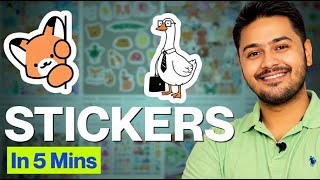

How to Make Funny Fox Stickers
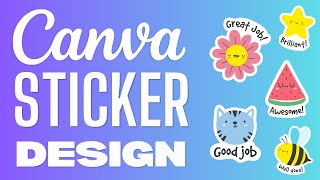
45sShows a clear, step-by-step method to create sellable stickers using AI and Canva, appealing to creators looking for passive income.
▶ Play Clip
[00:01] exactly how to design a similar cut character design with a funny quote just like this so you can start creating and selling these on Etsy. First, we'll copy this and then we'll go to chat GPT, paste it there, and ask chat GPT to give
[00:16] paste it there, and ask chat GPT to give us some funny quotes like
[00:46] What the fox? You are amazing. So, we'll create this one. Now, we'll go to Canva. On Canva, you need to go click on create and select 11 in x 8.5 in. Then, click
[00:58] on create a new design. Now, our quote was related to foxes. So, since the quote is about foxes, we'll go here, go to elements, and search for
[01:10] here, go to elements, and search for cute fox. Then go to graphics. And you can use any of these graphics, but remember these graphics are usually premium. They're available in Canvas Pro plan.
[01:26] can't use them commercially without making changes. If you want to sell downloading bundles from Creative Fabrica. Those files are included for commercial and POD, print ondemand use, so you can sell them commercially. You
[01:41] can start earning through it, etc. So coming back to our design from here coming back to our design from here we'll pick a fox. A cute little fox.
[01:56] selected this fox. Now I'll go back to chat GPT. Copy it and then return to the design. From here we'll click on text, add a text box and paste it right here.
[02:21] funny font. I'll use this font, but you can use any font you like. This one also looks better. Let's try using this font. And now we'll fix the alignment.
[02:51] a border around their animal and their text. So, we'll do the same. Use a border around the animal and the text. But before that, we'll go and click the share button, then go to download and download this as a PNG file.
[03:12] in the file we just downloaded here and then we'll remove its background.
[03:27] we'll expand it and then we'll go to edit. After going to edit, you need to go to shadow. Once you're in shadow, click on outline. And this will give you an outline. We'll set this color to white for now.
[03:41] choosing red just to see how it looks. But in this case, we'll go ahead and the next step. We'll go to the share option, then select download. And transparent file so it keeps the background clear. This way, your image
[03:55] will have no background when you use it elsewhere.
[04:09] you can go and sell on Etsy. And you can make as many stickers as you want. You just have to go to chat GPT and pick out funny quotes from GPT. Then go to Canva, pick a funny creature, and align the quotes. If you want to sell this
[04:23] commercially, I would recommend getting a Creative Fabrica subscription. I've You can get it from there and you can easily use cute animal clip art to make your funny stickers. And that's it for this video. If you liked this video,
[04:37] and subscribe to my channel for more such videos.
⚡ Saved you 0h 04m reading this? Transcribe any YouTube video for free — no signup needed.