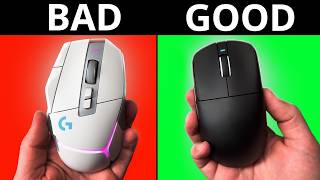

Stop Overthinking Mouse Sensors!
39sDebunks common sensor myths and tells viewers that expensive sensors don't matter, which is a controversial take that sparks debate.
▶ Play Clip"The title promises essential buying advice, and the video delivers five concrete, practical tips—though it's not a comprehensive guide, it's close."
This video offers five key considerations for buying a gaming mouse: sensor performance, weight, shape, materials, and price. It emphasizes that most modern sensors are sufficient, lightweight mice reduce fatigue, shape is crucial for comfort and aim, premium materials are often overpriced, and the best value lies in mid-range options around $45–$65.
Most modern sensors (e.g., 3311, 3950, 3395) are more than good enough for competitive gaming. Differences between sensor generations are negligible in practice. High polling rates may benefit high-refresh-rate monitors, but the effect is largely anecdotal.
Lightweight mice (under 65g, ideally under 55g for shooters) reduce wrist and arm fatigue. Switching from a heavy to a lightweight mouse requires an adjustment period of a couple of weeks.
Shape affects aim and comfort. Measure hand in a relaxed position, not flat. Analyze your current mouse: what you like/dislike about its shape, grip type, and how it affects your aim. Use tools like ELO shapes cautiously; 3D scans (e.g., Bardles) are better.
Alternative materials like carbon fiber or magnesium are often vanity products that don't improve performance over plastic. They are used for marketing and higher profit margins.
Don't spend over $130. The gap between budget and premium has shrunk. Mice like ATK VXER R1 Pro, MAD R, MH Chose L7, or A7V2 ($45–$65) offer endgame quality. Bigger brands offer better warranty and QC but at a premium.
Finding the perfect gaming mouse comes down to prioritizing shape and weight over marketing hype, and recognizing that mid-range options now deliver near-premium performance. The best mouse is one that fits your hand and playstyle without breaking the bank.
What are three common sensor models that are considered good enough for gaming?
3311, 3950, 3395
0:59
What weight range does the creator recommend for shooters?
Under 55 grams
2:46
How should you measure your hand for a mouse?
In a relaxed, natural position, not flat on a table.
3:18
What is the maximum price the creator suggests spending on a gaming mouse?
$130
6:16
Name two affordable mice that the creator considers endgame level.
ATK VXER R1 Pro and MAD R (or MH Chose L7, A7V2)
6:52
Why does the creator say alternative materials like carbon fiber are not worth the premium?
They don't improve performance over plastic and are often just for marketing.
5:17
What is the adjustment period when switching from a heavy to a lightweight mouse?
A couple of weeks of consistent use.
2:35
Sensors are good enough
Debunks the myth that expensive sensors improve gameplay; most modern sensors are indistinguishable in practice.
0:31Lightweight reduces fatigue
Personal experience shows lightweight mice prevent wrist/arm pain even in older age.
1:43Shape is king
Emphasizes that shape is the most important factor for aim and comfort, more than specs.
3:00Materials are vanity
Critiques premium materials as marketing gimmicks that don't enhance performance.
5:09Best value under $130
Highlights that mid-range Chinese mice now rival premium brands at a fraction of the cost.
6:06[00:00] Have you ever felt like you can't find
[00:02] your perfect gaming mouse or don't even
[00:04] know where to begin? This often results
[00:06] in you buying countless gaming mice
[00:08] expecting to find your end game only to
[00:11] end up with no money and worse, no
[00:13] [ __ ]
[00:15] Well, I've got five things that you
[00:17] should look out for when buying a gaming
[00:19] mouse. By the end of this video, you
[00:21] will have the clarity and understanding
[00:23] needed to find the best gaming mouse for
[00:25] you. If at any point you go pro in any
[00:27] esport as a result of this video, you
[00:28] owe me a 10% cut of all learnings.
[00:31] Most gaming modes that are marketed for
[00:33] competitive games have sensors that are
[00:35] more than good enough. There's going to
[00:37] be technical differences between various
[00:39] sensor generations, but none of these
[00:41] will be noticeable by you in game. If
[00:43] you look at benchmarks and people's
[00:45] wacky graphs with dots on them, then
[00:47] yeah, you're going to see a difference,
[00:49] but these are almost always negligible.
[00:51] Anything that says it has a DPI of over
[00:54] 12,000 is likely going to be suitable
[00:57] for most people. But to make it a bit
[00:59] easier, if it says 3311, 3950, or 3395,
[01:03] which are the most common sensors these
[01:05] days, it will very likely be fine. For
[01:08] things like higher polling rates, there
[01:10] can be a benefit when combined with high
[01:12] refresh rate monitors. But most of this
[01:14] is still largely anecdotal on whether or
[01:17] not the difference is actually
[01:18] significant. For the average gamer,
[01:20] there's far too many variables that play
[01:23] into whether or not you'd experience the
[01:25] difference anyway, as it can be
[01:26] dependent on the game that you play,
[01:27] your PC hardware, monitor, the DPI you
[01:30] use, and so on. Basically, just buy a
[01:33] mouse, plug it in, and pop off. If
[01:35] you're bad on 10,000 hertz, you're still
[01:37] going to be bad on 8,000. The harshest
[01:39] truths always hurt the most.
[01:43] If you are playing a game that requires
[01:45] you to move your mouse around a lot, I
[01:47] feel that it is necessary to get a
[01:49] lightweight mouse. They require less
[01:51] effort to move around the mouse pad. And
[01:53] I feel that combined with the shape,
[01:55] which I'll look at next, lightweight
[01:57] mice have played a key role in making me
[01:59] able to play games well into my 60s
[02:02] without feeling any wrist or arm pain at
[02:04] all. For a game like Counter-Strike
[02:06] that's more horizontal, requires
[02:08] precision, and is a bit slower paced,
[02:10] you can get away without having an ultra
[02:12] lightweight mouse, but I'd still
[02:14] recommend getting something under 65 g.
[02:17] For the games that I play, like Deadlock
[02:19] or TF2, I personally play better with
[02:22] mice that weigh around 35 to 40 g for
[02:25] these kind of games, maybe even lower.
[02:28] There's a teaser on our Patreon if you
[02:29] want to have a little peep. And
[02:30] remember, switching from a heavier mouse
[02:33] to a lightweight model requires an
[02:35] adjustment period, so be patient. With
[02:37] consistent use of at least a couple of
[02:40] weeks, you will adapt to the lighter
[02:42] feel, and I really think you'll be
[02:43] better off as a result. I'd highly
[02:46] recommend getting a mouse that is at
[02:47] least under 55 g if you play shooters.
[02:50] I'll put a link in the description below
[02:52] of some affordable lightweight mice if
[02:54] you wish to dabble without shelling out
[02:56] an insane amount of money.
[03:00] Finding the right shape is the most
[03:02] important part. It will help you aim
[03:04] better and be able to play for longer.
[03:06] So, how do you pick the right one?
[03:08] People will often give me their hand
[03:10] size and be like, "Best mouse for me."
[03:13] Which means nothing. When most measure
[03:15] their hands, they have them flat on the
[03:17] table with their fingers together. I
[03:18] think it's best to measure it when it's
[03:20] in a relaxed and natural position as
[03:22] that's closer to how your hand is going
[03:24] to be when it's on a mouse. My 18x 10 cm
[03:28] hands when flat on a desk are actually
[03:30] 15x 10 cm in a relaxed position. That's
[03:34] similar to how I hold a mouse. And if I
[03:37] go one step further in my own theory,
[03:39] which is by measuring the width based on
[03:41] pinky fingertip to my thumb tip, it's
[03:44] like 15 by
[03:48] Even that doesn't provide much
[03:50] information. What helps is knowing what
[03:53] you're looking for by using what you
[03:55] currently have. Find out what grip type
[03:57] you're using and look at how you hold
[03:59] your mouse in and out of game. What do
[04:01] you like about the shape of your mouse?
[04:02] Is it the support for your ring and
[04:04] pinky? Is it the hump being tight into
[04:06] your palm or out of the way? What do you
[04:08] dislike about it? Do you struggle to
[04:10] reach the side buttons? Do any areas dig
[04:12] into your hand? Then there's the impact
[04:14] on your aim. Do you find that you can't
[04:16] shift the mouse vertically fast enough?
[04:19] Are making micro adjustments a bit too
[04:21] awkward and unstable? Understanding this
[04:23] first will make it easier to find the
[04:26] best shape for you, and it provides
[04:28] whoever you ask for help with more
[04:30] information to work with than just
[04:32] numbers. I often ask the above questions
[04:35] when I write my reviews to help describe
[04:38] the impact the shape will have on your
[04:40] hand or aim. You can use ELO shapes, but
[04:43] be careful with this as it misses a lot
[04:45] of detail as it's just outlines. I
[04:47] believe that Bardles is working on an
[04:49] alternative website that would be far
[04:51] more valuable as it will be 3D scans
[04:53] instead, similar to what Artings had
[04:55] before it all got locked behind a payw
[04:57] wall. By following this, you might be
[04:59] able to find your perfect shape without
[05:01] having to buy 10 mice or realize that
[05:03] what you have now is actually perfect
[05:05] for you already.
[05:09] This is one of the biggest pet peeves I
[05:10] have these days. A lot of companies are
[05:13] experimenting with different materials
[05:14] and then charging a premium price for
[05:17] it, like carbon fiber composites or
[05:19] magnesium. Maybe because there's higher
[05:21] profit margins. Most, if not all, gaming
[05:24] mice I have tried that have been made by
[05:26] using an alternative material have never
[05:28] really made me think, "Wow, this is
[05:30] better than plastic." Some have gotten
[05:32] close, and most of the time it's just so
[05:34] that it can make a cooler looking
[05:35] design. But it's still not worth the
[05:37] premium price that some of these mice
[05:39] have in comparison to standard plastic
[05:41] ones. These are to me just vanity
[05:44] products for people who are rampant
[05:46] consumers of a particular brand or are
[05:49] designed solely to look good for
[05:50] marketing to give out to influencers. Do
[05:52] not be fooled. Carbon fiber just looks
[05:55] and sounds cool because it's used in
[05:57] Formula 1 cars. It's completely
[05:59] redundant for most full shell gaming
[06:01] mice that just sit on your desk.
[06:06] This is the big one and due to recent
[06:08] and completely unavoidable events has
[06:11] become a bit more important.
[06:14] I think the average person shouldn't
[06:16] spend over $130 on a gaming mouse. There
[06:19] are benefits with some mice that cost
[06:21] over this amount. However, those
[06:23] benefits are minor, even if I consider
[06:26] them to be perfect. Despite them being
[06:28] perfect, that does not mean they provide
[06:30] value for money. Nor could they be
[06:32] considered a must buy or a product that
[06:35] will win you games. The gap between the
[06:37] low to midbudgets and premium tier has
[06:40] shrunk massively over the past 2 years
[06:42] in terms of quality, largely influenced
[06:45] by China.
[06:52] For example, we have mice like the ATK
[06:54] VXER R1 Pro, MAD R, MH Chose L7 or A7V2,
[06:59] etc. These are undeniably endgame level
[07:02] mice and have great performance quality
[07:04] and are lightweight. These can cost
[07:06] anywhere between $45 to $65 on Amazon.
[07:09] Bigger brands do have their benefits.
[07:11] They often have an extra year of
[07:13] warranty, higher quality control
[07:14] standards, and provide more reliable
[07:16] firmware and software. learned they are
[07:18] largely responsible for most of the
[07:20] innovation that we see in gaming mice.
[07:22] Those benefits don't always justify the
[07:25] cost of their product and excluding
[07:27] Logitech and Hits, most of the
[07:29] innovation provide marginal gains. On
[07:32] the other hand, it doesn't mean that the
[07:34] cheaper mice are perfect. The quality
[07:37] control for some of the cheaper Chinese
[07:39] clones can be really poor. Often, you
[07:41] might struggle to get a response when
[07:43] filing a warranty claim. And there's
[07:45] other cases where you have to cover the
[07:46] shipping costs to send it back to China.
[07:49] If you are wanting something cheap, the
[07:51] mice I mentioned previously are ones I
[07:53] personally recommend and are considered
[07:55] to be reliable. If you want to mouse
[07:57] from a more trusted brand and don't mind
[07:59] spending a bit more, I'll put my
[08:00] recommended selection in the description
[08:02] below with affiliate links. I suggest
[08:04] you check out my full reviews on these
[08:05] for in-depth analysis. This will help
[08:07] ensure that if you do decide to spend
[08:09] more, you select the mouse that is
[08:11] absolutely right for your needs. If you
[08:13] enjoy this content, please check out my
[08:14] Patreon where I provide free reviews for
[08:16] other products that I don't have time to
[08:18] do a full review for.
⚡ Saved you 0h 08m reading this? Transcribe any YouTube video for free — no signup needed.