[00:00]
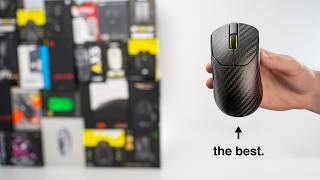
We're putting all of these gaming mice
[00:02]
headtohead to find the top five best
[00:04]
ones, but best is subjective, so each
[00:07]
spot will be its own category that the
[00:08]
mice are competing for. With the number
[00:10]
five spot being best value, then best
[00:13]
small mouse for claw and fingertip
[00:14]
grips, best for work and play, best for
[00:17]
fast-paced competitive FPS, and finally
[00:19]
allaround best of the best. Oh, and if
[00:22]
at any point during the video you want
[00:23]
to check out any of the top five or any
[00:25]
of the mice in this video, there are
[00:26]
Amazon links below. But let's start this
[00:28]
off finding the best value gaming mouse.
[00:30]
These are the mice competing in this
[00:32]
category, ranging from $80 to $100.
[00:35]
Immediately, the Corsair M75 wired has
[00:38]
very, very light switches and a lot of
[00:40]
pre-travel, which caused me to have a
[00:42]
lot of accidental clicking. Not just
[00:44]
that, but it also doesn't have an ultra
[00:46]
light cable in 2026. Therefore, it's
[00:49]
eliminated. Next, the Corsair Scimitar
[00:51]
Elite has a lot of great attributes, but
[00:53]
it's really more specifically designed
[00:55]
for MMO and MOA games. Therefore, it is
[00:58]
quite heavy at 114 g. So, while it is
[01:00]
eliminated here, it will also [snorts]
[01:02]
be reconsidered in the work and play
[01:04]
section. The next mouse is the Endgame
[01:06]
Gear OP1. It has great switches with
[01:08]
almost no pre-travel at all, as a
[01:10]
fantastic scroll wheel, and a great
[01:12]
ultra light cable. A con here is that
[01:14]
the skates do have slightly more drag on
[01:16]
the Y compared to the Xaxis. The shape
[01:18]
here is also quite small and very low
[01:21]
profile, making this optimal for claw
[01:23]
and fingertip grip styles, but pretty
[01:25]
much unusable for palm grippers. We're
[01:27]
going to eliminate this mouse here due
[01:28]
to its less inclusive shape and size,
[01:30]
but it again will be reconsidered in the
[01:32]
small mouse fingertip claw grip section.
[01:34]
That leaves these four mice to compete.
[01:37]
Right away, I think it's obvious due to
[01:38]
the weight, shape, and build quality
[01:41]
that the HyperX is beaten by all the
[01:43]
other three mice. Now, the Corsair Saber
[01:45]
is a good mouse with a great ultra
[01:47]
lightweight and speed, but not as good
[01:49]
as the A9 or the AX5 lacking in switch
[01:52]
feel. Between the Mchose AX5 and the ATK
[01:55]
Dragonfly A9 Ultimate, the ATK wins,
[01:58]
having the best switches with almost no
[02:00]
pre-travel, a more versatile shape and
[02:02]
size suitable for all grip styles. This
[02:04]
has great skates that are very, very
[02:06]
smooth and large, being very similar to
[02:08]
the Gro X Superlite, making it very,
[02:10]
very controlled. This is a great Gro X
[02:12]
Super Light clone and the best value
[02:14]
mouse on the list. With that, we move
[02:16]
into this section of the best small
[02:18]
mouse for fingertip and claw gripping.
[02:20]
Now, here are the mice competing for the
[02:22]
optimal aiming mice for a claw and
[02:24]
fingertip grip. Really, all of these
[02:26]
mice did well with either fingertip or
[02:28]
claw gripping, but some of them really
[02:31]
were standout options and did great with
[02:33]
both grip styles. The regular Saber V2
[02:36]
Pro Ultralite does quite well with a
[02:37]
fingertip grip due to its shape, weight,
[02:39]
and skates. Though I really did not like
[02:41]
clog ripping this mouse and its switches
[02:43]
are the worst out of all the [snorts]
[02:45]
competing mice. Not bad switches, just
[02:47]
the worst out of all of these, which are
[02:49]
very good. By the way, the MHose AX5
[02:51]
felt decent for clog gripping, but was
[02:53]
definitely too heavy for a fingertip
[02:54]
grip. We're eliminating it. Next,
[02:56]
comparing the four Pulsar Crazy Light
[02:58]
mice. Starting with the X2H Mini. The
[03:01]
X2H has a huge rear palm bump, which I
[03:04]
initially thought I'd really like for a
[03:05]
claw grip style, but I could just really
[03:07]
never get comfortable with it like I
[03:09]
could with the more subdued palm bump on
[03:11]
the X2. The Xlite and X3 both felt best
[03:14]
with a pinser claw grip, but still felt
[03:17]
too wide and not as locked in. That
[03:19]
mixed with these not being suited for
[03:20]
fingertip grips makes them eliminated.
[03:22]
The X2 Crazy Light felt the best for
[03:24]
fingertip gripping out of all of the
[03:26]
Pulsar mice while still being good for
[03:27]
claw grips, making this the winner of
[03:29]
the Pulsar lineup. Comparing the X2 Mini
[03:32]
to the WL mouse Beast X, the Beast X has
[03:35]
seriously phenomenal clicks. Zero
[03:38]
pre-travel. They feel incredible because
[03:40]
of the metal, obviously. Oh my god, I
[03:42]
love the clicks. Not that the pulsar is
[03:44]
bad, but these are exceptional. Except
[03:46]
that it sucks for claw gripping. Like,
[03:48]
it's terrible for claw gripping. Not
[03:49]
only due to the shape, but also the left
[03:51]
and right click protruding all the way
[03:53]
to each side of the mouse, giving you
[03:55]
very, very little room to grip with your
[03:57]
ring finger. This mouse is best for only
[03:59]
fingertip grip, making the X2 Crazy
[04:01]
Light the winner here, as it is more
[04:03]
versatile. However, it still falls short
[04:05]
in comparison to these next mice, which
[04:07]
are the real highlights. The ATK Blazing
[04:09]
Sky is a fantastic shape for claw
[04:12]
gripping. Feels very locked in with a
[04:14]
really, really nice palm bump. However,
[04:16]
it had more pre-travel with clicks than
[04:18]
the Endgame Gear OP1 and OP1W, which
[04:21]
were freaking awesome. So, the ATK is
[04:24]
eliminated. The OP1 and OP1W have
[04:27]
perfect clicks, being super immediate
[04:29]
and very crisp. The wired OP1 was a
[04:33]
perfect weight for fingertip gripping,
[04:34]
while the OP1W was a little too heavy
[04:36]
for a fingertip, making it less
[04:39]
versatile. That being said, claw
[04:41]
gripping is really what the OP1 is
[04:42]
about. This mouse felt like cheating.
[04:45]
It's super comfortable for claw
[04:46]
gripping. Your hand fits perfectly into
[04:48]
the shape and it feels incredible. very
[04:50]
locked in, great grip, and it's still
[04:52]
comfortable with a claw grip, which is
[04:54]
hard. Between the wired and the wireless
[04:56]
versions, the wired wins for me, having
[04:58]
an 8K pulling rate over a 4K pulling
[05:00]
rate and being lighter and more
[05:02]
versatile for either claw or
[05:03]
fingertipping. Okay, but now comparing
[05:05]
the OP1 Wired to the Logitech GPro X
[05:09]
Superite 2C, the smaller variant. The 2C
[05:12]
obviously has the best switches in the
[05:14]
industry. They are incredible, but the
[05:17]
OP1 isn't that far off either. The
[05:19]
Logitech is great for both fingertip and
[05:21]
claw gripping, but feels the second best
[05:24]
behind the OP1 as it just doesn't have
[05:26]
that insane feel of precision with its
[05:28]
shape. So, the Wired OP1 takes the W for
[05:31]
the best small mouse for fingertip and
[05:33]
claw gripping. Wow, did this mouse
[05:35]
impress the heck out of me. I'm obsessed
[05:38]
with it. With that, we move into the
[05:39]
number three section, which is the best
[05:41]
mouse for work and play. In this
[05:43]
section, we're really trying to find the
[05:44]
best balance between daily tasks and
[05:46]
just daily usage, productivity, and also
[05:49]
being able to seriously game. So, we'll
[05:51]
be putting an emphasis not just on the
[05:53]
gaming performance, but also the comfort
[05:55]
and programmable buttons. All of these
[05:57]
three gaming mice are great at doing
[05:59]
that work and play, but some of them
[06:01]
skew more work and some of them skew
[06:02]
more play. The Corsair Scimitar is the
[06:05]
most comfortable to hold and has by far
[06:07]
the most customization with its buttons,
[06:09]
which can be awesome for workflow and
[06:11]
some games. That being said, it's also
[06:13]
the heaviest and feels significantly
[06:15]
heavier than the Bass V3, which on paper
[06:18]
really isn't that much of a difference
[06:20]
in weight, but the Scimitar feels a lot
[06:22]
heavier, like substantially heavier. The
[06:24]
Bass V3 Pro has that super comfortable
[06:27]
thumb rest, which is very comfortable,
[06:29]
but also provides a lockedin grip that
[06:31]
makes it feel substantially lighter than
[06:32]
its 112 g weight. It features the
[06:34]
coolest RGB on any gaming mouse, in my
[06:37]
opinion, but come on. and it has a
[06:39]
switchable free wheel and tactile scroll
[06:41]
wheel along with plenty more buttons and
[06:43]
a sniper paddle. In game, this feels
[06:45]
significantly faster than the Scimitar
[06:47]
when doing low DPI FPS gaming, but not
[06:50]
as fast as the Aerox 5, which feels
[06:53]
extremely light for its size. The AX5 is
[06:56]
quite comfortable for all day usage and
[06:58]
relaxed usage, like daily tasks, but is
[07:01]
the least comfortable out of the three.
[07:02]
So, to be clear, all of them very
[07:04]
comfortable, just less comfortable than
[07:07]
the Bassilisk and the Scimitar. That
[07:09]
being said, the switches here do feel
[07:10]
the best. They're super clicky with
[07:12]
almost no pre-travel. And that mixed
[07:15]
with the speed and lightness of this
[07:16]
mouse while still including those extra
[07:18]
programmable buttons, this skews more to
[07:20]
the side of gaming, while the Scimitar
[07:22]
skews more work than play. with the
[07:23]
Basilus being a really great middle
[07:25]
ground of excellent comfort, daily use
[07:28]
tasks, programmable buttons, but then
[07:30]
being a fantastic gaming mouse, even
[07:32]
when doing low DPI gaming, much better
[07:34]
than you would expect for the weight of
[07:35]
this mouse. Therefore, it's the number
[07:37]
three pick for the best work and play
[07:39]
mouse. It's absolutely hard to beat the
[07:41]
Bass V3. But with that, we move to the
[07:43]
number two section, which is the best
[07:45]
for competitive fast-paced FPS gaming.
[07:48]
Here are the competing mice in this
[07:49]
section. We're really looking for the
[07:51]
best mouse for competitive games. So
[07:53]
speed and balance are very important.
[07:56]
And all of the mice here have to have a
[07:58]
minimum 8K pulling rate. Right away for
[08:00]
claw gripping, I prefer both the Pulsar
[08:02]
X2 Crazy Light Medium and GPro X
[08:05]
Superlite 2 over their smaller variants,
[08:07]
the X2 Crazy Light Mini and the Superite
[08:11]
2C. So those are eliminated. I think
[08:13]
most people will agree with that.
[08:14]
There's better shapes for those smaller
[08:16]
mice like we just went over. The lowf
[08:18]
free highpace was a surprisingly good
[08:20]
mouse but is very expensive and not as
[08:22]
good as the super light 2. So it's
[08:25]
eliminated. Next for super fast-paced
[08:27]
games, this mouse really needs to be
[08:29]
fast. So weight is important. All the
[08:32]
mice over 40 g are going to be
[08:34]
eliminated [snorts]
[08:34]
here. That leaves us with three big
[08:37]
contenders. The X2 Crazy Light, the Lab
[08:39]
X2F, and the Beast X Pro. After testing
[08:43]
these backto back extensively, it was
[08:46]
clear which mouse excelled over the
[08:48]
others and honestly surprised me the
[08:50]
most out of any mouse on this list. The
[08:52]
Pulsar [snorts] Lab X2F. This mouse is
[08:55]
obviously a fingertip grip only mouse.
[08:58]
And keep in mind, I don't typically use
[09:00]
nor even like a fingertip grip. I'm a
[09:03]
claw or palm gripper. Kind of edging
[09:05]
into more claw than palm. I used to be
[09:07]
the other way around. But I don't like
[09:09]
fingertip gripping almost ever. But when
[09:11]
a mouse gets this light and flickable,
[09:14]
it starts becoming addictive. And people
[09:16]
that don't typically like fingertip
[09:17]
gripping start to love it. This almost
[09:20]
feels like cheating when doing really
[09:22]
fast flicking movements. The mouse
[09:24]
glides with exceptionally little
[09:26]
friction. It feels like it weighs
[09:28]
nothing in your hand, so no fatigue even
[09:30]
though you're fingertip gripping, which
[09:31]
again, if you're fingertip gripping,
[09:33]
much more common to have fatigue with
[09:34]
most mice. Accuracy is super easy due to
[09:37]
the balance. Not to mention, the clicks
[09:39]
are exceptional with basically zero
[09:41]
pre-travel. All the other mice here are
[09:43]
great, but none of them compete with the
[09:46]
X2F. This thing is unbelievably good.
[09:49]
The performance, balance, ease of
[09:51]
flickability, and the accuracy with this
[09:53]
was exceptional. It's really that
[09:55]
simple. The Lab X2F is the best for
[09:58]
competitive FPS games. But now, the
[10:00]
number one section, the allound best of
[10:03]
the best gaming mouse. This is the
[10:04]
section where you're ready to spend
[10:06]
whatever it costs to get the best and
[10:08]
you want it for everyday usage. Whether
[10:10]
that's Call of Duty, Valerant to
[10:13]
Minecraft, these are the competitors
[10:15]
here. Now, the mouse that wins this
[10:17]
section has a great versatile shape
[10:19]
that's great for not only a claw grip,
[10:21]
but also fingertip grip and even palm
[10:24]
gripping when you're doing some relaxed
[10:25]
gaming. Its weight, balance, and
[10:27]
rigidity are great. It can do 8K pulling
[10:30]
wirelessly and its clicks are immediate
[10:32]
and the skates are very, very smooth.
[10:35]
So, which mouse is this? Well, the
[10:37]
Endgame Gear OP1W only has a 4K pulling
[10:40]
rate and is specifically for claw or
[10:42]
fingertip gripping. Though, I do
[10:44]
absolutely love this mouse, but [snorts]
[10:45]
it's off. The XM2W follows suit here
[10:48]
being kind of like a bigger OP1. So, if
[10:50]
you have bigger hands, I guess this
[10:52]
would work for you, but in most cases,
[10:54]
not the best mouse and still has a 4K
[10:57]
polling rate. For most people, the OP1
[10:59]
is going to be superior, but this one's
[11:00]
still off the list as well. Next,
[11:02]
Corsair Saber V2 Pros. Both the
[11:04]
magnesium and carbon fiber versions are
[11:06]
absolutely Corsair's best gaming mouse
[11:08]
that they have ever made. They both have
[11:11]
a good shape for claw and fingertip
[11:12]
grips, and you can definitely palm grip
[11:14]
it. But the Logitech Gro X Superlite 2
[11:17]
has slightly better shape with all of
[11:19]
those grip styles, and has the best
[11:21]
switches in the industry. And that
[11:22]
paired with the fact that the Saber is
[11:24]
the same to significantly more
[11:26]
expensive, both of those mice are out.
[11:29]
Next, we have the three BenQ Zi mice,
[11:31]
which none of them reach an 8K pulling
[11:33]
rate wirelessly. Out of the three, the
[11:36]
ZA13DW [snorts]
[11:37]
is my favorite for claw gripping, but
[11:39]
none of them are really the best for
[11:41]
fingertip gripping, especially compared
[11:42]
to the competition. They're just too
[11:44]
heavy, and none of them are suitable for
[11:46]
palm gripping, so no relaxed playing.
[11:48]
That leaves the Logitech GPro X
[11:50]
Superlite 2, the Razer Viper V3 Pro, and
[11:53]
the Death Adder V4 Pro. All three of
[11:55]
these mice have top-of-the-line specs
[11:57]
and a wireless 8K pulling rate. The
[11:59]
Death Adder is the largest though, and
[12:01]
it definitely leans into that palm to
[12:03]
relax claw grip, but its comfort is
[12:06]
undeniable. As for the click field, the
[12:08]
Logitech is obviously the best. It's the
[12:10]
best in the industry, but the Viper V3
[12:12]
is not far behind, being very crisp with
[12:15]
the Death Outer V4 being a slightly less
[12:17]
crisp than the Viper. Still very, very
[12:19]
good. We're still talking about high-end
[12:21]
mice here, just not quite as crisp as
[12:23]
the Viper. The shape of the Viper V3 Pro
[12:25]
is excellent. It's very comfortable
[12:27]
while being very locked in with a either
[12:30]
relaxed or very aggressive claw grip.
[12:33]
Fingertip gripping here is also great.
[12:35]
the weight and balance and the way that
[12:36]
it's shaped is easy to get your fingers
[12:38]
around and still feel locked in. And
[12:40]
somehow this shape is just right because
[12:41]
it allows palm gripping to be very very
[12:43]
comfortable, which is a really hard
[12:45]
thing to do all three things well. And
[12:47]
it really does balance all of them well.
[12:49]
Couple that with a great balance and
[12:51]
weight of 54 g, this is easily the best
[12:54]
all-around gaming mice that is pretty
[12:55]
much perfect for anyone. But again, if
[12:57]
you want to check out any of the top
[12:58]
five gaming mice, there are Amazon links
[13:00]
below. And if you want to check out any
[13:01]
of the other gaming mice, not just the
[13:03]
top five, but all the ones that we
[13:04]
tested, there's also a link below to all
[13:06]
of those as well. You can look at them,
[13:08]
check them out yourself. But this is a
[13:10]
Consumer Tech Review. If you enjoy this
[13:11]
video and it helped you out, leave a
[13:12]
like on the video and I'll see you guys
[13:14]
in the next