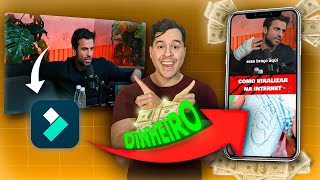

How to Go Viral with Podcast Clips
43sDirectly addresses the desire to earn money on TikTok with a step-by-step method, appealing to creators seeking monetization.
▶ Play Clip"Title accurately promises an easy monetization method; tutorial delivers step-by-step editing process."
This tutorial teaches how to monetize TikTok by creating viral podcast clips using Filmora. The instructor demonstrates finding trending podcast clips on YouTube, editing them in TikTok format, and applying effects to avoid disqualification. The goal is to earn R$1,000–R$4,000 per monetized account.
Earn R$1,000–R$4,000 per monetized TikTok account using podcast clips.
Search for a podcast (e.g., Pablo Marçal) and add 'cut' to the search to find 5–10 minute clips.
The first sentence must grab attention within 1–3 seconds; using trending personalities helps.
In Filmora, set scale to 9x16 for TikTok format.
Use Filmora's cut options: keep left, exclude front, exclude behind. Adjust cuts for precision.
Apply noise reduction effect to improve audio quality.
Add a filter (e.g., at 50% strength) and VHS effects to help pass monetization.
Add a compilation of satisfying videos, mute the audio, and overlay on the clip.
Use Filmora's text templates to add a title that grabs attention.
Use Filmora's AI to generate copyright-free music (epic mood, vlog theme).
Generate subtitles automatically and customize template, animation, color, and font.
Add a like or heart sticker to mimic TikTok/Instagram engagement.
Export at standard resolution, 30 fps.
By following this method, you can quickly edit a podcast clip that is optimized for TikTok monetization and virality. The key is to use trending content, attention-grabbing hooks, and Filmora's AI features to avoid copyright issues.
What is the recommended TikTok video format aspect ratio?
9x16
02:44
What should the first sentence of a TikTok clip do?
Grab attention within 1–3 seconds.
02:02
How can you find short podcast clips on YouTube?
Search for the podcast name followed by 'cut'.
00:57
What effect is recommended to help pass TikTok monetization?
VHS effects.
07:05
How do you remove audio from a video overlay in Filmora?
Click on the video, go to volume, and mute it.
07:46
What type of music does Filmora generate to avoid copyright issues?
AI-generated music.
09:37
What is the recommended export frame rate for TikTok?
30 fps.
12:48
Monetization Potential
Sets clear financial goal for viewers: earn R$1,000–R$4,000 per account.
00:01Attention Span Insight
Highlights critical 1–3 second window to capture viewer attention.
02:02Noise Reduction Technique
Practical editing tip to improve audio quality for better viewer experience.
05:40VHS Effect for Monetization
Reveals a specific effect that helps avoid TikTok disqualification.
07:05AI Music Generation
Demonstrates use of AI to create copyright-free music, solving a common creator problem.
09:37[00:01] Today I'm going to teach you how to go viral on TikTok with podcast clips. Are you thinking about earning R$1,000, R$2,000, R$3,000, or R$4,000 per monetized account on TikTok? I'll teach you how to find clips on YouTube so you can monetize them on
[00:16] TikTok and avoid being disqualified. We 'll do all of this in Filmora. So come with me, download Filmora so you can start editing along with me. The link is in the description, and for those who comment "I downloaded it," I'll send you a
[00:30] package full of files and also satisfactory viral videos for you to use in your edits. So let's get to the lesson. The first thing you need to do monetize on TikTok is to go to YouTube. It's very easy to
[00:44] find what I'm going to do: I'll go to the magnifying glass and search for " Pablo Marsal podcast." There you go, I've already typed it here. Now I'm going to click search, and look here: it will give you several podcasts that you can
[00:57] use to extract your clip. If you have some time, you can watch it calmly, or if you want to make your life easier, you'll do the following: before Pablo Marsal, you 'll type "cut," I'll press enter, and
[01:11] look, here the cut videos will appear for you. By cut videos, I mean videos between 5 and 10 minutes long that you can use. Look, what we're going to use is this one that appeared from Primo Cash; it's a
[01:24] good channel to get these cuts from because people there often post these summarized cuts, so it's easier for you to use. I'll press play here for powerful way to get in is by being criticized, by creating controversy, by being
[01:37] destroyed. For example, this arm here, this is the moment we're going to take from minute two onwards. So I'm already here in Filmora, I'll go to new project, I'll select the video I want to extract
[01:50] the cuts from, and I'll click import. So the video went here to Filmora. And can give you to monetize TikTok with cuts, clips,
[02:02] etc.: make clips that grab attention. Right from the start, people's attention spans an average of 1 to 3 seconds when watching a video. So, the first sentence the person says has to grab their attention, and
[02:16] having someone who's trending, like Pablo Marçal, will help even more in grabbing attention because everyone already knows him. So, what I did was watch the video; at minute
[02:28] two, there's a very interesting phrase he says right at the beginning. To zoom in or out, just drag two fingers across the screen. In this case, I'll go to minute two, add another finger, and I'll
[02:44] But before we find that excerpt, let's get our video in the correct TikTok format. To do that, go down here, go to scale, and here you put 9x16, which is the TikTok format. Okay, then you click OK. And
[03:00] here, so we don't have to move it later, I'll first put this part of the video up here, okay? I 'll center it because later we'll
[03:13] add a title. What also draws attention is wonderful, and for now we'll to minute two, which is where I've already located the moment of my cut. I'll
[03:25] zoom in, and here I'll press play so we can start cutting. They don't even want to, it doesn't make start cutting. They don't even want to, it doesn't make sense to them, uh-huh. The shape, look, here's the shape at this moment. So here we have three options for cutting: the middle one
[03:40] cuts and keeps the left side; the second cuts and excludes what's in front; and the third cuts and excludes what's behind. In this case, we 'll use this cut, and here we just continue with the cut normally.
[03:55] The most powerful shape, look. I'll zoom out a little, enter... it's a controversy, it's a destruction. For example, this arm here came from a example, this arm here came from a chair that was featured in 48
[04:09] major newspapers around the world. So it will come to here, my cut, this So it will come to here, my cut, this beginning: New York Times, Washington Post, major newspapers around the world, from The New York
[04:23] Times, 48 major newspapers around the world. So, to make a cut here, newspapers, imagine the world, from China, Russia, I received everything from China,
[04:35] I received everything from China, all the countries, all the... So I'll cut here, excluding what 's on the
[04:48] a platform rule that will change in 10 to 15 days; they change it because whoever starts to lead, they go there and change the rule. Okay, so here I excluded what's on the right. I'm going to adjust some points here in the cut and I'll be right
[05:00] back with you. And here's a tip for you who are also going to adjust what, for example, here at the beginning there's a cut that I didn't think was so good. Look at this moment I cut here, look at this whole moment of all the... what
[05:15] first point, I take this little bar and drag it further back. Look, and here you can make a more precise cut of all the... and look how it turned out,
[05:27] all the newspapers you can imagine from around the world, from China to Russia. It improved a lot, right? Okay, so we've defined our cut. Now we're going to apply the noise reduction effect to improve the audio quality. To do this,
[05:40] you click on the video, come here to noise reduction, this option here, and just by pressing it, it will apply it. Okay, you do this with all the video segments. Since there are only a few segments here, it's not a problem. Do it later, but if you're going to
[05:55] make more cuts, I recommend you do noise reduction before applied it now. To make monetization on TikTok easier, so the video doesn't get disqualified, I'm going to apply some effects to the video. The first is a filter
[06:10] to play around with the colors a bit. You go here to "cut," go to the end, and go here to "cut," go to the end, and here you'll find the filter. You click on it, and here you choose one you like. For example, I really like this one.
[06:24] See? It already modifies the video a bit. And here I'm going to put the effect at about 50 so it's not too strong. Here you can click "apply to all" too, and here you click "ok." Look here, so it will apply to all the
[06:38] takes in the video. And before we continue, remember to download Filmora from the link in the description so you can follow the lesson. If you download it, comment "I downloaded it" in the description, and I'll send you a
[06:50] super pack with sound effects, special effects, overlays, and green screens for you to add to your video and further elevate the level of your edits. So download it and comment "I downloaded it" in the comments. Going back... Okay, so you're going to go
[07:05] in the comments. Going back... Okay, so you're going to go back here to the little arrow, you'll go to effects, here you'll go to VHS, which are like those TV effects, right, scribbles and all that, and you're going to put ev 08,
[07:18] this one is the most powerful way to get in, it's by being criticized. Okay, you click OK, and here you can drag it to the entire video. Okay, and guys, this effect here will help you pass the monetization on TikTok. Okay, bring it
[07:31] here to the end of the video, and if it's not at the beginning, drag it here too. Okay, now we're going to do the following: I'm going to go back here, I'm going to go to this image symbol, click on it, I'm going to go to video, and
[07:46] here I'm going to get a compilation of satisfactory videos, click here, click here to add, and there you go, it's already here. But before using it, I'm going to remove the audio from it. Okay, for that I click here on the video, go to volume, and click on
[08:01] mute to completely remove the audio from this video. Now I'm going to increase it this video. Now I'm going to increase it here with the little arrow. Okay, I'm going to get a moment when it's full screen, this part of the soap is pretty cool, okay?
[08:14] So I'll come here right when it starts, click on this second option here to delete what's on the left, hold this video and drag it to the beginning. Great, I can even move it a little further down like this.
[08:28] Now I'm going to go here to delete what's on the right and drag this video here. Our video is almost ready, but we still need to add a few details. The first one is to add a title that grabs attention. For that, I'll go back
[08:41] here to the back arrow, I'll go to text, add text, I'll go to template, which already has several ready-made templates that FilmMora provides, and this is crucial for you to monetize and go viral on
[08:55] TikTok. With a title that grabs attention, the chance increases a lot. I'll go here to choose a template and I'll be right back. I'll take this one, this title of story 15, I click on it, criticized, it's a controversy, it's a...
[09:09] here I'll write how to go viral on the internet, I'll click OK, being criticized. Look, there's even an animation in this part. I'll drag it to the end here. Ready! And here, we're going to increase the title even more, like this,
[09:23] we're going to increase the title even more, like this, it will look like this. Okay, great. But despite all that, there are still a few things missing. The first is difficulty finding music that doesn't have copyright restrictions and doesn't block
[09:37] monetization on TikTok. Here you don't have that problem. You go here to audio, audio by EA, music by ia. Here I'll select the epic mood. The theme I'll leave as vlog, which is the most similar to a podcast,
[09:52] duration 1 minute and a half, and I'll click generate. Perfect, it's already generated here generate. Perfect, it's already generated here quickly. I click on it
[10:04] the plus sign to add. See, it's already the size of our video. I'll go here to volume and lower it a little, okay, guys, leave it at 67. Let's see the most powerful way you can enter is being criticized, it's a controversy, it's
[10:18] destruction, for example. Great, it's perfect. Now what am I going to do? I'll go perfect. Now what am I going to do? I'll go to text, subtitles, here you put Portuguese or let the film itself recognize the language, and here you click
[10:31] generate. Done! It's already generated. The most powerful way you can enter is being criticized, it's a controversy, it's destruction. I'll give you another one here, you select the caption, drag it up here, perfect! Wonderful, being criticized is
[10:45] controversial, it's destructive, for example, this arm here... Now we're going to do the following: with the caption selected, you're going to go here to template, and here in Filmora there are several templates for you to use, very
[10:58] interesting. In this case, I already used this one, which is a similar caption, but look, there are other templates here, like this one, for example, which is also very cool, it came from a chair that came out in the... Okay, but I'm going to use this one, I'm going to
[11:12] make a modification, I'm going to go here to animation, I'm going to put line, the most powerful way to enter is being criticized, and here in the color I'm going to put orange, which attracts more attention, I can even put a darker orange, and
[11:26] here we're going to change the font a little too, in font type I'm going to put a font called OpenSance, which is one of the fonts that people use the most. the fonts that people use the most. So I'm going to locate it down here, and
[11:38] look, I've already located it, it's OpenSance B, which I imagine is bold, right? Which is a B, which I imagine is bold, right? Which is a thicker font, here I'll click OK and there you go, powerful thing about you entering a video is being criticized, it's a controversy, it's a
[11:51] destruction, for example, this arm here came from a bad situation, and if you want to improve engagement even more, you go back here to the video, you go to the stickers, and here you can put one that's a like or a heart, like on
[12:07] TikTok and Instagram. So I come here, I click on the sticker, a destruction, for example, this arm here came from a bad situation, I'm going to reduce it and put it here in the corner, because this is usually where the like or heart symbol is. I'll click
[12:21] OK and look how much more powerful it became. The most powerful thing about you entering a video is being criticized, it's a controversy, it's a destruction, for example, this arm here. And here I can reduce the duration of the sticker a little, okay? I'll reduce
[12:35] its size a little too, to make it very subtle, a controversy, a destruction, for example, this one. Okay, so our video looks like this, I'll show it to you at the end. To export it, it
[12:48] 's also very easy, just go up here to standard resolution, then cut at 30 frames per second down here. Don't mess with it,
[13:00] just click export and wait for it to go viral on TikTok. So that's it, I really enjoyed using FiMora on my phone. I really liked the Artificial Intelligence features, such as the AI-generated subtitles
[13:16] and the AI-generated music, and especially not having to search copyright issues. For beginners, this is very important. As you saw, I quickly edited a clip that could go viral on TikTok.
[13:31] So remember, the link is below in the description for you to download FiMora. If you download it and comment "I downloaded it," I 'll send you the files I mentioned, and I'll also send you several satisfactory videos so you don't have to
[13:43] spend your time looking for them. Okay? So, like, subscribe, and take a look at the final result. Bye. The most powerful way to enter is by being criticized, by being controversial, by being destroyed. For example, this arm
[13:57] destroyed. For example, this arm here came from a chair that was featured in 48 major newspapers worldwide, all the newspapers you can imagine in the world, from China to Russia. I received it all. You might ask why? Because nobody... You want to
[14:10] know if I have a proposal for a cable car, a 1 km building, to end crime? None of that. You want to know something that 's terrifying. If you don't find ways to generate virality, you 'll spend millions or billions to
[14:22] reach that level. I can risk saying here that a political scientist from Federal University of Rio de Janeiro, who is analyzing me and understanding how crazy this is, said with his own mouth that to do what I did and
[14:35] get into the mindset of a people like I managed to get into in a short time, you spend money that Ilan Musk doesn't even have, his words. So we have to find a way for this to be cheaper. There are three ways, you who are
[14:47] watching. Way number one is organic, and organic means you have to follow a platform rule that will change in 10 to 15 days. They change it because anyone who starts to lead, they go there and change the rule.
⚡ Saved you 0h 14m reading this? Transcribe any YouTube video for free — no signup needed.