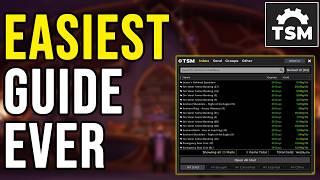

TSM Groups & Operations Made Easy
33sDemystifies the most intimidating but essential TSM feature, making beginners feel capable.
▶ Play Clip"The title promises the 'easiest guide ever' and largely delivers with a clear, step-by-step walkthrough, though some fluff and repeated reassurances pad the runtime."
This video provides a beginner-friendly guide to using the TradeSkillMaster (TSM) addon in World of Warcraft to compete on the auction house. The presenter explains how to set up groups and operations, post and cancel auctions, and manage pricing to maximize profits.
The video covers the basics of TSM for auction house competition, including posting, canceling, and setting up groups and operations.
Post scan posts items in selected groups; cancel scan checks for undercut auctions and allows cancellation.
A group is a list of items managed with the same settings. Create groups like 'enchants' to organize items.
Use 'specific item' for ranked items (e.g., enchants with ranks) to handle each version separately; 'base item' for transmog.
An operation contains the settings for a group. Only the auctioning operation is needed for posting and canceling.
Set auction duration to 12 hours to minimize deposit fees. Post cap determines how many of each item to post.
Use 0 copper undercut because of LIFO (Last In First Out) – the last poster at the cheapest price sells first.
Minimum price is the lowest price you're willing to accept. Below that, TSM won't post. Use hardcoded gold values or percentage of region sale average.
Beginners should use simple hardcoded gold values for minimum price, adjusting them manually each session. It's safe and easy.
Region sale average (14-day average) is more reliable than market value, which can be inflated by outlier listings.
Always untick the base group before running a post scan to avoid posting items with wrong settings.
Lag during canceling is due to Blizzard's token system – you can cancel about 50 auctions before needing a cooldown.
By following this guide, even beginners can effectively use TSM to automate auction house posting and canceling, starting with simple hardcoded prices before advancing to more complex techniques.
What auction duration should you set in TSM to minimize deposit fees?
12 hours.
07:49
What does LIFO stand for and how does it affect undercutting?
Last In, First Out. Set undercut to 0 copper to be the first seller at the cheapest price.
09:13
When adding items to a group, when should you use 'specific item' instead of 'base item'?
When items have different ranks or stats (e.g., enchants with rank 1 vs rank 2) that affect pricing.
04:35
What is the recommended minimum price strategy for beginners?
Use hardcoded gold values that you are willing to accept, rather than complex formulas.
12:41
Why does the auction house lag when canceling many auctions in TSM?
Blizzard imposes a token system; you can cancel about 50 auctions before needing a cooldown to regenerate tokens.
26:03
What is the 'post cap' setting in TSM?
The maximum number of each item to post on the auction house per scan.
08:04
What price source does the presenter recommend for reliable item pricing?
Region sale average (14-day average).
15:37
Zero Copper Undercut (LIFO)
Explains the LIFO mechanism, which is counterintuitive but critical for maximizing sales.
09:13Hardcoded Values for Beginners
Encourages beginners to use simple gold prices rather than complex formulas, reducing intimidation.
12:41Region Sale Average Usage
Advises using region sale average over market value to avoid inflated prices from outliers.
15:37Auction House Lag Explanation
Provides behind-the-scenes reason for lag, helping users understand Blizzard's API limitations.
26:03[00:01] the TSM add-on, so in this video, I'm going to go through the basics on how to use it to compete on the auction house. We're going to go through exactly how to use it to post your auctions, to cancel your auctions, how to set up operations
[00:15] for your groups. I'm going to go through it in the easiest way that I possibly can, so I hope that all of you understand and can do this yourself after watching this video. So, we're going to go through what is a group,
[00:27] together. We're not going to go through stuff such as crafting operations since they are not that viable now since TSM is not including your crafting stats. For this, I highly recommend some other add-on, for example, CraftSim or of
[00:41] course our own community add-on called Gold Advisor Midnight. You can find the let's start out with the basics. So, most people that is serious about your gold making game, they're using TradeSkillMaster when they are competing
[00:54] on the auction house. As you probably know, there is a lot of competition. Basically, you're fighting the whole region with materials and reagents and stuff that you try to sell, and the competition is insane. And since most
[01:06] really quick when you want to sell your items. It's not going to work most of the time with a base UI unless you're lucky and like dump your stuff and sell your whole stock. But, if you want to compete and get fast sales, this is how
[01:20] you do it. So, we have two features here on the auction house when we open up the TSM UI right here. We have the run post scan and we have the run cancel scan. If you run a post scan, it will try to post the items in the group that you have
[01:34] group cuz we have no groups made. It will go through, scan all of your auctions, and when it's done, you can just press post and it will post your auctions. And after you have posted all of your auctions, you can also choose to
[01:47] press the rescan button here if you want to to immediately rescan and then post again if you want to. The cancel scan will run a scan and check for auctions that has been undercut on your auction house. So, this is really powerful as
[02:00] have to press cancel if you want to cancel your auctions. Before I forget it, I just want to show you quickly how you can macro the post scan and the cancel scan, like the cancel button here and the post button here. So, you can do
[02:14] it with a keybind instead of having to click the button. So, to do that, you come into the settings in the TSM up here, click the icon in your map, go to settings, then go to macros. And then in here, you tick up and down if you want
[02:28] to do it with a scroll wheel. Just use auctioning for now. Don't do too much of because, for example, here you can confirm a bid and buyout, and then accidentally you might buy something that's overpriced. So, I recommend you
[02:42] to only have the auctioning here. I do it with wheel up and down. You can do it with a modifier, then you have to hold control and scroll up and down to post or cancel your auctions. But if you have no modifier, you can just scroll, but
[02:54] then of course, your zoom or whatever you have on your scroll wheel will get unbound, so you have to re-keybind it. But now you know how to do that at always so easy to forget. But let's go through the stuff that sounds scary for
[03:07] most people, and that is groups and operations. It is really not that hard, and it is not scary. I'm going to try to explain this very easy now, so you guys understand what it is. To make a new group, you press on the base group, then
[03:23] whatever you want. For example, when doing this, I will call this enchants. Now I have a group called enchants. A group is a list of items that you want to handle with the same settings. So, basically, I have these three enchants
[03:40] here that I consider low value. One is 86 gold, one is 22 gold, and one is 83 gold. So, if I want to handle these enchants in the same basically using the
[03:53] enchants in the same basically using the same settings for these three enchants, they can be in the same group. You can either put your items directly under the enchant group here, or you can make a subgroup, like a under group for this.
[04:07] So, I will here make a new group called like low value enchants, right? Cuz for example, maybe I want to have another group called high value enchants, and maybe I want them to use different settings. What I do now then is I add my
[04:22] settings. What I do now then is I add my low value enchants here to this group by just pressing them and pressing add three items. So, what I need to say is just that if you're grouping items that has ranks, for example, the enchant has
[04:35] need to use specific items. Basically, specific item here is going to add the version of the item that is exactly matching. For example, this one is a rank two of Hex of the Leeching. I could now also add a rank one Hex of the
[04:52] Leeching to the same group if I want to, but if I have base items selected here, then it would treat the rank one and rank two as the same item. So, then I would only be able to add one of them, and it would always post the item at the
[05:07] cheapest price, no matter of the rank. And since they have different ranks, you want to handle them at different prices, so use specific item for that. And this is going to be pretty much majority of cases in Midnight that you want to use
[05:23] specific item, but I just want to leave in there that if you're selling transmog or anything else that the rank or the stats of the item doesn't matter, always use base item. Cuz if you have a base item a picked when adding to the group,
[05:37] then it will always post your auction at the cheapest price, no matter stats, item level, or whatever. It will post it at the cheapest price that exists currently on the auction house. So, I hope that one is understandable. It can
[05:52] be very important, but it can also not matter. So, I would use specific item now, and when you are uncertain, just go ahead and ask or try to shake it up what you should use. So, now we know that a group is a list of items that you want
[06:08] group is a list of items that you want to handle with the same settings. So, if we now take a look at operations, you have a different operations here. The only operation you need for posting and canceling is the auctioning operation.
[06:23] An operation is basically where you set up the settings on how to handle the group of items that you just made a list of. So, in this example, we have one
[06:35] of. So, in this example, we have one group of items with low value enchants, enchants. So, if I want to make some settings for my low value enchant group, I just make a new operation, and I call it low valued enchants. It doesn't
[06:51] matter what you call it, but we're making it very clear now that this is the settings for the group that is called low value enchants. To make this operation actually apply to the group that we made, go down here to group
[07:05] management, and apply it to the low value enchants. Left click that, select group, boom. Now, when you can see the text below here, it means that it is added to that group, and everything you put in here now will be the settings for
[07:20] the low value enchants. So, everything else here on details page, you can ignore. It's not really important. I never ever use it. I don't think very few people is using this. But, on the posting page is where everything
[07:33] happens. So, here you set up a lot of settings for your group. For example, how long auction duration do you want to put? I recommend you to always put 12 hours unless you for some reason want your auctions to be posted for longer
[07:49] because if you have it higher than 12 hours, for example, 24 hours, then you pay the double amount of deposit fees as you would if you go with 12 hours. And if you go with a 48-hours, you pay four times the deposit fees than 12 hours.
[08:04] So, always put it at 12 hours unless you have a reason to have it higher. The have a reason to have it higher. The post cap is the amount of one item you want to post on the auction house. So, if this is put at five right now, then
[08:17] if this is put at five right now, then it will post five of each item in our group at the auction house if we have five of each. So, if I were to run a post scan right now, it would post five of each of these three enchants on the
[08:30] auction house. So, here you will have to decide on how many you want to put on the auction house. Amount kept in bags, I always leave at zero because I don't ever really want to keep any items that I'm selling in the bags, but if you for
[08:43] some reason want to, put this at any number. Like, for example, if I wanted to save five of each of my enchants, I would put this to five, but I always use it at zero. I never want to do that. Don't post after after this many
[08:57] with that either. Doesn't do anything. I never use it. Coming at bid percentage of buyout, always use 100%. No idea to even have a bid undercut amount should always be zero copper. It's called last
[09:13] always be zero copper. It's called last in, first out, LIFO. So, basically, the last person who posted something on the auction house will be the first one selling as long as it's the cheapest. So, for example, if you put an item at
[09:27] the same price as the cheapest one on the auction house, yours will sell first because it's the last one in, first one out. So, no need to really ever undercut. You should always put this at zero copper unless you have a really
[09:41] good reason of not doing it. Minimum price, maximum price, normal price. Here is where a lot of people get scared and they give up. And this is what we have to combat. And there are some really, really easy ways to deal with this. The
[09:57] minimum price is the minimum price that you are willing to post your auction at. you are willing to post your auction at. So, for example, disenchant. If I put a minimum price of 20 gold, then if the price goes down here below 20 gold, TSM
[10:14] will not post it. So, this is just the lowest amount that you are willing to sell your item at. It will still post it at 8397, but if somebody else pushes the price down, it will keep on posting at the
[10:28] cheapest price that somebody else posted at until you get to 20 gold because when you hit below 20 gold, it will tell you that the cheapest auction is below minimum price, so it will not post it. So, this is just safety so you don't
[10:43] post your auction for too cheap and lose gold. So, it is not anything else like that you are willing to sell your auction house at. I'm going to show you here soon different ways you can put the minimum price to, but let's just quickly
[10:58] go through normal and maximum price. So, the normal price is the price that you the normal price is the price that you will post your enchants at if all of the enchants that is on the auction house is already more expensive than your maximum
[11:12] price. So, for example, if we set our maximum price to 150 gold and there was only enchants on the auction house here that was valued at more than 150 gold here, then it would post them at 100 gold each if you have set this one to be
[11:29] at normal price cuz this is when above maximum post at normal price. You can have that this at post at maximum, which is the default. This is usually what I do. So, then when the enchants is above my maximum price, it posts my auctions
[11:45] at my max price, which is in this case 150 gold. This is in the most cases so not important at all because it is so rare to hit these occasions. So, all of
[11:58] this is basically just safety methods. You don't really have to worry about them, but they are safety methods. And the important one is the minimum price because that is where you determine if you lose gold or make gold. When below
[12:13] you lose gold or make gold. When below minimum, I always use don't post items because I don't want to post items if the market is too cheap. Then I want to manually check what to do with them. So, I always keep this at don't post items.
[12:26] But let's now go through what kind of price sources that you can use here in the minimum price because you have probably seen some really advanced stuff here that you don't understand at all. And I can just tell you that it's not
[12:41] really needed. You don't ever need to use anything else than just hardcoded gold values like I do here if you don't want to. Let's say that you have 10 different operations, 10 different settings here for 10 different groups.
[12:59] Even if you manually before your posting session have to go in here and change the minimum price because the market has changed overnight, so maybe you want to lower your minimum price of this enchants to 16 gold because maybe they
[13:13] have gone below 20, but you're still willing to sell them above 16, then you can change it. Even if you have to do that for 10 different operations, it's very little work. It takes you like 2 minutes to then being able to
[13:27] automatically safely post everything with hard coded values that you understand to 100%. So, do not underestimate using a hard coded values, especially for midnight crafts and midnight items because it's really
[13:42] powerful and I use it most of the time. Don't underestimate it, but also now let's go through how you can do it with some other different price sources. First of all, come to the settings right here and go to tooltip settings. At
[13:58] tooltip settings, you can enable a bunch of different tooltips of different stuff that you can see when you hover an item. And the most important to me is usually And the most important to me is usually mean buyout, region sale average, region
[14:11] sale rate, and region average daily sold. You do not need too much else in my opinion. I really like to have these on. Also, post quantity is great. Just a down there, you can see the post quantity. So, when I run a post scan, it
[14:28] will post five of this particular item. But these is the really important ones. You can use like recent and market value and you can add all of these if you want to. Most of them is like not so accurate and a little bit like dangerous to use
[14:42] because you might get wrong ideas on how much an item is really worth. The market value is basically the average price that the item is posted for the last 30 days, I believe, but weighted towards the last 14. However, with regional
[14:57] items like this one, it doesn't really matter. But if you look start looking at gear and stuff, it can get insanely inflated because if someone posts an item for 9.9 million gold and it's only worth one gold, the market value might
[15:11] say 5 million, but it's really worth one gold. So, you like they are not that useful in my opinion. I only really use the region sale average unless I do some really specific stuff. But for the basics, use region sale average. If
[15:24] you're into selling like high-end stuff like transmog mounts, I don't know, maybe you want to check some other stuff like market value and region market only need region sale average. So, enough yapping about that. So, now when
[15:37] you have an item, you can see the region sale average. This is the average price that this item has sold for the last 14 days. This item has sold for 151 gold on
[15:49] average the last 14 days. Of course, we are going to see a downtrend in the market now since this is midnight new expansion current content prices will go down the further we go here now. So, using region sale average right now is a
[16:05] little bit off-putting as well because everything will pretty much be cheaper than the sale average. I tend to use sale average when markets are more stable. Right now, I as I said earlier, I use hardcoded values a lot. But,
[16:20] hardcoded values becomes a problem when you have a group with different items that has very different prices. If we look at these enchants, the minimum buyout for this item is 83 gold. The minimum buyout for this item is 22 gold.
[16:37] So, if you want to post both of these items on the auction house with TSM when they are in the same group, if we put a min value at like 60 gold, let's say we were willing to sell this item at 60 gold cheapest, we would put a min value
[16:51] of 60 gold. Then, it will post this item. But, since Amani Mastery is 22 gold, it will not post this because this is below the minimum price. So, if you deal with items that has different values in the same group, using
[17:06] hardcoded values is not optimal because if you want to post all of these three enchants right now, you would have to put the minimum price here to 20 gold because otherwise it will not post the cheapest one. And that means that the
[17:19] most expensive items can go down to 20 gold. So, for example, if somebody puts one of the higher-end enchanting here for 20 gold on the auction house just to like troll you or get a fast sale, you
[17:32] will be posting at that price if you are running a scan at that time. So, to be safe from this, you do need to use some percentage value instead. So, it doesn't matter what the actual gold price is. It has to matter like in percentage
[17:47] compared to something. So, what we could do in this case, then, for example, as we can see here, we see that this one is 83 gold, but sale average is 151 gold, and this one is 22 gold, and sale average is 42 gold. So, if we were to
[18:02] put this at 50% DB region sale average, our minimum price will be divided on every item in the group. So, if we were to post Flight of the Eagle, the region sale average is 151 gold, and since we put 50% DB region
[18:18] sale average as our cheapest price, our cheapest price posting this one is 75 cheapest price posting this one is 75 gold-ish, right? 151, 50% of that, 75 gold. So, it will be posting this item. But if we go to the cheaper enchant,
[18:32] this one, Amun'Thul's Might, it has a region sale average over 42 gold, this minimum price for this item will be 21 gold roughly, right? So, then it will be able to handle both of these items even if they are in the same group. So, then
[18:48] you can use percentage values like this. There are more advanced stuff that you can do here. For example, you can use like methods like this. For example, max 50% DB region sale average 20 gold. What this one one would do, it would look at
[19:02] those two price sources that is in between here. It would take the max of this and put as your min price. For example, if 50% of DB region sale average on this enchant was below 20 gold, it would put the minimum price for
[19:18] this item to 20 gold. If it's not, if this is higher than 20 gold, then it will use this as the minimum price source instead. So in this case, this would be like 21 gold and 36 silver, right? So then in this case, it would
[19:33] use this one as the minimum price. And then it will do this and check for every item in the group and pick the correct minimum price source based on what you set here. There is a lot of stuff you can do in here. You can like if check
[19:46] and stuff. But as a beginner, I highly highly recommend you to use hard coded gold values and just before every session of posting, go in here and adjust them a little bit as you want. It's so much faster to adjust your
[20:01] operations and still use TSM than it is to just be scared of TSM and not use it because it's hard to do the pricing. So TSM is so OP and you need to use it if
[20:13] you don't need to use the advanced functionality of it. You just need to use the basic stuff to really use it to get rich. So now you know how to put settings for a group. These settings that you put here will apply to the
[20:28] entire group that you have connected it to, which in this case was the low value enchants. If you now were to make another group, you can just copy the one one. We just copied it and we called it high valued enchants. In this case, when
[20:44] it's high valued, maybe we think they're going to sell a bit slower, so we only want to post one of it each time we run a scan. We want to higher our minimum price to maybe 3,000 gold because we're selling high end enchants. Normal price
[20:57] we can just put to 7,500 and 15,000 as maximum. As I said, this does not really matter because this is just what you will post at the market is really weird. I always just put them at a higher like
[21:11] significantly higher price here than I'm willing to sell it for just so I know if that happens I will get insane profit but not something too unreasonable. Now on the detail page as we did before apply it to the high value enchants boom
[21:26] and you basically done. It will now post one of each enchant in this group. It will post them for 12 hours minimum price will be 3,000 gold and you will be ready set and go with that group of items as well. So as you can see at
[21:42] least I hope you can see it is not scary. It is not dangerous. You cannot really lose gold on this as long as you use hard coded values because you know how cheap you are willing to sell an item for. If you're willing to sell this
[21:56] at 22 gold like I often do this even if an enchant is 22 gold like this I often go the group and I put like 22 gold as my minimum price because if the price goes lower than 22 then I will get an error message in TSM looking like this.
[22:12] I'm just putting at 23 now to get the message cheapest auction below mean price. Then I can manually look up what happened with the market. So I usually put my mean prices pretty close to what actual price is on the auction house
[22:26] currently so that I don't get screwed over by someone posting items too cheap. So that I can recommend as well. You might need to go in here and adjust a little bit more often than but like you will realize quickly that taking 20
[22:39] seconds adjusting here to be able to use TSM and compete at the highest level is so worth it. And after you have done this for a few weeks few days few months like maybe you feel like I want to get to know TSM a little bit better do some
[22:53] more advanced stuff then you can cuz then you know the basics. You know how it feels but you don't have to do that to compete on the auction house. It's super duper easy to set it up like I have done here, and I hope you see now
[23:06] how powerful it is. And we're going to, of course, run a post and cancel scan here now just to show you how it works. But, I just want to say that then in this case of enchants here, since they are so different value, I would probably
[23:19] not have the Amani Mastery in the same group as the other enchants here. I would probably have this in its own group. I can even name my groups like enchant ring, Amani Mastery, and it's only that item in that group. It
[23:32] Sometimes I do that, so I can divide my groups into one item and make one operation for every group. So, basically one operation for one item, just so I price them correctly. It takes a little bit longer time. Yes, it do. Little bit
[23:47] set up, but it's not that long time when you get used to it, and it's very, very powerful. But now then, when we have our operation, aka our settings for that group, we just run a post scan. It will take all our groups here that's in the
[24:02] enchants. I recommend you to never use base group, by the way. Never tick this, always untick the base group. Important, otherwise it will take basically all the stuff in your bags with wrong settings, cuz it will use the default, and you
[24:15] probably don't have perfect settings for that. So, just remove base group, let it be. You can't remove the group, but you can like untick it. Press run post scan. It will now run a post scan, list all the items that you can post. Basically,
[24:28] just press post, and you will be posting your items. There, we're getting sales instantly here, as you can see. We posted five of each item on the auction house. As you can see down here, we sold two Amani Mastery already. There we go,
[24:41] another sale. And now then, if we have sold a few of our items, but not all of them, we can still run a rescan, and it will post items, but if we have four left on the auction house, it will only post one, cuz it will try to push us to
[24:55] our post cap of five all the time. It will not post five new ones if we have four and are cheapest. Then it will only post one. It's really smart. It's really good. It's like so nice, guys. And I really hope that me taking it this slow
[25:10] and trying to be really like explanatory and like very I don't even know what to go easy mode and make you understand how good this is if you just use it the easy way. But now if we want to check
[25:23] for undercuts, we simply just run a cancel scan. And we can see we have been Canceling auction that you have undercut. Sometimes you will be running post scans 10 time in a row without running a cancel scan in between and
[25:37] then you will basically undercut yourself since somebody is in between. So like you undercut someone else, but then it will say here that you have undercut yourself because technically you have, right? So yeah, now now you
[25:49] saw how easy it was to cancel and then it's just to go and run another post scan. So what I usually do is I run post scans for a while and when I feel like it, I do a cancel scan and I cancel all of my items. You will start to realize
[26:03] that the auction house will start to lag. Like you will get delays when canceling if you are canceling a lot of auctions. This is not due to TSM. This is how the API for the auction house is working. When you're canceling too many
[26:17] auctions, it will start to lag. This is to prevent you from being able to instantly sit here forever and just cancel post cancel post forever without getting any lag. So you're actually getting like on purpose lag by Blizzard
[26:31] because you're canceling too much. You just got to live through it. Like what I usually do then is I go a little bit AFK, maybe 5 minutes. Then I can cancel again 50 auctions. And then I post and post and post and I cancel. And you will
[26:43] have to like make yourself go around it, but that's how I do it. I cancel until I start lagging. Then I just take a little bit like few minute break until it stops to lag and then I cancel the rest. Like there is timers you are basically using
[26:58] tokens for every cancel and you can cancel 50 auctions in a row, but you still generate your tokens back over time. So usually you start lagging at time. So usually you start lagging at about 60 65 and then it will take a few
[27:11] minutes to like generate them back and stuff. You don't have to worry about it. Just like know that that is why you lag. A long yapping session, but I hope it little bit extra, check out the Patreon. I have like pre-made TSM stuff there for
[27:25] like flipping and some midnight stuff. I don't have any mega groups for like everything midnight style or anything, at least not yet. But if you want to have a lot of gold guides and stuff how to become rich with flipping starting
[27:39] from beginner level and whatnot. Check that out if you want to. Also, please the YouTube channel. I'll see you in the next video. You are the best. Goodbye.
⚡ Saved you 0h 27m reading this? Transcribe any YouTube video for free — no signup needed.