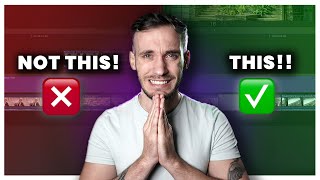

The #1 Killer of Viewer Retention
52sViewers can relate to the frustration of repetitive content, and the before/after fix is visually satisfying.
▶ Play Clip"Delivers solid editing advice but the 71% statistic is unsubstantiated fluff."
The video identifies common editing mistakes that plague YouTube creators, particularly repetition and poor pacing, and provides practical fixes to improve retention and viewer engagement. Using Graeme Steppen's early video as a case study, the host demonstrates techniques like J-cuts, jump cuts, and strategic B-roll to transform mediocre content into polished, professional videos.
Graeme's first video repeated himself 48 times in 11 minutes. Cutting repetition reduced a 2-minute segment to 20 seconds without losing meaning.
Viewers often watch at 2x speed when pace is too slow. Graeme's current videos average 237 words per minute vs. 200 for typical creators.
A J-cut brings in the next audio before the video cut, making transitions seamless and maintaining constant information flow.
Zooming in slightly while keeping the eye-line level makes jump cuts natural. A common mistake is zooming without aligning eye level.
Graeme's editor flips the clip horizontally and zooms in, giving a fresh angle that feels like a scene change without additional footage.
Graeme's massage-parlor-style music clashed with the content. Music should be planned before filming to avoid timing issues.
Adding chapter markers with animated text and relevant images hides poor quality clips and re-engages viewers.
Adding cashier sounds and other effects emphasizes important information, like potential earnings from better photography.
Syncing video cuts with the music's beat creates a hypnotic flow that keeps viewers watching.
Graeme's clip of driving was disjointed without context. Filming B-roll that shows a beginning, middle, and end improves storytelling.
Long goodbyes cause viewers to leave. An abrupt outro like 'See you' retains audience till the very end.
By eliminating repetition, mastering J-cuts and jump cuts, syncing visuals to music, and crafting a strong narrative with contextual B-roll, creators can dramatically improve video quality and audience retention.
What is the 'ultimate killer of retention' in videos according to the video?
Repetition.
01:48
How many times did Graeme Steppen repeat himself in his first 11-minute video?
48 times.
01:48
What is a J-cut?
A cut where the audio from the next clip starts before the video transitions, creating a seamless information flow.
03:20
What common mistake do creators make with jump cuts?
Zooming in without keeping the eye-line level with the previous clip, making the cut feel unnatural.
04:14
How can you fake a multi-camera setup in editing?
Flip a clip horizontally and zoom in slightly to create a fresh angle that feels like a different camera.
04:43
What is the recommended way to end a YouTube video to maximize retention?
End abruptly without a long goodbye, e.g., 'See you', to prevent viewers from leaving early.
10:10
What should you do with B-roll to make it more engaging?
Cut it to the beat of the background music.
08:09
Repetition as retention killer
Identifies a common yet overlooked mistake that can be fixed simply by trimming redundant content.
01:48J-cut technique
Provides a concrete editing method to improve pace without losing clarity.
03:20Fake multi-camera trick
Shows a creative way to add variety without additional filming, useful for solo creators.
04:43Beat-synced B-roll
Explains how to create a hypnotic viewing experience by matching cuts to music rhythm.
08:09Abrupt outro for retention
Challenges conventional 'like and subscribe' endings with a counterintuitive but effective strategy.
10:10[00:01] first ever YouTube video to show you how anyone can make their videos 10 times better, even if it's their first ever attempt. Us YouTube creators all have something in common. Our first video was our
[00:15] worst. That and we put our heart and our soul and sometimes even our bodies into problems that hold our videos back time and time again. First, the common videos. Unfortunately, these are incredibly hard to recognize when you're
[00:29] actually have the making of something pretty special. We just don't know how to take it up to that next level to achieve it. But by pointing out these video and then showing you how to fix them by the end of this video, you'll
[00:43] start to spot them in your own content, but we'll also be armed with the skills Quickly, though, who is Graeme Steppen and why him? Graeme for me is interesting. He sets the bar in that niche. And due to his lovable character,
[00:56] you hit the like button, the more like buttons get pressed on afford to drink. He's amassed over 3 million subscribers in 4 years. But his first video, a video to give real estate agents some tips to
[01:09] sell properties, makes these seven mistakes that just wreck it. Before I tell you the epic error in this video, I want to see if you can spot it in this first clip. because this is the ultimate killer of retention on videos. And just
[01:21] getting good at noticing it is going to really improve your content. It looks a turned on. Even if it looks marginally better with the lights turned on, just feel like a lot of people just overlook it because they think it's not that big
[01:34] place look 1% better just by turning on a light, do it. It's the easiest, place look better. It makes it look brighter. It makes it look cooler. Just So, there we are. Did you spot it? The problem is repetition. In Graeme's first
[01:48] video, he repeats himself 48 times in 11 minutes. It stops the video progressing and it makes the viewer switch off. So now I'm going to cut out the repetition in his first tip. For 2 minutes, Graeme talked about how you should turn on the
[02:01] lights for a home viewing. It's actually quite funny, and I like that he tries to get humor in, but for new viewers, it's like, "Oh, come on. Get on with it." And there we have it. A 2-minute section of his video is now 20 seconds long. Now,
[02:13] let's see if you can still understand his point even though I've completely When you're showing a listing, turn on all the lights. A lot of people just that big of a deal. But if you can make your place look 1% better just by
[02:25] Now, I'm going to cut all the repetition and waffle from the rest of the video with every labored point gone. It's now 6 minutes long. Doing this to your videos is really hard, but I would urge you to spend time working out if every
[02:40] second of your content is actually needed. And that brings us on to pace. It's about creating constantly flowing content that resonates with your target viewer. Poor pace is the reason you watch people's videos in double speed on
[02:53] YouTube. And when people hit that times two speed button on your content, your average viewer duration won't get hit, but your watch times do. Graham's pace in his latest videos is spot on. It's like the information never stops. In
[03:05] fact, in Graham's last eight videos, he spoke an average of 237 words per speaks an average of 200. So, we need to find a way to put an extra 30 words a up to his pace, which is tried and tested with his viewers. And to do that,
[03:20] we need this, the J cut, to remove the very thing that keeps us alive, breath. We want a constant stream of information here. So, watch this. A traditional cut like this means every new clip stops the narrative. It's not fluid. When you use
[03:33] a J cut like this, you literally get to the end of one clip's audio and bring in narrative is constant. We're going to start with this. When you're showing a listing, turn on all the lights. Lights on, lights off. Light
[03:46] you're showing a listing, turn on all the lights. Lights on, lights off, light but you still need to be tactical with your J cuts. Don't just ram loads together to remove tiny weeny gaps. Make sure the cuts feel natural. It's also
[04:01] it can be either. Before I go and do this to his entire video, we also want to look at jump cuts because these are really easy way to make content more energetic, but they're also something people tend to get wrong. Well, not
[04:14] should be. This is a jump cut. You just zoom in a tad on your video in the edit, mistake people tend to make, including me, because I've often forgot, is they zoom in like this. So, watch. Something isn't quite right. Now, try this. Zoom
[04:28] line's level with your previous clip's ey line. And then watch it again. You more natural. And when you combine it with the J cut, it's just liquid smooth. something that Graeme Stevens editor does that I've never seen anyone do
[04:43] before, and it's really flipping good. This camera angle is the same as this camera angle, and the editor has flipped it and then zoomed in, so it looks like this does is it gives the viewer something that feels new to look at. It
[04:56] almost feels like a scene change, and it's genius. I'm doing it now to one of his clips, and bam. This is such a great way to fake a multi- camera setup. So, and at all of the J cuts and jumps to boost his pace. Have a guess before I do
[05:09] it at how much time this will shave off the length of the video. It knocked off his video is now at the same pace that for. It's definitely getting better, but the next things are going to 10x this
[05:23] bad boy. But we've got one issue that we have to address. Graham decided to use some music that sounds like you just walked into a massage parlor. Listen, lights on. And it just doesn't work with the
[05:36] should be planning before you film because it can really impact a video, both good and bad. I mean, look at this and you'll see what I mean. [Applause] [Music]
[05:52] is more mine than yours. And because I video, these cuts now mean I've got a song in the background that's all out of time, which might ruin my entire project. I'm just glad I didn't spend 4
[06:05] So, I've just added this track that you can hear right now as a solution. But music too much, I'm just going to have to bin it. It's kind of out of my hands, next problem, dodgy footage, which isn't actually Graeme's fault. Because I've
[06:19] pretty yucky in places. But it's actually a great lesson for you because if something looks bad in your video, don't worry, just cover it up. You can not only does it hide anything unsightly, but it actually makes for a
[06:32] Graham's video, he tries to make six points. So, I'm going to chapter the clear. They're also going to cover up some of the dodgy bits, and the viewer them to get re-engaged again. For now,
[06:46] capitals and then layer it on top of an image that is relevant to the title. But little bit more energy, I'm going to add some movement to the image, a slide in And here we go. When you're showing a listing, turn on
[07:01] Simple but effect. And then all I have to do is make the other five, put them and the video is coming to life. So, it's now time to add the va vroom. So, going to show you some tricks. First, I simply add more sound effects to his
[07:14] off effect makes all the difference. Lights on, lights off. his face is on screen for too long and it starts to slow things down. Now, this part's really important. Gra is making a point and the key
[07:27] information here that will wake his viewers up is how much money someone could make if they follow his advice. So, we just can't let this point go they'll pay the most attention to. So add some stock footage of someone making
[07:40] screen as he saves the amount and then a cashier sound effect to reinforce this. it could be a small investment that could net the seller 5 10 15 sometimes pictures becomes this net the seller 5 10 15
[07:55] the right pictures. And now we go up another level. This is what will transform your videos. What you can see there is me counting to the Graham's video because I'm going to change the image on screen to the beat
[08:09] of the music. So this it doesn't matter if it's a $200 from a personally prefer evening pictures like right becomes this. And it doesn't matter if it's a $200 from a le or if it's a $10 million listing. I
[08:22] right around sunset. I think it makes the difference it makes cutting all of your B-roll to the beat of the music is insane. Everything just falls into this to escape. But there's still two common problems
[08:35] about being late to a viewing, and then he just throws in a clip of him driving disjointed. A little bit early if you have to, but to be there at 2, show up at 2. It assumes the viewer will understand
[08:49] that he's on the way to a viewing, but it's like starting the story near the still want it to have a beginning, a middle, and an end. So, I'm going to go and film some B-roll for this video myself to show you what I mean.
[09:01] up on time. Show up when you say you're going to show up and be on time. Be a say you're going to be there, too, show one of the most important things to fix, I thought I'd show you 30 seconds of
[09:14] all of these things and how they come into play. I'm going to make a video today of the successful in real estate. We're going to start with this. When you're showing
[09:28] a listing, turn on all the lights. Lights on, lights off, light on. A lot think it's not that big of a deal. But if you can make your place look 1% it. The next thing you need to do is use professional photography. It's so easy
[09:42] shitty pictures, it's going to bring in so many more people. It could be a small investment that could net the seller 5, 10, 15, sometimes $100,000 more just by matter if it's a $200 per month lead or if it's a $10 million listing. I
[09:56] right around sunset. I think it makes the place look the most vibrant. And then all we need to do is give him another massive retention boost by down, Graeme said goodbye to his viewers and asked them to subscribe and comment
[10:10] for about 30 seconds. Meaning 3 seconds into that section, most people will have Which if you want your retention graph to look like this at the end with zero drop off, then you have to do something that almost seems rudely abrupt and say,
[10:23] tell you how to make more interesting content and this happens." See you. Oh, and by the way, the link to the finished edit is in the comments.


⚡ Saved you 0h 10m reading this? Transcribe any YouTube video for free — no signup needed.