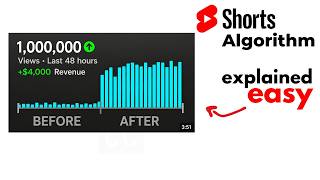

Why Your Shorts Flatline After 1K Views
45sReveals the frustrating mystery of stalled views, hooking creators desperate for answers.
▶ Play Clip"Title promises algorithm explanation in 4 minutes and delivers exactly that with actionable metrics and tips."
This video explains how the YouTube Shorts algorithm works, focusing on the key metrics that determine whether a short goes viral or flatlines. It covers the seed audience test, completion rate, swipe-away rate, and other signals, plus bonus tips for new creators.
YouTube shows your short to a random sample of viewers (seed audience) and measures their engagement. If they engage, it pushes to more people; if they swipe away, it flatlines.
75-90% completion rate signals magnetic content; 80-90% leads to virality. Below 75% struggles. Use frequent cuts, text overlays, and pattern interrupts to keep viewers watching.
YouTube measures if viewers intentionally stop and watch your short. High intentional views indicate your thumbnail or first frame stops the scroll.
If too many swipe away in the first 3 seconds, YouTube kills reach. Open with a question or unexpected element to create curiosity.
Comments, likes, and shares tell YouTube your short created a reaction. More comments lead to more push.
These help YouTube match your short to the right audience, though they play a smaller role than in long-form videos.
Build niche strategically (e.g., productivity, psychology). Channel history matters; older channels get faster trust. Enable all feature eligibility and upload daily.
To succeed on YouTube Shorts, focus on high completion rates, low swipe-away rates, and strong engagement. Build trust with consistent uploads and strategic niche selection.
What is the first step YouTube takes when you upload a short?
It shows the short to a seed audience (random sample) and measures their engagement.
0:21
What completion rate range signals magnetic content to the algorithm?
75% to 90% completion rate.
0:56
What happens if your completion rate is 80-90%?
Your short goes viral.
1:05
What is click-through intent in YouTube Shorts?
It measures how many people intentionally chose to view your short versus scrolling past.
1:28
What is the critical time window for swipe-away rate?
The first 3 seconds.
1:54
Name three techniques to keep viewers watching a short.
Frequent cuts, text overlays, and pattern interrupts (sudden cuts, zooms, music shifts).
1:15
How does channel history affect algorithm trust?
Older channels with good content history get a higher trust score and faster promotion.
3:18
What should a new channel do before uploading the first short?
Watch shorts on that channel for at least 1 hour a day for at least 3 days to build trust score.
3:31
List three ways to enable feature eligibility on YouTube.
Verify phone number, send a video selfie, or use government ID.
3:41
What is the recommended upload frequency for shorts?
Daily, if possible.
3:58
Seed Audience Test
Explains the core mechanism of how YouTube tests shorts before wider distribution.
0:21Completion Rate Thresholds
Provides specific percentage ranges that determine virality vs. flatlining.
0:50Swipe Away Rate Critical Window
Highlights the 3-second rule as a make-or-break factor for shorts.
1:51Channel History Trust Score
Reveals that older channels have an advantage due to accumulated trust.
3:18Consistency Builds Momentum
Emphasizes daily uploads as a strategy to increase trust score and success.
3:58[00:00] Have you ever uploaded a YouTube short
[00:01] and watched it get a thousand views in
[00:03] the first hour then suddenly stop or
[00:06] uploaded another one that just flatlined
[00:08] from day one? You're not alone. But
[00:10] here's the thing most creators don't
[00:12] understand. That difference isn't
[00:14] random. [music] It's the algorithm. And
[00:16] once you understand how it works, you
[00:17] can control it. Here's what actually
[00:19] happens when you upload a YouTube short.
[00:21] YouTube doesn't immediately show it to
[00:23] millions of people. Instead, it finds
[00:25] what's called a seed audience, a random
[00:28] sample of viewers and watches their
[00:30] reaction obsessively. Think of it like a
[00:32] test run. Are they clicking? Are they
[00:34] watching the whole thing?
[00:35] >> [music]
[00:35] >> Are they swiping away immediately?
[00:37] YouTube's AI is measuring everything in
[00:39] real time. If your seed audience
[00:41] engages, YouTube pushes it to more
[00:43] people. If they swipe away, your short
[00:46] flatlines. So, what metrics is YouTube
[00:48] actually measuring?
[00:50] Number one, completion rate and view
[00:52] duration. We're talking about how much
[00:54] of your short people actually watch. If
[00:56] 75% to 90% of your viewers watch your
[00:59] entire short from beginning to end,
[01:01] YouTube's algorithm recognizes this as a
[01:03] signal that your content is magnetic. 80
[01:05] to 90% completion rate? Your short goes
[01:08] viral. Below 75%? You're struggling.
[01:10] [music]
[01:11] And the short often flatlines after
[01:12] getting initial seed audience views.
[01:15] Don't use long, boring shots. Cut
[01:17] frequently. Add text overlays that keep
[01:19] the viewers eyes moving. Use pattern
[01:21] interrupts, sudden cuts, zooms, text,
[01:24] music shifts every few seconds to keep
[01:26] the brain engaged.
[01:28] Number two, click-through intent. How
[01:30] many people chose to view your short
[01:32] versus how many just scrolled past? This
[01:34] is different from long-form videos.
[01:36] YouTube measures if viewers
[01:37] intentionally stopped and decided to
[01:39] watch.
[01:40] >> [music]
[01:40] >> If you have high intentional views,
[01:42] meaning after stopping on your short
[01:43] viewers watch the short completely,
[01:45] YouTube knows your thumbnail preview or
[01:47] first frame is stopping people
[01:49] mid-scroll. That's a green light.
[01:51] Number three, swipe away rate. If too
[01:54] many people swipe away in the first
[01:55] three seconds, YouTube sees your content
[01:57] as low quality and kills your reach
[01:59] instantly. But if people stick around,
[02:02] algorithm notices. Your opening three,
[02:04] your first words, they need to create
[02:06] curiosity instantly. Ask a question.
[02:09] Show something unexpected. Make viewers
[02:11] think, wait, I need to see where this
[02:12] goes.
[02:13] Some of the best performing shorts open
[02:15] with curious questions like, do you know
[02:17] what happens next? Or most people get
[02:19] this wrong. The goal is to make viewers
[02:21] stop scrolling and start watching
[02:22] intentionally.
[02:24] Number four, engagement signals.
[02:25] Comments, likes, shares, these tell
[02:27] YouTube that your short created a
[02:29] reaction. Each comment is a signal that
[02:31] your viewer cared enough to respond.
[02:33] That's why videos with more comments get
[02:34] pushed harder. Engagement means loyalty
[02:36] [music] and YouTube rewards that.
[02:38] Number five, keywords, tags, and
[02:40] description. This tells YouTube what
[02:42] your short is about, so it matches you
[02:43] to the right audience. These do not play
[02:45] a major role in shorts like they play a
[02:46] role in long videos, but still these are
[02:48] important and give you an advantage over
[02:50] those creators who don't use them.
[02:52] Since you kept watching till now, here
[02:53] are some bonus tips for new creators.
[02:55] First, build your niche strategically.
[02:57] Not all niches perform equally on
[02:58] shorts. Niches like productivity hacks,
[03:00] relationship advice, psychology facts,
[03:02] and did you know content also perform
[03:04] exceptionally well because they
[03:05] naturally create curiosity. Avoid
[03:07] oversaturated niches where thousands of
[03:09] creators are already creating thousands
[03:11] of shorts. Research a niche that's
[03:12] growing, not overcrowded. You can use
[03:14] Claude, ChatGPT, or online tools to
[03:16] research new viral niches.
[03:18] Second, does channel history matter?
[03:19] Absolutely. If you're starting a brand
[03:21] new channel, YouTube is cautious. It
[03:23] tests your content with a smaller seed
[03:24] audience. But if you have an older
[03:26] channel with a history of good content,
[03:27] YouTube trusts you faster. Your trust
[03:29] score is your advantage.
[03:31] But if you are creating a new channel
[03:32] with new email address, make sure to
[03:34] build some history by watching shorts on
[03:35] that channel for at least 1 hour a day
[03:37] for at least 3 days before creating your
[03:38] first short. This will build trust
[03:40] score.
[03:41] Third, enable all feature eligibility
[03:42] criteria. YouTube has specific
[03:44] requirements for monetization and
[03:46] algorithm trust. Make sure your channel
[03:47] meets these. Verify your account through
[03:49] your phone number, then enable advanced
[03:50] features by sending a video of yourself
[03:52] to YouTube by building a 2-month channel
[03:53] history or by using your government ID
[03:55] to get approved. The more requirements
[03:57] you meet, the higher your trust score.
[03:58] Fourth, upload consistently, preferably
[04:00] daily. When you upload a short and it
[04:02] performs well, YouTube builds momentum
[04:03] and your trust score increases. Upload
[04:05] every single day if possible. This shows
[04:07] YouTube you're committed and consistent.
[04:08] Creators who post daily are proven to
[04:10] get more successful as a short to
[04:11] YouTube. Thank you for watching. Make
[04:12] sure to subscribe to support this
[04:13] channel.
⚡ Saved you 0h 04m reading this? Transcribe any YouTube video for free — no signup needed.