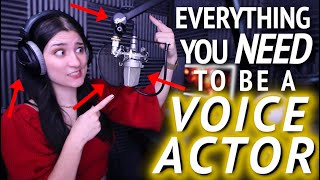
[00:00]
It's me Brizzy, on everything you need to be a voice actor. so let me break down fro you
[00:14]
to be a professional voice actor. and get cozy because we're about to talk in detail mic stands, cables, audio interfaces,
[00:28]
and the most important piece of secret gear I'll give recommendations at a beginner, and show you each piece of gear
[00:43]
that I have never personally used voiceactingmastery.com. that I highly recommend to any aspiring voice actor.
[00:57]
among hundreds of other credits, he knows his stuff. Obviously we gotta talk about microphones, It's the sexiest part of the whole setup,
[01:11]
Now, beginner level, these are great options and haven't earned any money yet in voiceover. and maybe even low paying jobs.
[01:26]
was the Blue Snowball. of my eight square foot Brooklyn closet. and I believe my first ever paid job on it
[01:41]
that paid $150. If you do go for this option, Blue Snowball Ice, it's cheaper, about $49.99,
[01:55]
with all the polar pattern options. and that's what the Snowball Ice is. would be the Blue Yeti for $129.99.
[02:09]
a knob to control input gain, and less awkward than this situation in my opinion. These two don't need a separate stand,
[02:23]
they just sit on top of your desktop. maybe even some low level jobs, or broadcast quality.
[02:36]
in the background that you will want to remove Intermediate level, and you have either earned
[02:49]
In 2014 I upgraded from the Blue Snowball to the Rude NT1 for $269.99.
[03:02]
for like six years. meaning the sound quality will be clearer, and an audio interface to use it.
[03:16]
or a boom arm to hold it up. would probably be the AKG C214 for $359.99. and I would trust him with my life.
[03:30]
of the popular studio mic, the AKG414, Like the NT1, the CT414 is an XLR mic, Expert level.
[03:46]
and You have earned enough to justify that'll last you many years. to record auditions and high paying jobs
[04:00]
and anything else that there may be, professionally sound treated area In 2020, when we all figured it was a good time
[04:13]
I finally upgraded to the Noyman TLM103, But I got mine from Ebay for a thousand bucks.
[04:25]
in professional VO studios. but that guy is $3,600. And if you have the cash to just drop on that,
[04:39]
But Crispin says that the TLM103 uses the same capsule the same essence as the U87 for a more reasonable price,
[04:55]
All I know is the TLM103 sounds great, and anyone who is asking for a broadcast quality studio mic is really hoping for something like the TLM103,
[05:08]
for your TLM103, but honestly if you don't already a TLM103 I feel like you're getting a little over zealous.
[05:23]
as mentioned, would be the Noyman U87, like $3,295, sans shock mount, I'm good, have fun with that.
[05:37]
I've one more category of mics to talk about. My travel mic is the Shure MV88 $127.99, right Into my iPhone, it's so cute
[05:50]
and it has great recording quality, So I love him, look at him, I wouldn't record any jobs on this,
[06:03]
when you're either traveling or on the go. the Shure MV51, $179, than the MV88.
[06:15]
so you could potentially kill two birds so you can plug it into your computer or get a little lightening to USBC adapter
[06:29]
No shame to the 51, but I just feel like the MV58 is so much cuter Just look at him, I love him so much.
[06:42]
will need a pop filter. could get that air popping sound, within the microphone,
[06:55]
So let's just put that back. and they are not expensive. but at least for now you can find it
[07:08]
for just seven or eight dollars. which is $74.99. this is so expensive, so unnecessary.
[07:23]
when I was upgrading everything, So here we are. but it's pretty, I like it.
[07:37]
will work just fine. Unless you're using a mic you'll need something to hold that baby up.
[07:50]
that's the little suspension basket thing Some microphones might need a specific shock mount
[08:02]
if you have the option. you'll need to decide if you want a standing mic stand, If you prefer to stand for your recordings
[08:15]
then maybe you'll prefer a standing mic stand, rather than the bent over boom army kind. Crispin recommends the MS7201B
[08:29]
and I don't know, it looks good to me. as long as it's a weighted mic stand, it works.
[08:43]
and have the mic sit directly on your desktop, like the Gator Frameworks for $20.99, or whatever this is that I got off Ebay
[08:55]
just find something cheap My preferred stand method because you can go from sitting,
[09:10]
to standing in a second. Currently I am using the blue compass, If you're using a USB mic,
[09:22]
If you're using an XLR mic, that's right, an XLR cable, muy bien.
[09:35]
from your audio interface, You can grab one for about $10 or your audio interface comes with one.
[09:48]
XLR mics cannot send their analog recordings they must first go through an audio interface and convert it to digital
[10:02]
The audio interface I have used I think it is the only thing is the focus right Scarlet Solo first generation,
[10:18]
It's simple, it's easy to use, so might as well get the third generation version, for $109.99 if you can
[10:36]
You probably don't need anything fancier, Crispin recommends either the Apollo Twin X duo or the Apollo Twin Mark two duo
[10:52]
According to Crispin, the Apollo Twin with amazing head room and low noise. and a bunch of other fancy sounding tech things
[11:07]
involving plug-ins and circatry, a Thunderbolt three or two connection, For now I think the Focus Right that I've been using
[11:20]
Maybe I'll use it for another eight years, who knows. Some voice actors don't like hearing themselves but sometimes, especially if you're on call with a team,
[11:33]
so you can do the classic one ear off method but also hear everything you need to hear Regardless, ideally you are going to want
[11:46]
to prevent as much sound For beginners, for the life of me I cannot remember or find what headphones I used first
[12:00]
For all I know, it was just standard earbuds But I don't know, it worked for me, whatever it was. I don't recommend in the long run.
[12:15]
Senheiser HD202s which I think may be discontinued, for $20 to $30. he recommends the AKGK240s for $79.99
[12:29]
which will be much more comfortable so you don't want your volume to be too high but just don't crank your volume,
[12:42]
That's right, I skipped intermediate, kind of. What's keeping count? Headphones, generally speaking are headphones.
[12:55]
for your ears or your head, and the sound isn't leaking profusely into your recording, You don't need to break the bank on headphones.
[13:09]
But if you want something nice, I love my Beyerdynamic DT770 pros 32 ohms version for $134.95.
[13:23]
The gray felty cups are so comfy They are over ear and I have large ears, unless you really pump the volume,
[13:37]
There are other ohms versions, 16, 80, 250, meaning the amount of resistance
[13:49]
and it's complicated. Hey, editing Brizzy here. these are 80 ohms, it says right there.
[14:04]
or whatever I said, but I'm telling you it doesn't matter. is the Sony MDR 7506 for 99.99.
[14:18]
in Hollywood productions. in professional recording studios. Obviously you'll need a computer to record on,
[14:30]
and probably read your script. you'll have to wire the case to sit outside of the booth so I recommend a nice quiet laptop instead.
[14:43]
Currently I am using the Lenovo Slim seven pro X, which brings us to the sponsor of today's vidoe, AMD. AMD is here to bring you pure, portable power to create.
[14:55]
is a great laptop choice for any creative. Enjoy the freedom to create Advanced risen CPU Zen three processor technology
[15:12]
are designed to deliver incredible battery life And it's thin, light and comfortable, So if I'm tired after recording auditions all day,
[15:26]
I can unplug my laptop and take it to the park That's the power of AMD Risen 6000 series processors, Number two, you can awaken pure visuals.
[15:43]
of your imagined worlds on a Lenovo slim seven pro X's 3k 120 hertz pure site display and hardware calibrated for true to life colors,
[15:59]
helps prevent straining your eyes, And number three, it's Windows 11 ready. powering the latest Windows PCs.
[16:14]
now have more on chip memory, allowing you the freedom to work, play, create and entertain faster from anywhere.
[16:27]
And on top of that, for voiceover it's quiet as a mouse. by clicking the link in the description below. and now back to other important voiceover gear.
[16:41]
you will obviously need an internet connection. a direct ethernet cord connection of any connection hiccups.
[16:55]
for my Lenovo for just that reason. To record and edit auditions and jobs Since the very beginning I have been using Audacity
[17:11]
and it's super simple It does everything I need which is typically and using the normalize or noise removal filter,
[17:24]
Other options which should work just fine Adobe Audition or Reaper. use specifically something like Logic Pro
[17:38]
where the client took over control of my computer remotely and I just used the trial version,
[17:51]
so I wouldn't worry about it. remote recording software which is different. you may be asked if you have ISDN or Source Connect
[18:05]
and receive high quality audio remotely. and hear exactly what you're gonna sound like, You literally won't have the file on your computer.
[18:20]
but they save it, it's crazy. involving digital telephone connections. but Source Connect Standard,
[18:34]
is a $35 a month subscription So just don't worry about it Don't, save your money until you need it.
[18:49]
need Source Connect Pro so don't even, $105 a month?
[19:03]
You have the best microphone, audio interface, but it is useless if you don't The good news is just about anyone can put together
[19:16]
The bad news is it probably won't be very pretty Beginners, when I first got started we talked about that.
[19:29]
And today I'm still recording in my closet, well treated closet. even if you came out of it a long time ago.
[19:41]
and there are no windows, is moving blankets. Hang them from walls,
[19:55]
or even build your own whole personal voiceover booth The blanket fort skills you honed as a child I got a Port-A-Booth Pro
[20:09]
and while this can certainly help isolate a microphone, I don't particularly recommend it.
[20:22]
It's just super bulky and awkward, and recite your lines while having access to reading your lines at the same time.
[20:34]
It's constantly flopping over and collapsing on itself, if you wanna do a standing mic thing, and just, it's really awkward.
[20:47]
almost $400 when you could make something sound just as good with a blanket fort also more fun.
[21:00]
Crispin and I recommend the brand Auralex, though at $154.99 for a 24-pack Just please, please don't use adhesive spray
[21:15]
Please don't make the same mistake I did in which case go wild. even if you have to reapply some every year or two.
[21:32]
The most important areas of your recording studio to treat When I'm recording I'm actually usually facing this way, I will be linking below an educational guide
[21:46]
Sound deadening with foam is crucial, but just as important is sound isolation Unfortunately acoustic foam is not a miracle worker,
[21:58]
your space will not necessarily be sound proof. or neighbors or city sounds may eek through. unless you've got the big bucks to invest
[22:15]
in a professionally crafted sound isolation vocal booth, or the carpentry skills to sound proof your area yourself. Crispin recommends whisperroom.com,
[22:30]
to like $11,000 and beyond, And finally the most important thing
[22:44]
more important than the booth, more important than anything is acting skills. (laughs) formally trained for it,
[23:00]
every voice actor must know how to act You've heard it over and over from me don't put so much focus on the gear
[23:15]
Prioritize, investing in your craft And that's it, that is everything you need overly detailed video, I hope it helped.
[23:31]
of VO gear that you swear by in your setup, If you haven't already, subscribe, and I'll see you next time with a brand new video.
[23:46]
(gentle music)