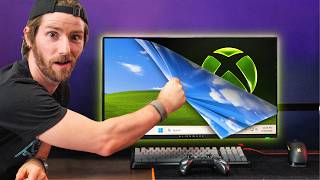

Windows Bloat vs Xbox Mode
44sHigh contrast between nostalgic Windows efficiency and current bloat, plus the promise of a gaming mode, hooks viewers.
▶ Play Clip"Title suggests a permanent change, but the video shows Xbox mode is still half-baked with no performance gains."
Microsoft has introduced Xbox mode for Windows, a toggle that strips away bloat for a console-like gaming experience. While it offers seamless game library consolidation and controller navigation, performance tests show no gains over standard Windows, and the experience remains buggy.
Microsoft launched Xbox mode for Windows, a lean gaming interface that toggles to remove bloat and focus on gaming, inspired by Valve's Linux contributions.
Xbox mode provides a console-like UI with controller navigation, including PIN entry via D-pad and consolidated game libraries from multiple stores.
The experience is not seamless; bugs include broken home/back buttons, keyboard pop-up issues, and occasional unrecoverable states.
Booting directly into Xbox mode saves about 7 seconds of startup time and reduces memory usage by killing the desktop UI on idle.
Benchmarks in Forza Horizon 5, F1 24, Doom: The Dark Ages, and Cyberpunk 2077 show no performance benefit over standard Windows, with occasional issues like window focusing problems.
Xbox mode is part of Microsoft's push for platform unification, aiming to treat PC gamers as first-class citizens and improve game availability across platforms.
Xbox mode replaces the Windows shell, unlike Steam Big Picture which runs as an app on top of Windows, but currently uses more RAM when playing Steam games.
Xbox mode is half-baked today, but Microsoft is trending toward better platform unification. For now, Steam Big Picture is cleaner and recommended.
Xbox mode is a promising but half-baked feature that offers no performance gains and has usability bugs. It represents a step toward platform unification, but users are better off with Steam Big Picture for now.
What is Xbox mode for Windows?
A toggle that strips away Windows bloat to focus on gaming, providing a console-like experience.
1:04
How much startup time does Xbox mode save?
About 7 seconds.
11:00
Did Xbox mode show performance gains in benchmarks?
No, it showed no performance benefit over standard Windows in tested games.
12:00
What is a key difference between Xbox mode and Steam Big Picture?
Xbox mode replaces the Windows shell, while Steam Big Picture runs as an app on top of Windows.
15:25
What issue did Xbox mode have with RAM usage when playing Steam games?
It used more RAM than Steam Big Picture mode on regular Windows.
15:54
What is Microsoft's long-term goal with Xbox mode?
Platform unification and treating PC gamers as first-class citizens.
14:04
Xbox Mode Introduction
Introduces the core feature of the video: a toggle to strip Windows bloat for gaming.
1:04No Performance Gains
Key finding that Xbox mode offers no performance benefit over standard Windows.
12:00System vs App Level UI
Explains the fundamental difference between Xbox mode and Steam Big Picture.
15:25Half-baked but Promising
Summarizes the current state and future potential of Xbox mode.
16:42[00:00] 25 years ago, Microsoft teamed up with
[00:03] Dwayne the Rock Johnson to announce the
[00:06] Xbox. And it was a powerhouse with a
[00:09] Pentium 3 processor and cuttingedge
[00:12] GeForce graphics alongside a lean, mean,
[00:15] slimmed down Windows-based operating
[00:17] system that helped to push that hardware
[00:19] to its absolute limit. Which got
[00:22] everybody asking, why can't Windows be
[00:24] like that on my computer? And that was
[00:27] back then when Windows RAM usage idled
[00:29] in the megabytes. Now you're lucky if
[00:32] you can get it under four gigs. And for
[00:34] what? Even the venerable start menu is
[00:37] morphed into a bloated Reactbased web
[00:40] app. So what? I can bing search my file
[00:42] names. Hell no.
[00:44] >> The good news is this seems to be
[00:46] changing. Thanks in no small part to the
[00:48] incredible contributions that Valve has
[00:51] made to Linux PC gaming. They have done
[00:53] what no one else could and forced
[00:56] Microsoft to finally address the
[00:58] elephant in the room. And to Microsoft's
[01:01] credit, they've done it with Windows
[01:04] Xbox mode, a lean, mean toggle that you
[01:07] can just flip to strip away the bloat
[01:09] and just focus on gaming. You don't even
[01:13] need a keyboard and mouse anymore to
[01:15] navigate. It's all controller all the
[01:17] time, baby. At least in theory. In
[01:20] practice, Xbox mode might not be quite
[01:23] all it's cracked up to be. So before you
[01:25] fire it up and take a look, why don't we
[01:27] go through it together and have a look
[01:29] at the labs testing that our team did to
[01:31] see just how much bloat they managed to
[01:34] remove. One bit of bloat they couldn't
[01:36] remove is this segue to our sponsor
[01:39] boot.dev. The best way to learn to code
[01:41] in the subject of the award-winning
[01:42] fantasy, the coding chronicles. For the
[01:45] final episode and a special additional
[01:47] discount code, keep a close watch during
[01:49] the end of this video.
[02:01] Performance aside, a key benefit of Xbox
[02:04] mode is the ability to get a
[02:05] console-like experience in a device that
[02:07] we already own. So, why don't we see how
[02:09] seamless it really is? Starting by
[02:12] signing in, which um this is not
[02:15] actually what I was expecting. Oh, okay.
[02:17] We need to use a pin. There we go. Okay.
[02:19] With the pin. Yeah, this is pretty cool.
[02:22] So, there's bindings for your D-pad,
[02:24] your shoulder buttons, and your face
[02:26] buttons so that you can quickly enter
[02:27] your PIN with a controller. Freaking
[02:29] love to see it. And we're in Oh man,
[02:32] it's good to see that logo again.
[02:34] Obviously, not everyone wants to be
[02:35] launched straight into a gaming
[02:37] interface, but if you do, it's as simple
[02:40] as toggling your system to launch
[02:41] directly into Xbox mode. I've actually
[02:43] been using this for a while on my
[02:45] battery modded ROG Ally, and it's really
[02:49] nice how much stuff you can do now
[02:51] directly with your controller rather
[02:52] than relying on a keyboard and mouse.
[02:54] That's not to say that you can do
[02:55] everything. And in fact, apparently
[02:57] they've put together some challenges for
[02:59] me. Uh, are you going to give me the
[03:00] keyboard in case I fail?
[03:01] >> You're going to have to get the keyboard
[03:02] yourself. It's on that shelf up there if
[03:04] you can reach it. But if you touch it,
[03:05] you fail. Up here, I got my settings
[03:09] where I can manage my subscriptions cuz
[03:11] they really want you doing that. This is
[03:12] nice. This is where you manage your
[03:13] library. This is probably one of the
[03:15] best things about the Xbox experience. I
[03:17] know it's been done a hundred times in
[03:19] the past, but this is probably the most
[03:21] seamless that I've seen all of my
[03:23] multiple game libraries just
[03:25] automatically consolidated. First thing
[03:27] they want me to do is adjust system
[03:28] volume. Well,
[03:32] all I said was I didn't have to touch
[03:33] the keyboard. Normally, I would I would
[03:35] have my, you know, system remote. So, I
[03:37] think I won. Okay. All right. All right.
[03:39] I'll try not cheating. I have to admit,
[03:40] I've never tried to do this. My Ally
[03:42] just has volume buttons on it. So, uh
[03:44] Okay. Uh audio. I mean,
[03:50] I can see the point you're trying to
[03:51] make. That does seem like a fairly
[03:53] straightforward thing, but also I can
[03:56] see why it's not built in because in
[03:58] almost no situation where I'm using a
[04:00] full screen experience would I
[04:01] necessarily need to adjust the volume.
[04:03] Then again, Steam Big Picture can do it.
[04:05] So,
[04:06] >> is there a way to do it? Am I just
[04:08] missing?
[04:09] >> There is a way to do it. Did they pull
[04:10] an Apple? Did they pull an Apple? Change
[04:13] system settings. Oh, yeah, buddy. Oh
[04:16] yeah, buddy. Let's go. This is not the
[04:18] way. That's not the way that we
[04:20] expected, but that works. This is
[04:22] apparently this is not the way. Okay. Is
[04:25] it in the game bar? I bet it's in the
[04:26] game bar. Audio. Boom. Boom. There it
[04:28] is. It's in the game bar. Found not one
[04:30] but two ways. Accessibility and the game
[04:33] bar. I got to confess that even in the
[04:36] Xbox experience, the game bar remains
[04:39] one of those aspects of using Windows
[04:41] that I just find high friction with. All
[04:43] right. Now, I got to connect to a Wi-Fi
[04:44] network. Yeah. Once again, I guess it's
[04:46] going to want me to use the Game Bar for
[04:48] this. Oh yeah, buddy. Oh yeah, buddy.
[04:54] Okay, get it together, Microsoft. This
[04:58] This can't be a thing when I got this.
[05:01] I'm not touching it, though. I'm going
[05:03] to get close,
[05:06] but I'm not touching it. Can't see what
[05:07] I'm doing here. Oh man. Where the
[05:10] devil's the O. Okay, here. What if I
[05:12] click it? Okay, there. Yeah, let's go.
[05:15] A Yeah, buddy. Next challenge. Try
[05:17] running hardware info.
[05:19] >> I'm going to assume that I can like add
[05:21] it as a game.
[05:23] Let's go. We'll play the hell out of
[05:25] that game.
[05:27] Okay. Was that something you guys were
[05:29] expecting?
[05:29] >> Yes.
[05:30] >> Oh, more options. Edit. Oh. Oh. Okay.
[05:35] Mhm. Okay. Close.
[05:38] No, I do not want file picker. Close
[05:40] there. Okay. All right. I cut out of
[05:43] that without touching the keyboard.
[05:45] Okay. I saw a thing here. More options.
[05:48] Edit. This is an app. Okay.
[05:52] Yes.
[05:54] Okay, that's fine. That's fine. Close.
[05:57] Okay. Uh,
[06:02] and this is possible, right?
[06:03] >> Yeah.
[06:04] >> Okay. It's possible. Apparently,
[06:05] Microsoft is adding a joystick to mouse
[06:08] thing, but it hasn't rolled out to
[06:10] everybody. I don't know what version of
[06:11] this they installed. Is there like a
[06:13] hardware info widget or something?
[06:16] Remember
[06:17] this is a game.
[06:20] What does that mean?
[06:23] Gamepad cursor. Oh, there it is. Oh,
[06:25] sick. Oh, we're flying now. But now I
[06:28] can do anything. I mean, yeah, that
[06:30] should work.
[06:33] Uh, I don't know. Say, do you mean to
[06:35] count?
[06:38] Is this really not going to work? The
[06:40] request is not supported.
[06:42] >> There's a way to do it inside of Xbox
[06:43] mode.
[06:43] >> There's a way to do it inside of Xbox
[06:45] mode. Bring up a keyboard, you butt. Do
[06:47] I really have to turn off gamepad cursor
[06:49] in order to get a keyboard? Stupid.
[06:51] Well, HW info is not in here. Um. Oh
[06:55] man. Let me cook. Let me cook. Oh, hold
[06:58] on. Wait. What is this? I mean, sure.
[07:00] Let's try that. Okay, I'm installing it.
[07:02] Sure. I'll install it better than you
[07:04] guys did. And then it will open. Launch
[07:06] hardware info. Here we go. Yes.
[07:10] Let's go.
[07:12] Hardware info launched. All right. Next
[07:14] challenge. Openltd store.com. Well, this
[07:16] is going to be too easy now. Oh, shut
[07:18] up. Not a big fan of how I don't get a
[07:21] keyboard when I have this enabled, but
[07:23] this is still in beta. I'm sure they're
[07:24] figuring that out. Well, here's a clunky
[07:26] way to do it.
[07:29] Boom. And was that how you expected me
[07:31] to do it?
[07:31] >> Honestly, no. Your solution was pretty
[07:33] different from everything that Labs has
[07:36] done to uh solve these.
[07:37] >> Now, let's stop doing challenges and
[07:39] let's see how seamless it is launching a
[07:41] game. Starting with Cyberpunk. This is a
[07:43] Steam game. Clearly, I think you guys
[07:44] just saw it launch. And this is kind of
[07:47] a worst case scenario because it's got
[07:49] like a third party launcher thing and
[07:51] and Steam and the Xbox experience that
[07:54] you have to kind of fight your way
[07:55] through. I can also see that they
[07:57] helpfully reset it back to the initial
[08:00] launch experience where you have to like
[08:02] dismiss various pop-ups and whatnot. But
[08:04] here we are. Oh, come on. Boom.
[08:08] We're in. Consider your main frame
[08:11] hacked. All right. All right, I got one
[08:13] more challenge. Try enabling the game
[08:15] bar performance overlay. Bonus point
[08:18] options.
[08:19] Options. Okay, here's all the metrics
[08:21] and everything.
[08:26] Microsoft honest bit of feedback. The
[08:29] world does not need more iPhone like
[08:31] experiences. Let's let back just be
[08:33] back. Not goodbye everything. Home
[08:36] button is home button. Back button is
[08:40] back button. Okay, this is interesting.
[08:43] Well,
[08:51] okay. I've never seen it break like this
[08:54] before. Shoot. I may have entered an
[08:56] unreoverable state here. I can't believe
[08:59] I'm going to lose. Going for the bonus
[09:02] point. Okay, hold on. No, no, hold on.
[09:04] No, I don't want to pin YouTube to the
[09:06] taskbar. Not now, Windows. This is
[09:09] exactly what people are using Xbox mode
[09:13] to avoid Microsoft.
[09:18] Ah, hold on. No, I just need to get my
[09:21] mouse back. If I can get my mouse back,
[09:23] I'm good to go.
[09:30] Oh, I got my cursor. Okay. Okay. Okay.
[09:33] Apparently, I was on the right path when
[09:35] I did this. Like, it's got to be here.
[09:39] Oh, not this again. For crying out loud.
[09:44] We're in the performance widget. Hello.
[09:48] Come on. Okay, so it's pinned. It's
[09:52] compact. Yeah. And like
[09:54] >> reopen Cyberpunk.
[09:56] >> Reopen it. Wait, what the what the crap?
[10:00] That's the way to That's crazy. So, if I
[10:04] pin it and I have that, then it will
[10:06] work. It should just work. That's crazy.
[10:09] You know what? It doesn't matter. I
[10:10] think at this point we've done enough to
[10:12] talk about the overall experience.
[10:14] Seamless?
[10:16] No.
[10:17] Somewhat intuitive?
[10:20] Actually, other than the bugs, I would
[10:23] say they're mostly on the right path for
[10:25] the third time. Now, promise this is the
[10:27] last time I'm going to mention it. They
[10:29] need to fix home and back functionality
[10:31] to be a clear home and back experience
[10:34] within the Xbox app. Other than that,
[10:36] bringing up the Xbox app interface,
[10:38] overall pretty navigable. They do have
[10:41] to get some functionality from the
[10:43] non-compact mode baked into compact, but
[10:46] in most of these cases, I can really see
[10:48] where they're going with it. Keyboard
[10:50] pop-ups do need to be usable when you're
[10:52] using the cursor. Okay, there is quite a
[10:55] lot that needs to be addressed. But on
[10:58] the bright side, booting directly into
[11:00] Xbox mode saved us about 7 seconds of
[11:02] startup time. And we also found that by
[11:04] killing the desktop UI on idle, we're
[11:07] saving some memory compared to running
[11:09] standard full-blown Windows with the
[11:12] Xbox app on top of it. Now, let's see if
[11:13] there's anything to gain while gaming.
[11:17] Under my desk are two systems. The one
[11:19] on the left is running Xbox mode, and
[11:21] the one on the right is using Steam Big
[11:23] Picture mode on top of regular old
[11:25] Windows 11. We're using Fortza Horizon 5
[11:28] because we wanted a very mature native
[11:31] Game Pass game to give Xbox mode its
[11:33] best possible shot. Both of our systems
[11:35] are running a 9600X paired with a 560Ti
[11:38] and 16 gigs of RAM. So, these are
[11:40] exactly the kinds of mid-range but
[11:43] modern systems where we might expect
[11:44] some gains. Let's fire it up, shall we?
[11:48] Or both are running their own overlays,
[11:50] so we can't really compare these. But
[11:53] what we can compare is the results page
[11:56] at the end. So, one moment please. And
[12:00] they're the same. Or rather, they're not
[12:03] the same. But as we've talked about in
[12:05] the past, even if you buy the exact same
[12:07] hardware these days, because of dynamic
[12:09] frequency scaling, one system can
[12:11] perform a little different from another.
[12:13] And this one is about 3% faster than
[12:15] this one. So, it's a wash, which is a
[12:18] little disappointing to be honest with
[12:21] you. We can actually prove this. By the
[12:22] way, now everything's running in the
[12:24] background. Here we can run it. We can
[12:25] run it one more time. Now it's running
[12:26] full fat Windows. And there you go. Not
[12:29] what we were hoping for, but hey, maybe
[12:32] it's different on some of the other
[12:34] titles that Labs tested. Spoiler, maybe
[12:37] it's not. The Labs team tested at both
[12:40] 1080p and 1440p resolutions. And
[12:43] starting with F124 at ultra high preset
[12:45] with RT and VRS disabled.
[12:48] Yeah, my my thoughts exactly. we once
[12:51] again see no performance gains. And
[12:54] making matters worse, in exchange for
[12:56] this big fat zero performance gain, labs
[12:59] noticed occasional issues, including
[13:01] window focusing problems and even
[13:03] instances where F1 refused to boot in
[13:05] full screen mode at all. And
[13:07] unfortunately, Doom: The Dark Ages went
[13:10] no better. On medium presets with no
[13:12] upscaling, we found no performance
[13:14] benefit between Xbox mode and the
[13:16] standard experience within the Abyssal
[13:18] Forest benchmark. A result that was
[13:20] repeated yet again in Cyberpunk 2077 at
[13:23] the ultra preset with no upscaling and
[13:26] rate tracing off. Making matters
[13:28] worseer, as you may have noticed earlier
[13:30] when red launcher popped up, Cyberpunk
[13:32] isn't native to Game Pass and you
[13:34] actually need to use mouse emulation to
[13:36] boot the game or you can reach for a
[13:39] mouse. I guess that is an option, but
[13:41] that wouldn't be very console gamer of
[13:43] you. One reason for this could be that
[13:45] Xbox mode in its current state doesn't
[13:48] leverage known launch flags and it fully
[13:51] opens game launchers in the background,
[13:52] which kind of works against the idea of
[13:55] a seamless console-like experience. If
[13:58] you'd like to further review Lab's
[13:59] findings, check out the Lab's companion
[14:01] article linked down below. Before you
[14:02] take off and do that though, it's worth
[14:04] discussing the fact that while Xbox game
[14:06] mode does not offer performance
[14:08] benefits, I still believe that it is a
[14:11] small step toward a larger goal that
[14:14] will be positive for gamers. Not that
[14:16] long ago, games were optimized for
[14:18] console first, often leaving PC players
[14:20] with buggy, unoptimized ports. That's
[14:23] because the low-level code for consoles
[14:25] needed to be rewritten into something
[14:26] that Windows could actually understand.
[14:28] This created the same kind of
[14:30] compatibility wall that Linux gamers
[14:32] faced before Proton came along. And PC
[14:35] gamers often had to wait months, years,
[14:38] or even forever for devs to manually
[14:41] scale that wall. Microsoft alone had
[14:44] three fragmented software development
[14:46] kits that held many games hostage on one
[14:48] platform until the devs had the time and
[14:50] resources to port over their game. The
[14:53] UniFi GDK now, at least from Microsoft,
[14:56] can hopefully result in something
[14:58] approaching console level optimization
[15:00] and availability on the PC. And Xbox
[15:03] mode on PC is a part of this same push
[15:06] that Microsoft is making for platform
[15:08] unification and treating their PC gaming
[15:11] customers like first class citizens.
[15:13] Also, even if it doesn't have much
[15:15] benefit today, I do still think that
[15:17] there's hope for ongoing optimization. I
[15:20] wouldn't blame you for thinking. I mean,
[15:22] how in the Sam Hill is Xbox mode
[15:24] different from Steam big picture mode?
[15:25] But there is a difference and it's in
[15:28] being a system versus an app level UI.
[15:31] Xbox mode replaces the traditional
[15:34] Windows interface. All the icons, the
[15:36] start menu, everything, poof. On the
[15:38] other hand, big picture mode is simply
[15:40] an app that is sitting on top of Windows
[15:43] and has no ability to shoe away
[15:45] background processes. So with that in
[15:48] mind, you would think that there would
[15:50] be a benefit to using it already, but
[15:52] hey, this is Microsoft. So we actually
[15:54] found that when we were playing a Steam
[15:56] game in particular, we ended up using
[15:59] more RAM in Xbox mode than in Steam big
[16:03] picture mode, just running over top of
[16:05] regular Windows. This is most likely
[16:07] because Steam opens up anyway on Xbox
[16:09] mode, and Big Picture users don't need
[16:12] to open up the Xbox app. The other
[16:15] difference is that big picture mode is,
[16:17] if we're being honest, quite a bit
[16:19] cleaner to use. So, even though we're
[16:21] hoping for the best for Xbox mode, and
[16:24] we expect it to continue to get better,
[16:27] you're probably going to want to stick
[16:28] with big picture mode for the time
[16:30] being. That is, unless you really value
[16:32] Xbox mode's automatic detection of both
[16:35] Steam and non- Steam games, and you are
[16:38] a-okay with not being able to use more
[16:40] than one display while Xbox mode is
[16:42] Xboxing. In conclusion, while Xbox mode
[16:44] is most certainly halfbaked today,
[16:47] Microsoft is trending towards a world
[16:49] where it will be even more likely that
[16:51] the game you want to play will be
[16:53] available on the platform you already
[16:54] own, regardless of whether it's an Xbox
[16:57] or a PC. So, the attitude has improved.
[17:00] They just need to get their act together
[17:02] before people try this thing, realize
[17:04] it's not worth it, and then never try it
[17:07] again. Just like people realize that
[17:09] it's never worth hearing this segue to
[17:11] our sponsor, but they were wrong. It is
[17:14] about to start
[17:17] all the way. The coding chronicles.
[17:21] >> Hi counselors, please spare me. No
[17:30] boots. Help me.
[17:34] And what was her crime? spreading the
[17:37] lie that learning to code can be fun.
[17:40] Only the strong are worthy of this
[17:42] power.
[17:43] >> And the lucrative career it unlocks.
[17:47] >> You are mistaken. Isn't that right?
[17:50] >> Uh yeah, learning Python seemed super
[17:52] hard until boot.dev made it fun. I even
[17:55] used it to get Boots's hat back.
[17:58] >> You defeated Gerald the giant.
[18:00] >> Yeah, he was like PRETTY CHILL,
[18:01] ACTUALLY.
[18:02] >> SILENCE. I WON'T HAVE YOU PROFANE these
[18:04] chambers with such untruisms. Learning
[18:06] to code is hard.
[18:09] >> Untruisms.
[18:11] It's a word. Larry, enough of this. Let
[18:15] go.
[18:17] No.
[18:23] >> You must go, child.
[18:25] >> Grown man. But no, I can't leave you.
[18:27] Uh, plus I have more to learn.
[18:30] >> Yes. in the real world WHERE YOU CAN GET
[18:33] THAT HIGHPAYING JOB.
[18:36] >> Thanks for everything, Boots. Love you.
[18:38] >> Love you, too. Now go.
[18:47] >> It's just a dream.
[18:49] What?
[18:51] Wait.
[18:53] Don't forget to click the link in the
[18:54] description box and use code LT to get
[18:56] 25% off your first month or year with
[18:58] boot.dev dev and an additional discount
[19:00] using this code.
[19:02] >> GET THAT HIGHPAYING JOB.
[19:04] >> OKAY, BOOTS, I will.
[19:10] If you guys enjoyed this video, why not
[19:12] check out the one we did recently
[19:13] talking about what has finally prompted
[19:16] Microsoft to take action, even if that
[19:18] action is a little slower and a little
[19:20] less effective than we'd like so far.



⚡ Saved you 0h 19m reading this? Transcribe any YouTube video for free — no signup needed.