![Google Gemini OmniFlash Just Changed AI Video Forever [Complete Tutorial] thumbnail](https://img.youtube.com/vi/QjnrNkxezg4/mqdefault.jpg)

AI Edits Video with One Prompt
43sShows the shocking ease of transforming raw footage into a polished social media edit with just text, appealing to creators tired of manual editing.
▶ Play Clip"The title accurately reflects the tutorial content, showcasing OmniFlash's capabilities with real examples."
Google Gemini OmniFlash is a new AI model that can understand and edit video footage using text prompts, transforming raw clips into polished content. This tutorial demonstrates its capabilities through real-world tests, including editing talking head videos, animating images, creating motion graphics, and producing documentary-style sequences.
OmniFlash generates and edits videos using text prompts, enabling tasks like transforming raw clips into social media edits, animating static images, creating motion graphics, and producing documentary visuals.
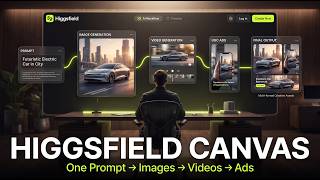
Higsfield is an all-in-one AI image and video creation platform that hosts Gemini OmniFlash, allowing users to generate, edit, and animate content from a single workspace.
Upload a raw talking head clip, select Gemini OmniFlash, set aspect ratio to 9:16 for vertical video, and generate. The model adds animated captions, motion graphics, transitions, sound effects, and camera movements while preserving original footage and voice.
Upload an image as reference, write a prompt for animation (e.g., skateboarding sequence), set aspect ratio to 16:9, and generate. The result features smooth natural movement, cinematic camera motion, and consistent lighting and character appearance.
Remove reference image, write a prompt for a motion graphic sequence (glass morphism interface, animated UI, kinetic typography, micro interactions, cinematic transitions). The output is a polished, modern interface suitable for explainer videos or product demos.
Write a detailed prompt for a cinematic documentary sequence (vintage documents, historical maps, animated infographics, cinematic typography, dramatic camera movement). The result captures documentary aesthetic with realistic textures and smooth camera work.
Google Gemini OmniFlash is a versatile AI tool that can handle various video editing and generation tasks, from short-form content to cinematic documentaries, all through simple text prompts.
What is Gemini OmniFlash?
An AI model that generates and edits videos using text prompts.
00:01
What platform is used to access Gemini OmniFlash in this tutorial?
Higsfield.
01:08
What aspect ratio is recommended for vertical short-form videos?
9:16.
02:18
What does Gemini OmniFlash add to a raw talking head clip?
Animated captions, motion graphics, transitions, sound effects, and camera movements.
02:32
What aspect ratio is used for animating a static image into a cinematic sequence?
16:9.
03:08
What type of content can motion graphics generated by OmniFlash be used for?
Explainer videos, product demos, or tech content.
04:48
What elements are included in the documentary-style prompt?
Vintage documents, historical maps, animated infographics, cinematic typography, and dramatic camera movement.
05:14
One-Prompt Video Editing
Demonstrates the model's ability to add professional edits to a raw clip with a single prompt, saving hours of manual work.
02:32Consistent Character Animation
Shows that OmniFlash maintains character consistency, lighting, and shadows in animated sequences, a common challenge in AI video.
03:32Premium Motion Graphics Generation
Proves the model can create high-end UI animations suitable for professional presentations and product launches.
04:34Cinematic Documentary Aesthetic
Highlights the model's versatility in producing historical documentary visuals with realistic textures and camera work.
05:40[00:01] Omniflash, a brand new AI model that doesn't just generate videos, it can actually understand your footage and edit it using nothing more than a text prompt. Whether you want to transform a raw talking head clip into a polished
[00:14] social media edit, animate a static image into a cinematic scene, create high-end motion graphics, or even produce documentary style visuals, you simply describe what you want, and Gemini OmniFlash does the rest. For
[00:28] >> And it's about winning the morning before the world wakes up. >> It can turn a single image into a cinematic video like this.
[00:41] >> It can generate premium motion graphics like this. documentary sequences like this. >> One man controlled the flow of American
[00:54] >> One man controlled the flow of American industry. a complete walkthrough of Google Gemini Omni Flash. We'll explore its features, test multiple real world prompts, and see just how far this model can be
[01:08] If you'd like to follow along, I've left a link in the description below so you can try everything yourself. Now, this is Higsfield, the platform we'll be using throughout this video. Higsfield is an all-in-one AI image and
[01:22] video creation platform that brings together many of the latest Frontier models in one place, making it easy to generate, edit, and animate content from a single workspace. For this tutorial, we'll be using Gemini
[01:35] Omni Flash. So, head over to Gemini Omniflash, and this is the interface going to use this raw talking head clip of someone speaking directly to the camera. I'll upload the footage into Higsfield and give Gemini OmniFlash a
[01:49] transform the clip into a premium short form video by adding cinematic captions, motion graphics, sound effects, transitions, and other professional If you're creating something different, you can always use chat GPT to generate
[02:04] a custom prompt tailored to your specific editing style and workflow. Next, make sure Gemini Omni Flash is selected. Since we're creating a vertical short form video, I'll set the aspect ratio to 9 to6 and then click
[02:18] generate. After a few moments, the generation is manually in days because Google is doing it for me now. This entire video was just one prompt. No timeline, Omni, no key frames, no hours of editing. And the
[02:32] result looks really good. It understood the prompt well by adding animated captions, motion graphics, smooth transitions, sound effects, and subtle camera movements that make the video feel much more polished and engaging,
[02:44] all while preserving the original footage and my voice. All right, for the next test, I'm going to upload this image as my reference. Then I'll write a prompt asking Gemini Omni Flash to animate it into a realistic
[02:56] skateboarding sequence complete with natural movement, cinematic camera motion, and consistent lighting. And just like before, if you're not sure what to write, you can always use chat GPT to generate a detailed prompt based
[03:08] on the type of video you want to create. This time, I'll change the aspect ratio to 16 to9. I'll leave the rest of the settings the same and then click generate. All right, the generation is finished.
[03:32] impressive. The animation feels smooth and natural. The camera movement adds a nice cinematic touch. And the character stays remarkably consistent throughout the shot. Even small details like the lighting, shadows, and overall motion
[03:45] are preserved well, making the final video feel much more realistic than a simple image animation. All right, so let's try something completely different. This time, instead of generating a realistic video, I want to
[03:57] see if Gemini Omni Flash can create a premium motion graphic sequence. First, I'll remove the reference image since we won't need it for this example. Then, I'll write a prompt describing the entire animation from the glass morphism
[04:11] interface and animated UI elements to kinetic typography, micro interactions, and cinematic transitions. I'll leave the rest of the settings the I'll leave the rest of the settings the same and click generate.
[04:34] and the result looks surprisingly polished. It created a clean, modern interface with smooth animations, premium motion graphics, and subtle something you'd see during an Apple keynote or a high-end SAS product
[04:48] launch. The typography, UI animations, and overall presentation come together really well, making it a great option for explainer videos, product demos, or tech content. All right, now let's try
[05:00] one final test. This time, I want to see if Gemini Omni Flash can create a cinematic documentary style sequence similar to the kind of visuals you see in high-end business history videos. So, I'll write a detailed prompt
[05:14] describing everything I want from vintage documents and historical maps to animated infographics, cinematic typography, and dramatic camera movement. Once that's ready, I'll leave the settings the same and click
[05:26] generate. At the turn of the 20th century, one man controlled the flow of American industry.
[05:40] And this is honestly one of my favorite results. It captures the documentary aesthetic really well with realistic paper textures, smooth camera movement, layered historical visuals, and premium typography.
[05:53] The overall sequence feels polished and cinematic, making it perfect for history documentaries, business explainers, or storytelling videos where strong visual presentation is important. Overall, I'm genuinely impressed with what Google
[06:05] Gemini OmniFlash is capable of. Whether you're editing short form content, animating images, creating premium motion graphics, or producing cinematic documentary style visuals, it's incredibly versatile and opens up a lot
[06:18] of creative possibilities. If you'd like to try it for yourself, I've left a link to Higsfield Gemini Omniflash in the description below. You I used in this video and start creating your own AI powered content. If you
[06:32] to leave a like, subscribe for more AI to leave a like, subscribe for more AI content, and I'll see you in the next


⚡ Saved you 0h 06m reading this? Transcribe any YouTube video for free — no signup needed.