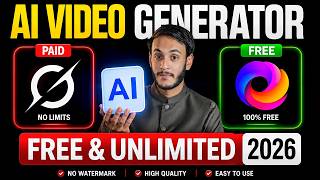

I Made an AI Video in 2 Minutes for FREE!
60sDemonstrates a quick and free AI video generation that saves time and money, appealing to content creators.
▶ Play Clip"Title claims unlimited free generation, but video reveals credits are limited per day; misleading."
This video presents four AI video generation tools that offer free credits: Pika, Adobe Firefly, Kling AI, and Google's Lumiere. The presenter demonstrates how to use each tool to generate videos from text prompts, noting that free credits are limited to about four to five clips per day per Gmail account.
The video promises to reveal four AI video tools that can generate videos for free using credits, without requiring a subscription.
The presenter generates a video using Pika (pk) by typing a prompt and clicking generate. The video is created and can be downloaded.
Pika allows 4-5 clips per day per Gmail account. Multiple accounts can increase the total number of free videos.
The second tool is Adobe Firefly (AOB Firefly). Steps include searching, logging in, clicking on the three slash menu, selecting video, pasting prompt, adjusting settings, and generating.
The generated video from Adobe Firefly is shown. The quality is good and the video can be downloaded.
The third tool is Kling AI (Queen AI). It first generates an image from the prompt, then converts that image to a video.
The video from Kling AI is generated and downloaded. The visuals show movement and good quality.
The presenter's favorite tool is Google Lumiere (Google Flow). It generates videos quickly and has a simple interface.
The video is generated fast. Download options include 720p quality.
The presenter clarifies that 'free' means limited credits, not unlimited. Using multiple Gmail accounts is the only way to get more free videos.
In summary, these four AI video tools—Pika, Adobe Firefly, Kling AI, and Google Lumiere—offer free credits to generate videos, but they are limited. The presenter advises using multiple Gmail accounts to maximize free usage.
How many free clips does Pika provide per day per Gmail account?
4-5 clips per day.
03:14
What is the second AI video tool mentioned?
Adobe Firefly (AOB Firefly).
03:50
What unique step does Kling AI require before generating a video?
It first generates an image from the prompt, then converts that image to a video.
07:53
Which tool does the presenter claim is the fastest?
Google Lumiere (Google Flow).
09:15
How can users get more free videos beyond the daily limit?
Use multiple Gmail accounts to generate clips from each account.
11:31
Credit Limits
Clarifies that free tools have daily credit limits, contrary to the video title's implication of unlimited.
03:14Kling AI Two-Step Process
Shows an alternative workflow where an image is generated first, then animated into a video.
07:53Google Lumiere Speed
The presenter highlights this tool as the fastest among the four, offering a competitive advantage.
09:15Multi-Account Strategy
Practical workaround to maximize free usage by leveraging multiple Gmail accounts.
11:31[00:02] but do not want to take any kind of subscription, then this video is especially for you because in today's video, I am going to tell you about not one but four such AI tools, using whose free credits you
[00:16] can generate free AI videos and among these four tools, I am going to tell you about one such tool which is my favorite. In fact, it would not be wrong to say that in the coming few years, this tool will change the journey of AI content creation.
[00:30] This tool has so many amazing features and believe me, if you use this tool and try it, your content creation will be enhanced. So these four tools are very important because there are many free tools available on the internet
[00:45] I have tried quite a few. Some get watermarks inside them. The generation of some people is very slow. Some videos do not generate. Some results are not good. So after a lot of research, I have found these four tools which can be
[00:59] especially useful for you. So if you want to use these four tools then you have to watch this video till the end because if you miss even a single point then something might go wrong somewhere. Ok my name is Syed Yasir Abbas and I am
[01:13] Ok my name is Syed Yasir Abbas and I am I have painstakingly found these four tools for you. So you must try these. Ok without wasting time let's move to the first tool and with this we will generate the video. First of all
[01:26] Harvest This Year Looks [Music] Promising. Mashallah yes uncle. The Rains Came Just at the [Music] Right Time. Now tell me, did you enjoy it? So this clip that
[01:38] you have seen, we generate this clip. Live I will generate it and show it to you here. Later you should not make the excuse that Yasir Bhai, the clip we have is not getting generated. Ok? So the way I will tell you here, you have to
[01:53] try it as it is. So what do you have to do ? First of all, you have to open Google here and the first tool that I am going to tell you about here is pk. You have to write this here. After writing this, you have to search and as soon as you search,
[02:07] their website will open here. Log in as per your wish. Otherwise there is no need. See below Describe Your ID you see. You have to bring the prop of the video you want to generate here. Ok? So
[02:20] you have to long press on Describe Your Idea and paste your print here. After pasting the prep, look at the right corner here, you will see an arrow. Simply you have to click on that arrow. As soon as you
[02:32] click on it, this video starts getting generated in your library. So you have to wait a little. This will take a few minutes. Your video will be generated. So, here our video has been generated. Check this out, let
[02:47] me click on it and let you check out the visuals of this video. So see brother, it has generated a wonderful video. Look above there is a download button. Simply you have to click on it. And here another popup will come. So
[03:00] here you have to click on download. This video has been added to your gallery. So in this way you can make AI videos for free by using this tool. But there are credits. It's not like there are unlimited credits. You can generate approximately four to
[03:14] five clips a day from here through a Gmail account. Ok? If you have three to four Gmail accounts, then you can generate four clips from each Gmail account. So imagine how many clips you can generate with this application this tool.
[03:27] Ok. Now let's move on to our second tool and that is also amazing. You must definitely try it and I think this is the second most amazing tool compared to the first one and first of all check its result.
[03:50] us generate this video. So if you also use AI, but most of your time is spent in researching which website and which AI tool makes videos. Which tool is there that creates images? Where to do research, where to get the paper
[04:02] written. Your day passes by doing this research. So don't worry. We have created a complete PDF file in which we have mentioned everything separately that this website, this tool will make videos for you. This website, this tool will create the image for you.
[04:15] This is best for research. This is best for this work. We have mentioned every different thing inside it. So if you want to buy that PDF file then its price is only ₹100. Friend, today you can't even get a coffee for ₹100. Ok?
[04:28] So you can buy that entire PDF file for ₹100. We have kept its price at ₹100 so that everyone can take advantage of it. Be it a student , a housewife or whatever work you do. then you will get the link of Instagram inside the description. Click on it.
[04:41] DM us. Our team will contact you with the AI PDF and the open Google and here you have to search AOB Firefly and just click OK. You have to come here. If you come down a little, then remember this website which you see.
[04:57] come down a little, then remember this website which you see. open it, you have to wait a little. After that this type of interface will open in front of you. You have to login here through any Google account.
[05:11] interface will open in front of you. And after that, if you look up, you will see a three slash mark. You have to click on it. And look here you can see the image and video. So you simply have to click on the video.
[05:25] Simply you have to click on it. And as soon as you click on it, the next interface will open in front of you like this. So here's Describe the Video You Want to Generate. So here you have to paste the prompt of the video
[05:37] which you want to generate. Here you have to click OK and if you look below you will see some settings. You can change the frame. After that, you can see the advanced settings here and the general settings here.
[05:50] So here you can also change the resolution. Ratios can also be changed. If you want to make a short video or a long video, then click on the expectation ratio here. then click on the expectation ratio here.
[06:02] This generate button that you see, your video will start generating according to your prompt.
[06:15] Watch this generating video. So the video is being generated. You have to wait a little bit. It will take some time and the video will be generated. So, our video has been generated. Now watch this, let me play the video and check it for you. Here
[06:28] we click on it and the download button is also visible below. If you is a download button here. Click on it. So this video will come in your gallery. Now I play the video. Look at this. So amazingly, he has
[06:42] made a video for us. The visuals are amazing. The quality is also good. So you can generate and use your content from here. So this is another tool that can generate videos for you for free through credits. Ok? Now let's move on to our
[06:55] third tool. And this third tool is better than the two that I have mentioned earlier, quality wise and then visual wise. So you must try this. First of all check its clip. So, it was a
[07:14] again. Let me get you checked. What do you simply have to do ? You have to open Google and search by typing Queen AI here. You can see this website at the first number. Simply you have to click on this website.
[07:27] As soon as you click on it, you have to login through any Gmail account. And after that this kind of interface will appear. You have to click on the three slash mark. So here you will get all the projects that will be generated for you. If you
[07:39] projects that will be generated for you. If you And you will see an interface like this. So what do you have to do here? Paste your print which you want to convert into video.
[07:53] What will happen here now? First of all, it will generate an image for you according to your print. Ok? So you have to let the image generate. Do n't think that I just wanted to get the video generated. It has generated and given us the image. So you have to get the image generated.
[08:06] When the image is generated. What do you have to do after that? You have to click on this image again like this. Now look below and you will see Create Video. So simply you have to click on Create Video and paste your print again
[08:20] here from which you had created the image and simply click on the send arrow. What will he do now? This image will be converted into a video. So Look, our video has started generating. It will take
[08:35] some time. The video will be generated. So, here you go, the video has been made. Simply here I will click on it and let you check the video. So simply we click on the download button here and here
[08:48] we download this video first. And now let me play this video. And look at these amazing visuals you are seeing. Amazing movement is visible. The quality also looks good. So by using this tool you
[09:01] can make videos and use them in your content. Ok. Now finally I am going to tell you about that tool which I had said is my favorite and I am sure that in the coming few years it will go to great heights and amazing content will be
[09:15] generated through it. Okay, so first of all check this video to know why I have called this tool. Harvest This Year Looks Promising. Mashallah yes uncle. The Rains Came Just At [Music] The Right Time. So tell me honestly, it was an amazing
[09:31] video. So let's generate this video again. You have to open Google and search by typing Google Flow here. You have to write Google Flow and after that you have to click on the website of Google LS which you are seeing.
[09:44] And as soon as you click on it, some processing will take place. And after that this kind of interface will open in front of you. Here you will see an option New Project. Simply you have to click on it. As soon as you
[09:57] click on it, the next interface will open in front of you like this. What do you want to generate? And you can see the settings in front. So we have to generate the video. We have set the frame. You have to set the ratio as per your wish. You have to set whatever you want to keep, 1x, 2x.
[10:09] And just come here and paste your print from which you want to generate the video. Have to send it. Yes, your video has started getting generated. You have to wait a little bit. Now our video will be ready
[10:21] and it generates the video for you the fastest. So the video will be generated right now while we're talking. So, our video has been generated. Look at this. Okay, let me click on this video like this. So
[10:35] as soon as I clicked on this video, if you look a little carefully above, you will see a download button, which you may not know, look here, Simply you have to click on this button and here you have to set the quality to
[10:50] 720p and as soon as you click here, this video will be downloaded and will come in the gallery. Check the visual below and then check the movement. It's amazing. Ok? So these were four tools that can generate AI videos for you for free. Free does
[11:05] not mean unlimited and there is no such thing as a lot in a day. Free means that there are credits. As soon as the credits are exhausted, you will have to take their paid plans. And if you think that there should be a tool which can
[11:18] generate limited videos for you absolutely free. So such a tool is not available on the entire internet. Even if someone is telling it, it is fake. Your time is being wasted. There are credits. All the tools have credits. Use credits. And the only
[11:31] tip is that you should use multiple Gmail accounts. If you generate four videos from each Gmail account. If you have five Gmail accounts, you can get around 19 to 20 clips, which I think is enough for one video.
[11:44] Ok? So this is how you can generate AI videos for free. So I hope If you liked it and saw brother's hard work, then please give it a like. This is motivation for us. And apart from this, if you want to see such authentic information in the next also
[11:57] , then subscribe to this channel and want to buy that PDF file or want to get a new YouTube channel created from us or your channel is already not working and you want us to check your channel, that too is
[12:11] inside the PDF result. So brother, you can contact us on Instagram account. Take great care of yourself. Allah Hafiz.



⚡ Saved you 0h 12m reading this? Transcribe any YouTube video for free — no signup needed.