[00:03]
AI Jarvis. Are you the middle manager of your own AI tools? One tool for emails, another for posts, another for notes, and you're the one running between them all. What if one boss bot did the running for you? It's called Jarvis, and
[00:19]
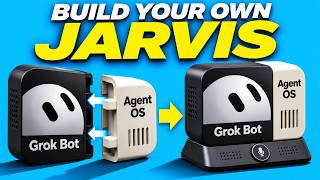
it lives inside Agent OS. Today, I'm showing you how to build your own AI Jarvis with Grockbot. Grockbot is available inside Agent OS and we're using it right here in this video. By the end, you'll see how six bots with
[00:34]
six different jobs report to one boss. And you'll see the approval screen, which is the part that keeps you in charge. Let's start with the problem. Most people don't have one AI tool. They have six. Each one does a different job.
[00:50]
So, every morning you open all six, check what each one did, and copy things between them. That's not a team. That's a pile of tabs. Here's what Grockbot changes. Grogbot is an app made of AI teammates called bots. Each bot works on
[01:07]
a cloud computer, so it can use the apps and websites you already use, the way a person would. That includes tools that have no clean connector. The team behind it says people there often run several bots at once. A chief of staff bot sits
[01:21]
on top with a specialist underneath for each lane like inbox expenses, recruiting, and bug fixes. The bots can message each other, share context, and come back to you when something needs your approval. Grockbot launched in beta
[01:37]
in August, and it reached version 1.0 in November. Agent OS is how we run Grockbot as a team. Bots that each do one job with one boss bot on top. That boss bot is Jarvis. Think of it like this. You're not asking six tools the
[01:54]
same question anymore. You're asking one boss and the boss hands the job to the right bot. That chief of staff idea is the whole trick. One boss on top, specialists underneath, and you only talk to the boss. Let me show you what
[02:08]
Jarvis actually is. Jarvis is the foreman. It watches what your other bots are doing. It gives you a morning brief and it lines up every decision that's waiting on you so you could approve or decline in one place. Inside Agent OS,
[02:22]
we show this as the observatory. It's one screen. Jarvis is the glowing core in the middle. Your bots orbit around it and each one has a single job. When you give a command, the ring turns and the right bot comes to the front. A light
[02:36]
trail runs from Jarvis to that bot and the result card builds. You don't pick the bot. You speak once and Jarvis picks it for you. The reason this works is simple. Each bot gets one job and one instruction, so it gets really good at
[02:51]
that job. Then you put one boss on top, so you only talk to one. That's the difference between using AI tools and running an AI team. Quick pause before I show you the next part. If you want to build this yourself, the full agent OS
[03:04]
zip file is inside the AI profit boardroom, ready to install. We've built a complete 30-day road map to go with it, so you learn Agent OS and Grockbot one step at a time. You'll also find the Jarvis template, the prompts behind each
[03:19]
of the six bots, and the full Grockbot course in the classroom. There are four coaching calls every week, too. So, if you get stuck on this exact setup, you description or go to aiprofitboardroom.com.
[03:34]
Okay, back to it. Let me show you the first job. In the demo, I say, "Jarvis, follow up with every lead from this week." The client follow-up bot steps forward. The result card shows 14 leads, 11 follow-up emails drafted, and three
[03:49]
calls proposed. That's the job that usually gets dropped when things get busy. Now, the other five bots. The audit bot takes what you see at a client's workplace and turns it into a workflow map, a ranked list of quick
[04:01]
wins, and a report ready to send. The community scout lists the questions members are stuck on, sorts them by topic, and cues draft answers. Nothing gets posted until you approve it. The content planner builds your week with
[04:15]
video ideas, posts, and a newsletter outline. The brand context bot keeps each brand's rules in its own lane, so you stop explaining the same thing again. And the callotes bot writes the summary, sends the tasks to your board,
[04:28]
and books the follow-up. Now, here's the part I'd open first. Whenever you open Jarvis, it starts with a morning brief. It tells you what each bot finished since you last looked, what's stuck, and what needs you. Right under it is the
[04:42]
approval queue. In the demo, there are three follow-up emails, two community replies, and one call booking waiting. Each one has an approve button and a decline button. And anything you decline goes back to the bot with your note.
[04:55]
Now, picture a full week with all six running. Every bot reports back to Jarvis. So you don't open six tools every morning. You open one. You see what's done, what's new, and what needs a decision. The bots do the leg work.
[05:09]
You make the decisions. So, how do you set this up without drowning in steps, one bot at a time. Don't build a second boss. If you already have a chief of staff bot, upgrade that one with the Jarvis template. That way, you end up
[05:23]
with one foreman, not two. Then add one job bot. Start with the job that eats most of your week. If you run an agency, that might be follow-ups. For a consultant, audits. For a creator, the weekly plan. You don't need everything
[05:37]
on day one. You need Jarvis plus one bot with one job. And you can use all of with one job. And you can use all of this inside agent OS, too. Now, three mistakes to avoid. Number one, building a second boss. That puts you right back
[05:51]
to checking two places. Number two, skipping the approvals. The drafts are good, but you're the one who knows your client. Number three, building everything on day one. Start small and let it grow with you. Then keep one
[06:05]
rule. Every bot drafts and you approve. Emails, posts, and calls wait for you. That's what makes it safe to hand over real work. Here's why I think this is the future. For years, AI meant a chat box. You typed, it answered, and you did
[06:20]
the next step. A team works differently. Each bot has one job. One boss ties it together, and you stay in charge of the decisions. Two quick pro tips. Tip one, talk to Jarvis by voice. You can ask what got done and why, and you get short
[06:36]
answers all in one place. If the mic is blocked inside the page, use the mic in the chat box underneath. It works the same way. Tip two, when you decline something, add a short note about what you want next time. It goes back to the
[06:49]
bot with your note so the next draft lands closer. There's a window right now where most business owners haven't figured this out yet, and that window won't stay open forever. The best way to get ahead is to learn the tool while
[07:01]
it's still new. Inside the AI profit boardroom, you get the full agent OS zip file ready to install, plus our 30-day road map. You also get daily tutorials, four coaching calls every week, a prompt library, and the member map. The
[07:17]
tutorials teach you step by step. The calls help you get unstuck. The prompt library saves you time. The member map helps you find others learning alongside you. Link in the description or go to aiprofitboardroom.com.
[07:30]
If you want the full process, the SOPs, and over 100 AI use cases like this one, join the AI success lab. It's our free community. Links in the comments and description. You'll get all the video notes from this episode, plus access to
[07:45]
95,700 members. It's free to join and it's built for people who want to learn AI step by step. The video notes cover what we went through today so you can follow along at your own pace. Come learn with
[07:57]
the community, ask questions, and pick up new ways to use AI as they come out. up new ways to use AI as they come out. I'll see you inside.