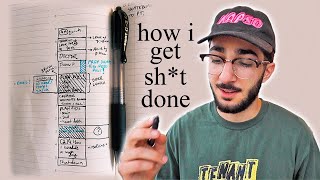

Why I time-block my chaotic days
45sRelatable struggle with anxiety and phone addiction hooks viewers seeking productivity hacks.
▶ Play Clip"Title accurately reflects content: a detailed walkthrough of scheduling a hectic work day as a content creator."
The video presents a time-blocking system for scheduling work days, inspired by Cal Newport's 'Deep Work'. The creator demonstrates how to structure a day using a physical planner, emphasizing deep work, healthy habits, and a shutdown routine to improve productivity and work-life balance.
Without organization, days become an anxious puddle of endless tasks, leading to phone overuse and anxiety about what to do.
A simple time blocking system dramatically improved productivity and peace of mind, inspired by the book 'Deep Work' by Cal Newport.
Uses the Full Focus Planner, but a blank journal or Google Calendar works too. Prefers physical writing for grounding.
List hours on the left, block in tasks. Start with calendar deadlines to fill in the 'Daily Big Three' – the three most important tasks.
Identify the three most important tasks for the day. Example: edit YouTube video, next step for hat drop, exercise.
Block appointments first (e.g., gym 8-9 AM). This helps trick the brain into treating it as mandatory.
Draw a box at 7 AM for morning routine (make bed, meditate, coffee, breakfast, review schedule) to reduce anxiety and phone scrolling.
From 'Deep Work': about 4 hours of intense focus per day, max 90-minute chunks, peak focus in the morning. Schedule deep work after gym.
Block time for social media to prevent constant temptation. Use a blue pen to indicate phone-allowed blocks.
Tomorrow list (urgent for next day), Later list (non-urgent), and Ideas list (random thoughts). Writing them down reduces anxiety.
Schedule lunch, breaks (e.g., 30 min TikTok), and flexible time for unexpected tasks. Fill time like puzzle pieces.
Last 30 minutes: schedule next day using tomorrow list and calendar. Close notebook and laptop to achieve work-life balance.
Time blocking with a physical planner, inspired by 'Deep Work', helps manage tasks, reduce anxiety, and achieve work-life balance. The shutdown routine ensures a clean end to the workday.
What is the 'Daily Big Three'?
The three most important tasks you want to accomplish that day.
02:23
According to 'Deep Work', how many hours of intense focus can a person have per day?
About four hours.
05:28
What is the maximum recommended chunk time for deep work?
90 minutes.
05:28
What three sections does the creator write on the opposite page of the schedule?
Tomorrow list, Later list, and Ideas list.
07:28
What is the purpose of the shutdown routine?
To schedule the next day and close the loops, allowing you to disconnect from work.
10:19
Time blocking improves productivity
Core insight that a simple scheduling system can dramatically improve both productivity and peace of mind.
00:27Deep work principles
Key facts from 'Deep Work' about limited focus hours and optimal chunk sizes.
05:28Three lists to reduce anxiety
Technique to offload thoughts and close mental loops, reducing overwhelm.
07:28Shutdown routine for work-life balance
Principle of ending the workday deliberately to achieve balance.
10:19[00:00] what [ __ ] time is it i'm probably
[00:02] oh thank god
[00:05] yo what's going on guys so in this video
[00:07] i'm gonna share with you how i actually
[00:09] schedule and plan out my work days i'm a
[00:11] content creator i'm a youtuber i run a
[00:13] clothing brand if i don't organize my
[00:15] days myself they turn into an anxious
[00:18] puddle of endless tasks and i just
[00:21] i end up spending way too much time on
[00:23] my phone i spend time feeling anxious
[00:25] about what i should be doing this simple
[00:27] system of time blocking my work days has
[00:30] dramatically improved my productivity
[00:32] and my peace of mind so a lot of the
[00:34] things i'm going to share with you are
[00:36] heavily heavily inspired by this book
[00:38] called a deep work by cal newport i
[00:40] highly recommend this book if you
[00:42] struggle with going on your phone too
[00:44] much when you should be working if you
[00:45] struggle with unplugging from work at
[00:47] the end of the day if you struggle with
[00:49] work-life balance if you feel like
[00:50] you're not getting enough done this book
[00:52] is absolutely phenomenal so materials
[00:55] i'm personally using the full focus
[00:57] planner which actually kind of sets up
[00:59] this system for you a little bit already
[01:01] which is helpful but i did it just in a
[01:03] blank journal for a long long time so
[01:05] you know you don't have to ball out on
[01:06] the full focus planner but if you are
[01:08] interested i will leave a link at the
[01:10] top of the description and you know you
[01:11] could also use something like google
[01:14] calendar personally i like to physically
[01:16] write this sort of thing down i feel
[01:17] like it grounds it in my head more i
[01:19] don't know i i like physical things i
[01:21] like looking at holding my schedule i
[01:23] even like crossing it out when i need to
[01:25] change things it just feels good for me
[01:27] and let's just get right into it and i'm
[01:29] gonna walk you through how i will
[01:31] schedule my monday i'm gonna flip here
[01:33] to a new page the days end up getting
[01:35] out of line so i'll literally just to
[01:37] save paper cross out the day and write
[01:39] what day it actually is so essentially
[01:41] what this system is is you have your
[01:42] hours of the day listed on the left hand
[01:45] side and you literally just want to
[01:47] block in your entire schedule with the
[01:50] things that you have to do now starting
[01:51] on a blank page like this it can
[01:53] actually feel pretty overwhelming to get
[01:55] started and i do want to say like this
[01:57] is not the only tool that i use another
[02:00] extremely important one is my calendar
[02:02] over here and my calendar is actually
[02:05] what i need to look at to really get
[02:07] started and scheduling the nitty-gritty
[02:09] of my day because every time i have a an
[02:12] important deadline like when i need to
[02:14] post a youtube video or if a sponsorship
[02:16] is due or any appointments they'll be on
[02:18] my calendar already and that's gonna
[02:20] help me fill in my daily big three which
[02:23] is the three most important things that
[02:25] you wanna do that day i know off the top
[02:27] of my head that i wanna get started
[02:29] editing one of my youtube videos so i'm
[02:31] gonna write that here in number one
[02:34] second most important task for me to
[02:36] complete on monday is i'm working on a
[02:39] hat drop for my clothing brand and i
[02:41] want to take the next step of that
[02:42] process what i'm going to write here is
[02:44] next step aeroduck drop
[02:48] sometimes you don't always have like
[02:50] three seriously important work things to
[02:52] do it can also just be personal things
[02:54] an errand you need to get done an
[02:56] appointment you need to remember a
[02:58] meeting anything really you know just
[03:00] your three most important things you
[03:01] want to do that day so my third is going
[03:03] to be just that i want to do some sort
[03:05] of exercise in the morning let's do i
[03:07] think i want to hit the gym
[03:10] sometimes as i'm creating this schedule
[03:13] i start to get a little bit overwhelmed
[03:15] like oh i don't know exactly what i'm
[03:16] going to want to do when i wake up on
[03:18] monday like am i going to want to hit
[03:20] the gym am i going to want to skate
[03:22] just take a deep breath just write
[03:24] something down i've got my big three
[03:26] then you've got your other tasks
[03:28] anything else that you know you want to
[03:30] accomplish that day i actually have
[03:31] something scheduled on my content
[03:33] calendar right up there to post some
[03:34] instagram stories so i'm gonna write
[03:36] that right here
[03:39] and that's about all i can think of that
[03:41] i need to really get done on monday
[03:42] actually i think i should probably plan
[03:45] out my next main channel video so i'm
[03:47] gonna write that as another task here
[03:51] cool so now we have a framework of
[03:54] important tasks that we need to do
[03:56] throughout our day and now it's much
[03:57] easier to actually start scheduling
[03:59] times for these things if you have any
[04:01] like appointments put that in the time
[04:03] blocking system first no appointments
[04:05] today but i will kind of put an
[04:07] appointment in which is that morning gym
[04:09] session i'm gonna try to do 8 a.m to 9
[04:11] 00 am and you literally just draw a box
[04:14] and you write in what you have to do
[04:18] something i really really appreciate
[04:21] about this scheduling system is that it
[04:23] can really help you get on top of
[04:25] healthy habits and routines if you're
[04:27] not scheduling your days it's so easy to
[04:29] just decide that you're too overwhelmed
[04:31] and you don't have time to go to the gym
[04:33] but if you just literally draw that box
[04:35] and write the word gym inside of it you
[04:37] are tricking your brain into thinking
[04:39] it's something that you have to do and
[04:40] then you just work your schedule around
[04:42] it you fit everything in like puzzle
[04:44] pieces this system kind of makes you
[04:46] realize that you have more time than you
[04:47] think which is cool you know we only get
[04:49] so many hours in our lives you might as
[04:51] well make the most of them and another
[04:53] thing i like to do on that note is i
[04:55] like to draw a little hour box every
[04:58] morning at seven and i draw this little
[05:00] am bubble am refers to my morning
[05:03] routine so i've got this super simple
[05:05] morning routine i've got it tabbed right
[05:07] here make my bed meditate for 10 minutes
[05:10] make coffee eat breakfast review
[05:12] schedule simple personally if i wake up
[05:14] and i don't know what i'm supposed to be
[05:16] doing i feel really anxious and i'm much
[05:18] more likely to go on my phone and just
[05:20] scroll on social media so i love this it
[05:22] holds me accountable to healthy routines
[05:25] and makes me realize i have more time
[05:27] than i think
[05:28] okay and so here's something that i
[05:30] learned from deep work a couple of
[05:31] things actually one we have about four
[05:34] hours of intense focus on deep work
[05:37] tasks every single day and if you break
[05:39] that up into chunks you can really only
[05:41] focus intensely for 90 minutes at a time
[05:44] and your peak focus is in the morning so
[05:46] right after i go to the gym i'm gonna
[05:48] bang out one of my most important tasks
[05:51] which is to work on editing the danny
[05:53] vlog so i'm gonna schedule that in for
[05:55] 90 minutes and you can even just draw
[05:57] the number one if you don't want to
[05:58] write out the whole thing again what
[06:00] i'll actually do during this time block
[06:02] is set a 90 minute timer put my phone up
[06:04] so i could see the timer i will not
[06:06] touch my phone i'll focus on editing for
[06:08] that entire block of time and just
[06:10] having the box here kind of helps my
[06:12] brain really dive into that task and get
[06:15] that 90 minutes of deep work in okay so
[06:18] next up i'm gonna schedule some time to
[06:20] work on social media so as a youtuber
[06:23] and content creator and even for my
[06:25] clothing brand pretty much everything i
[06:27] do does tie into social media so
[06:30] nowadays i actually schedule in social
[06:32] media time and this is [ __ ] important
[06:35] because if i don't schedule in social
[06:37] media time i'll always have it in the
[06:39] back of my head that all maybe i should
[06:41] be posting on instagram should i be
[06:43] responding to comments you schedule that
[06:45] in and just dive into your phone during
[06:47] those scheduled hours it makes it less
[06:49] likely that you're going to be tempted
[06:50] to pull out your phone and do social
[06:52] media or check your email while you're
[06:54] supposed to be doing another test i'm
[06:56] literally going to box in an hour here
[06:58] to do ig stories email and i'll just
[07:01] write etc because maybe i'll maybe some
[07:03] other social media task will pop in my
[07:05] head and you'll notice that i just use
[07:06] this blue pen i've kind of picked a
[07:08] color if there's no blue strip in the
[07:10] box i really try to keep my phone thrown
[07:13] on the other side of the room because
[07:15] it's just going to distract me and as
[07:17] you're writing out this schedule you
[07:18] kind of just want to like literally
[07:19] visualize what it's going to feel like
[07:21] i'm going to be hungry
[07:23] so i'm going to schedule in an hour for
[07:25] lunch before we go on to actually
[07:27] schedule the rest of the day i want to
[07:28] talk about what i write on the other
[07:30] side of the page so i have three main
[07:32] sections and these are super important
[07:35] for keeping anxiety at bay if you're
[07:38] like me as you're doing your tasks maybe
[07:40] you've been editing for 30 minutes
[07:42] something will just pop in your head and
[07:44] you'll be like oh [ __ ] like i need to do
[07:45] that by tomorrow i have three sections
[07:47] here i write a tomorrow list here is
[07:50] where i'll write anything that pops in
[07:52] my head that i have to do tomorrow so if
[07:54] i'm editing and i'm like oh [ __ ] i told
[07:56] my friend i'd drive him to the airport
[07:57] tomorrow random example but i'll just
[07:59] put it there and then the act of writing
[08:01] it down takes the anxiety and feelings
[08:04] of being overwhelmed away when you make
[08:06] your schedule for the following day
[08:08] first thing you're gonna do is consult
[08:09] your tomorrow list i also have a section
[08:12] for
[08:13] later so these are things that pop in my
[08:15] head that are not urgent but they still
[08:17] pop in my head and i probably want to do
[08:18] them this week or next week whatever
[08:20] i'll put them in the later section and
[08:22] then just for any other thought or idea
[08:24] that pops in my head i'll just have a
[08:26] running idea list so anything that pops
[08:29] in my head that's not necessarily a task
[08:31] that needs to be done tomorrow or later
[08:33] maybe it's a mindset literally anything
[08:35] i just put it right here so this you
[08:37] know this kind of creates this like and
[08:39] it closes the loops in your head that
[08:41] make you overwhelmed that distract you
[08:43] from the important things that you need
[08:45] to do just kind of visualizing what i'm
[08:47] going to feel like doing after lunch i
[08:48] think i probably want to work on
[08:50] aeroscape code because it's relatively
[08:51] chill and i'm going to schedule an hour
[08:53] and a half it's got to be enough to get
[08:55] that all done and this i'm just going to
[08:57] draw in my aeroscape logo and then again
[08:59] visualizing my day i think i'm going to
[09:01] want to take a break let's just take a
[09:02] [ __ ] break for 30 minutes and i'm
[09:05] going to let myself and scroll on tick
[09:07] tock so i'm just gonna draw a little
[09:08] blue line there so i know that i am free
[09:11] to go on my phone during that break and
[09:12] that's gonna be nice and refreshing you
[09:14] know so if you buy the idea that you
[09:16] only have four hours of intense focus on
[09:18] work tasks per day i already have a
[09:21] clean 90 minutes editing and 90 minutes
[09:23] focusing on arrow skaco so i've only got
[09:26] an hour left and with that hour i'm
[09:28] gonna plan out my main channel video and
[09:30] you know i've got little symbols i write
[09:32] out to make it more fun okay and that
[09:34] brings us to 3 30. we've got an hour and
[09:37] a half left in the workday if i stick to
[09:39] this schedule i'll be done with all the
[09:42] important things that i have to do so
[09:43] let's do an hour where i don't know
[09:45] exactly what i'm doing let's say over
[09:48] here i write some ideas of what i could
[09:50] do during that time i could freaking do
[09:52] some yoga hit some freaking yogis i
[09:54] could do social media stuff that
[09:55] actually reminds me i've got these
[09:57] letters here that i do need to bring to
[09:59] the mailbox so i'm actually going to
[10:00] write that in and i'll just pop it over
[10:02] here so you can see how this system
[10:04] starts to work your brain starts to go
[10:06] through the things you need to do and
[10:07] you literally fill in your time like a
[10:09] puzzle to get it all done and what's
[10:11] cool about this is by 4 30 you'll think
[10:13] about that day that's the load of stuff
[10:16] that i just did and i packed in a
[10:17] workout at the gym that's amazing and
[10:19] every day this is important for the last
[10:21] 30 minutes you want to do your shut down
[10:23] routine this is another thing i learned
[10:25] in deep work this is mainly going to
[10:28] involve scheduling your next day so
[10:30] we're gonna do the process that i just
[10:32] did on this video and you're gonna
[10:34] schedule your next day you're gonna look
[10:35] at your tomorrow list you're gonna look
[10:37] at your calendar you see how this all
[10:39] just flows into each other it closes the
[10:42] loops and then you can freely close your
[10:44] notebook close your laptop and then go
[10:47] live your freaking personal life this is
[10:49] a phenomenal way to achieve a real
[10:52] healthy work-life balance and it applies
[10:54] to weekends too after a full week of
[10:57] using this system
[10:59] you're getting lit that weekend
[11:01] just you know try things make this
[11:03] system your own i really believe in this
[11:05] really beautiful system that i highly
[11:07] recommend you check out if i inspired
[11:09] you if i spurred any thoughts leave a
[11:12] like leave a comment let me know what
[11:13] you think i appreciate the support and
[11:15] i'm gonna get on with my day wish you
[11:16] guys the best let me know if you have
[11:18] any questions and i'll catch you next
[11:19] time peace
⚡ Saved you 0h 11m reading this? Transcribe any YouTube video for free — no signup needed.