
Fix Proxy Test Errors in Scrap Box
45sMany users encounter proxy test failures; this quick retest trick resolves it, making the tutorial highly shareable.
▶ Play Clip"Delivers exactly what the title promises — a clear tutorial on adding proxies to Scrap Box, no fluff or overselling."
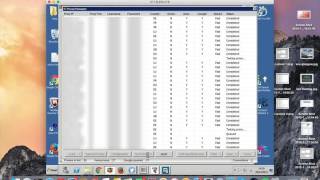
This video demonstrates how to add proxies to Scrap Box, a tool for web scraping. The process involves copying proxies from a provider, pasting them into the interface, testing them, and saving. The presenter notes that initial tests may show errors but usually resolve on a second attempt.
Copy proxies from your provider and paste them into the designated section. Then go to 'Manage' to test the proxies. If errors appear, retest them; they typically resolve the second time. Finally, save the proxies to make them ready for scraping.
The video offers a straightforward method to set up proxies in Scrap Box, with a simple troubleshooting tip for initial test failures.
What should you do if proxy tests show errors on the first attempt?
Retest them; errors usually resolve on the second attempt.
What are the main steps to add proxies to Scrap Box?
Copy and paste proxies, test them, retest if needed, and save.
Retesting Resolves Proxy Errors
Provides a simple troubleshooting tip that saves time when first-time proxy tests fail.
going to show you how to add proxies to Scrap Box so what you do is you get your proxies from your proxy provider and and you simply just copy and paste them into this section here um all you then do is go to manage test your proxies test them all this always throws up a couple of errors and at the first time of ask don't know if it's the speed of scrap box or something similar and
but it will normally always resolve itself second time out so we will just retest field proxies and as you can see everything is complete and ready to go um all you do then is go to save and save proxies to scrape box and your proxies are then ready to use here and then you can carry on with h scraping whatever you want to scrape which I'll go into um later on all right



⚡ Saved you time reading this? Transcribe any YouTube video for free — no signup needed.