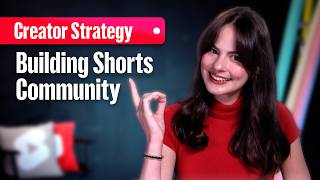

Shorts Build Fans, Not Just Views
45sChallenges the common view-count obsession and offers a fresh, community-first perspective that resonates with creators.
▶ Play Clip"Title accurately reflects content: practical tips for building community via Shorts."
This video explains how to use YouTube Shorts to build a loyal community, not just views, by turning monologues into conversations through interactive stickers and comment replies.
Shorts should create a loyal community that keeps viewers coming back, not just accumulate views.
A community is built on conversation, not monologues. Creators must invite interaction.
After recording, tap the sticker icon to access poll, quiz, Q&A, and add yours stickers.
Use poll stickers to ask questions with two options for quick real-time feedback, e.g., 'What video should I make next?'
Quiz stickers let you ask a question with two answers, marking one correct. Great for fun trivia.
Q&A stickers allow viewers to respond with their own answers, providing a gold mine for video ideas.
The add yours sticker lets viewers create their own shorts in response, starting a collaborative trend.
Reply to a comment by tapping the camera icon to create a short that features the comment as a sticker, turning it into a video response.
Some channels exist solely by replying to comments with shorts, fostering community conversation.
Building a community on YouTube Shorts requires active listening and interaction through stickers and comment replies, rewarding engagement and fostering loyalty.
What is the primary goal of YouTube Shorts according to the video?
To build a loyal community of fans, not just accumulate views.
What are the four types of interactive stickers mentioned?
Poll, quiz, Q&A, and add yours stickers.
00:20
How does the poll sticker work?
You type a question and two options for viewers to vote on.
00:30
What is the purpose of the Q&A sticker?
To ask a question and let viewers respond with their own answers, generating video ideas.
00:55
What does the 'add yours' sticker enable?
Viewers can create their own shorts responding to your prompt, starting a trend.
01:10
How do you reply to a comment with a short?
Tap the reply button on the comment, then tap the camera icon to record a short with the comment as a sticker.
01:25
Shorts Build Fans
Shifts focus from vanity metrics to community building.
Conversation Over Monologue
Core principle for community engagement.
00:15Add Yours Sticker
Turns questions into collaborative trends.
01:10Reply with Shorts
Powerful method to reward engagement and create content.
01:25[00:00] Shorts aren't just about building up your views. They're about building up your fans. Just like you want your hook to capture attention and keep people watching for more than a few seconds, you want your shorts to create a loyal community that keeps them watching for more than a few videos. Here are a few ways to help you do it. A community isn't built on monologues. It's built on conversation. You have to invite people in. Your first
[00:25] and easiest way to do it is with interactive [music] stickers. After you record, just tap the sticker icon and you'll see a bunch of options. For example, you can use the poll sticker. Type a question and two options. It's great for quick real-time feedback. Let your audience vote on what video should I make next or do you want to see me review X or Y. Or you could try the quiz sticker. Enter a question, two answers,
[00:51] and you mark one as correct. It's great for testing your audience with fun trivia. Then you have the Q&A sticker. This is a classic. Type a question and your viewers can respond with their own answers. This is your idea gold mine. Ask, "What's one myth about your niche you want me to bust?" Or, "What are you struggling with?" You're starting a deep conversation and getting a list of your next video ideas. And my favorite, the add
[01:16] yours sticker. You create a prompt and your audience can then make their own shorts responding to it. With this feature, you're not just asking a question, [music] you're starting a trend. It's like a collaborative video that everyone gets to be a part of. Now, once you build conversations, you need to reward them. This brings us to another powerful tool. Replying to comments with a short. When you get a great question, an intriguing opinion, or a funny
[01:41] comment, you can make their comment the star of your next video and [music] part of the ongoing conversation. Go to the comment and tap the reply button. Instead of typing, tap the camera icon on the right. This opens the shorts camera [music] and the comment automatically appears as a sticker. You can drag and resize it. Then just record your response. When you post, the commenter gets a notification and your video reply shows up right in the
[02:07] comment feed. It's so powerful. There are whole channels that exist now just replying with shorts [music] to comments. Just having conversations around the topics that the community cares about. In a world of [music] endless content, being the creator who listens, that's how you build a real community. Check out our playlist for more shorts tips on how to find inspiration, grow your channel, and try all the best tools.

⚡ Saved you 0h 02m reading this? Transcribe any YouTube video for free — no signup needed.