
Why Binance is the #1 Crypto Exchange
60sHigh authority claim with a concrete user statistic (300M) builds trust and curiosity.
▶ Play Clip"Delivers exactly what the title promises—a clear, step-by-step guide to buying, selling, and withdrawing crypto on Binance."
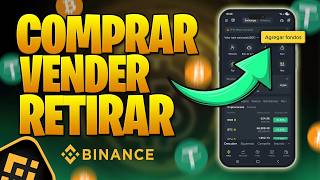
This video is a beginner-friendly tutorial on how to use Binance to buy, sell, and withdraw cryptocurrencies. The host walks through account setup, funding, trading, and withdrawal processes, emphasizing simplicity and safety. It also touches on earning returns through Binance's 'Earn' feature.
Binance has over 300 million users, making it a popular and trusted platform.
Account setup involves entering email, choosing a password, and completing facial verification, taking 5-10 minutes.
Use Binance Pro for full features; Binance Light is limited.
Deposit funds via bank transfer, which usually arrives in under 5 minutes.
Buy crypto using market orders for simplicity; start with small amounts like $10.
Sell crypto by selecting the asset, choosing 'Sell', and confirming the transaction.
Withdraw funds by going to 'Assets', selecting 'Withdraw', and confirming; money arrives in ~30 seconds.
Use the 'Earn' feature to generate returns on crypto, typically 3-5%.
How many users does Binance have?
Binance has over 300 million users.
00:40
How long does account verification take on Binance?
5 to 10 minutes.
01:22
Which mode should you use on Binance for full features?
Binance Pro.
01:35
What is the fastest way to deposit funds on Binance?
Bank transfer, which usually arrives in less than 5 minutes.
02:45
What type of order is recommended for buying crypto at the current price?
Market order.
05:54
What is USDT?
USDT is a stablecoin that replicates the value of the US dollar.
05:01
How do you buy Bitcoin on Binance?
Go to 'Trade', select 'Spot', choose the crypto, and use a market order.
04:46
How do you sell cryptocurrency on Binance?
Go to 'Assets', select the crypto, choose 'Sell', and confirm.
08:36
How do you withdraw funds from Binance?
Go to 'Assets', select your currency, click 'Withdraw', and confirm.
10:14
What does the 'Earn' feature do on Binance?
The 'Earn' feature generates returns on your crypto, typically 3-5%.
11:48
Binance's Massive User Base
Highlights the platform's credibility and popularity, reassuring beginners.
00:40Choosing Binance Pro
Critical for accessing full features, avoiding limitations of Binance Light.
01:35Buying the Dip
Provides a practical strategy for entering the market at lower prices.
04:08Using Market Orders
Simplifies the buying process for beginners, avoiding complex order types.
05:54Fast Withdrawals
Shows the efficiency of Binance, with funds arriving in about 30 seconds.
11:11[00:01] welcome once again to a new video on the Easy Money channel. Today I bring you a step-by-step, a short tutorial so you know how to move around the pod platform. I'm going to teach you everything, from how to buy
[00:16] cryptocurrencies, how to sell cryptocurrencies, even how to withdraw those cryptocurrencies. And don't imagine it's going to be complicated, no, not at all. It's going to see. We're going to do everything on the
[00:28] pod platform. Yes, I have the logo here. It's basically our main sponsor and it's the one we're going to use today so they can take their first steps. Why are we going to do it on the Binance platform?
[00:40] Well, first and foremost because it is the number of users; there are already more than 300 million people with accounts there. If you don't have an account yet, you're one of those rare people
[00:53] out. Obviously, the first thing we need to do is open our pinned comment you will find a link to enter securely from there. It 's very easy. They enter their email, choose a password, and then at most they have to
[01:08] verify the account. If you go to your profile, right there, where mine says " not verified". It's very simple. They just need to fill in their details and then do a quick facial verification, and that's it. The issue is that in 5 to 10
[01:22] ready to start. Now, a left and scroll down a bit, you'll see it says Binance Light or Binance Pro. You need to be using Binance Pro. Binance Light is a
[01:35] but it significantly limits the available features, and we want to navigate and manage our cryptocurrencies effectively. Therefore, let's leave it on Pro and it should look something like what we're seeing on
[01:48] screen. Now let's move on to the next step. How do we get money in here ? Or how do we add our money to make our first Well, if we look at the screen, there's something very simple. We have a button at the top
[02:02] play. There we see that it says add funds and on the right it says add our country's currency. So what you're going to do is look up so I'm going to look for Argentine pesos. If we look around a bit, it
[02:17] says Argentinian peso. Then select that option. If you are from Colombia, Colombian pesos. If they are from Peru, they choose their currency and so on. The issue is that now you have to select the option that says deposit ARS. We will be
[02:31] given this option that says bank transfer. Perhaps in your country they have through virtual wallet transfers . If you're from Brazil, but a very good one is this one that says bank transfer and it's very fast.
[02:45] It says up to one business day, but it usually arrives in less than 5 minutes. a small account will open where you will have to deposit money, just like you would open a new financial application, such as MercadoPago or
[02:57] make a transfer from wherever you have the money in there. They can try with very little at first to gain confidence and then calmly send more if they want. But let me tell you right now, Binance is safe, it's
[03:10] Argentina, and deposits and withdrawals take no more than 5 minutes. money? Where are our cryptocurrencies? Well, if we go all the way down , we can see that it says Home, Markets, Trade, Futures and Assets. If
[03:26] we move to where it says assets, we will be able to find our jumps. I have different coins here. For example, I have euros, I have USDT, I have ADA, which is a cryptocurrency, I have USDC, I have docs, but just like these I
[03:39] can have many, I can have Bitcoin, I can have Ethereum XRP, I have others, but they are not seen there. We finally made the transfer, we now have pesos in wallet, we can see that I have 293,150es.
[03:53] cryptocurrencies and why would we buy them? Well, if we go back to the beginning are now very low. For example, Bitcoin is at $65,000. It's basically half the price it was at its peak.
[04:08] Therefore, my opinion is that it is much more advisable to buy when the price has already fallen considerably than to buy at all-time highs, because it is much more difficult for it to double from that point than from now on. Therefore, for
[04:21] me it's a better opportunity when prices are lower. Similarly, even a small amount to try it out hundreds and hundreds of dollars worth of a new cryptocurrency or something we're just
[04:33] learning about. The most important thing is always trust and learning as you go buy Bitcoin, Ethereum, or any other cryptocurrency? Okay, down here we're going to go to the option that says Trade and we're going to check up there that it says
[04:46] spot. It is very important that they choose that spot option. Now we can buy a have our country's currency, for example, ARS. And for example, up there we see that it says USDT ARS. USDT is a stablecoin that replicates a
[05:01] dollars. Therefore, I could buy those USDT with my pesos, but I don't want to buy that, I want to buy Bitcoin. Therefore, I'm going to tap where it says USDT ARS and I'm going to look for the currency I
[05:14] want, for example, Bitcoin. And I could go up here where it says search and type BTC and it will show me buy Bitcoin. For example, Bitcoin with USDT, Bitcoin with USDC, Bitcoin with pesos, which is the one I need, Bitcoin with Brazilian reais, Bitcoin
[05:29] with euros, etc., etc. Another option to see everything I can select the option that says ARS up there . And we see that I can buy Ethereum, Bitcoin, BNB or USDT. I'm going to select Bitcoin. And now we see the
[05:42] price of Bitcoin in pesos there on the right, but don't pay any attention to where it says buy or sell. We select buy or sell We want to buy Bitcoin now, so we're going to select
[05:54] buy. It says market order below. There are a lot of options here, but the one we're that says market order , because we want to buy it for the price to reach any point or anything strange like that. We're going to place a
[06:09] Either one is the same, it's in English or Spanish. Now, down here we have a bar that we can slide to see how much we can buy. We can buy that amount of Bitcoin, 50% of our
[06:22] pesos, or 100%, etc., etc. I'm going to say that I want to buy back 50% of the pesos I put into Bitcoin. So now I just click where it says buy Bitcoin and that's it, I already have the Bitcoin in my account. Where can I go
[06:35] to see him? Okay, if I go to the section that says assets, remember, and scroll down a little further, we can see that Bitcoin BTC now appears there , I have 0.00 That amount of Bitcoin is equivalent to $9927.
[06:51] But I'm telling you, you can buy smaller amounts, $10, $15 or even much more, $1,000, $2,000, whatever amount you want. Now we go back to cryptocurrency. Okay, I click up there where it says BTC ARS and I want to buy
[07:04] Ethereum, for example. I select Ethereum ARS, I press there and here I'm also going to buy 50% of the money I have left. I click "buy Ethereum" and if I go to my assets I can see Ethereum now below Bitcoin. That's exactly where
[07:18] I bought about $50 worth of Ethereum. Now, for example, I want to buy that coin that I heard it's very good. Okay, I press up here and select USDT ARS. And now I can swipe this to the right and
[07:30] finish buying all those USDT that were added to my assets. That way cryptocurrencies. For example, if I want to exchange USDT for Bitcoin, I can and now what I have to do is here where it says search, I put BTC and we see that it
[07:46] says BTC USDT. Therefore, I will be able to buy Bitcoin with my USDT. And here I can put the amount I want to buy, 0.001 001 or if not, I modify it here on the right USDT and put how much I want to buy. 100 USDT and if I click
[07:59] buy it will be added to the Bitcoin I bought before. I would already have $200. only our country's currency for cryptocurrencies, but also one cryptocurrency for another. These small exchanges have commissions which
[08:11] is how the platform makes money, but rest assured it's very little. Likewise, if you create the account from the link I left below in the you will be paying even less of those fees so you can save a
[08:23] little more money. Now, what do we do if we want to sell our cryptocurrencies? Why has the price of Bitcoin already gone up? Or because we need to do is go to our assets and see which currency we want to sell.
[08:36] It can be Bitcoin or it can be Ethereum. So, let's suppose we want to sell $00 in Bitcoin. Let's assume the price has gone up and we want to take that Okay, let's go back to where it says trade. Let's look up here for
[08:50] Bitcoin and we'll look for our country's currency or simply USDT to have it in dollars. In this case, we will select Bitcoin Arts, which are in this case we're going to select sell, because we want to sell our Bitcoin. Let's slide
[09:05] this entire bar to the right. and we see that it says maximum sale 146,000 pesos. simply have to click where it says sell and that's it, assets, we can see that we already have the pesos again and the Bitcoin
[09:19] disappeared from our wallet. And I can , select Ethereum, move Ethereum." And if we're being active, I now have more pesos again and
[09:33] I want to recover all the money I had put in, I put USDT and now I say that I want to sell the $50 I bought before. I also put USDT to sell and let's see here where it says assets and I already have my 292,000
[09:48] pesos back. It's that easy, we buy, exchange and sell cryptocurrencies, 's difficult, but the truth is we do it in a few seconds. In a couple of seconds we can switch from
[10:00] our country's currency to Bitcoin, Ethereum, USDT, and a bunch of other things, and then we back to Argentine pesos or your country's currency. Now, how do we withdraw that money? To get it out of the pods again into our
[10:14] simple, don't worry. We need to go to where it says assets and this time our Argentine pesos. We press there and now they're going to look for this same button. Did you see the one that said deposit or add funds, which is the one we used before?
[10:28] get it out. Therefore, we're going to use the button that says withdraw. We press the one that says withdraw and there we have the bank transfer option again. Now we're We select how much we want to withdraw, for example, 291,000
[10:44] Argentine pesos, which would be about $200. And here, right where it says bank transfer, it's already showing my address. There you Remember that it has to be in your name, it cannot be in
[10:57] person who verified the Binance account. And once we have entered the we select order preview and then confirm. Always verify all the information. They click confirm and it says, "Processing the
[11:11] transaction will take a couple of seconds and that's it, withdrawal successful." We would have the money in our account in about 30 seconds. If for any reason you get stuck on a step, or don't understand something, you'll always
[11:23] have Binance 24/7 support, which you can find up there on the right. They are a pair of headphones with a microphone. Well, you contact them there, explain the problem, and the agents will always be available 24 hours a day, 7 days a week. It's
[11:36] a real person who answers you, not a robot after you ask for help. Now, what could we do with those Bitcoins, those Ethereums, those USDTs that we bought? We can do a lot of things in here inside pods. It's
[11:48] lately, but what people use most is this here that says "earn". That's what it does: it generates returns on your cryptocurrencies. For example, we could be earning, I don't know, three, four, five percent with our cryptocurrencies.
[12:02] Each one has different returns, even those that replicate the we could be earning returns every day in stable currency. Much better than having a country's currency stagnant, unblocked, uninvested,
[12:16] . But anyway, that's a topic for another video. If you want me to explain it in detail, step by step, and for beginners, please let me know and I'll make it for you. And
[12:29] congratulate you for watching the video this far and for learning, and for taking your first steps by being brave. Taking the plunge is the first step, but it's also the most important, because if we never take the plunge, we'll never move forward, we'll
[12:42] stuck. And that's really bad, especially with the technological advances of recent times, so I have no doubt that this will help you a lot to continue advancing in your financial life. If the
[12:56] video was helpful, if you liked it, it would help me a lot. Don't leave without giving it a like, and if you want to see more videos like this in the future, you could also subscribe and turn on notifications so YouTube will let you
[13:08] new content. Remember that any link you need can be found below pinned comment. And if you want to learn more about cryptocurrencies, you'll find many videos up there in the tags, both about Binance and other things, and
[13:21] even our Telegram channel full of completely free information, where we are already more than 6500 people sharing information. back. helpful and that you enjoyed the video. And that's all, I hope to see you in the next
[13:35] all, I hope to see you in the next video.

⚡ Saved you 0h 13m reading this? Transcribe any YouTube video for free — no signup needed.