
AI Summary
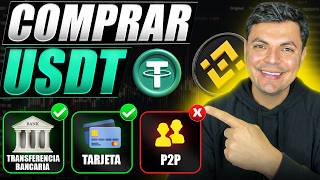
This video demonstrates two methods for buying USDT directly on Binance without using P2P trading: buying with a bank card and buying via bank transfer. The presenter compares the real costs, including exchange rate differences and commissions, showing that bank transfers are significantly cheaper. The video also covers the requirements, availability in Latin American countries, and provides a step-by-step guide for each method.
Chapters
The video presents two methods to buy USDT on Binance without interacting with strangers: buying with a bank card and buying via bank transfer. Viewers are advised to watch the whole video to understand requirements and fees.
Log into Binance app. If no account, use the official link for up to $600 welcome bonus and 20% fee discount. Account verification is required. Use Binance Pro for advanced features.
Use 'Buy Crypto' shortcut, select national currency (e.g., Mexican peso), choose USDT, pay with Apple Pay/Google Pay card. Enter amount (limits vary, e.g., 360-200,000 MXN). Preview shows a warning about third-party supplier and data sharing.
First time requires entering address and questionnaire. Subsequent purchases go directly to payment page. Card details required. Commission is ~2% (20 pesos on 1000). Exchange rate difference is ~4.34% less favorable than Google, making total real cost ~6%.
Use 'Deposit' button, select national currency (e.g., MXN). For Mexico, first time requires opening an account with MEDA (payment fund institution) and facial verification. Transfer has no fees, minimum 50, no maximum (depending on verification).
After deposit, go to 'Assets' > 'Spot' to see funds. Convert to USDT using 'Convert' function (no fees) or 'Trade' > 'Spot' with limit order. Convert function exchange rate is ~0.3% less favorable than Google. Spot trading commission is ~0.075%.
Card purchase real cost ~6%. Bank transfer + convert ~0.3%. Bank transfer + spot trading ~0.075% (best). Card is simpler but fees are high. Bank transfer is cheaper but not available in all countries (currently Mexico, Colombia, Argentina). P2P is also an option with <0.3% cost.
For buying USDT on Binance, bank transfer followed by spot trading is the most cost-effective method, with a real cost of about 0.075%, compared to 6% for card purchases. However, bank transfer availability varies by country, and P2P remains a viable alternative with similar low costs.
Mentioned in this Video
Tutorial Checklist
Study Flashcards (8)
What is the real cost of buying USDT with a bank card on Binance, including exchange rate and commission?
easy
Click to reveal answer
What is the real cost of buying USDT with a bank card on Binance, including exchange rate and commission?
Approximately 6% (2% commission + ~4% exchange rate difference).
03:49
What is the real cost of buying USDT via bank transfer and using the 'Convert' function?
easy
Click to reveal answer
What is the real cost of buying USDT via bank transfer and using the 'Convert' function?
Approximately 0.3% (exchange rate difference only, no fees).
07:29
What is the real cost of buying USDT via bank transfer and using the 'Spot' trading function?
easy
Click to reveal answer
What is the real cost of buying USDT via bank transfer and using the 'Spot' trading function?
Approximately 0.075% (commission only).
08:41
Which Latin American countries currently have the bank transfer feature on Binance?
medium
Click to reveal answer
Which Latin American countries currently have the bank transfer feature on Binance?
Mexico, Colombia, and Argentina.
09:51
What is the minimum and maximum deposit amount for bank transfer in Mexico?
medium
Click to reveal answer
What is the minimum and maximum deposit amount for bank transfer in Mexico?
Minimum is 50, maximum has no limit (depending on verification level).
05:26
What is the commission percentage for buying USDT with a bank card?
easy
Click to reveal answer
What is the commission percentage for buying USDT with a bank card?
2% (e.g., 20 pesos on 1000 pesos).
02:55
What is the exchange rate difference when using the 'Convert' function compared to Google's rate?
medium
Click to reveal answer
What is the exchange rate difference when using the 'Convert' function compared to Google's rate?
Approximately 0.3% less favorable.
07:29
What is the exchange rate difference when buying with a bank card compared to Google's rate?
medium
Click to reveal answer
What is the exchange rate difference when buying with a bank card compared to Google's rate?
Approximately 4.34% less favorable.
03:24
💡 Key Takeaways
Real cost of card purchase is 6%
Reveals the hidden high cost of using a card due to unfavorable exchange rate and commission.
03:49Convert function cost is only 0.3%
Shows a significantly cheaper alternative with minimal exchange rate difference.
07:29Spot trading cost is 0.075%
The most cost-effective method, highlighting the importance of using the trading function.
08:41Bank transfer availability limited
Important for users in other countries to know this feature is not universal.
09:51Full Transcript
[00:02] strangers when buying USDT isn't for you, don't worry. Today I'm going to show you two methods with which you can buy USDT directly on Binance without having to interact with strangers. I suggest that before
[00:16] starting either of these two processes, you first watch the video, so we can review the requirements you need and also see if this feature is available in your country. After evaluating each process and seeing how much you
[00:28] will end up paying in fees, you can then choose which one is best for you. first thing will be to log into our Binance application. If for some reason you don't yet have a Binance account, in the description I'll leave you the
[00:42] official link with which you can get up to $600 in welcome bonuses and a 20% discount on fees for life. That 20% could save you hundreds or even thousands of dollars if you plan to use Binance long-term. And up here you'll also
[00:56] see a video on how to create and verify an account. Once your account is verified, go to the icon at the top and press the button that says Binance Pro. This is the most advanced version, which we'll be using for
[01:09] to show you is buying with a bank card. Here below the homepage you'll find this shortcut that says buy crypto. If it doesn't appear, press further and under frequently used functions you will find that same section for
[01:23] buying crypto. On this side you will select your national currency. In my case it's the Mexican peso. Your country's currency will appear, and here you choose what you want to buy. For the purposes of this video, I'm going to leave it
[01:35] at UST. Here where it says pay with, you're going to click on it and select this option that says Apple Pay and Google Pay card and confirm. Then you enter the amount. Limits may vary from country to country. In Mexico it ranges from
[01:48] 360 to 200,000 Mexican pesos. For the purposes of this video, I will put in 1,000 Mexican pesos and I will receive approximately 55 USD. I press preview and here I get this warning that Vinas will be
[02:02] directing me to an external platform, a third party. That third party is this supplier that we will use to buy with a plastic card. Vainas will also personal information that we used to create our account. This is part of the
[02:16] process. So if you agree to buy from that third party, you press "I have read the terms and conditions" and then press "continue". Then you will have to enter your address and answer a questionnaire. You're the only one who will
[02:28] do this the first time. After that you won't have to do any of this anymore. The next time you want to buy with a card, simply enter the amount and press preview, and it will take you directly to the
[02:41] payment page. Here you can also pay with Apple and Google Pay, or you can simply enter your card details. I want to clarify that the card the data, it will ask for the usual information: the card number,
[02:55] inspiration date, security code, and billing address. Regarding pay close attention, they are charging us a commission of approximately 20 pesos for buying 1000, which is 2%. But you should also pay attention
[03:10] to the exchange rate. Here where they are taking each peso at 0.055. If we take the exchange rate shown on Google as a reference, it shows that the peso is at 0.058 dollars. If we take as a reference the cost of the
[03:24] peso on Google against the dollar and compare it with the exchange rate that this platform is giving us, that gives us a difference of 0.0025. If we divide that difference by the exchange rate that is on Google, it
[03:37] gives us a percentage of 4.34%. The difference in the exchange rate between here on this platform is not very favorable, to be honest. So,
[03:49] the real cost of buying with a card will be approximately 4% for the exchange rate and 2% for the commission they charge us . Therefore, the actual cost at the end of the operation will be around 6%. If you agree to this
[04:04] pay button and the 1000 pesos will be deducted from your account, and you will receive 54.29 USDT in your Binance account . The second option to buy USDT directly in pods is by doing so with a bank transfer.
[04:19] Here below the start you will find this yellow button that says deposit and here case it's Mexican pesos. If you live in Colombia, you will see the Colombian peso, and if you live in Argentina, the Argentine peso. We press this section and
[04:33] in my case, I will be making the deposit of the Mexican peso through a Space bank transfer. We press continue. And for those of you from Mexico, if this is your first time going through this process, it will ask you to open
[04:45] an account with this payment fund institution called MEDA. Here they personal information and then validate that information with facial verification. I repeat, this is only for the people of Mexico. If you want to see this process
[05:00] step by step, here it is in a video. And you'll only have to create an account . Later on, when you want to buy again, it will be much easier. For another time in this section, you will simply press
[05:13] continue and it will automatically give you the data you need The name of the beneficiary will appear, which in this case is me. I need to transfer money from one of my accounts; the key, which is what I need to
[05:26] bank. As you can see, this transfer will not generate any transfer will not generate any fees. The minimum is 50 and the maximum has no limit. I can deposit whatever I want. Although
[05:39] this limit will depend on the type of verification you have most advanced verification, that's why I don't have any limits. For the purposes of this video, I'm going to deposit 1,000 pesos. Once you transfer the money, you will
[05:52] press this button that says send funds. And that's basically it. You're going to come back and here under "home" you're going to go to that section that says "assets". Under the spot section, in this wallet that says Spot, here you will find the amount
[06:07] you would have deposited. The next step will be to convert this peso into USDT. Remember, so far we haven't paid a single penny in fees. To convert it, you have two options. Here under this section that says Trade,
[06:21] spat section or to this other one that says buy and sell, which is the first option for buying and selling. Here you're going to press this button that says convert or convert. Here you will select what you want to spend, which
[06:35] in this case will be the Mexican peso that is here. And on this side you select the cryptocurrency you wish to acquire, which in this video we are using the example of buying USDT. We select it and enter the amount, let's say, the 1,000
[06:49] pesos we deposited. This conversion function has no fees, but it's important to look at the exchange rate they'll give us. To begin with, we are already getting a little more UST than we would have gotten with the
[07:02] plastic card. Here they are buying the dollar or the USD, which is the same thing, at dollar or the USD, which is the same thing, at 17.20. 28, close to 17.29, which if we look at how much the dollar is today is 17.24.
[07:16] So, from the 17.29 that Binance is giving us, we subtract the 17.24 that Google is giving us, and that gives us a difference of 5 cents. We're going to divide those 5 cents by the
[07:29] exchange rate that's on Google, and that gives us a result of 0.29%. That means the exchange rate in pods is approximately 0.3% less favorable than on Google. But as you can see, it's still
[07:44] infinitely better than paying 6% by card. After this, we press preview and here I would simply swipe to the right to confirm the purchase. Now let's use the other function, which is the spot function.
[07:57] For this, here under trade we are going to make that conversion in this section that I made spot. Here we're going to select the pair. In our case, the Mexican peso will be paired with USDT. We'll leave it in the buy function here. We're going to buy USDT
[08:12] and in the order type we're going to place a limit order to see exactly how much we're going to pay in commissions. Similarly, we put in the 1,000es and for those Similarly, we put in the 1,000es and for those 1,000es we will receive 57 USDT, and
[08:25] to obtain these 57 USDT we will be charged a commission of approximately 4 cents of a dollar. If we take these 4 cents and divide them by the 57 UST we're going to get, it's a commission
[08:41] of approximately 0.075%. Of the three options we've looked at so far, this is the best option. Another easier way to access this trading section is simply to
[08:54] select the cryptocurrency or currency you wish to exchange under "My Assets," and you will which you can trade that currency or cryptocurrency. In conclusion, buy cryptocurrencies with a plastic card. The real cost at the end
[09:09] of the day, including exchange rate and commissions, is around 6%. If you use the second option and make a bank transfer and then convert that amount into the cryptocurrency you want, for example USDT, using the
[09:24] conversion function, the actual cost is approximately 0.3%. But if you use the trading function , the spot function, then the actual cost is approximately 0.075%,
[09:38] which is the best of all the options . Buying with a plastic card is usually simpler and quite fast, but the fees are not at all favorable. On the other hand, buying with a bank transfer is just as
[09:51] much better. The problem is that this feature is not available in all Latin American countries. At the time that it is available for Mexico, Colombia, and Argentina. Personally,
[10:04] I believe the best option is to make that purchase via bank transfer. If fees are important to you, which I'm sure they are, I also recommend exploring the world of P2P if file transfers aren't
[10:16] available in your country. Although buying on P2P is a bit more complex, there too the actual cost of buying is less than 0.3%. In fact, above I'll leave you a video where you can learn step by step how to buy USDT in
[10:30] P2P trading. If you follow the steps in that video, you won't have any problems and you can save a lot of money on fees. And speaking of forget to use the link in the description to create an account, as
[10:43] this link will give you that 20% discount. If you have any questions, you can leave them best to answer. Before I go, I'd also like to invite you to Income community. You can follow us on Instagram for short educational content, join
[10:58] new WhatsApp group. I'll also leave those links in the description, and up here related videos. In this video I show you step by step how to create an account on Binance and here I show you step by step how to buy UST in P2P trading. I'll say goodbye
[11:14] buy UST in P2P trading. I'll say goodbye here for today.