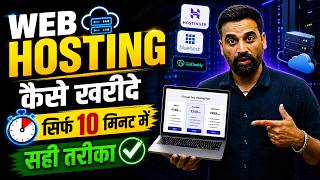

Hostinger Plans Explained: Which One to Pick?
54sBreaks down pricing and features in a simple comparison, helping viewers make an informed decision.
▶ Play Clip"Delivers a solid step-by-step tutorial, but heavy on filler and self-promotion; title is accurate."
In this tutorial, Rahul, a digital marketing expert, provides a step-by-step guide on purchasing web hosting for a website or blog in 2026. He recommends Hostinger as his preferred hosting provider, details the available plans, and walks through the entire purchase process, including applying a discount coupon and completing payment via UPI.
Rahul introduces himself as a digital marketing expert and states the video's purpose: to teach viewers how to buy the best web hosting for their website or blog in 2026, covering where to buy and which plan to choose.
Rahul instructs viewers to search for 'hosting' on Google, which shows companies like Milesweb, GoDaddy, and Bluehost. He then recommends Hostinger as his preferred provider due to low prices, good support, and additional benefits.
Rahul directs viewers to type 'hostinger.in' in the browser and click on the official website link. He provides the link in the video description.
After opening the Hostinger website, viewers should click on 'Pricing' to view the hosting plans. Rahul highlights key features: 30-day money-back guarantee, 24/7 support, and the ability to cancel anytime.
Rahul describes the plans: Single (₹70/month, 1 website, 10GB storage, basic features), Premium (₹129/month, 3 websites, 20GB storage, free domain for 1 year, AI builder, email marketing), Business (₹199/month, 50 websites, 50GB storage, backups, e-commerce), and Cloud Startup (for large e-commerce sites).
Rahul recommends the Premium plan for most users creating one or two websites. He instructs clicking 'Choose Plan' to proceed to the next step.
Viewers must select a billing period, with a minimum of 12 months recommended. For 12 months, the cost is ₹2388, with free domain and privacy, plus ₹429 tax, totaling ₹2870.
Rahul provides a coupon code 'DMG10' for a 10% discount, reducing the total by ₹238 to ₹2536. He instructs to apply the code by clicking 'Apply'.
After clicking 'Continue', users can register or log in with Google. Then, billing details (name, country, phone number) must be entered, followed by clicking 'Continue'.
In the payment options, select UPI, click 'Submit Payment', enter the UPI ID, and complete the payment. After payment, the hosting plan is activated.
After payment, go to hostinger.in, click 'My Account', and log in to see the hosting plan and any created websites or connected domains in the dashboard.
The video provides a complete, practical walkthrough of purchasing web hosting from Hostinger, including plan selection, applying a discount, and completing payment. Rahul emphasizes the Premium plan as the best value for most users and encourages viewers to comment with questions.
What is the recommended hosting plan for most users creating one or two websites?
The Premium plan.
06:24
What is the cost of the Premium plan per month?
₹129 per month.
04:59
What is the coupon code provided in the video, and what discount does it give?
DMG10, gives a 10% discount.
07:44
What is the minimum billing period recommended for purchasing hosting?
12 months.
07:01
What features are included in the Premium plan?
3 websites, 20GB storage, free domain for 1 year, AI builder, and email marketing for 1 year.
04:59
What is the money-back guarantee period offered by Hostinger?
30 days.
03:52
What payment method does Rahul use in the tutorial?
UPI.
09:20
Plan Comparison
Provides a clear breakdown of Hostinger's plans, helping viewers choose based on needs.
04:19Coupon Code DMG10
Offers a specific discount code, adding practical value for viewers.
07:44Money-Back Guarantee
Highlights a risk-free purchase option, reassuring potential buyers.
03:52[00:02] video. Friends, my name is Rahul. I am a digital marketing expert. And in today 's video, I am going to teach you that brother, if you also want to buy the best web hosting for your website or your blog in 2026, then
[00:23] from where you can purchase the best web hosting plan for your website or your blog in 2026. Look friends, today in this video I will tell you the complete process of purchasing web hosting
[00:36] in this video friends, I will not only tell you the process but will also tell you that whenever you purchase web hosting, from which company should you purchase web hosting and which plan should you choose. In this video, I am going to share with you the complete knowledge about which plan will be
[00:51] best for you and how you can buy that plan. best web hosting in 2026 and are thinking of live streaming your website or
[01:06] blog there and you want to learn the complete process of how can I buy the best web hosting. Where to buy? Which plan to take? If you have many confusions in your mind and you
[01:18] want to clear all these confusions and want to purchase a web hosting, then definitely watch the video till the end. I would like to make one more request to all of you. more request to all of you.
[01:30] Like and share this video with your friends. To join me, please subscribe to the channel and press the bell icon. Let us now begin Let us now begin today's video.
[01:53] So friends, if you also want to purchase web hosting, then purchase, which plan you have to purchase. Let us understand that. So what should we do first, friends? You will have to go here on Google and here you will have to
[02:05] type friends hosting. So click on the search button here. Like friends, here you will click on the search button and here you will see that the hosting providing companies will appear in front of you.
[02:18] So here the mile swab is coming, gd is coming. Similarly, if you scroll down, Blue Host is coming. And here friends, see in this video I will tell you
[02:30] hosting company from where I buy most of my web hosting. where I buy most of my web hosting. I am going to tell you about, you can buy the best webbing
[02:45] at a low price. Also their support is good. And you will get many more things here. Ok? So what should I do, friends? Here I will type about a brand and the name of this brand is friends hoinger.in,
[02:58] I will give you its link in the description. If you want to go there by clicking, then If you want to go there by clicking, then I typed hostinger.in here and here you can see if you scroll down a little,
[03:10] friends, the official website of hostinger.in is appearing in front of you here. So what I will do is simply click here, hostinger.com.in opens in front of you and
[03:25] look here, you will get to see its entire website here. Now friends, what will you have to do? See, simply here you will have to go to prying. and as soon as friends, I click on prying here, their
[03:40] prying plans appear in front of you. So you have to scroll down a bit and see their web hosting plans which are coming in front of you. Now, first keep some things in mind, there are some highlight points, let me tell you those. First of all,
[03:52] and you do not like that hosting, then brother, you get 30 days money back guarantee here. You can cancel your plan within 30 days. You will get the entire money refunded. Apart from this, you
[04:04] get 24/7 support and you can cancel your hosting whenever you want. what will I do now? I'm going to scroll down here and there are some plans here. Let me look at those plans. And I will explain to you which plan you have to purchase.
[04:19] So look here, first of all their plan is buy single which you get approximately, look here, ₹70 per month, ₹70 per month, you will have to pay the per month, ₹70 per month, you will have to pay the amount for it. Here
[04:33] Now you can also see what all you will get in it. Please check it first before purchasing. So see here, you can create a website in this plan. Secondly, here you will get 10GB of storage and
[04:47] you will get the option to create an email ID. Apart from this, you will get some basic features like SSL etc. in it. Their second plan is the most popular one which we call premium plan, this is their premium plan. Now
[04:59] what can be seen in it? Look, first of all, if you purchase this plan, you can purchase it for ₹129 per month. And look here, you can create three websites under this plan. Here you will get 20 GB of storage
[05:13] and you can create two emails in this plan. And do you know what the biggest benefit is? In this, you will get a domain name free for one year. So, that means if you are creating a website, then you
[05:28] within this plan. You will not have to spend any extra money on it. Here you can install WordPress etc. and you also get the free option of email marketing for one year. Apart from this, see here
[05:41] you can also create websites through AI. You also get AI builder from the hosting side. Similarly, friends, they have other plans too. For example, if you want to purchase the business plan, it is available for ₹199 per month.
[05:54] What will you get in this? You can create about 50 websites. And apart from this, you will get 50 GB storage here. And you can create five emails here. And apart from this, see you get backup. You can create an e-commerce website in this.
[06:09] End Agent AI These are completely useless things for WordPress. Similarly, here you have another plan of cloud startup. So if you have a big e-commerce website and you have products, then in that case
[06:24] you will have to purchase this plan. Otherwise, I would tell you that if you have a plan to create one or two websites, then brother, I would recommend you that you can purchase the premium plan. Ok? So suppose
[06:36] if you want to purchase a premium plan then what do you have to do? you will click on Choose Plan. Now its next step will open in front of us. Ok? So what's the next step?
[06:48] Next step comes its card option in which we will check its card here once. Ok? So here you friends can see that the option of your card has friends, you see that you are purchasing the premium plan. So look at this, first of all
[07:01] you have to select the time period for which you are buying it. you should purchase its hosting plan for minimum 12 months, only then it will be the do 12 months here, friends, here you can see its order summary on the side. So
[07:16] here your total plan is for 12 months, so your plan cost is ₹2388. You will get a free domain name here. You don't have to pay any charge for this. You will get end domain privacy here. There is no charge for that either.
[07:29] Your tax here is ₹429. Your total here is ₹2870. ₹17 Sorry, I will give you a coupon code here from my side which you can use. So look here you will get the coupon code. And before using the coupon code, let me tell you that there is a
[07:44] And before using the coupon code, let me tell you that there is a apply the coupon code only by clicking on it. Because this coupon code has been specially created in the name of my channel. So do you know the coupon code ? You have to type Dmg 10
[07:58] friends, you click on the apply button, our coupon code will be here. Now you can see that our coupon code will be here. Now you can see that you have got the 10% discount, friends. Your money has reduced by ₹238. Your total plan now is around ₹2536.
[08:12] Ok? So you can use this coupon code. do now friends? If you want to purchase this plan then you have to click on the continue button.
[08:25] option of register will appear here. So brother, you will have to I will click on the option of Log in with Google here and with the help of my Gmail account, I will create my account here. So
[08:40] look here, I have created my account. As soon as friend, you create an account here, now the cart option that you have will open again and here you will get the option of checking out with the help of Hostinger. So
[08:53] here you can see friends that your account has been created and after creating the account, friends, enter the billing details. So first of all you enter your name in the billing details. Please enter your last name. You can choose your country. And after that friends,
[09:07] here you are getting the option of phone number. So you enter your phone number, So all these things have to be put here. What are you supposed to do after that friends? Simply you have to click on the continue button. As soon as you click on the continue button,
[09:20] see here that your payment option is coming to you. So in the payment option, I will select UPI here and here I will click on submit payment. Like friends, I will click on submit payment. Here, our payment
[09:32] So what am I going to do here, friends? I will enter the UPI ID. What will I do after entering the UPI ID here? I will complete its payment here. So I enter my UPI ID
[09:44] and I make the payment here once. As soon as you enter your UPI ID, you can also make payment to your friends here and as soon as you make the payment, you can purchase your hosting account or hosting plan from here. So I will make the
[09:56] tell you how you friends, I have completed the payment to Hostinger. ? Look friends, you have to go back to Google Pay and
[10:11] type hosting.in and click on the enter button. Like friends, you will click on the enter button here, you have to scroll down and friends, the website of hosting.in will open in front of you.
[10:26] As soon as it opens, you have to click on the My Account section given here. Like friends, if you click on the My Account section, your Hostinger account will open in front of you. So look here, my
[10:39] friends, as soon as your dashboard loads here, we can see here that you will be able to see our hosting plan here. Let me scroll down a little and look here, you will be able to see my hosting plan here.
[10:53] So here you can see this is my hosting plan. And here if I scroll down, then see here I have also created some websites in this hosting plan. Friends,
[11:05] you will get to see all those websites here. And you can also see the domain name here. If any domain name is connected here, you will be able to see that domain etc. here. In this way, I think you must have understood how you can purchase hosting with the help of Hostinger. If you have any
[11:17] think you must have understood how you can purchase hosting with the help of Hostinger. If you have any can comment me. I will definitely try to answer your questions. And if you want to watch more such videos continuously, then subscribe to the channel and
[11:29] press the bell icon button. I will meet you friends in the next video with some new information. My heartfelt thanks to all my dear friends for watching today's video completely and supporting and subscribing to me and my channel.




⚡ Saved you 0h 11m reading this? Transcribe any YouTube video for free — no signup needed.