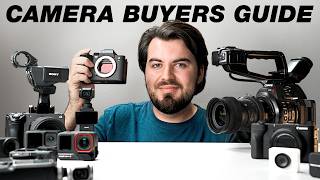

Stop Searching for the Perfect Camera
40sChallenges the common misconception that there is one best camera for all needs.
▶ Play Clip"Solid advice but the '2026' label is just for SEO; the recommendations are generic and applicable for years."
This video presents a framework for choosing a YouTube camera based on three key questions: what type of videos you make, your skill level, and your budget. The host breaks down specific features and recommendations for different content styles and price points, emphasizing that there is no single perfect camera.
Determine what kind of videos you make: talking head, vlogging, desk recording, or professional work. Each has different feature priorities.
Prioritize reliable autofocus, flip-out screen, microphone input, 4K video, good lens options, reliable power, and no overheating.
Focus on size, battery life, stabilization, durability, and ease of use. Consider phones, action cameras, or pocket gimbal cameras.
Look for USB webcam mode, clean HDMI, reliable wall power, no overheating, and simple audio setup.
Need 10-bit log, good dynamic range, multiple card slots, better audio tools, reliable long recording, and strong lens options.
Avoid trying to find one camera that does everything. Instead, think of cameras as tools and use multiple for different needs.
Match camera complexity to your experience. Beginners should prioritize simplicity; intermediate users look for growth features; advanced users know specific needs.
Invest in a more expensive camera that you won't outgrow quickly to save time and money in the long run.
Under $300: improve existing phone with mic and light. Around $500: action or pocket camera. $1000: mirrorless (e.g., Sony ZVE10). $2000+: serious video camera (e.g., Sony FX30).
Host chose Sony a7S III for hybrid use, reliability, and long-term value. It has lasted 6 years.
Pick the right camera for your needs, learn it well, and build a good setup. You don't need to upgrade frequently.
The best camera for YouTube depends on your specific needs—video type, skill level, and budget. Invest in a setup that matches your workflow, and don't fall for marketing hype or the quest for a perfect all-in-one camera.
What are the three key questions to consider when buying a YouTube camera?
What kind of videos you make, your skill level, and your budget.
00:15
What features are important for talking head videos?
Reliable autofocus, flip-out screen, microphone input, 4K video, lens options, reliable power, no overheating.
00:54
What should you prioritize for vlogging?
Size, battery life, stabilization, durability, and ease of use.
01:38
For desk recording/streaming, what features matter?
USB webcam mode, clean HDMI, wall power, no overheating, good audio.
02:45
What professional features matter for client work?
10-bit log, dynamic range, multiple card slots, audio tools, reliable long recording.
03:39
What is the 'buy once, cry once' mentality?
Invest in a more expensive camera that you won't outgrow quickly to save time and money.
07:18
What is the recommended budget for a first mirrorless camera?
Around $1000.
10:04
Why might a phone with good audio and lighting look better than an expensive camera?
Because good audio and lighting are more important than a high-end camera for perceived quality.
09:11
One Camera Can't Do It All
Emphasizes a key mindset shift: think of cameras as tools for specific tasks, not a single solution.
05:14Audio and Lighting Over Camera
Highly practical advice that saving money on a camera and investing in audio/lighting often yields better results.
09:11Long-term Use Builds Familiarity
Using the same camera for years allows you to master it, saving time and mental energy.
12:59Buy Once, Cry Once
A common wisdom that buying a high-quality item upfront prevents costly upgrades later.
07:18[00:02] for YouTube. Pretty much every brand and budget you can think of. And the biggest mistake I see people make is trying to find the one perfect camera that can do it all. Unfortunately, that camera doesn't exist. Believe me, I looked. So,
[00:15] instead, the better question to ask is what is the best camera for you? That's why I'm breaking down the three questions I asked before recommending questions I asked before recommending any camera.
[00:28] videos are you actually making? Are you filming talking head videos like this, filming at your desk, doing live streams, or are you going outside and vlogging? All those have very different needs. And a camera that's great for one
[00:42] creator might be completely wrong for another. So, instead of just buying the first camera someone recommends you, you want to get clear on what you're actually filming. If you do mostly film talking head videos for tutorials or
[00:54] educational-style content, chances are you're going to be in front of the camera. And so, you want some features that make filming easier. You want features like reliable autofocus, a flip-out screen so you can easily see
[01:07] yourself, a microphone input so you can get better audio. You want some decent 4K video and maybe a few good lens options depending on the shot you want longer videos, you want some kind of reliable power setup and you want to
[01:22] make sure there are no major recording limitations or any overheating issues. definitely do not matter if this is all you're doing. You don't need to shoot 8K raw video and you don't have to worry about any rolling shutter issues. And
[01:38] expensive camera to get something that looks good. You just need something that lets you sit down, hit record, and trust that you're in focus, framed up, and sounding good. If you're vlogging or traveling, those priorities start to
[01:51] change. Size, battery life, stabilization, durability, and ease of use matter way more. And while a big mirrorless camera might look amazing, if it's too heavy, too complicated, or just too annoying to carry, you probably
[02:06] won't use it. So, for this kind of creator, I'd pay attention to cameras that are easy to bring with you, quick to turn on, and forgiving when you are filming yourself on the go. That could be your phone, it could be an action
[02:18] camera, or a pocket style gimbal camera, or maybe it is a compact mirrorless setup with a wide angle lens. The main things I would look for is good stabilization, a wide enough field of views to show off your environment,
[02:32] solid battery life, and maybe some decent built-in audio, or having an easy microphone setup. It'll probably be helpful to have a camera that is durable to handle the elements. If you mainly record from your desk, let's say you're
[02:45] streaming or doing remote interviews, for this kind of setup, I'd pay attention to things like USB webcam mode, having a camera that has clean HDMI, and reliable wall power, and whether or not the camera can run for a
[03:00] long period of time without overheating. And you also want to think about audio. Can you plug a microphone into the camera, or maybe you have a separate audio solution like a USB mic, podcast mic, or audio interface connected
[03:13] directly to your computer. Either way, you want a setup to feel simple and repeatable, cuz if you're streaming or recording from the desk, the goal is not to have the most complicated setup. You just want to be able to sit down, turn
[03:26] work. You also need something that is going to work with your computer, that stays powered, doesn't overheat, and just lets you focus on the content instead of troubleshooting your setup. Now, maybe you're not just buying a
[03:39] camera for YouTube, but you're also doing client work, weddings, commercials, or higher-end video production, then professional features are going to start to matter much more. You want features like 10-bit log,
[03:51] having solid dynamic range, multiple card slots, better audio tools, reliable long recording, and stronger lens options. And those features are going to allow you to have much more flexibility to color grade, match multiple cameras,
[04:06] film longer events, and shoot in uncontrolled lighting. And when someone cheapest camera that could potentially overheat or stop recording in the middle professional video is you want reliability. But even here, I wouldn't
[04:22] spend your entire budget on just the camera body. You still need to invest in audio, lighting, and lenses. So yes, pro features can be worth paying for, but videos you're actually going to be doing. And then there are hybrid
[04:36] creators. There's a good chance that you fall into this category. Maybe you film talking head videos, but also vlog sometimes. Maybe you are shooting short social media clips, but also want to live stream. If you do a little bit of
[04:49] everything, you probably are looking for a more balanced camera. You still want good autofocus, 4K that can handle higher frame rates, and decent stabilization. And that's where a good mirrorless camera can make a lot of
[05:02] sense, but there is a big mistake I see a lot of creators make when they are buying their first camera, is thinking they can get one camera that can do it all. And that is just not the case. Cameras are built for very specific
[05:14] reasons, and while there may be some cameras that are more versatile than others, it can be really helpful to think about having multiple cameras to cover your needs. For example, you might use your mirrorless camera for shooting
[05:26] your main YouTube videos because you want the better image quality, better lenses, and just more control. But that same camera might be too big or annoying case, it actually might make more sense to use your smartphone to record those
[05:41] things. Likewise, you might have something like the DJI Osmo Pocket 3 or Pocket 4 because you want that super smooth gimbal-like footage, but its limitation is it's not very durable. You're not going to want to take it out
[05:54] might want to use something like an action camera for more durability. So, instead of just trying to find the one camera that can do it all, instead try to think of each camera like a tool and know what each camera can do really well
[06:07] and what their weaknesses are. Now, leads us into the second question, what is your skill level? The best camera on paper is not always the best camera for where you are right now. If you are looking for your first camera, I would
[06:21] prioritize simplicity. You want something that is easy to set up, easy to use, and doesn't require a ton of extra gear just to get a decent result. good are the auto modes, so you don't have to rely on manual settings. You
[06:36] also want files that are easy to edit. Maybe you're not using the most expensive laptop or editing program. So, you want something a little bit lighter And your goal when buying a camera is looking for something that allows you to
[06:49] sit down, hit record, and just start making stuff. And that's why we often recommend using your phone, a webcam, or even an action camera if you are just getting started. Okay, so maybe you know your way around the camera. What are
[07:02] prioritize? If I were you, I would look at features I could grow into. Maybe that's having interchangeable lenses, maybe it's higher frame rates for more you want to experiment with color grading, so you maybe want to have log
[07:18] and the ability shoot 10-bit. This is also where I adopt the mentality of buy once, cry once. I've often made the mistake of buying a cheaper camera that I would quickly outgrow, and you end up wasting a lot of time and money trying
[07:32] definitely would consider thinking about that means you're going to be able to use your camera for a little bit longer. comfortable in understanding your camera. Maybe you're on top of your game
[07:47] camera. There's a good chance you already know what features you need. You dynamic range, the ability to shoot more professional codecs, having multiple card slots, and you're looking for a camera that just has that reliability.
[08:03] a quick list of features that I think comes to YouTube cameras. And to be clear, I'm not saying that these features are useless. They definitely have their place. If you know exactly
[08:16] you're just trying to find a good camera for YouTube, you don't need to build your entire buying decision around these specs. A lot of this is just fancy marketing, so don't feel like your camera needs to have every pro feature
[08:30] to be a good YouTube camera. Most of the time, I care way more about features that make filming easier and actually fits the way I make videos. And the third question I always ask is what is your budget? I know we talked a lot
[08:44] overwhelming, but I'm going to get into a few more practical recommendations with specific cameras I would recommend under different price ranges. By the way, these are all cameras I've personally used and can attest for.
[08:57] at different price ranges that fits your needs better, but we'll get into that a little bit later on. If your budget is under $300, I'd first start by improving what you already have. If you have your phone, go ahead and use it. Instead,
[09:11] invest that money into a better microphone, a simple light and tripod. Those things are going to actually make filming content way easier than upgrading your camera. A phone with good audio and decent lighting can look way
[09:25] better than an expensive camera with bad audio and terrible lighting. So, if you only have this much to spend, I wouldn't worry about buying a dedicated camera just yet. Instead, I'd focus on making your current setup better, and the
[09:37] benefit is even when you do upgrade later in the future, you can still use those accessories. Now, at around $500 to spend on a camera setup, this is where I would consider an action camera if you are vlogging, traveling, or just
[09:51] filming on the go, especially if you are just starting out. I would also recommend a pocket-style gimbal camera like the Pocket 3 or the Pocket 4. This will give you better image quality. It'll have that smooth, stabilized look.
[10:04] The great thing about the Pocket camera or action-style cameras is they are still very simple to use. You don't have to have a big, complicated setup. If you have around $1,000 to spend, this is where I would consider a mirrorless
[10:17] camera. I'd recommend something like the Sony ZVE10, the ZVE10 Mark II, or the Sony ZVE10, the ZVE10 Mark II, or the Canon R50V. These have larger APSC sensors that are going to give you much better image quality, reliable
[10:30] autofocus, crisp 4K video with a flip-out screen, microphone and ports, and importantly, the ability to change out lenses. I think for a lot of YouTubers, this is probably the sweet spot. You get much better image quality,
[10:43] jumping into an expensive full-frame setup. The big thing to consider when it comes to a mirrorless camera is you do need to have some money saved up for accessories like lenses, audio, lighting, extra memory cards, extra
[10:57] batteries. And that stuff can add up pretty fast. Once you get closer to $2,000 and above, this is where I'd start considering a more serious video camera. I personally really enjoy using the Sony FX30, and that's actually what
[11:10] I'm using to record this video. Now, with this camera, you're not necessarily spending more money for better image quality. It's actually for more reliability. This camera has an internal fan to keep it cool. That means I can
[11:22] let it run and not have to worry about it ever overheating. I can attach this XLR-style top handle to run my nice microphone directly into it, and the build quality and form factor is just way better than those cheaper cameras.
[11:35] Okay, so I know we covered a lot, so let's take all this information and practically looks like when I am considering a camera and how I made the decision to buy the camera I'm using now. So, we start off with question one,
[11:49] what kind of videos do I make? I make a mix of videos. I do talking head videos for reviews and tutorials like this, but also more advanced video work. I was doing a lot of video production, interviews, documentaries, wedding
[12:02] videos. So, I would consider myself a hybrid creator. I needed something reliable that could handle a lot of different situations. Second question little bit more money to spend since I was making money with my camera, so I
[12:17] was willing to invest in something for the long run. The third question is, probably a little bit more advanced than the average creator. At this point, I've already been into video for several years, so I knew my way around a camera.
[12:30] So, for me, the camera that I chose to buy was the Sony a7S III. This camera has autofocus, which is great when I am filming videos in front of the camera or even when it applies to video production work, autofocus is just a really useful
[12:44] tool. It also has the ability to shoot 4K videos up to 120 frames per second, has great image stabilization. And while this camera was certainly not cheap, 6 years, and it holds up, and I'm still happy using this camera. And that's why
[12:59] I think a lot of people don't realize is by using a camera for a longer period of time, you really get to know the camera. I don't have to think about how to adjust settings on this camera. I just grab it, turn it on, and I'm good to go.
[13:13] And that saves me so much time and mental clarity when I'm just trying to make videos. So, yes, picking the right camera matters, but don't feel the need to upgrade every time something new comes out. If you buy the right camera
[13:25] for your needs, learn it really well, and build a good setup around it. That camera can last you for years. Let me know in the comments if you got value anything about the specific cameras I recommended, check out the links in the
[13:37] reviews. And if you want to know the YouTube, I have a full video breaking down the best options right now at different budgets. You can click or tap the screen right up here to check out
[13:50] the screen right up here to check out that video next.


⚡ Saved you 0h 13m reading this? Transcribe any YouTube video for free — no signup needed.