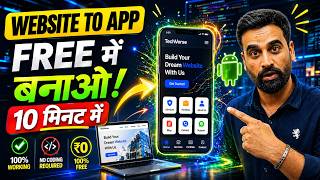

No Money? Make an App Free!
45sInstantly hooks viewers with the promise of a free app, tapping into the pain point of expensive development costs.
▶ Play Clip"Delivers on the promise of a free, no-code website-to-app conversion, though the process is straightforward and the video includes typical filler."
This video demonstrates how to convert an existing website into a mobile application without any coding knowledge or cost, using the AppMySite platform. The process involves creating an account, entering the website URL, customizing the app's appearance, and downloading the APK or AAB file for distribution on the Play Store.
Many businesses have a website but lack a mobile app, and the cost of developing one (₹1.5 to ₹1 lakh) often deters them.
The video introduces a method to convert an existing website into a mobile app without coding or money, using a tool called AppMySite.
Go to appmysite.com in a new tab. It is a mobile app builder that supports both iOS and Android, and automatically converts websites into apps.
Click 'Get Started' and create an account using Google sign-in. An account is necessary to save the project and make future changes.
After logging in, click 'Get Started' and choose 'Web to App' to convert an existing website. Other options include WordPress and custom apps.
Paste the website URL (e.g., usedcarwala.com) and set the app name. Click 'Create App'.
Choose a color theme, skip icon creation, and manage the menu and URLs as needed. Click 'Next' through the steps.
Click 'Click to Start' to begin the app building process. AppMySite filters the website data and creates the app automatically.
The dashboard allows editing app icons, menu, web view, and previewing the app. It also provides analytics and monetization options.
Click 'Download' to get the Android APK or AAB file. The free plan supports Android apps; iOS requires a paid plan.
Click 'Build App' and wait about 20 minutes for the app to be generated. After completion, download the APK or AAB file.
The AAB file can be uploaded to the Play Store. Updates to the website automatically reflect in the app.
By using AppMySite, anyone can convert their website into a mobile app for free, without coding, and distribute it on the Play Store, saving significant development costs.
What is the name of the platform used to convert a website into a mobile app?
AppMySite
03:12
What are the two types of files you can download for Android app distribution?
APK and AAB
12:56
How long does it take to build the mobile app on AppMySite?
About 20 minutes
12:12
What is the first step after logging into AppMySite to create an app?
Select 'Web to App' as the app type.
05:31
What are the customization options available in the AppMySite dashboard?
Edit app icons, menu, web view, preview, analytics, and monetization.
09:10
What is the estimated cost of developing a mobile app through traditional coding?
₹1.5 to ₹1 lakh
02:46
What is the main advantage of converting a website to an app using AppMySite?
No coding required and free of cost.
03:00
No-Code Solution
Highlights the core value proposition: converting a website to an app without coding or money.
01:12AppMySite Introduction
Introduces the specific tool that enables the conversion, setting the stage for the tutorial.
03:12Automatic Conversion
Demonstrates the platform's ability to automatically filter website data and create the app.
08:02Play Store Upload
Explains how to distribute the app via the Play Store using the AAB file.
13:09[00:03] has a website but you do not have any mobile application like your website. You do not have any mobile application of your business which you application and purchase your products and services from there. But
[00:19] friends, sometimes you also feel that But whenever you tell someone that I want to make my application, then he tells you that it will cost 1 lakh, 2 lakh , 3 lakh and what happens after that
[00:34] ? You delete your idea and at that time you do not create the mobile application. Look friends, if you also have the same problem. Meaning, you have a website but do not have a mobile application and you
[00:47] want to create a mobile application but you do not want to spend money on it. So today's video is going to be most important for all of you. You must watch this video till the end. Look friends, my name is Rahul. I am a digital marketing coach and
[01:00] in today's video I am going to teach you all a process of creating a mobile application in which you can create a mobile application using your website.
[01:12] And that too friends, without any coding knowledge and without any money. You are hearing it absolutely right. Today in this video I will tell you a method or process, what will we do in that process ? Whatever website you have created,
[01:26] we will convert that website into a mobile application and after converting that mobile application, we will also download it and you can also upload that mobile application in Play Store. And in doing all this, you do
[01:42] not have to pay any money to anyone nor do you have to do any coding etc. It is a simple process. There is an easy way. I will explain this entire process to you in the next 10 minutes. So let's Before starting the video, I would like to make a request. If you think that video channel is useful for you
[01:57] then you can join me. Like this video. Sharing with your friends. To join me, please subscribe to the channel and press the bell icon. Let's start with the video now.
[02:19] So friends, if you also want to create a mobile application for your website, what will you have to do? Look, here you can see the screen of my laptop PC, look inside it, I have opened a website in front of you and the
[02:32] name of this website is friends used car wala dot, now what do I have to do, friends, I have created the website but now I have to create a mobile application of this website. If I give a project to such a company or tell my team to
[02:46] make a mobile application based on coding, then you should assume that you may have to spend between ₹1.5 to ₹1 lakh to make an app. But I can also use a method using which I will use this website and there is
[03:00] a tool which will automatically convert this website into a mobile application and it neither requires coding nor you have to pay any money. Now you must be wondering, what kind of tool is this?
[03:12] Once we know how to convert, we will learn. Let's see what needs to be done? You will have to go to the new tab and here you will have to type friends app my site and simply friends what do you have to do? Click on the enter button. As soon as you click on the enter button, the
[03:27] URL of this website or platform will appear in front of you. So simply you have to click on it. As friends, when you click on this, you can see here that it will open in front of you like this. And here you can see that this is a mobile app builder
[03:41] through which you can create both iOS and Android mobile applications. And it is a platform that can automatically convert your website into a mobile application. Ok ? And see, there is
[03:55] no coding requirement in this and neither will you have to pay any money for it. So let's make it. See what needs to be done to make it? First of all we will go and click on Get Started. As soon as friends, you click on Get Started, the
[04:10] As soon as friends, you click on Get Started, the So, it is important to create an account first because if you do not create an account then your project will not be saved and in future if you have to make any changes then
[04:24] you will not be able to do that easily. Ok? So here you can see friends, here you can see friends, and now here the process of creating its account will appear before us.
[04:37] So here you can see that the option of create an account has come to us. what shall we do now? Here the option of Pay Country with Google is given. We will click on this and what will we do friends? We will
[04:51] create an account. So I will use this mail ID here. And after clicking on this, you will have to give access to this mail ID. So we will click on the Continue button and provide access to our mail ID to the app My Site.
[05:04] Ok? As soon as you do this friends, now the next step of making the app will appear before you. Meaning, the dashboard of App My Site will Meaning, the dashboard of App My Site will
[05:18] can see how our account is created. After the account is created, see here your dashboard opens in front of you like this. Now Here you can see that the Get Started button has appeared in front of you.
[05:31] Simply you have to click on it. As soon as you click on this. Now here you can see that the option of Create an App is given. So in this you have multiple app types. Like you want to make a web to app. Meaning you have a website and
[05:44] you want to convert that website into these mobile applications. Suppose you have a website, you want to convert it into an app, there is an option for that. Here, suppose you want to create a WordPress app, that is,
[05:57] you want to create a plugin etc., then you have the option for this also and apart from this, you have the option to create a WordPress app or if you want to create a custom application, then its option is also given to you here. So what are we going to learn here today? Here we will
[06:10] learn how you can convert the website you already have into an app without any coding etc. So what do I have to do here? We will select the first option and after that whatever website we have, we
[06:23] I have this website for used cars. So I copy its link above and here you simply have to paste its link here. Ok? And we will keep the name of the app as carwal.com, okay? And here
[06:39] see the option of Create an App is given. Before this, if you want, you can put www. Ok? You simply have to click on And Create App. above the app. Now here you will see that the option to choose the color is coming.
[06:54] So like I selected this one. After that you have to click on the Next button. As soon as you click on the Next button, you will see that here you will get the option to create some icons etc. So we'll skip this one here.
[07:07] Click on the Next button. As soon as you click on this, now So here also we will click on the Next button. Our screens etc. are automatically created here. And after that, see, your menu is
[07:19] coming here. So if you want to select it, delete something as per your wish or you want to change any URL etc. then you will be able to manage them from here. Ok? What do you have to do now, friends? Here you have to click on the Next button again.
[07:32] click on the next button. Now see what will happen here, the dashboard of your mobile application will open in front of you here and whatever changes you want to make in your mobile application, whatever you want to add in the mobile application,
[07:46] you can do all those things from here. Look, you're almost there. Ok ? Here your starting setup is complete. What do you have to do now ? Simply see, you have to click on the button given with Click to Start
[08:02] installed automatically here. Meaning, the process of making our application has started here and now what will this platform appys.com do, friends ? It
[08:16] will filter the data of our website and friends, you can see my website, you can see it like this,
[08:31] see it on your mobile phone, then see in this way, your mobile application has been made by it, in this way you can see that its features etc. are also working, you can see here, rest you will be able to change their links etc. later easily, okay
[08:44] now what to do friends, the dashboard option which is given to you here, you click on the dashboard button, here you are given the option of cancel, friends, you click on it, now here
[08:58] you can see that the dashboard of your mobile application will open in front of you. Now here you can see that this use car wala is your mobile application. Here we have created app to app and this is our mail ID and here our Android
[09:10] application is not developed yet. We will make this in a little while. Ok? Rest of your entire option is given here for you to manage. Now edit it later if you want. For example, suppose you want to make some changes in the app icon, then
[09:24] here you can change all the app icons. Here you have to change the concept. You can see troubleshooting here if you face any problems. troubleshooting here if you face any problems.
[09:36] Some changes need to be made in what appears below the app. If you want to make any changes in the menu, you can edit it from here. If you want to make some changes in the web view, you can do it from here of the mobile application, you can do it from here.
[09:48] see the preview of the mobile application, then you can see it from here and the most important part is that here you have the option of downloading the mobile application that you will create, Ok? Apart from this, other functions are also given here to manage it. For
[10:03] example, here you will get to see the complete analytics of your mobile application as to how much traffic is coming to the mobile application. How many people are downloading it? Also friends, here you can advertise your mobile application i.e.
[10:15] monetize it and you can also earn money from your application. So these options come to you within this platform and you can also generate revenue by using them. Ok? What will we do now, friends? We will create our application as a
[10:29] mobile application and we will also download that application. So how to do that? Look, you have to go here and simply click on the download button and as soon as you click on the download button, friends, here you will see that the option of
[10:41] Android app is coming and another option of iOS app is coming to you. Look here you have the free plan of App My Site. What can you do inside it? You can create any Android mobile application. Ok? You don't currently have the permissions to create iOS apps.
[10:55] ? We will click on the build app option given in Android. Like friends, you will click on this button. Now side identity is coming here. So if you want to make some changes in it then you can do it. Migrate My Live App and here
[11:08] you will see the option of customize package details. And here in the app permission, see what things you have to give, you can also give that here, what all you have to take in the app permission. So suppose you have to take the camera, take the location,
[11:21] take access to videos here, take microphone access from someone, take photo access , take background access. You will get to see all those options here. You will get to see all those options here.
[11:33] Ok? You can migrate any application here as per your requirement. Ok? So we will not migrate here. We will convert our website into an app here. Now you have the option here.
[11:45] You have completed it. Now finally see here that you have the option of build app. You have to click on this. Like friends, when you click on this, what will happen now is that your mobile application will start getting created here
[11:57] and you will get to see its process here. Look, the settings of the coming app configuration are being saved and it will take about 20 minutes to create our mobile application. Look, our estimated time is
[12:12] 20 minutes. After completion of 20 minutes, our mobile application will be completed here. Like our mobile application is completed here friends. Here we will also get the option of download button.
[12:25] What can we do after that? You easily share it with whoever you want to share it with. So friends, what I will do is wait a little and as soon as this process is completed here, we will also try
[12:40] downloading the mobile application here. Ok? Ok. So here you can see friends that our process of making the app has been completed. And here you can see friends, now you have the
[12:56] you want to download the APK then you can download the APK and if you want to upload the application on Play Store then you can download the AAB file here. So if I want to download the AAB file here, I will click on it
[13:09] and here you can see friends, this file which I have, look, it has started downloading here. So friends, what you can do in this way is that you can easily convert any of your websites into a mobile application
[13:22] and you can download that application and upload it on the Play Store. What will happen with this is that whatever updates you make on your website, those updates will automatically happen in your application as well and you will not have to pay any money to any company
[13:37] for making the application etc. You can easily manage it. You can customize it as per your requirement and by uploading it on Play Store, you can also get it downloaded from people. Ok? So friends, how did you like today's video,
[13:51] please tell us by commenting. If you like the video then like and share it with your friends. If you want to join me and press the bell icon button so that you will keep getting the upcoming videos, you will keep
[14:07] watching them and you will keep learning with me. That's all for today's video. I will meet you in the next video with some new information. My heartfelt thanks to all my dear friends for watching today's video completely and supporting and subscribing to me and my channel.

⚡ Saved you 0h 14m reading this? Transcribe any YouTube video for free — no signup needed.