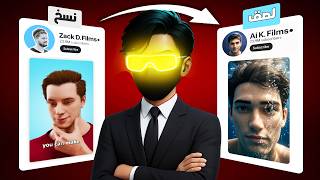

How This Creator Makes $150K/Month with AI 3D Shorts
45sThe massive earning potential and 1.5 billion monthly views hook viewers with the promise of easy money.
▶ Play Clip"Delivers exactly what the title promises — a free, step-by-step AI workflow for 3D animation shorts."
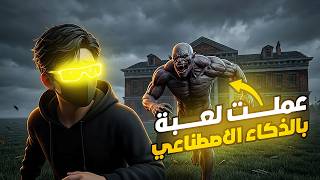
This video reveals a complete, free workflow for creating professional 3D animation shorts using AI tools. It demonstrates how to generate scripts, images, and videos without any paid software or 3D design skills, and validates the method with real YouTube results.
One creator earns over $150,000 monthly from 3D animation shorts, with 25M+ subscribers and 400M+ weekly views.
Use ChatGPT to generate video ideas and a full script. The creator provides a prompt file on Telegram.
Use Genawy (with Nano Banana) or Gemini to generate images from prompts. Add '9:16 ratio' for mobile sizing.
Use Opal to convert images to video clips. Set duration (e.g., 8 seconds) and aspect ratio (9x16).
Use Flo to create video frames from images, then link them together into a video.
Rewrite the script to include a hook, strong storyline, and compelling ending. Then convert to audio using 11Labs.
The creator uploaded the final video to an old channel and got positive results after 24 hours (views and watch time).
What are the subscriber count, weekly views, and monthly earnings of the top 3D animation shorts creator mentioned?
Over 25 million subscribers, at least 400 million views weekly, and over $150,000 monthly.
00:01
Which two free AI tools are recommended for converting text to images?
Genawy (uses Nano Banana tool) and Gemini.
01:54
What is the best free site mentioned for converting images to videos?
Opal.
02:21
Which free website is used to create video frames from images?
Flo.
03:02
Which service is used to convert the professional script into AI-generated audio?
11Labs.
04:25
What specific instruction should be added to the image generation prompt to ensure mobile-friendly sizing?
Add '9:16 ratio' to the prompt to make the image mobile-sized.
02:08
How was the script made more professional before converting to audio?
The script was rewritten to include a hook at the beginning, a strong storyline, and a compelling ending to encourage re-watching.
04:11
Massive Revenue Potential
Quantifies the financial opportunity in 3D animation shorts, motivating creators.
00:01AI-Powered Scripting Workflow
Demonstrates a repeatable method to generate video ideas and scripts using ChatGPT.
01:06Free Image-to-Video Conversion
Reveals Opal as a free tool for converting static images into video clips, a key step in the pipeline.
02:21Professional Script Refinement
Emphasizes the importance of a strong hook and storyline for viewer retention, not just AI generation.
04:11Validated Results
Provides real-world performance data (views and watch time) from a test upload, proving the method's effectiveness.
06:00[00:01] Star 3D, have become incredibly popular on YouTube, with people earning thousands of dollars from them. One creator of this content has over 25 million subscribers and receives at least 400 million views weekly, meaning they literally get 1.5 billion views per month and
[00:14] earn over $150,000 monthly. The problem is that many people believe creating videos like these requires expensive 3D designers and costing thousands of dollars, not to mention very costly equipment. And honestly, they have a point. However, with the advancement of artificial intelligence, it's become
[00:28] incredibly easy. You can literally create videos like these using AI completely free. After testing numerous free tools, I discovered a very professional method that allows me to easily and professionally create 3D videos like these. That's why I decided to share the
[00:41] complete method with you, step by step, explaining exactly how to create videos like these. And I wo n't even mention how to make those awful videos that viewers find unappealing. It's obvious from the first second, on the contrary, I'll show you how to make very professional videos that keep viewers watching until
[00:53] These videos are exactly like this, even if you AI content creation. I'm not here to sell you anything, so if you think this content is good, don't forget to support me with a like and subscribe so we can reach 100,000 subscribers as soon as possible. The first
[01:06] step in this content is scripting, and all the steps I'll explain in the video are very important, so watch the video to the end so you can make videos exactly like these. To make things easier for you, I've created a file containing all the promos I used, and you'll find it
[01:18] on my Telegram channel, which is linked in the description. I'll start by choosing a video idea. I went to the GPT chat and copied this brochure, and when I clicked OK, it showed me the top 10 ideas for videos in the exact same style. Then... All you have to do is
[01:30] GPD chat again, then type the word "Continue." It will then give you the script for that idea in the best professional way. After that, type the word "Continue" again in the GPD chat and click OK. It will then give you all the promos for each scene. Then
[01:42] GPD chat and click OK. It will then give you all the promos for each scene. Then the promos for the scenes in the video. That's it, I've prepared everything. Now I start the next stage, which is converting the text to images using artificial intelligence. Here, there are two ways to
[01:54] convert images to AI completely free and easy. First, I went to the Genawy website because it's currently the best site for creating AI images since it uses the Nano Banana tool. I took the first scene's promo, copied it, put it in GameNite, and at
[02:08] the end, I wrote "9 at 16 ratio" to make the image mobile-sized. When I clicked OK, this was the result. Then I started adding the promo for the next scene. I used the same idea, and this was the result for the next scene. So, I started by cropping all the scenes from
[02:21] Gemini and putting them in a ready-made file called 3D Video. Now, I moved on to the next stage, which is converting these images into videos. Of course, the best site currently that can convert images to videos for free is Opal, but most people don't know how to use this site because it's a bit difficult. So,
[02:34] I'll explain the site to you in a very easy way. First, log in with Google, then click on the word " Create" and put in this brochure, which I'll leave in a link in the description. When you click OK, it will literally bring up a complete ready-made application that converts images to videos using artificial intelligence. When I
[02:46] put in the first image and clicked OK, I clicked on the word "9x16" and clicked OK again. The next stage is just to write the video duration, whether it's four seconds, eight seconds, or even 12 seconds. So, I clicked and wrote the word "eight seconds" and clicked OK. I added the video frame of the first scene, and this was the
[03:02] OK. I added the video frame of the first scene, and this was the result. in a file I already had. But before moving on to the next stage, I had to check out video frames, called Flo. It's a completely free website, so I
[03:17] logged in with Google, created a new account, took the frame of the first scene, and clicked on the mobile size (9x16). I clicked on the word " one" to make just one image, and this was the result. When I added the frame of the next scene, this was the result after that. The
[03:30] After I had all the images, I started converting them to a video using the same website. I just selected " here" and clicked on "video." The best thing about this website is that I can link the frames of the scenes together. I can put them in the frame of the first image and the frame of the
[03:42] next image, and then add the frame of the scene. This was the result of the video. So I
[03:57] some of the clips, and then I reached the final result, which was editing. But here's a big problem: the text I was going to convert to AI-generated audio was n't professional. I told you at the beginning of very professional for the videos to get high views. So I copied the text from the video and put it
[04:11] in a script, adding at the end, "Make this script very professional. You have 20 years of experience in the field. Also, I want you to put a hook at the beginning of the video and a strong storyline throughout, and make it have a very strong ending that will make the viewer want to watch the video again." When
[04:25] I clicked OK, I modified the script and made it much better and more professional. Then I started copying all of this text and went to the 11Labs website to start converting the text to audio. After some research, I chose this audio and tried to understand the text, and this was the result. Now I started to
[04:45] which is editing. I put all the videos in order and added the AI-generated audio. final result of the video. What happens if you hold your breath for a long time? He thought he was in control, so he took a deep breath and didn't exhale. At first, it was easy;
[05:01] a few seconds, nothing. But inside his body, a countdown began. Cells were still burning oxygen, trying to keep him alive, but no new air was coming in. Something else started accumulating: carbon dioxide. And that's when everything changed. The burning sensation and pressure in your chest weren't just because of the lack of oxygen; it was your
[05:16] brain panicking and begging you to breathe. But he ignored this feeling; he wanted to continue, to prove he ignored this feeling; he wanted to continue, to prove he could endure more. The seconds passed, and now the real danger began. Inside his blood, the oxygen level started to drop, his muscles weakened, his vision began to blur, and the world
[05:29] around him started to disappear. Suddenly, something terrifying happened. There was no resistance, only stillness, and without oxygen, he couldn't send out distress signals. So instead of fighting to live, he felt Take it easy, take it too easy, because immediately after that his body surrendered, he lost consciousness and began to sink
[05:45] down, silent and still. If no one saves him, his brain will start to die within minutes, not because of panic, but because of the die within minutes, not because of panic, but because of the stillness. And the most dangerous thing is that he doesn't feel that he is dying; he feels that he is letting go of himself. So next time you take a deep breath, ask yourself how much you can endure.
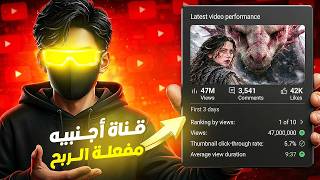
[06:00] After that, I decided to upload the video to an old YouTube channel of mine and see how it would turn out. After exactly 24 hours, this was the result, and this was also the watch time percentage. I think this is a very good start. So, what do you think if I continue with this kind of content for, say,
[06:13] two weeks and see how it turns out then? This way, you can create very professional videos just like this channel, using 3D animation style, and in a very easy way. So, thanks for watching, and don't forget to like and subscribe. Peace out!
⚡ Saved you 0h 06m reading this? Transcribe any YouTube video for free — no signup needed.