
AI Store in No Time
45sShows a professional store built without coding, inspiring viewers with a quick, achievable result.
▶ Play Clip"Title accurately promises a fast, easy Shopify store creation using AI, and the video delivers exactly that."
This video provides a step-by-step guide to creating a professional dropshipping online store on Shopify without any programming knowledge. The creator demonstrates how to leverage AI tools like ChatGPT and Sidekick to design a high-quality store, connect with a supplier via Auto DS, and start selling products with minimal upfront investment.
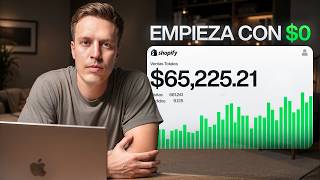
The creator shows a professional-looking Shopify dropshipping store built without programming skills, using AI tools to enhance design and functionality.
The creator, with 10 years of e-commerce experience, explains how setting up an online store has become easier and cheaper, now requiring no coding or expensive themes.
Dropshipping allows selling products without holding inventory; when a customer buys, the supplier ships directly. Example: sell for $30, buy from supplier for $10, keep $20 profit.
Step-by-step: create Shopify account using link in description, get 3 free days, then €1/month for 3 months. Select basic plan.
Use Auto DS to connect Shopify with a supplier. Sign up, select Shopify, choose Starter 500 plan, install and connect.
Recommend starting with one product. Use Auto DS's 'Hackett Product Area' or 'TikTok Analytics' to find winning products. Example: inflatable travel pillow with high engagement score.
Supplier's default product info is poor. Use ChatGPT to create professional images: white background, before/after, banners. ChatGPT Image 2 included in free version.
Use Sidekick AI to design store sections (banner, benefits, etc.) and product page. It generates code for custom layouts, making the store look professional.
After store setup, drive traffic via organic methods or paid ads (Meta, Google, TikTok). Link to free course on traffic generation provided in description.
With AI tools like ChatGPT and Sidekick, anyone can create a professional dropshipping store in an afternoon, eliminating the need for coding or large investments. The key is to focus on quality design and then drive traffic to start making sales.
What is dropshipping?
A distribution method where you sell products in your online store without holding inventory; the supplier ships directly to the customer.
03:46
What are the two main benefits of dropshipping mentioned?
1) Minimal initial investment since you don't buy products upfront. 2) Ability to quickly test different products without risk.
04:25
What is the cost of Shopify's basic plan after the trial?
€1 or $2 per month for 3 months, then the normal price.
05:45
What tool is used to connect Shopify with a supplier?
Auto DS.
06:45
What is the 'Hackett Product Area' in Auto DS?
A section where the supplier selects products with high potential to sell, based on data analysis.
08:42
How can you find trending products using Auto DS?
Use the TikTok Analytics section to see which products are currently popular on TikTok.
09:12
What AI tool is used to create professional product images?
ChatGPT (specifically ChatGPT Image 2).
11:22
What is Sidekick AI used for?
To design and customize sections of the Shopify store, such as banners and product pages, without coding.
14:10
How long did it take the creator to set up the store using Sidekick?
About two and a half hours.
15:30
Dropshipping Explained
Clearly defines dropshipping with a concrete example, making the business model easy to understand.
03:46AI Image Generation
Demonstrates how ChatGPT Image 2 can create professional product images, a game-changer for store design.
11:22Sidekick AI Store Design
Shows how AI can replace expensive developers to create custom store layouts, saving time and money.
13:56Traffic Generation
Emphasizes that a great store is useless without traffic, and provides a free resource to learn traffic methods.
15:55[00:02] fastest and easiest way to create a dropshipping online store on Shopify. I'll get learn to create in this video. I have an online store here going to learn. It's an online store that I created in a very short time, and the most
[00:18] interesting thing is, I created it without having any idea of programming and without having online store, as you can see, is not your typical shoddy online store, but something truly professional. All of this has been created by leveraging and using
[00:32] , therefore it has made my life much easier. And we can highlight some details, such as this where it appears, well, it's product, which is a product for sleeping on airplanes, in cars and in
[00:47] any means of transport. Well, here's the difference between most online stores don't usually have . We can see these numbers new and not something everyone has . This effect is also
[01:01] nice, this is more of the same, something that I also like, well, if we continue scrolling down the reviews appear, it shows a summary of the review, but if I hover the mouse over it, the full review appears, and it's really a
[01:14] professional page, not the typical shoddy Shopify online store we a product area, everything is customized. It's really professional, really serious, the images are good, the text is
[01:27] really professional and shows how things should be done to make In this video, I'm going to share step by step and in detail how to go from zero, from having nothing, to ending up with
[01:42] an online store like this one that gives us the possibility of making money. exactly we are going to see. I started in e-commerce 10 years ago, which is a long time, and I have seen the entire evolution of e-commerce.
[01:55] Previously, setting up an online store was quite complex, it required a lot of money, and we needed certain plugins to be able to do certain We had to pay for a premium theme to make the store look nice, and
[02:08] required more time, and above all, required more money. Today, with create an online store like the one we 've seen, which was totally unthinkable years ago, since stores back then were much more
[02:22] confidence. And if a store doesn't inspire trust, then it's not going to generate sales. I have to be in contact with the world's leading e-commerce platforms. Therefore, I have witnessed the entire evolution within the sector, and
[02:36] on this YouTube channel I have helped thousands of people to earn money completely free content, complete and free courses where people earning money by setting up their online stores, which I love
[02:51] and find incredible. Something else I'd like to explain is that when we think about e-commerce, the first thing that comes to mind is traditional distribution system, where we go to buy a series
[03:04] will send those products to our home, our office, our warehouse, or a product in our online store, we will send that product to the person who bought it. This is great, this is amazing, but it has
[03:18] downside is that we're going to have to make a large initial investment, since products, and secondly, we're going to run the risk that if those products don't sell, we'll be stuck and end up losing a lot of money. In addition
[03:32] the entire logistics chain, which obviously involves work from the supplier who sends home, and from our office or home to the home of the customer who has purchased our product. But there is another distribution methodology
[03:46] before, which is the famous dropshipping, which consists of the online store like this one. We're going to one or more products up for sale in our online store that we don't have in stock, and every time
[03:59] our online store, that same product will be automatically purchased from will send it directly to the end customer. I'll give an example with numbers to make it clear. I sell a product for $30. When someone buys it from me,
[04:12] well, perfect, $30. I buy that product from the supplier for $10 and I keep the difference, which is $0. The world understands and it's very easy to understand. This has several benefits, but I'm going to highlight two. The first is
[04:25] practically any initial investment, since we will not have to buy the we will not have to pay for those products, but we will only sold it. Therefore, we greatly reduce the risk. And the second
[04:39] quickly try different products. I can test a product and if it sells, perfect. And if it doesn't sell, well, I'll sell another one and I'm not running that risk of want to avoid when we're starting out in the world of
[04:52] explain the whole process, from how to create a Shopify account, how to choose connect our Shopify account with a supplier to be able to sell products we'll see how to design the online store to make it really beautiful. The truth
[05:08] history where it is easier than ever to create a truly professional online store on Shopify, and I think we have a great opportunity that we should take advantage of if we are interested in the world of e-commerce. But we also have to
[05:21] understand that things are moving very fast, and if we don't take advantage of it, other people will, and that's the reality. So, with that said, if you to leave a like. I get on the computer and we begin. Let's get straight
[05:33] to the point. The first thing we need to do is create an account on Shopify and with a supplier, and connect Shopify with the supplier. So, doing this is very description that will take you
[05:45] dots. It will take you directly here. You enter here and we'll have it for the prices work, it's 3 free days, therefore in 3 days we don't pay absolutely anything. Then we paid €1 or 2 per month for 3 months. The euro or the dollar, it will
[06:00] you are. And then we have the normal price. Therefore, the investment is really good. So, very simple, we just come here and enter email, I click on enter. Now I have to enter a password and click on
[06:17] I have to fill in my information. I can do it with a card, PayPal, Google Pay, whatever. I'm going to do it with a card. Once everything is filled in, I simply click here. And now we select the basic plan,
[06:31] which is more than enough to get started. Not now, I'll do it later. if I come here to the products section, then obviously I don't have create an account with the supplier, and connect it to Shopify so that
[06:45] within our product area we can sell products that we don't have, but that the supplier has. To do this, very simply, we're going to use Auto DS. You have the link in the description; it will appear as "autodes" followed by two dots,
[06:57] and the link will take you directly here where all the here on "get starter". In the case of Auto DS it is very similar to the Shopify plan, relatively similar, it is 3 days for only
[07:11] and then we pay the normal price. So anyway, I come here, get started, fill in the information with my email, my name and a password. Here I need to select Shopify, since I'm going to sell
[07:23] on Shopify. I select the starter 500 plan. This way we choose whether we want to pay annually with a discount or monthly, I'm going for the monthly one and information and in my case I'm going to do it by card. Once everything is filled in,
[07:37] I click here on continue and what I'm going to click now is on I have a store on Shopify and I want to connect it with Auto DS. So, I click here, install it, and that's it, I have it
[07:50] connected. Here it simply comes out like the tutorial, everything next, perfect, understood. But basically, we've already connected our Shopify store to Autods. And here at Autodes I'm going to explain it now, but we're going to be able to see a
[08:03] lot of products and we're going to be able to add them to our Shopify store. left to decide is what product we are going to sell. What I recommend to get started is to choose one product and sell only one product in your
[08:16] online store, since you will be able to create a branded online store, that is, an online store that is really designed to sell a simpler. And if that
[08:28] continue with the same online store. The only thing you're going to change is the product; able to continue with the same online store, but selling a different product. we're going to sell within the supplier? We have several zones, since the
[08:42] complicated, well, you know, to find the perfect product. My Product area, which is a section where the supplier, based on a lot of select which products are the winners. What is known as a
[08:58] has the potential to work, the potential to sell, and the potential to make you money. So, within this area there will be far fewer products, another area that is certainly interesting is the TikTok Analytics area, where
[09:12] you can see which products are currently a great metric, as it points out what's already working and not what you think will work. In my case, the
[09:24] mentioned, is the Hackett product area, and that's where I found the product. The product I have chosen is an inflatable pillow that is suitable for travel. It's an easy to carry because it's small, but you can inflate it
[09:37] use it to rest better. It's a product I like, since it's within the health niche and also has a high engagement score. Therefore, this means that it is a more or less viral product that
[09:49] good option. In addition, within the Hpicket Products area, for these products, interesting information, such as the audience, who that product is aimed at and what type of people buy
[10:02] what ads other companies are running to sell the same product, and we'll also be able to see which stores are selling it. This will be very useful, for example, to find out how they're selling it or
[10:15] . Once I selected the product, I clicked on import, entered the product, I clicked on import, entered the price, which is €39.99, and once this was done, the product was available in my Shopify store and when someone
[10:28] buys that product, everything will be connected and it will work the product arrives at Shopify with all the supplier information. What this bad title, a bad description, bad
[10:41] images, poor quality in English, and therefore we're going to anything at all. And besides all human beings are lazy by nature, right? So there are many people who
[10:55] dropshipping and what they're going to do is create a Shopify store on SerSimple, try to sell it. Therefore, there is a lot of competition from people selling poorly, from selling in a shoddy way. So what we're going to do is the complete
[11:10] opposite; we're going to do it really professionally so that our store has thousands of dropshipping stores out there that sell in a shoddy way. To fix this situation, we're going to use
[11:22] Chat GPT Image 2. This is a new model of Chat GPT that's absolutely amazing, to be honest, because it allows us to create professional, sharp, high-quality images, and even put text inside the
[11:35] artificial intelligence couldn't do before. And the most interesting thing of all is that it comes included within Chat GBT. In my case, I used Chat GBT Pro, but you free version. The first thing I did was send all the information about my
[11:49] product to Chat GBT so that he understands exactly what it consists of. To product description that comes standard, an English description to Chat GBT, and I standard. To send him all the images, I simply went to Shopify, went to the
[12:03] product section, downloaded all the images, and uploaded them to Chat GPT. and he understood it, I got to work. The first thing I did was create the product cover image. The product cover image is the main image you see when you enter
[12:16] . To do this, I sent him an image of the supplier. I uploaded it to Chat GPT, but I asked him to remove everything and white background, a clear image, and something
[12:30] really professional. And the result was incredible from the very first answer she gave me. Then I asked for a before and after picture and followed the same reference image from the supplier, told him what I wanted, and the result was also
[12:43] incredible, especially considering that this was more complex, since it perfectly. And then I asked him to create a banner. I told him that based on all the product, he should create a banner that was good and professional, and
[12:57] Okay, we have the images now and let's see how to design the images are very nice, the design of the online store is also important several options. We had option number one, which is the most typical, the one that
[13:12] Shopify sections. Shopify allows you to create certain sections, for testimonials section, a product section, and we could create these online stores with these sections. This is fine, it's true that it's
[13:26] , it's true that some people may consider it ugly, but it's a all our lives, so to speak. Then we had another option, which were the both free and paid themes, but the paid themes, as their
[13:41] they have that handicap, but they were also relatively limited. And hire a programmer to program certain areas of the online store for us, and that also costs money. But today, with the arrival of
[13:56] things that previously only programmers could do, and they charged us a lot of money for it, now for free and very quickly. Absolute madness. And that's how we're going to give our online store that professional touch,
[14:10] a touch that the vast majority of stores today still don't have. Something artificial intelligence, but we're not going to use an launched Cychic, which is an artificial intelligence tool that
[14:24] want and it's going to do it for us. We'll be able to tell it want in a section, what we want on a page, and it will do it for us, which is crazy, really. I'll explain it to you in a practical way. The first thing I did
[14:38] was remove all the default sections from my Shopify store. Then I clicked on add section and then I clicked on was a banner, since that's what goes at the
[14:50] top of the store. So, I explained to him how I wanted the banner and Kick started creating that banner. It took one or two minutes. And once it was finished, banner was created, I asked him to create the benefits area. If Sideky makes a
[15:04] mistake, you simply tell him and he will correct it. But if what you want to banner, is only the image, you will be able to do that manually without having to call on artificial intelligence, so to speak. This tool is not
[15:17] only useful for creating sections, but you can also apply it to did on the product page. On the product page, I asked him to reorganize everything to make it more professional and beautiful, and that's what he did.
[15:30] the new version is nothing like the previous one. I spent about two and a half hours finishing setting up the online store using Sidekick, correcting some errors, uploading all the images to the main page (I
[15:43] had already uploaded the product page images) , I even created a logo, and once that was done, I removed the password from the online store and the website was ready, published, and open to the public. With all this, we now have the
[15:55] complete package. We have our store connected to a supplier, we have artificial intelligence, we have a professional design generated thanks to Sidekick, is not enough. Now what we need is for people to visit
[16:10] our online store. To do this, we can achieve it either with getting traffic without having to invest, or with paid traffic, requires investment. to generate paid traffic. There are Metaads, there is Google
[16:24] Ads, there is TikTok Ads, among other ways to generate paid traffic. In the description of this video I'm going to leave you the link to a complete and free course channel. It's a completely free YouTube video where we teach you how to create
[16:39] organic traffic, how to create meta-ads, how to create TikTok Ads, and highly recommend you go and see it if it's something that interests you; it's video. I really hope you found it useful. Ultimately, this is an
[16:52] incredible strategy because it allows you to create a truly amazing online store in an afternoon, something that was totally unthinkable a while ago useful. If that's the case, don't hesitate to leave a like, and also don't hesitate
[17:05] content. That's all, I'm Adrian Sa and I'll see you in the next video.
⚡ Saved you 0h 17m reading this? Transcribe any YouTube video for free — no signup needed.