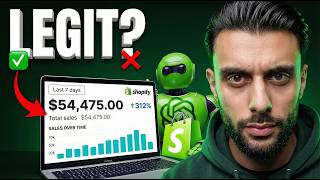

Can AI Beat an Expert Dropshipper?
43sThe bold challenge taps into the AI-vs-human debate and promises a $500 giveaway, making viewers want to watch and engage.
▶ Play Clip"Accurate title with full revenue and profit disclosure; only slightly dragged down by a lengthy sponsor break."
In this 7-day experiment, the host tests whether AI can run a dropshipping business entirely on its own, from product selection to ad creation. Using AI tools like WinningHunter, GenSpark, and Arcer Ads, he builds a Shopify store and launches Facebook ads with minimal human input. The challenge ends with $2,667 in revenue but a net loss of $88, revealing both the promise and the limits of AI-driven ecommerce.
For 7 days, the host lets AI pick the product, build the store, write copy, and create ads while he only clicks publish. The goal is $500 in revenue; otherwise, he gives away $500.
WinningHunter's AI scans the Facebook Ads Library for top-performing ads, allowing filters like minimum ad spend of $5,000 and ads from the last 90 days.
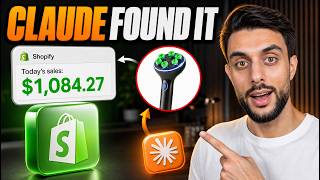
The Bionic Hand Massager ad spent $42,000 and generated $154,000, making it a strong candidate for validation.
GenSpark acts as an elite e-commerce product research strategist, checking AliExpress orders, TikTok organic, Facebook Ads Library, Google Trends, and Trustpilot.
AI scores demand 8/10, competition 6/10, profit potential 9/10, UGC potential 9/10, and angle innovation 7/10, recommending to proceed.
GenSpark creates a brand kit including logo ideas, brand colors, product name, and feature list. Shopify's Dawn theme and Sidekick AI generate custom sections.
Team Drop is chosen as the private supplier due to fast shipping lines and a free private agent.
A custom GPT (Section Builder by Scopic AI) converts brand guidelines and competitor screenshots into prompts that Shopify's Sidekick AI turns into ready-made sections.
AI email marketing can generate an extra 20-40% revenue for ecommerce brands. Omnisend offers pre-built automations and AI content editing.
GenSpark generates prompts for ideal avatar images; Google Banana Pro via Arcer Ads ensures consistent product photography, and images are animated into video clips.
The AI-generated ad script highlights the product's benefit for tech neck at C6-C7, with 4D kneading nodes and a 30-day guarantee.
GenSpark provides the ad strategy. The host follows it, spending $100 initially, then scaling based on performance.
Day 4 revenue jumped to $542 with a 4.2% conversion rate after increasing budget by $150. Day 5 dropped to $75 due to throttling from over-budgeting without new creatives.
Total revenue across 7 days was $2,667.
Product cost ~$20, average order value $47.15, 67 units sold, ad spend ~$1,200. Net profit: -$88.
The product price was too low, and ad budgets were increased too aggressively without adding new creatives.
AI can help build a dropshipping business, but human oversight is still necessary for profitability.
AI can effectively streamline product research, store building, and ad creative, but it's not a magic bullet—profitability still depends on human decisions around pricing, ad budget pacing, and creative iteration.
What was the total revenue generated during the 7-day AI dropshipping challenge?
$2,667
25:58
What was the net profit after all expenses?
-$88 (a loss)
26:53
What product did AI select for the dropshipping store?
A Bionic Hand Massager (a wireless neck and shoulder massager)
02:46
Which AI tools were used for product discovery and validation?
WinningHunter for ad spying and GenSpark for validation and research.
03:13
What was the conversion rate on day 4?
4.2%
22:51
What reason did the host give for the net loss?
Product pricing was too low, and ad budgets were increased too aggressively without creating new ad creatives.
27:06
How did the host restore results after a day of poor performance?
He dropped the daily ad spend back down to the level used on the big revenue day.
23:46
What source did WinningHunter analyze to identify winning products?
The Facebook Ads Library, showing estimated ad spend and revenue per ad.
01:11
What does the 'find competitors with magic AI' feature in WinningHunter do?
It finds more ads and competitors for a given product.
03:01
Total revenue of $2,667 in 7 days
Demonstrates the revenue potential of AI-driven dropshipping in a short period.
25:58Net profit was -$88 despite high revenue
High revenue doesn't guarantee profitability; costs and pricing matter.
27:06AI validation uses multiple data sources
Shows a structured way to validate products using AI across several platforms.
03:13Email marketing generates 20-40% extra revenue
Highlights the importance of email marketing for ecommerce brands.
15:09AI helps start, but can't be relied on entirely
AI is a tool, not a replacement for human business decisions.
27:48[00:02] Will AI replace drop shippers? So, I'm going to be putting it to the test, but the only thing that matters, a real drop shipping store. For the next 7 days, I'm not making a single business decision because AI will pick the product, build
[00:15] the store, write the copy, and create the ads. And me, I'm just a guy clicking the publish button. I know what works. But if AI is really the future, then it But if AI is really the future, then it should be able to beat my experience.
[00:31] what I expected. And we have a goal. We have to make $500 from that drop shipping store. And if not, I will be giving away $500. And all you have to do to enter is like the video and leave a comment why you need the $500. So, the
[00:45] goal is to launch faster than any human is able to. Can AI create video ads that When things go wrong, does AI know how to fix them? Let's start with step one, product selection. To make AI find me a
[00:58] winning product, I'm going to be using Winning Hunter because it has a built-in magic AI feature that will speed up the process. Now, how this tool works is it finds the best performing ads being run at the moment on the Facebook ads
[01:11] library. So, it's like a Facebook ad spy tool, but on steroids because it uses the power of AI to find all the information. Now, all I have to simply do is type a prompt in here. Now, I'm going to type in shop now. And this
[01:23] should pull up all of the ads being run in the e-commerce and drop shipping I'm going to change ad spend to a minimum of 5,000. So, this basically means that only ads with a minimum spend of 5,000 will show up. Now, what I'm
[01:38] also going to do is I'm going to change the ad creation date to the last 90 days, which means only ads that were made in the last 90 days are now going to be shown. And just like that, guys, check this out. Now, I'm seeing an ad
[01:51] here that's being ran for a fashion product. You can see that this product has generated $3.7 million, but this specific ad being run for the product has spent $6,000 and they've generated $23,000
[02:04] in revenue. So, this is why Winning Hunters AI is so powerful because I'm now seeing the estimated revenue and the estimated spend for each ad. Now, the through these ads till I find one that looks like a drop shipping product cuz
[02:18] products, and I'm not going to sell product here called the Flare Shin pads, and they've spent $42,000 and generate $154,000. So, this is a potential product that I
[02:32] might consider. When I say consider, I mean pass it on to the AI to validate. here. Now, I've just come across a load of ads for this product, and it's called the Bionic Hand Massager. And you can see here, it literally looks like a pair
[02:46] of hands, but it massages your neck and your body. So, imagine having a robotic massager at home. So, this product looks absolutely crazy. Now, the crazy part is if I want to find more ads for this product, all I've got to do is click
[03:01] find competitors with magic AI, and it will then find me even more ads being ran for this product. Now, based on me seeing all of these ads being run for this kind of product [music] and they're performing very well, this is giving me
[03:13] a good sign to give this product to the AI to validate. Now, the most important part is validation. Normally, I'll be doing this for hours, but I'm not allowed to. So, we're going to use AI to validate the demand, the saturation,
[03:26] marketing angles, and whether it has UGC potential for our video ads. [music] So, the next thing I've done is I've gone to a tool called Gen Spark. Now, Gen Spark is like a super AI agent that can perform loads of cool tasks. And I've
[03:39] sent it this prompt. You're an elite e-commerce product research strategist. You must operate with the mindset of a professional analyst. You must look into AliExpress orders, Tik Tok organic, Facebook ads library, Google [music]
[03:51] Trends, Trust Pilot. So, essentially, I'm telling it to do all of the work for me. I've then given it a checklist that it must go over. Then, I've given it the selling it. And I've said that I need you to check this for this product. And
[04:05] information. The product overview is a wireless neck shoulder massager. It's confirmed the AliExpress link. It's gone over the supplier reliability. It's also gone over the multi-platform trend validation. So it's gone over Google
[04:19] So you can see here on Google for neck massager, it yields 50 million total views. It's gone over the different angle opportunities that I could use. And then it's listed out different Shopify stores selling the product, all
[04:32] of the Tik Tok videos that are being what it tells me at the end because it's giving me loads of information that will take me ages to read, which is the final rating chart. So, you can see the demand
[04:45] score is 8 out of 10, the competition is 6 out of 10, the profit potential is 9 out of 10, the UGC Tik Tok content is 9 out of 10, and the angle innovation is 7 out of 10. And the final verdict is recommendation. Proceed with strategic
[04:59] positioning. So it's basically said that why this product can work. So it's gone over all of the key parts and it's basically told me to sell this product. So just like that guys, we have found a winning product using AI. So let's now
[05:13] winning product using AI. So let's now move on to building the [music] store. The product is validated. So now we build the store. or should I say AI builds the store because I'm not wasting four hours picking a theme, writing
[05:25] I'm going to chill at the beach and let AI do the work. But if you're wondering how I did it, so guys, we're going to be building the Shopify store using AI. And the goal is I'm going to get AI to do all of the
[05:39] beach. Now, the first thing that I'm going to do is I'm going to go back to Gen Spark again to help me construct everything that I need. So, the first is, "I need a brand kit for my product,
[05:52] logo idea, brand color, product name, short description, and feature list of my product." Now, this prompt will make sense later on. This is the first prompt we're waiting for Genpark to do this, guys, I'm going to duplicate the
[06:05] GenSpark tab because there's something in GenSpark called the AI designer, the brand kit. So now I'm going to go over to new AI designer and then once Genbox's given me the prompt for the logo, I'll create it here. Now the next
[06:19] thing that I'm going to do is head over to open AI because there is a custom GBT here called section builder by Scopic AI that I'll be using to help me build the going to do whilst I'm waiting for GenSpark is I'm going to head over to
[06:33] Shopify and start a new free trial and my three months for $3. Now, if you guys want to get that crazy offer as well where you get Shopify for three months for $3. So for each month over those three months, you're only paying $1. So
[06:47] three months, you're only paying $1. So let's say January $1, February $1, and March $1. And usually Shopify is $29.99 a month without that offer. So make sure you guys check out Shopify using the link in the description and in the pin
[07:00] comment. And it does also help with my channel as I will earn an affiliate commission. But if you support the channel and love the content I make, I'd highly appreciate it. So, I've just set up my new Shopify store using my link,
[07:12] guys. And now I'm going to go to online store. I'm then going to change the where it says visit theme store. I'm then going to filter it by free. And then I'm going to be using Dawn. I find Dawn is the best base theme for free
[07:24] that you can use. And it's got Shopify's AI builtin that we're going to be using. going to publish it. I'm then going to delete Horizon cuz I don't need this one. And then I'm going to go here to where it says edit theme. I'm also going
[07:38] come up with some brand names and the one that I like is Turtle Hug. So, I'm name. I'm going to go back to that other GenSpark tab called Genpark AI designer. I'm going to say my brand name is. So, here guys, I've got my logo prompt. So,
[07:53] I'm going to copy this, go to the AI designer, and paste this in. And just the other side of the screen that the AI designer loads up. And what it's going to do is it's going to come up with some logo ideas and then create them for us.
[08:06] minutes so we can come back to this. Now, the next thing that I need to do is which means I need to use my supplier that I'm going to be using to fulfill the orders if we do get any orders. Now, the supplier that I'd recommend for
[08:20] this, guys, is Team Drop. Team Drop is my favorite private supplier at the moment for drop shipping because of the fast shipping lines and the most options fact that you can get a private agent for completely free when other companies
[08:34] are charging a monthly subscription in my opinion is a gamecher. Now, if you supplier called Team Drop, use the link in the description and in the pin greeted by a screen like this and then you can install the app. So, now I've
[08:47] log into my account. And now I've logged into my account. It shows me all of my Shopify stores. I can go back to Shopify. And now under apps, I should now I can go to where it says find products. I can go to Team Drop
[09:01] products. I can search for my product using the image search tool. So I can go to desktop. I can search based on this image. And just like that guys, I have here that I can choose from. So I'm going to select this first option. You
[09:14] around about 11 to 12 for the product cost. And then if I head over to the different shipping options I can get. 8 to 15 days, 5 to 8 days, 7 to 14 days, and then you can see the different costs involved. Now, there are loads of other
[09:29] So, I'm going to look at all the listings before I choose one to see which one has the best rates and the best shipping line. And once I've done that, guys, all I've got to do is click list to my store, select the product
[09:41] type, and click list. Now, now if I refresh my other Shopify page where I default product one assigned now. So, I can go to that listing and now I can start editing the page. And you can see I've changed the name of the product to
[09:54] the one GenSpot gave me, which is comfort turtle neck and shoulder massage. And check this out, guys. Genpark has made me these logo ideas. And I'm going to be honest with you, the logos it's made actually look really,
[10:07] really good. Now, in my opinion, this is my favorite logo out of all the ones it's made. I'll be honest with you, they're all really, really good. I'd the best. So, I'm actually going to take a print screen of this one. And it's
[10:19] well. So, we took a print screen of that. I'm also going to take a print this will come in handy a little bit later. And now, what I can do now on Shopify is go to settings, logo, select logo, upload logo, and I can select the
[10:34] one that I took a print screen of. I can then click edit image. when I upload it to Shopify. And what I can now do is click crop and transform. Now, I'm going to crop this image so that it's closest to the logo. Now, just by me doing this,
[10:46] guys, it will make the logo look bigger when I add it to the Shopify store. So, about 130. And you can see that this looks really, really nice. So, now I can click save. Now, I'm going to move on to building some of the sections using AI
[11:00] template and click add section, you're going to see generate. Now, this is Sidekick, which is Shopify's AI powered tool. Now, this will create custom sections for us using the power of just a prompt. Now, the key is getting a good
[11:14] is we're going to be using that custom GBT that I told you about. So, we're going to click build me a custom Shopify section. Then, it's going to ask me, colors? So, all we got to do is paste it
[11:26] it for the brand kit and the product information, and then it's all there for we need to do is find a website for inspiration that we can just remake the Google and typed in neck massager. Now, as long as it's the same idea of product
[11:43] matter the website because it means it's going to be very similar to the product of these website. So, let's say, for example, this website. If they've got a they do. Uh, the store is pretty mediocre. This section here is quite
[11:58] nice, but I don't like the way the image is. This money back guarantee looks quite nice. This frequently asked question section is quite nice. So, I'm just looking at sections that I could potentially use for my store. Now, I've
[12:10] selling the exact same product, and they do have a few sections that I like. The first section that I like is this one here. So, all I have to do, guys, is take a print screen of this section, go back to the custom GBT, upload the
[12:23] back to the custom GBT, upload the screenshot, and say remake this. And because this custom GBT now knows our color kit, our brand remake that whole section into a prompt that we can make. Now, just like this
[12:38] guys, we can copy this. And now we've copied this guys, we can go back to Shopify and paste the prompt in here and click send. And then it will create that section for us. Now, whilst waiting for this section to be built, I can then go
[12:51] this guys, I'm going to head over to Arcer Ads because Arcer Ads is the best way to create our images because it gives us access to Google Banana Pro, going to change it to one by one aspect ratio. And then I'm going to give it a
[13:06] reference image. Now, before I do this, we're also going to use another custom GBT to help us make this. Now, the next custom GBT that we're going to be using is the Scopic AI image prompt generator. So, we're going to click make me an AI
[13:18] image prompt. We can just paste the same brand guidelines like we did from the pasted the exact same ones again. It says perfect. Now, I've got your brand product and features. All I need is an inspiration image. So, literally all
[13:32] I've got to do now is give this GBT chat a image that I want to use as a give me the prompt to give to Google banana. Now, what you can do to find inspiration images to give to the GBT to make a prompt is you can go back to
[13:45] inspirations for the sections and see if they have any images. Like this image So, all I've got to do, guys, is take a print screen of this one. Go back to that custom GBT, send it the image, and click remake this. And then it will give
[14:00] me a prompt. Now, whilst I'm waiting for that prompt, guys, check this out. It's just built that custom section that I asked it for, and it looks just like this. So you can see that's just made me a custom section with all of the copy
[14:12] correctly and you can see it looks really good. Now all I've got to do guys is add the image here and that section's done. Now I've done the first one with time. So that's essentially how I'm going to build the rest of the store in
[14:25] Essentially I'm going to get a product page that looks like a custom theme or a paid theme for completely free. Before we carry on with the AI drop shipping challenge for 2026, I've got a question for you. Are you using AI emails for
[14:41] your e-commerce or drop shipping store? Now, the answer to that is probably no. And this is why you should be using AI email marketing in 2026. I also want to say a massive thank you to Omnisen for sponsoring this video because I've been
[14:55] and I use them for all of my own e-commerce and drop shipping stores. Drop shipping and e-commerce brands using email marketing generate an extra using email marketing generate an extra 20 to 40% in revenue every single year.
[15:09] beginners and pros don't use email marketing is because they think it's hard to set up. And the funny thing is Omnisend with their new AI tools have made it extremely easy for you to integrate email marketing. So as soon as
[15:23] you've downloaded the Omnisend app using my link in the pin comment and in the automations that you can choose from. Abandoned carts, welcome flows, AB testing, upsell. These are the automated flows that all of these brands
[15:37] generating huge revenue are all using and Omniscent have already generated them for you. All you have to simply do is edit the content in the automation and you can even use Omnisense's AI to edit the content in terms of writing the
[15:50] emails and then you can just save them and start using them. And the best part is Omnisend if you're a beginner give you up to 250 email recipients for free which means it's risk- free. So when you download the Omnisend app and you sign
[16:04] don't have more than 250 email recipients it costs you nothing. Remember, email marketing has remained the most powerful organic way to promote your brand once you started to get
[16:16] visitors. And the biggest brands are all moving over to Omnisend. So, make sure you guys join in because Omnisend is the best platform for email marketing and AI emails and SMS. And with that being said, guys, you're going to find a link
[16:29] the description below. So, let's get back into why AI is killing drop shipping. This is where most people freak out. Video ads. But luckily, we're freak out. Video ads. But luckily, we're in 2026. We're no longer in 2018. You
[16:42] just need a laptop, internet, and one software. That's it. Now, the first tool that I'm going to be using is Gen Spark. Now, I used GenSpark, if you remember, to validate the product. Now, if I go back to that chat that I used to
[16:54] I've sent it a follow-up prompt saying, I now need to make video ads for Tik Tok UGC style. I first need an image of my ideal avatar holding the product. So, I reason why we have to get this prompt is because we're going to get Google Banana
[17:10] Pro to create an image of our avatar holding the product or an avatar in being used. And then once we have the different images of the avatar using our product, we can then simply turn them
[17:24] into videos. But first, we need the images to turn into the videos. And the Google Banana Pro is because it's the most consistent for product photography. so that the product that you give it is always consistent and the avatar can
[17:38] always [music] be consistent. Now, we're going to be heading over to arc ads.ai to create the videos and the images. Now, for this to work, I've had to take a print screen of my product. Now, I'm actually going to be using this
[17:50] reference image here. I'm going to paste the prompt and at the end I'm going to put no text because the reference image I'm using has text on it. So, if we tell remove the text. Now, the reason why I'm using this reference image is because it
[18:04] shows a woman already wearing my product. I just needed to change it to an older woman in a different background. And just like that, guys, I've got two images. This image here of a backwards shot of the older woman
[18:16] sitting on the couch. And you can clearly see the massaging device. And profile showing the product. And you can see that the product consistency has stayed the same. So now what I can do is
[18:28] I can download this image. I can then go back here, change it to video, upload downloaded, and then I can go to the filters option, make sure it's on video 3.1 9x6 1080p. Then I need to go back to Genparut. I now need to make multiple
[18:43] shots of images using Google banana. Then I need to turn them into video clips. So I need prompts for V3 and for Google Banana. So you can see here it gives me the image generation prompt and then the video animation. So, all I need
[18:56] to do, guys, is copy the prompt for the video animation for this section. And now, once I've done that, guys, all I have to do is click send. And then, essentially, the AI will turn that image into a video. And the whole purpose of
[19:10] this is to stop the character [music] being changed and the product being guys and sit here and do it all one by one. So, guys, after around about 20 minutes, I've just finished everything up. So, check out the results. thing.
[19:23] This is going to make you angry. [music] It was reaching the C6C7 area where tech neck actually lives. That's the lower cervical spine right between your shoulder blades where forward head posture puts up to 60 lbs of pressure
[19:37] the surface. [music] This one uses 4D kneading nodes that grip, lift, and release the deep muscles around C6 to C7, the same spot chiropractors target, but at home every day. It's a simulated human hand design.
[19:53] Not vibration, not random shaking. Real kneading that follows your spine's >> No more wing up stiff. No more up neck by 5:00 p.m. No more $200 a month on temporary relief. Skeptical? Good. That's why there's a 30-day guarantee.
[20:06] >> If it doesn't reduce your C6C7 pain, you get every penny back. Your neck didn't evolve for 10 hours of screen time. But this did. Click below to try it risk- >> So guys, to finish the day off, I'm going to launch the Facebook ads. So,
[20:18] the video ads that I made with AI, I'm going to launch them now on Facebook. But the funny part is I'm not going to come up with the Facebook ad strategy. I'm going to get AI to tell me what strategy to follow. I just asked
[20:30] GenSpark, "What is the best Facebook ad strategy to use to test a drop shipping/ ecom product?" I'm going to go on Facebook now, guys, and literally create it like it just [music] told me to. So, let's click the create button.
[20:45] let's click the create button. Sales. Continue. turtle test. I'm then going to change this to 100. Then I'm going to click next and change this to ad set one. Okay, guys. So, I've fully set up the Facebook ads according to how
[20:59] GenSpark wanted me to do them. It's given me the action plan on what I So, I'm going to monitor it based on what GenSpot did. And now, I'm going to update you guys every day on the results that I get. With that being said, guys,
[21:12] I'll catch you [music] on day two of the challenge. Hopefully in 24 hours we'll challenge. Hopefully in 24 hours we'll have our first sale.
[21:29] at $0. I did everything that I was supposed to do. It looks perfect, maybe too perfect. Or maybe this AI thing is just too good to be true. I don't know. Maybe I'm being dramatic, but this isn't what I expected. But we should let the
[21:43] AI said. So, I'm just going to go to the gym and let the ads run like they should. So, guys, you won't believe it. I've just got my first sale. So, I'm going to show you guys all the results. So, guys,
[21:57] show you guys all the results. So, guys, as you can see here, we've done $108 in revenue, which is three orders. We got them all during the morning, and all of these sales came from the US. Honestly, guys, I didn't think this was going to
[22:09] work because yesterday was such a rough day. We got zero sales and I thought the AI completely broke itself and destroyed the store. So to see that we got three sales over $100 is insane. [music] Now I'm going to go and fulfill these orders
[22:22] and then I'm going to crank the budget up between either $50 or $100. Now since actually getting sales on the store, I'm going to keep you updated [music] on day four, which is tomorrow. So guys, this is day four of the challenge and it's
[22:36] crazy how much money we've made today. We've just made $542. So guys, as you can see, we did $542 in sales. The average order value was around about $41, so it's up from yesterday. The conversion rate is $4.2%,
[22:51] which is amazing. And all the sales came from Instagram and the USA. Now, if I was to guess why this has progressed so aggressively is because we increased the budget yesterday by $150.
[23:04] Not $50, not $1, $150. And I actually might crank it up again And I actually might crank it up again today by another $150. Who knows, $300. gives me these results, imagine what's going to happen if I crank this up by
[23:19] another $300. So guys, that was my update for today. And I've got high hopes for the rest of the challenge. Who knows? I might even be able to hit $3,000 in sales by the [music] end of the challenge. So yeah, this is odd. We
[23:32] made today about $75. I'm super confused to be honest because yesterday was such went wrong, but based on [music] my expertise and knowledge without AI, I think we cranked the ads way too hard and they throttled and they stopped
[23:46] is I'm going to drop the ad spend back down to what it was when we had that big day of $500 cuz I do believe that is the issue. So guys, it's day six of the challenge and I've got some good news. If we take a look at the results on the
[24:00] If we take a look at the results on the laptop, we are back at $523 keeping up, guys, the day before this, we nuked all the way back down to $70,
[24:12] and we're now back at $500. So, dropping the ad spend back down, worked on the store. So, guys, we started the challenge on the 31st of December, 2025, and it's currently the 5th of January. And you can see so far, we've done
[24:26] around about 1.2K 2K in revenue. So, we've hit the goal of $500. Now, I don't need to calculate this, but that's what tomorrow is all about. So, as you guys can see, this is today. We've done $523. The average order value has gone up now.
[24:41] It's gone to 47.59. We increased the price of the product as AI told us if the more sales you get, increase the pricing. So, that was the update for the day, guys. So, I'm going to update you on the final day of the
[24:53] see all the numbers and how much money we even made, if we did make any. >> I'm surprised this challenge worked. >> Yeah, it's crazy. So, guys, it's the
[25:06] last day of the challenge. And before I summarize what's happened, let me go through the results of what happened today. So, as you guys can see, we hit a today. So, as you guys can see, we hit a recordbreaking day of $1,400,
[25:18] which is crazy. Now, I made some massive changes off camera, that's now contributing to the increase in sales. So, I increased the Facebook ad spend up to $500, and I thought, why not? It's the last day of the challenge. I also
[25:31] thought this time round, instead of just increasing the ad spend, let's increase making that change, guys, you can see it's made a dramatic change on the daily revenue, which is 1.4K. Average order value is 52. Again, I told you guys
[25:46] before, we have slightly increased the product pricing. The conversion rate is now at 4%, which is amazing. Now, although these revenue numbers look good for the 7-day challenge, it means [music] nothing unless we figure out how
[25:58] much profit we actually made over the whole challenge. So, as you guys can see, I've changed the date to the start of the challenge, the 31st, now to the 6th of January. And in total for the challenge, the AI drop shipping
[26:11] challenge, we did $2,667 in revenue. And I must say myself, guys, that is impressive for a 7-day challenge. But I now need to tell you the numbers that will then give us the profit. So, we made $2,667 [music]
[26:26] in revenue. But this is the profit breakdown and the costs. So, the product cost was roughly around about $20. It can fluctuate between 20 and $23, but I'll go for the worst case scenario. Then the average AOV for the whole
[26:40] Then the average AOV for the whole challenge was $47.15. challenge was $47.15. The total quantity of units sold was 67. Our ad spend for the challenge was around about $1,200.
[26:53] Now, once we add all of those expenses up, that brings it all the way down to up, that brings it all the way down to our net profit being minus $88. So although the revenue numbers look impressive, [music] the net profit was
[27:06] negative $88. Now you might be wondering how the hell did you end up losing money and based on my own experience without using AI. I'm why this was not profitable. Forget about using the AI for this. I'm just
[27:22] going to explain it because the product pricing was way too low. We weren't other thing is we were cranking the Facebook ads budget too much on certain days without increasing the creatives, which means we [music] were increasing
[27:35] budget for no reason and losing money. So, this shows you guys that AI definitely can help you with starting your own drop shipping store and can't rely on it for the whole thing [music] because like you've just seen,
[27:48] I'm making revenue, but I'm actually losing money. And it was down to a few silly mistakes that the AI didn't think about. But you guys let me know in the In terms of the $500 giveaway, we technically hit the goal of $500 of
[28:01] many comments and likes we get in engagement, I'll actually think about giving the $500 away even though we beat the challenge. Also, don't forget to or family members that have been [music] saying AI will replace humans or
[28:15] whatever it may be to do with AI to see what they think of this experiment. With enjoyed the video in the challenge, and I catch you guys on the next

⚡ Saved you 0h 28m reading this? Transcribe any YouTube video for free — no signup needed.