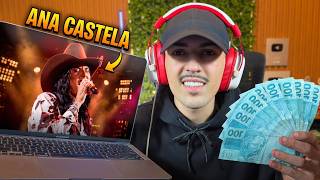

40% of YouTube views are from music!
45sStatistic about music views hooks viewers interested in easy channel growth.
▶ Play Clip"The title promises a step-by-step guide to creating a dark channel with AI music, and the video delivers exactly that."
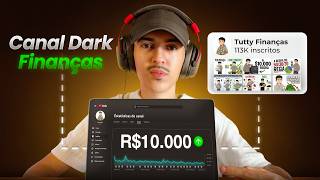
This video provides a step-by-step guide to creating a YouTube dark channel from scratch, focusing on music content. The host demonstrates how to generate lyrics using GPT, create a song with Suno AI, produce a background video with Google Labs Flow, and edit everything together in Capcut. The goal is to show that AI tools make music production accessible and monetizable.
The host introduces the concept of a dark channel on YouTube and states that 40% of long-form video views come from music. He promises a step-by-step guide to creating music with AI.
The first step is to create lyrics using GPT. The host sends a prompt asking for a sertanejo (Brazilian country) song inspired by Ana Castela, with a catchy lyric for 2026.
After copying the lyrics from GPT, the host pastes them into Suno AI, selects 'country music' style, female voice, and energetic beat. He notes that Suno's free plan may not allow monetization, but recommends subscribing if the channel gains traction.
The host plays the generated song and praises its quality, noting that AI voices are nearly indistinguishable from real singers. He downloads the song for further use.
The host uses GPT to generate a detailed prompt for a background video of a female singer performing a country song. He then uses Google Labs Flow (Ivo 3.1 Lite) to generate the video, noting that Google provides ample credits.
The host imports the music and video into Capcut. He demonstrates a trick to smooth transitions by reversing the video clip. He also adds subtitles using the captions tool to avoid demonetization risks.
The host plays the final video and promotes his course 'Unlocking the Iceberg' for R$7.90, which includes strategies for dark channels, a WhatsApp networking group, and free Capcut Pro lifetime access.
The video successfully demonstrates how to create a music-based dark channel using AI tools like GPT, Suno, and Google Labs Flow, with final editing in Capcut. The host emphasizes that monetization is possible and promotes his affordable course for further learning.
What percentage of long-form video views on YouTube come from music?
Around 40%.
00:17
What AI tool does the host use to generate lyrics?
GPT.
00:32
What music style does the host choose for the song?
Sertanejo (Brazilian country music).
01:15
What AI tool is used to generate the song from lyrics?
Suno AI.
02:09
What does the host recommend regarding Suno's free plan and monetization?
Try Suno for free, post on YouTube, and if you get views, subscribe to Suno to avoid monetization issues.
02:53
What tool is used to generate the background video?
Google Labs Flow (with Ivo 3.1 Lite).
04:58
What trick does the host use in Capcut to smooth video cuts?
Right-click the video, click edit, then reverse.
06:19
Why does the host recommend using captions instead of text for subtitles?
To avoid the channel being demonetized.
06:58
What is the name of the host's course and its price?
Unlocking the Iceberg, R$7.90.
08:37
Music Dominates YouTube Views
Reveals that 40% of long-form video views come from music, highlighting the opportunity for dark channels.
00:17Monetization Strategy for Suno
Provides practical advice on using Suno's free plan to test content before subscribing for monetization.
02:53AI Voice Quality
Demonstrates that AI-generated voices are nearly indistinguishable from real singers, making the content credible.
03:37Reverse Clip Trick for Smooth Transitions
A simple editing technique that makes video cuts look natural, improving production quality.
06:19Course Promotion with Value Stack
Offers a low-cost course with additional perks like networking group and free Capcut Pro, demonstrating a upsell strategy.
08:37[00:02] dark music channel here on YouTube from absolute scratch. And while I'm producing my video, I'll also show you the whole process. A step-by-step guide. Today on YouTube, around 40% of
[00:17] views for long-form videos come solely from music. And I know a lot of people think it's difficult to create music with AI, but it's relatively easy, and you're going to learn how with me now. Wonder. So let's break
[00:32] this video down into three parts, starting with the first part now. So the first thing we're going to do is create the lyrics for our song. And for that, of course I'm going to use GPT. Hey Tut, but is there any problem with me using
[00:47] GPT chat? Will I be able to monetize my channel? Dude, of course! GPT is just a tool to help us in the production of our music. So here on GPT I'm going to send him a little prompt to let him know that I want him to create
[01:00] lyrics for my song. So now it 's very important for you to define what style of music you're going to work with. It could be funk, it could be sertanejo, it could be trap. Dude, do what you enjoy most because they all work, both here in Brazil and
[01:15] abroad. Anyway. So, let's send our prompt, and our style will be sertanejo (Brazilian country music). GPT, write the lyrics to a song for me. I want this song to be in the sertanejo style. You can draw inspiration from Ana Castela. So,
[01:30] You can draw inspiration from Ana Castela. So, make a country song for 2026, a country song with a lot of personality and a really catchy lyric that everyone who watches it will watch again. Okay, I'll send this prompt to GPT and that's more
[01:44] than enough. He's going to create a really cool song for me right now. And here I asked him to take inspiration from Ana Castela. Then it's definitely going to turn out to be a really cool song. This is fine too, man. This song's lyrics turned out really cool
[01:56] . Here, it has already generated the title of my song, which I can use in my YouTube video, no problem. And here are all my lyrics. So now I'm going to copy these lyrics here so we can create our song. So let's copy
[02:09] this here. Control C. Awesome! So now I'm going to open Suno. AI so I can create my music. Man, the magic is going to happen there. So here on Suno, in Lyrics, I'm going to paste the lyrics of my song, and here in Styles, I'm going to
[02:24] put what style my song is. So I'm going to put on country music, let's put on a female voice, I want it to be a female singer. I'll also put on some energetic music with a catchy beat. Contagious. Beauty. So
[02:40] now I can click here on create to generate my song. One very important thing to note is that Suno AI, in theory, doesn't allow monetization of their music if you're using the free plan. What do I, Tuti, recommend to
[02:53] you guys? Try Suno, create your music, and post it on YouTube. If you get some views, then you can subscribe to Suno. Suno is relatively inexpensive, especially the first plan, and you won't have any problems with it; it
[03:07] will definitely pay for itself. If you don't want to, there are several other YA artists who also make music and are also very good. Well, I'm almost finished with my song here. Let's press play to hear how it turned out.
[03:37] for anything. Man, it turned out really good here. You can be creative, you can ask him for a slightly deeper voice, a slightly higher voice, and he can achieve some voices, man, that are imperceptible. It doesn't even
[03:50] seem like artificial intelligence, but anyway, those of us who work with it can tell, but the people who are going to listen certainly won't. So let's download this song here, it's practically ready. Beauty? Wonder.
[04:02] So now that we've created our music, let's move on to the second stage, which will be creating the background video. This is also relatively easy to create. So here in GPT I'm going to send another prompt for it to create this
[04:16] prompt for me. A much more complete prompt, with more details, will be released soon. That complete prompt, with more details, will be released soon. That 's pretty cool too. GPT, gereptlo.
[04:30] performing a show. The camera that's filming her has to stay still, guys. This is very important. She has to remain still while she's filming . Be very realistic. And she is singing a country music song.
[04:45] Full stop. We'll send this to GPT and it will create our prompt. Wonder. So now that I've copied my prompt here in the GPT chat, I'm going to open Google Labs Flow to generate my background video, and then I'll
[04:58] combine the two, and our video will be properly finished. So let's get to work on our video. So here in Google Labs Flow I'm going to select Flow I'm going to select 16x9 videos. Let's install Ivo 3.1 Lite.
[05:12] Here I can paste my prompt and send it to him. This is pretty cool too. Google gives you plenty of credits to generate various videos, but if you happen to run out, you can change your email and generate more videos.
[05:26] But with just one account, we can make a lot of videos. That's very good too. Wonder. I finished my video and look how it turned out. The quality is incredible, man. This is exactly what I need. If you want to create
[05:39] more videos, that's fine. I'm going to teach you a little trick that's perfect with just one, two, or three videos. So I'm going to download this video here and now let's move on to our third step, which will be the final editing within
[05:53] will be the final editing within Capcut. Wonder. So here at Capcut I'm going to start by adding my music, okay? And here I can put my video on top. Let me remove the sound from my video right now. And
[06:05] here's a really cool trick for you. Instead of just copying this weird cut here, let me lower the volume, let me show you, look. Right here there will be a very strange cut between
[06:19] one video and the other. Let me press play here. Look at this haircut they're going to have, man. It didn't turn out well. So, to prevent this from happening, you're going to right-click on the foreground video, click edit, and then reverse.
[06:31] Beauty? Look how much better it is already. He walked and walked. Now it gives this reverse effect and looks much more natural. So what I need to do now is copy my video and paste it here in front, see? Copied both of them,
[06:44] paste them here in front. Now I can copy all four here, paste them here. Let's copy the last two here. Just one more. Two. Beauty. Here I'm going to cut off the ending. Awesome! Let me turn up the volume on my
[06:58] music right now. And now here's a very important trick we need to do so our channel doesn't risk being demonetized, which is to click here on subtitles. Don't click on the text here, click on captions, automatic text, and generate
[07:12] text. Here he will generate all the lyrics for our song. It's similar to subtitles, but this tool is for song lyrics and it works perfectly. Great, I 've finished writing my lyrics and now let's make them a little prettier. So
[07:26] lay it down. Let me add the yellow color here. Add a little bit of line and a little bit of shading as well. Look how much better it already is. Let's make it a little smaller and put it further down here. Wow, that
[07:40] turned out really cool. Let me go back to the beginning here. Beauty. And it's wonderful. Our video is now fully completed. Let's press play here to hear what the final result turned out like. If you liked it, leave a like on the video and comment what
[07:54] leave a like on the video and comment what you thought. 3 2 1 play. road. The way someone acts, like they don't ask permission for anything. Dirty boots, a smile that
[08:08] for anything. Dirty boots, a smile that messes up the city. He looked at me, and I lost my mind. [music] You said I didn't even think it through, I was already caught up in your imperfect kiss. Man, this song turned out perfect. Hey
[08:22] guys, after this literally paid-for-course lesson, I want to extend a special invitation to those of you who want to monetize a dark channel here on YouTube. In my course "Unlocking the Iceberg," I teach various tips and strategies about
[08:37] dark channels covering music, trivia, games, and sports. Dude, it's a complete course for a really affordable price , only R$7.90, with lifetime access. And in addition to all the lessons you receive, you also
[08:52] get access to my WhatsApp networking group with over 5,000 content creators. Every day people exchange strategies, results, and methods, and at the end of the course you also get Capcut Pro for free with lifetime access,
[09:07] man. Dude, with Capcut you spend R$ 700 a year, and with the unlocking it costs R$ 70, you already have lifetime access, man. Dude, I 'm literally giving you money. It's a very special invitation. First link here in the description. That's not it anymore,
[09:21] here in the description. That's not it anymore, we're too close now.



⚡ Saved you 0h 09m reading this? Transcribe any YouTube video for free — no signup needed.