

Earn $9,800 in Binance Bonuses!
45sThe promise of a huge bonus amount grabs attention immediately and encourages viewers to watch for the steps.
▶ Play Clip"Delivers on the promise of a step-by-step guide, but the $9,800 bonus is exaggerated as it's in rewards, not cash."
This video provides a step-by-step tutorial on creating and verifying a Binance account, with a focus on unlocking welcome bonuses and a 40% commission discount. The presenter demonstrates the entire process, from signing up with a referral link to completing identity verification and enabling BNB fee discounts.
The video promises to show how to create and verify a Binance account, unlock welcome bonuses up to $9,800, and get a 40% discount on commissions for life.
By using the official Binance link in the description, users automatically receive a 20% discount on fees, which is part of the total 40% discount.
The presenter creates an account using an email address, receives a six-digit verification code, and sets a strong password (8-28 characters with at least one number and one uppercase letter).
After account creation, the user downloads the Binance app from the App Store or Play Store, logs in with the registered email and password.
The user must verify their identity to operate. This includes selecting country of residence, providing a valid ID (e.g., INE card), and being over 18 years old.
The user takes photos of the front and back of their ID, ensuring good lighting and clarity, then proceeds to facial verification.
The user follows instructions for facial verification, avoiding makeup, glasses, and ensuring good lighting. The process involves moving the neck in a circular motion and opening/closing eyes.
Binance charges a base commission of 0.1%. Paying fees with BNB token gives an additional 25% discount. Combining the 20% referral discount with the 25% BNB discount results in approximately 40% savings.
In the Binance app, go to user icon, settings, and enable the option to use BNB for spot fees (25% discount) and futures fees (additional 10% discount). Ensure BNB is available in spot and futures accounts.
Welcome bonuses are rewards used to pay fees, not withdrawable. They are unlocked in two steps: making a deposit ($100 to $20,000) and generating trading volume ($3,000 to $50 million). Rewards can total up to $19,800.
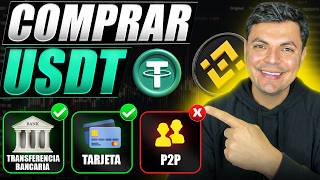
Deposits can be made via bank transfer (Mexico, Colombia, Argentina), P2P trading (all Latin American countries), credit/debit card or Apple/Google Pay, or by depositing cryptocurrencies from another exchange.
After completing tasks, rewards can be redeemed in the rewards area (user icon on computer, Home or More section on mobile). Redeemed rewards are automatically used to cover fees.
The video provides a comprehensive guide to creating and verifying a Binance account, maximizing fee discounts through referral and BNB usage, and unlocking welcome bonuses. It emphasizes using real information and following the steps carefully to ensure successful verification and rewards.
What is the base commission rate on Binance?
0.1%
03:47
How much discount do you get for paying fees with BNB?
25% on spot fees and an additional 10% on futures fees.
04:15
What are the two steps to unlock welcome bonuses?
Make a deposit (from $100 to $20,000) and generate trading volume (from $3,000 to $50 million).
05:23
What is the maximum total reward from welcome bonuses?
Up to $19,800.
06:03
What are the requirements for a strong Binance password?
8-28 characters, with at least one number and one uppercase letter.
01:09
What is the minimum age to verify a Binance account?
18 years old.
02:15
What are the deposit methods mentioned in the video?
Bank transfer, P2P trading, credit/debit card or Apple/Google Pay, and depositing cryptocurrencies.
06:29
40% Discount Breakdown
Explains how combining referral and BNB discounts results in a 40% fee reduction, a key benefit for traders.
03:47Welcome Bonuses are Fee Credits
Clarifies that bonuses are not withdrawable but are used to pay fees, setting realistic expectations.
05:23Identity Verification is Mandatory
Emphasizes the need for real information and facial verification to operate on Binance.
02:03[00:02] how to create and verify a Binance account, but also how to unlock welcome bonuses and rewards of up to $9,800. But that's not all. I'll also show you how to get a 40% discount on
[00:16] commissions for life. And believe me, that 40% will save you hundreds or even thousands of dollars if you use Binance long- term. Let's begin. If you go to the description of this video or to the first comment you will find the official
[00:30] Binance link, which will take you to this site. And if you scroll down here you'll find the bonuses I mentioned. By creating your account with this link , you will automatically receive a 20% discount on fees. This 20% is
[00:43] part of that 40% I mentioned at the beginning. In addition, you will also be able to access welcome bonuses and rewards, which I will show you how to unlock later in the video. These are all the options you can use to create your account,
[00:56] phone number. I will do it with my email and they will send me a six-digit verification code to the email address I provided, which I already have here and we will copy it. We glue it on this side and continue.
[01:09] The next step is to create a strong password of at least 8 to 28 characters, with at least one number and at least one uppercase letter. After entering the password, we continue and with that our account has been created and we are
[01:22] also notified of that 20% discount. We press next. The next step will be to download the application. Here you will see the button Store or Play Store, regardless of the type of phone
[01:34] you have. We logged in and in my case it took me directly to my App Store. download button. Once it's downloaded, we open the application and press log in . We're going to log in with the email address we used
[01:49] to create our account. Enter the password and we'll continue. It our email address, which we already have here, and which we will application, the first thing we will have to do is verify our identity
[02:03] so that it allows us to operate. We pressed to verify identity. Your country of residence will appear automatically here if you don't simply select it. And here are the types of documents you can use. These are for Mexico,
[02:15] official documents from your country. First of all, to do this process you must be over 18 years old. Also make sure that the document you are going to use is valid. In short, use your real information because later you
[02:28] will have to validate that information with your ID and facial verification. In my case, I'm going to use my INE (National Electoral Institute) card to verify my account. shows me the option to take the photos with my phone right
[02:41] now, or I can also upload them from my gallery. In my case, I'm going to use the we select it and press continue. At this moment I am going to take the first photograph, which is of the front of the document.
[02:54] Make sure they come out quite clear and that you have good lighting. After you turn it over and do the same from the back. What will happen is, first of all, to check the quality of the images. The final step is to perform a
[03:08] facial verification. Here, first of all , don't have your face covered with a lot of makeup or wear glasses or things like that. Also make sure you have good lighting. Basically, it shows you the best practices.
[03:20] Here, basically what you'll have to do is follow the instructions I moving your neck in a circular motion and usually also opening and closing your biometric verification, Vinas will check all the information to ensure it matches
[03:35] correctly. And if everything is in order, your account will be ready in a few minutes. Once your account is approved, you will receive an email like this, notifying you that your account has been successfully created. Now, let me
[03:47] tell you about that 40% discount on commissions that I mentioned at the beginning. As you can see here on the screen, Vinas charges a base commission of 0.1%. But if you pay those fees with the BNB token, you'll get an additional 25%
[04:02] . BNB is the official cryptocurrency of Vainance, which fluctuates all the time just like Bitcoin. To get this discount, Binance app. To do that, go to your user icon and I
[04:15] suggest you log in to Binance Pro. Then, on your user icon, go to this settings gear. Then scroll down until you find the option to use BNB and just make sure you have this
[04:28] feature enabled to get that 25% discount on spot fees. And if suggest you also have this other box checked, since paying for futures with BNB gives you an additional 10% discount. And the last
[04:42] requirement is simply to return and here under your assets in your spot account here you need to have some BNB to pay the commissions. Similarly, if you are going to trade futures, you should also have BNB in your
[04:55] futures account to pay the commissions. Starting from the base commission of point 1%, you reach the 40% discount as follows. By combining the 20% savings from using our link with the additional 25% from paying
[05:09] those fees with BNB, you end up saving approximately 40%, thus obtaining that 40% discount on fees that I mentioned at the beginning. Now let me tell you about how to unlock the welcome bonuses. It
[05:23] should be clarified that these bonuses are rewards that you will use to pay fees within Binance. It's not money you can withdraw. Now , these bonds mainly work in two steps. If
[05:35] we click on this "see more" section, the first step is to make a deposit within Binance. These deposits can range from $100 to $20,000. The second step involves generating trading volume within the
[05:49] platform. In other words, if I exchange $0,000 of USDT for $0,000 of Bitcoin, that would be $1,000 in volume. And the volume ranges from $3,000 to $50 million. Depending on the amount you deposit and the volume of
[06:03] trading you do, that will be the reward you unlock. As you unlock rewards, you can level up and earn rewards, which can total up to $19,800.
[06:17] Here is the number of days you have to complete these tasks after you have created your account. Now, to make these deposits within Binance, you have several options. You can do it with a
[06:29] bank transfer, this works for Mexico, Colombia and Argentina, or use P2P commerce, which is available in all Latin American countries. You can also make that purchase with a plastic card or Apple or
[06:42] Google Pay. And finally, you can also deposit cryptocurrencies, that is, send cryptocurrencies from another exchange to Binance. To avoid making this video too long, I'm going to leave two tutorials above where I show you
[06:54] step-by-step how to prime pods with these four methods I just showed you. In one of those videos I do everything from the computer and in the other mobile phone. This is so you can follow
[07:07] the tutorial from the device of your choice. Additionally, I've also included both videos in the description of this video. Once you complete user icon if you are on a computer and there you will find the rewards area.
[07:21] If you're doing this from your mobile phone, go to Home, and you'll find the rewards area there. Or, if you don't, press the " More" section and scroll down, and under Activities and Rewards you'll find the rewards area, where
[07:34] a yellow button that says " Redeem." After you redeem them, those rewards will be automatically used to help cover the fees. If you have any questions about this process, you can leave them
[07:47] best to answer. I'll also leave the link to the pods in the description with the benefits mentioned. Finally, I would like to Seven Incomes community. You can follow us on Instagram for short
[08:00] educational content, join our Telegram channel, or become part of our new WhatsApp group investors. I'll also leave those links at the bottom. Similarly, the two videos I mentioned will appear up here. In this one I'll
[08:13] show you this complete tutorial on using pods from the computer, and in this other one I'll show you how to use the pods application from beginning to end. In those deposit cryptocurrencies, but I basically teach you how to use the entire
[08:25] platform from beginning to end. I'll say goodbye here for today.


⚡ Saved you 0h 08m reading this? Transcribe any YouTube video for free — no signup needed.