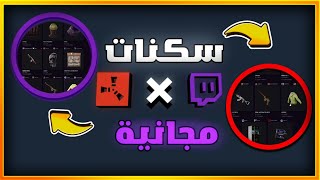

Get Free Rust Skins Fast!
35sDirectly addresses a desirable outcome (free skins) with a clear, quick tutorial hook.
▶ Play Clip"The title accurately promises free Rust skins via Twitch Drops, and the video delivers a complete guide."
This video provides a step-by-step guide on how to obtain free Rust skins through Twitch Drops. The creator explains the process of linking accounts, watching streams, and redeeming rewards, while addressing common issues like missing skins.
The video explains how to get Twitch skins for Rust by visiting the Twitch Drops website and watching streams.
The skins are described as cool, and viewers need to watch streams for a certain duration (e.g., one hour) to earn them.
There are four skins in the first part and additional skins in a second square. Some skins require watching a specific streamer.
A door skin requires four hours of watch time. The bag skin requires one hour.
Viewers must link their Steam or Twitch account to the Twitch Drops site. The creator linked their Steam account.
After watching, click the profile icon on the streamer's channel, then 'Drop Redeem' to claim the skin. Progress is shown as a percentage.
Once the watch time reaches 100%, click the claim button. The skins then appear in the Steam inventory.
If skins don't appear in Steam inventory, go back to the Twitch Drops site and click the middle option to sync. The skins will then appear.
The creator shows the obtained skins: backpack, pickaxe, oven, and door. They express satisfaction with the rewards.
By following the steps—linking accounts, watching streams, and redeeming drops—viewers can obtain free Rust skins. The process is straightforward, and troubleshooting steps are provided for common issues.
What is the first step to get Twitch skins for Rust?
Open Google Chrome and search for 'Twitch Drops' or go to the Twitch Drops website.
00:03
How long do you need to watch a stream to get the bag skin?
One hour.
01:31
How long do you need to watch a stream to get the door skin?
Four hours.
01:31
What accounts need to be linked to receive Twitch Drops?
Steam or Twitch account.
01:45
How do you redeem a skin after watching the stream?
Click on the streamer's profile icon, then select 'Drop Redeem'.
02:24
What should you do if the skins don't appear in your Steam inventory?
Go back to the Twitch Drops site and click the middle option to sync.
03:39
How many skins are mentioned in the first part of the drops?
Four skins.
01:00
Skin Appeal
Highlights the visual quality of the skins as a motivator for viewers.
00:20Time Investment
Clearly states the required watch time for different skins, setting expectations.
01:31Troubleshooting Tip
Provides a solution for a common issue where skins don't appear immediately.
03:39[00:03] Peace be upon you, how are you guys? Hey, I want to explain how to get Twitch skins. First, explain how to get Twitch skins. First, guys, on Google Chrome, type "Twitch Drops" or "Twitch Drops." This website with the Rust picture came up. It's really
[00:20] cool this year, right? Look at the skins, they're really, really cool! Basically, you have to cool! Basically, you have to watch the streams. You have to watch the streams of people who are streaming on Twitch and write about how long, like an hour, to get
[00:35] the skin. Okay, but I don't know, these guys, these streamers... this is a video recording, I don't think they'll streamers... this is a video recording, I don't think they'll
[00:47] give us a reward for it. Wait here, the streamer himself... so we can get all the skins offline.
[01:00] right? This is the first part, there are four skins, they've put them in a separate square. This is the second part, the square. This is the second part, the skins. Okay, these skins have to be from one skins. Okay, these skins have to be from one streamer, so we can get them from two streamers, this one
[01:16] streamer, so we can get them from two streamers, this one or the other one. Okay, that's the point about the skins specifically. We need to take one of these two. Either these are the RPGs, or the streamer is from here. For example, this bag, this is an hour. Okay, we finished the hour and took
[01:31] the bag to get the four skins above. I'll keep watching the stream. Now, this door skin needs above. I'll keep watching the stream. Now, this door skin needs four hours of work, just four hours, that's it. Okay, I hope I understood. There's something here, guys, we need to link the account. Linking the
[01:45] account means we need to link our account to Steam or Twitch. Okay, it says Steam or Twitch. I linked my account to Steam. For people who are new to Twitch,
[01:58] people who are new to Twitch, or for people who are accessing this site from here for the first time, a different interface will appear. The interface will show them where they register their email and password. I registered my email and password and I memorized them. Okay, after this interface appears, it says "Login."
[02:12] password and I memorized them. Okay, after this interface appears, it says "Login." Okay, now you tell me... Hey bro, I watched the whole stream, okay? I
[02:24] watched the whole stream, how can I get the skin? Let me ask you a good question. I go to the streamer, I click on this blue icon, it's the profile icon. Okay guys, it says "Drop
[02:36] profile icon. Okay guys, it says "Drop Redeem" or something like that. That's the drop, Redeem" or something like that. That's the drop, guys, that's the prize. Now, where did I go? I guys, that's the prize. Now, where did I go? I forgot where I went, but now, I
[02:49] went to a skin to get it. I didn't get this skin, look! Now, give me 1%. I have to watch the stream for a certain amount of time until it reaches 100%. Now, I click on this option. Okay, these are the skins I got. Now, I got this skin, this skin, this skin, this skin,
[03:10] got this Garage skin. Okay guys, great! Now, I'll leave this on until it reaches Now, I'll leave this on until it reaches 100%. It's okay, no problem. Now, tell me, bro, I just made a claim for them so I can get the skin. Click on this place and you'll do it. For the skins here,
[03:27] Climb is nice. You'll say, "Okay, we got them and went to our Steam account." May God bless the Prophet, we went to our Steam account. Okay, I go to my inventory.
[03:39] Steam account. Okay, I go to my inventory. skins, but the skins aren't there. What? They scammed me? No, guys. I go back to the same site.
[03:52] Remember the option? I told you to ignore it. I go to this option, the one in the middle. Here's an option, this one is not there. I click on it. Guys, look what it
[04:05] says below. We gave five skins, and they're now on Steam. I go back to Steam and enter Steam. I go back to Steam and enter the location. I got the
[04:20] backpack. Look what, guys! I got the backpack, the pickaxe, the oven, I don't know what the door is. I backpack, the pickaxe, the oven, I don't know what the door is. I go back and check it out in front of you, guys. I go back and check it out in front of you, guys. I swear to God, it's awesome! This is nice. The oven is normal, and
[04:33] swear to God, it's awesome! This is nice. The oven is normal, and the backpack is nothing like anything. Okay, guys? I think I explained everything to you. I hope you benefit. If you have any questions, ask me in benefit. If you have any questions, ask me in the comments. Go ahead. Enjoy, guys
⚡ Saved you 0h 04m reading this? Transcribe any YouTube video for free — no signup needed.