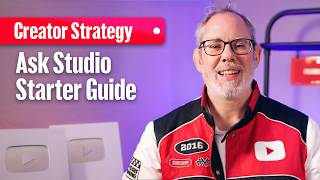

Unlock YouTube's Secret Tool
45sReveals a powerful, little-known YouTube tool that creators can use to get personalized insights, sparking curiosity and immediate action.
▶ Play Clip"Title accurately describes the video's content: practical tips for using Ask Studio."
This video by YouTube Creator Liaison Rene Ritchie provides practical tips for using YouTube's Ask Studio tool effectively. It emphasizes using natural language, being detailed, concise, and conversational to get personalized insights for channel growth.
Rene Ritchie introduces Ask Studio as a powerful tool for unlocking insights about your channel, videos, and audience.
Five tips: use natural language, be detailed, be concise, give context, and be conversational. Examples include asking for video ideas based on comments or catchy titles for a specific audience.
Ask Studio is designed to be a creative partner to overcome writer's block and iterate ideas. It understands your channel and brand for personalized recommendations.
Channel data is private and secure. Ask Studio is constantly expanding, so users should keep trying new prompts.
Ask Studio is a powerful, personalized tool for YouTube creators to gain insights and generate ideas. By following the prompting tips, creators can maximize its value and overcome creative blocks.
What is the first tip for prompting Ask Studio?
Use natural language.
00:30
What should you include to be detailed in a prompt?
Specify the video title and desired output, e.g., 'Based on comments in my short titled Best Moments from the World Championships, give me three ideas for my next video.'
00:45
What labels should you use to be concise?
Labels from YouTube Analytics like 'traffic sources' or 'new viewers'.
01:00
How can you give context in a prompt?
Example: 'Give me a catchy title for my video about Best Moments from the World Championships for a new audience.'
01:15
What does Rene Ritchie say Ask Studio is meant to be?
A creative partner to overcome the tyranny of the blank page and iterate ideas.
01:45
Is your channel data private when using Ask Studio?
Yes, it is private and secure and visible only to you.
02:15
Natural Language Prompting
Encourages users to interact with AI as they would with a colleague, reducing friction.
00:30Creative Partner Concept
Positions Ask Studio as a tool for brainstorming and iteration, not just analytics.
01:45Privacy Assurance
Reassures creators about data security, a common concern.
02:15[00:00] In this video, I'm going to show you how to get started with YouTube's incredibly powerful Ask Studio tool so you can unlock even more insights about your channel, videos, and audience. Hello Insiders, I'm Rene Ritchie, a long-time creator now working at YouTube, and here's what's up. If you clicked on Ask Studio, checked out the suggested clips, but then felt stuck on what to do next or how to find the most value, here are a few prompting
[00:25] pro tips. One, use natural language. Just tell Ask Studio what you're curious about or what you want to know the way you would a friend or a colleague. Two, be detailed. In other words, help Ask Studio help you. Be clear. Instead of "Give me ideas from comments", try "Based on the comments in my short with the title Best Moments from the World Championships, give me three ideas for my next video." Be concise. Instead of reinventing terms,
[00:51] use the labels you see in YouTube Analytics already like traffic sources or new viewers to help Ask Studio identify and pull the correct data sets. Give context. Instead of "Give me a title", try "Give me a catchy title for my video about Best Moments from the World Championships for a new audience." Be conversational. Instead of just "What are the main themes appearing in the comments of my latest video about the best moments from the World Championships",
[01:16] once you've gotten a response, follow up with "Looking at the feedback on the best moments in the World Championships, summarize why viewers are asking for more comparisons." Because Ask Studio is meant to be a creative partner, a tool that you can jam with to overcome the tyranny of the blank page or more rapidly iterate on your ideas. It understands your specific channel and brand to provide personalized recommendations, and you're always the one in control, whether you're
[01:42] roasting video outlines or brainstorming thumbnail concepts. And your channel data is private and secure and visible only to you. Also, Ask Studio is always expanding, so keep trying new and different prompts, even ones that may not have worked the way you expected before. Give it a try, let us know your thoughts and questions in the comments, and keep it real.
⚡ Saved you 0h 02m reading this? Transcribe any YouTube video for free — no signup needed.