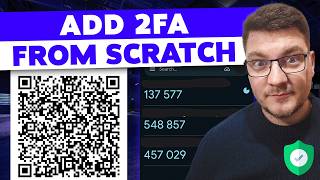

What is 2FA and How TOTP Works
45sClear and concise explanation of a common security concept that many users want to understand.
▶ Play Clip"The title promises 'the right way' and the video delivers a solid, practical guide with security hardening tips, though it could be more concise."
This video demonstrates how to implement time-based one-time passwords (TOTP) for two-factor authentication (2FA) in .NET applications. It covers the underlying RFC 6238 standard, practical implementation using OTP.NET and QR Coder libraries, and essential security hardening for production readiness.
The video introduces time-based one-time passwords (TOTP) as a second authentication factor, explaining the concept of 2FA and its role in improving application security.
TOTP is defined in RFC 6238. The video recommends exploring the standard for in-depth understanding but focuses on practical implementation in .NET.
The application generates a QR code encoding a shared secret, which is scanned by authenticator apps like Google Authenticator. The code regenerates every 30 seconds, and both the app and server generate the same code based on the current time and shared secret.
Starting from a blank .NET 10 API, the video installs two libraries: OTP.NET (for TOTP generation and validation) and QR Coder (for generating QR code images).
The secret key is generated using OTP.NET's KeyGeneration class. The default key length is 20 bytes for SHA1, but SHA256 (32 bytes) and SHA512 (64 bytes) are also supported. The key is encoded as a Base32 string for QR code sharing.
Each user must have a unique secret key, stored securely alongside user credentials and encrypted at rest to avoid security vulnerabilities.
A GET endpoint returns a QR code image. The QR code encodes a one-time password URI (otpauth://totp/...) containing the issuer, user, secret, digits (default 6), period (30 seconds), and optional algorithm (default SHA1).
Using QR Coder, the URI is converted into a PNG image. The ECC level is set to Q, and the image is returned as a file response with MIME type image/png.
A POST endpoint accepts a code from the client. The server initializes a TimeBasedOneTimePassword object with the user's secret and calls VerifyTimeBasedOneTimePassword, which returns a boolean and out parameters for time step matched and verification window.
The verification window allows for time mismatches between server and authenticator app, supporting one window in the past and one in the future, as per RFC specifications.
The demo validates a code from the authenticator app, showing 'isValid: true' and the time step used. The secrets must be identical between the app and server for validation to work.
Encrypt secret keys at rest, ensure identical keys between app and server, and note that TOTP works offline as long as clocks are in sync. Also, provide recovery mechanisms for users without a second factor.
Implementing TOTP-based 2FA in .NET is straightforward with the right libraries, but security depends on proper secret management and handling time skew. Most authentication frameworks support TOTP out of the box, making it a practical choice for enhancing application security.
What RFC defines the TOTP algorithm?
RFC 6238
01:01
What is the default key length for SHA1 in TOTP?
20 bytes
03:03
How often does a TOTP code regenerate?
Every 30 seconds
01:53
What are the two libraries used for TOTP implementation in .NET?
OTP.NET and QR Coder
02:20
Why is it important to encrypt secret keys at rest?
To avoid security vulnerabilities
04:01
What is the purpose of the verification window in TOTP validation?
To allow for time mismatches between server and authenticator app
09:49
What does the 'time step matched' out parameter indicate?
Which specific time step was used to verify the password
10:03
TOTP Standard Definition
Provides the authoritative reference for TOTP, essential for understanding the algorithm.
01:01Secret Key Uniqueness
Emphasizes that each user must have a unique secret key, a critical security principle.
03:45Handling Time Skew
Explains how to accommodate clock differences, a practical challenge in real-world deployments.
09:33Offline Functionality
Highlights that TOTP works offline, a key advantage for user convenience.
11:12[00:01] authentication using one-time passwords? That's what I'm going to show you in today's video where we're going to implement time-based one-time passwords in our .NET applications and we're going to discuss how the standard works and
[00:13] how it improves your application security. So, let's first briefly talk about 2FA, which is short for two-factor authentication. Our idea behind 2FA is forcing your users to provide multiple ways to authenticate themselves to your
[00:29] going to look something like this. You've got your user, you've got your API here, and for all intents and purposes, let's assume the API is also the identity server. Now, what's going to happen is our user is going to try to
[00:46] authenticate with our API. So, let's say that this is our off request, and for example, this could be providing an email and a password. Now, in the case that this succeeds, so let's denote this as off okay, we want them to also
[01:01] provide a second authentication factor. And in this case, we're going to use a one-time password or time-based one-time password. And this is actually based on password. And this is actually based on a standard, which is defined in RFC 6238
[01:14] called TOTP, time-based one-time password algorithm. Now, if you want to explore this, I highly recommend checking it out. It goes in-depth on how all of this works. I'm going to focus on the practical side of things when it
[01:26] comes to implementing this in .NET. So, how we typically have this is our application generates a QR code encoding the one-time password secret and shares it with some sort of app that provides secure storage, like for example, Google
[01:39] Authenticator or Microsoft Authenticator. And you open these apps password, where it's regenerated every 30 seconds. And this is what provides the additional security. The one-time password is short-lived. It's only valid
[01:53] for 30 seconds. And both the authenticator app and your API server will generate the same code based on the current time using this shared secret. in a simple demo, and we're going to discuss some absolutely necessary
[02:06] security hardening that you should do to have this be production ready. So, this is our starting point. It's literally a blank .NET 10 API, where we are going to install two new libraries. So, the first one is going to be OTP.NET.
[02:20] million downloads, and we're going to add the latest version. This is what's going to help us implement time-based one-time passwords and also allow us to validate one-time passwords that we get from the client. Now, we will need some
[02:33] way to share our one-time password secret with our client apps. And for library. This is just going to let us generate a QR code image of the one-time authenticator app. So, here's what we're going to need. First, we're going to
[02:48] need some sort of secret key that we can get from the one-time password library using their key generation class, and we can call the generate random key method. Now, I'm going to say the length of the key is going to be 20, which is the
[03:03] default key length for the SHA1 algorithm, and this is the most commonly used one for one-time passwords. Now, there's an overload that accepts different hash modes, so you can use SHA256 or SHA512.
[03:16] size of the key that gets generated when you call this method. So, you can see for SHA256, we're going to use 32 bytes. For SHA512, we're going to use 64 bytes. So, we can also replace this with just SHA1, and it should give us the same
[03:31] values, so we can even omit this. And then we want to encode this as a base32 string to be able to share it in our QR code. So, I'm going to say base32 encoding to string and pass in our secret key, get it encoded to base32.
[03:45] Now, an important thing to realize here is that you have one secret key per client or per application user. And it's critically important that different means you're going to be storing this somewhere together with your users'
[04:01] credentials. And it's also critically important that this is encrypted at rest. Otherwise, you're just asking for a security vulnerability. Then I'm going a security vulnerability. Then I'm going to hardcode just one user for our demo,
[04:15] and let's first define our issuer, which is going to represent our application one-time password off demo. For a production deployment, this would be the user-friendly that your users can recognize. And then for the user, you
[04:29] could use their email, you could use their account ID or something like that. I'm going to hardcode this to some demo email. So, that's our base setup, and remember that this is only going to work for one user. Now, I'm going to expose
[04:42] an endpoint, a get endpoint, which is going to return the actual QR code for this user. And all we need here is going to be the QR coder library. And the most standard way to encode this is through our one-time password URI. And this has
[04:56] something like this. You start with OTP off, then you say time-based one-time password, and then you provide your issuer. We're going to replace this with concrete values in a moment. Then you've got your user, and then you open a
[05:10] couple of query parameters, like a user secret. You again provide the issuer also going to be the issuer. You also have to say how many digits you want to use for the one-time password. By default, we're going to use six. And
[05:24] then you define the period for how long a one-time password is valid for. We're going to say 30, which means 30 seconds. Additionally, you can also provide the if you don't want to use the default one, which is SHA1. Now, I'm going to
[05:39] create an escape issuer string, which I'm going to get by saying URI escape data string, and then let's pass in our issuer, and we're going to use this as the interpolated value inside of our one-time password URI. So, let's provide
[05:53] here, and let's also provide it here. We've already got our secret as a base32 secret key. So, I'm going to pass that in, and let's also provide an escape
[06:05] user. We've got our constant above, which we can use for this, and I'm going to drop it in here to complete our one-time password URI. So, this is what the entire URI is supposed to look like. Now, I'll make sure that this is just on
[06:18] one line so that I don't get any strange behavior when we convert this into a QR code. And how do we get a QR code? Well, we're going to use the QR coder library. So, I'll say using QR generator, and we're going to get this by creating a
[06:31] new QR code generator. And now that we have our generator, we can get our QR have our generator, we can get our QR code data by saying QR generator create QR code. We pass in the payload, which is going to be our one-time password
[06:43] error collection level. You don't have to worry about this too much, and I'll just use ECC level of Q. Now, we want to return this as an image. So, I'll say using var QR code, and I'm going to new up a new PNG by QR code, where I can
[06:58] pass in my QR code data that we got in the previous step. And finally, we can get our QR code image as an array of bytes by saying QR code get graphic, and you define how many pixels you want per module. So, we're going to return this
[07:12] from our API by saying results file, pass in the bytes directly, and we're in the response, which is going to be images/png. So, let's go ahead and start this and test this out. I'll send a get request
[07:25] to our API to first fetch the QR code, and you can see we hit the breakpoint inside of our new endpoint, where we're going to produce our one-time password URI that looks something like this. So, we've got our issuer, here's our user,
[07:38] here's the secret key that we generated, and we're going to share this between both our server and the authenticator app. Now, it's important that these are stored securely as encrypted values, and you also have to be able to fetch them
[07:50] at runtime to be able to verify the one-time password. So, this part isn't too interesting. We're going to generate our QR code, but if I press continue, we're going to get the QR code in the response. And if I zoom out a little, we
[08:02] should be able to see the entire QR code on the screen. So, this encodes our one-time password URI. Now, we have to import this into some sort of authenticator app. And this is where you would grab your mobile phone, open up
[08:15] the authenticator app, where you're going to get a UI like this asking you to add an authenticator code, and I'm going to say scan a QR code. I'll point this to the QR code on my screen, and you should see something like this show
[08:28] password is set up. You can see our issuer there and the example user's email. And you can see how the one-time password cycles every 30 seconds. So, now we need to implement support for sending this one-time password to our
[08:42] part is pretty straightforward. I'm going to define a type that I'm going to call validate one-time password request. It's going to have just one property representing the code, and then I need
[08:54] another, let's say, post endpoint, which I'm going to call one-time password validate. In the request, we're going to get the validate one-time password request. And what we want to do is to use the one-time password library to
[09:07] password code. This is where you're going to implement fetching the current user so that you can get their client secret, and you're going to use this to initialize a new time-based one-time password object coming from our library.
[09:20] And here, I'm going to pass in the secret key that we have hardcoded. So, this object exposes a verify time-based one-time password method, where we can pass in the code that we typed in from the authenticator app. Now, it's going
[09:33] to give you two out parameters. The first one is called time step matched, verification window, because if you recall, these are based on 30-second you want to permit time blocks in the past or in the future. And the reason
[09:49] mismatch between your application servers and the authenticator app that you are using. We can use something like an RFC specified network delay, which lets you support one-time window in the past and one-time window in the future,
[10:03] and all of these could be a valid one-time password. The time step matched variable that we get as a numeric value is it's just going to let you know which specific time step was used to verify this password. Now, this returns a
[10:15] Boolean value letting us know if this is valid or not, and we can just return this by saying return results okay, and let's pass this as an anonymous object. password. Now, as I said, this is missing some important steps, like for
[10:31] database, decrypting it so that you can password object, but I think you get the general idea. Now, let's place a application, and I need to open my authenticator app. So, now I can type in
[10:45] the code from my authenticator app, which is 578778, and I send this to my API. Now, keep in mind that the secrets used between the authenticator app and what you're using to validate the said code have to be
[10:59] identical, otherwise this won't work. And you can see that is valid is true. You can see the time step that was used to validate this one-time password, and this returns true, and we have successfully validated our user using a
[11:12] second authentication factor with time-based one-time passwords. So, these few lines of code cover the basics of how you could implement. Now, most authentication frameworks do support this out of the box. For example,
[11:24] one-time passwords using many of the popular authenticator apps. I already said that you have to make sure to encrypt the secret keys at rest. They also have to be the same keys between your authenticator app and your server,
[11:38] otherwise none of this works. The good thing is that this works offline, so phone, and if you recall from the demo, my phone was actually in airplane mode on purpose, and this still worked because they can share the same secret
[11:50] current time, so as long as the clocks are somewhat in sync, this is going to factor. Another thing you'd probably need is to take into account that a user they don't have a second authentication factor, and you will need some form of
[12:06] recovery to let them go around this, but I think most modern applications that care about their user security will have some form of 2FA implemented. If you can always go ahead and implement ASP.NET Core Identity, which I cover in
[12:21] this video, and just enable support for 2FA with my one-time passwords. If you enjoyed this video, I ask you that you gently tap the like button. Thanks a lot for watching, and until next time, stay awesome.


⚡ Saved you 0h 12m reading this? Transcribe any YouTube video for free — no signup needed.