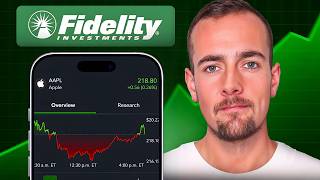

How to Deposit Money on Fidelity Fast
41sQuick step-by-step on funding an account, essential for beginners.
▶ Play Clip"Delivers a straightforward beginner tutorial with clear steps, though the 10-minute claim includes some fluff and self-promotion."
This video provides a beginner-friendly guide to investing using the Fidelity app, covering everything from depositing funds and buying stocks or ETFs to selling and cashing out. The tutorial focuses on practical steps, including using fractional shares and different order types, with a demo using the VOO ETF.
To deposit money, tap the green transact button, select transfer, choose your from (bank) and to (Fidelity) accounts, set frequency (one-time or recurring), enter amount, and submit. Funds take 1-3 business days to process, but Fidelity allows instant investing of deposited funds.
Tap transact, then trade. Search for VOO, select it. You can buy whole shares or fractional shares (as little as $1). Choose order type: market for immediate fill at best price, or limit to specify a max price. Preview and submit the order.
Go to the investing tab to see portfolio holdings, gain/loss, and performance. Select an ETF to view price chart, quotes, statistics, performance history, news, and research including expense ratio, net assets, dividend yield, and top holdings.
Tap transact, trade, search for the security, toggle to sell. You can sell specific shares, dollar amount, or sell all. Choose order type (market or limit), preview, and submit. Settlement is T+1 (next trading day).
After funds settle (T+1), tap transact, transfer, select Fidelity as from account and bank as to. Enter amount (up to cash available), set frequency, review, and submit. Withdrawal takes 1-3 business days to appear in bank.
Fidelity offers a user-friendly platform for beginners to start investing with low minimums (fractional shares) and various order types. The key steps are deposit, buy, track, sell, and withdraw, with settlement times and instant deposit features to be aware of.
What is the processing time for a deposit to Fidelity?
One to three business days.
01:51
What is the minimum amount for fractional share investing on Fidelity?
$1.
03:39
What does a market order do?
It fills the order immediately at the best available price between the current bid and ask.
03:53
What does 'T+1 settlement' mean?
It takes one trading day for a stock trade to finalize.
08:35
What is the expense ratio of VOO?
0.03%.
06:51
Fractional Shares
Fidelity allows investing as little as $1 into over 7,000 stocks/ETFs, lowering the barrier for beginners.
03:39T+1 Settlement
Understanding settlement timing is crucial for planning withdrawals and avoiding confusion.
08:35Instant Investing
Fidelity lets you invest deposited funds immediately before the transfer clears, a key feature for quick entry.
01:51Top Holdings Concentration
The S&P 500 ETF is heavily concentrated in large US tech companies, a risk factor for diversified investors.
07:04[00:01] guide on how to invest using Fidelity, this is the video for you. We're going to cover how to deposit money, buying a stock or ETF, how to sell, and how to before we get into this quick guide here, I wanted to mention that I do have
[00:14] a full Fidelity tutorial that walks you through how to open up an account from scratch, the platform on desktop and mobile, and more. I'll put a card in the corner as well as a link down in the description below. With that said, guys,
[00:27] we're going to jump into my Fidelity app now and get started. So, let's start with the basics here on how to deposit money to your Fidelity account. You're button here at the bottom middle, and then you're going to select the transfer
[00:40] button, and from here you have to select a from and to account. Now, your from bank account, and then you're going to choose your Fidelity account here under multiple different accounts like a Roth IRA and an individual account, you would
[00:55] select which one, but I have just my individual taxable account, so we'll go ahead and select that. By default here, the frequency is set to just once, so this is going to be a one-time transfer, but if you select the drop-down, they
[01:08] also have options here for recurring transfers if you did want to automate transfers to your Fidelity account. We're going to leave that as is now and just inputting the dollar amount that you are looking to transfer. So, since I
[01:22] account, I'm not going to transfer very much, but we will do a $10 deposit here just for demo purposes. So, once we type that in and click here on the done review at the bottom to go ahead and take a look at the confirmation details.
[01:38] We can see it's coming from my bank account over to my Fidelity account, and we'll go ahead and click on the green submit button. And now it confirms that the transfer has been successfully submitted, and the processing time here
[01:51] is one to three business days. Now, even though it will take a few days for your funds to process, Fidelity does allow you to instantly invest the money that you deposit, which is a big plus, but you do want to make sure that you keep
[02:03] that amount in your bank account before the transfer is completed, that way you don't face any problems or account restrictions and things like that. Now next step is going to be actually making an investment. So, once again, we're
[02:17] button here at the bottom, and this time we're going to select the trade button, and we're going to be investing in the S&P 500 using the most popular Vanguard ETF for that. So, at the very top here, we're going to click into the search bar
[02:31] and type in the symbol VOO, and we can see the Vanguard 500 Index Fund ETF listed at the top, so we're going to go ahead and select that now. So, once you select the ETF, you can see at the very top the current quotation price, today's
[02:46] percentage, and below that is the current bid and ask price for the particular security. The bid and the ask price is basically what buyers and sellers are looking to accept and sell their shares for in real time, and this
[03:00] is going to update every couple of seconds. Now, below that, we can see our balance available to trade, and we can see that we have buy selected, which is exactly what we are going to do, and then by default, this is set to buy in
[03:12] whole shares. So, if I select this and type in one share, we can see that the type in one share, we can see that the cost here would be $590.12. don't have that much money to invest right away, so the good news is you can
[03:26] actually select the drop-down here where it says shares, change this over to dollars, and take advantage of the fractional share investing here on Fidelity. Fidelity lets you invest as little as $1 into over 7,000 different
[03:39] stocks and ETFs on their platform, but for this demo, we're just going to be doing a $10 investment, so we're going to click into the box, type in 10, and then we can see here that we have by default a market order selected. And a
[03:53] market order basically means fill the order immediately at the best available between the current bid and the ask price listed at the very top. But if price that your order fills at, you can select the drop-down here and change
[04:08] this over to a limit order, and in this case, you would specify the exact price or better that you're looking to buy or sell for. So, right now, the market sell for. So, right now, the market price for VOO is $590.15,
[04:21] but if you only wanted to pay 590 or cheaper for your shares, you could type in 590, click here on done, and then the order would only go through if the price hits $590 or less. So, this can be helpful for certain strategies where
[04:36] you're looking to have very specific execution of the price, but for most cases, you're just going to want to do a market order and prioritize the order to select the drop-down once again here and change it back over to a market
[04:50] order. We're looking to buy $10 worth, and now we're going to select the green preview button, and then we have the order confirmation screen here, and then we'll click here on buy VOO at the very bottom, and it confirms now that they
[05:03] have our order. So, we'll go ahead and select the done button, and then navigate back here to the home page, and now if we click here on the investing tab, we'll be able to actually track this investment into the S&P 500. And we
[05:16] can see that listed here under the investments in this demo portfolio, and right now, I have this set to total gain/loss, so we can see that my return has been so far a loss of 0.03% on this, but we just
[05:30] track it that closely. But you can see here that I actually own some FXAIX in this portfolio, which is the Fidelity Index Mutual Fund that tracks the S&P Index Mutual Fund that tracks the S&P 500, and that's actually up 12.22%
[05:44] seeing as I invested in that many months ago. So, that's how you would track your thing I want to show you is how to actually view the investment profile for a stock or an ETF. What you would do is click on the green transact button once
[05:58] again, and now you're going to notice that we have VOO listed in a little circle here, so we're going to go ahead and select that, and that's going to bring us to this screen here where we can actually view more details about
[06:10] this particular ETF. For starters, there's going to be a price chart, so for today, for example, we're up 1.6% and we can see the green line representing the price and the volume at the bottom. You can change this over
[06:23] different periods of time and see what the performance has been. If you scroll information about the quote and statistics, and then you can also see performance here as far as the one-year, three-year, five-year performance, etc.
[06:37] news feed that's going to give you articles related to whatever stock or ETF you are currently looking at. And if you're looking for more information, you can click here on research, and that's going to give you even more statistics.
[06:51] So, for example, we can see that the expense ratio is 0.03%, expense ratio is 0.03%, the net assets is about 870 billion, and this fund does pay a dividend, so down here it mentions the dividend yield of
[07:04] 1.23%. And another thing is if you scroll all the way to the bottom here, you can see the top 10 holdings, so those are the largest components of this particular fund, and it's pretty wild how much of
[07:16] that money goes into just the largest US tech companies. And real quick, guys, if far, make sure you drop a like and subscribe if you haven't already. Now, it wouldn't be recommended to buy and sell an investment this quickly because
[07:29] there really wouldn't be any point. But what you would do here is click on the transact button once again, and then we're going to select trade, and then we're going to type in the name, or we can select it from the list of recent
[07:41] quotes here, and that's going to bring us to the same order ticket screen as before. At this point, we're just going to toggle it over to sell, and now we see the option here to sell in dollars, and so what we're going to do is go
[07:54] looking to sell, and it says we own 0.016 shares of VOO. You can sell a specific share amount or click on the sell all button. We're going to choose sell all, and then we have a market order, and the estimated value here is
[08:09] going to be $9.45. We're going to click here on the preview button to go over to this screen, and then we're going to select sell VOO at the bottom, and then it says we've got your order. We'll click here on done,
[08:22] and just like that, we sold off the fractional investment that we just made. step, which is how to cash out to your bank account, but first, we have to quickly talk about something called fund settlement. When you buy or sell a
[08:35] stock, it doesn't happen immediately, even though you'll see the shares or the money showing up in your account right away. This delay is referred to as T+1 settlement, and it basically means it takes one trading day for your order to
[08:48] finalize. So, if you sell a stock on a Monday, you'll be able to cash that Tuesday, so long as there are no holidays. But since I have extra cash in the steps involved here. From the home page, you're going to click on the green
[09:03] transact button once again, and we're going to select transfer, and this time under the from account, we're going to actually choose the Fidelity Investments account, and then by default, it's going to put my bank account in the two
[09:15] accounts linked, and then you would have to choose which one. And then we can see here it mentions the cash available to withdraw is 648.22. we're going to leave it as just once as opposed to a recurring withdrawal, and
[09:31] then we're going to type in the amount, so we'll take a $10 withdrawal from this account, click here on done, and then you're going to select the review button, and it mentions here we are transferring $10 from the Fidelity
[09:43] individual account to my bank account, and then we're just going to click here on submit. And just like that, the transfer was initiated. Now, it will take one to three business days to show up over in your bank account, but those
[09:55] are the steps involved with cashing out from Fidelity. There you have it, guys. That's the basics of how to invest using Fidelity for beginners. If you have any and I'll do my best to answer each one.
[10:07] features in the app as well as a full-blown desktop platform. So, make Fidelity tutorial to take advantage of everything that they have to offer. It'll show you how to set up dividend reinvestment, Fidelity's research tools,
[10:21] retirement planning tools, and more. So, be sure to click below to watch that be sure to click below to watch that video now and I'll see you next time.




⚡ Saved you 0h 10m reading this? Transcribe any YouTube video for free — no signup needed.