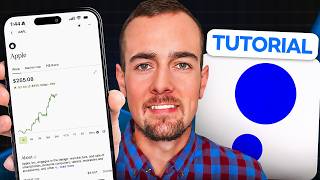

Get a $20 Free Stock on Public App!
42sThe promise of a free $20 bonus is highly enticing and shareable, driving viewers to try the app.
▶ Play Clip"Delivers a thorough beginner tutorial as promised, with minor promotional fluff."
This video is a beginner's guide to the Public investing app, covering account setup, funding, making investments, and withdrawing funds. It also highlights the app's features like fractional shares, AI insights, and various account types, along with a $20 bonus offer.
Public launched in 2019 with social investing, fractional shares, and commission-free trading. It has over 3 million users and features like Alpha, an AI-powered investing assistant.
To open a Public account, you must be at least 18, have a valid SSN, and a US residential address. Approval is usually immediate or takes 1-3 days.
Use promo code Ryan24 to receive a $20 fractional share bonus, choosing from popular stocks and ETFs.
Link a bank account via Plaid for secure connection. Bank account is recommended over debit card for higher transfer limits and easier process.
Deposit funds by selecting the bank and brokerage account. You can invest immediately before the deposit settles.
Search for VOO (Vanguard S&P 500 ETF), review performance, and buy fractional shares by entering a dollar amount. Example: $10 buys ~0.01479 shares.
Public provides AI-generated updates on stocks/ETFs, explaining market movements and key holdings.
VOO has an expense ratio of 0.03%, dividend yield of 1.08%, and top holding Nvidia at 7.5%.
Portfolio tab shows performance charts. Public offers options trading, crypto, direct indexing, bonds, IRAs, and investment plans.
Bond account offers up to 5.78% yield, Treasury account for US Treasuries, and high-yield cash account at 3.3% APY with up to $5M FDIC insurance.
Sell shares via trade button, note regulatory fees (SEC and trading activity fees). Withdrawals require T+2 settlement, then can cash out to bank.
Public is a versatile platform suitable for beginners and advanced investors, offering a range of features from basic stock investing to bonds and AI assistance. The tutorial provides a complete walkthrough of the app's core functions.
What year was Public launched?
2019
00:14
What are the requirements to open a Public account?
At least 18 years old, valid SSN, and legal US residential address.
00:59
What is the promo code for the $20 bonus?
Ryan24
01:26
What is the expense ratio of VOO?
0.03%
06:36
What is the dividend yield of VOO?
1.08%
06:36
What is the top holding in VOO and its percentage?
Nvidia at 7.5%
06:50
What is the APY of the high-yield cash account?
3.3% APY
11:32
What is the settlement period for selling securities?
T+2 (two trading days)
14:55
What is the maximum FDIC insurance on the high-yield cash account?
Up to $5 million
11:46
Public's Founding Principles
Establishes the platform's unique value proposition of social investing and fractional shares.
00:14Instant Investing
Highlights a key feature that allows immediate investment before deposit settlement.
04:56AI Insights
Demonstrates how AI can provide quick market context for investors.
06:07Yield Options
Shows the variety of yield-generating accounts available, catering to different risk appetites.
10:56Regulatory Fees
Explains the small fees involved in selling, which are often overlooked.
14:15[00:01] beginners guide to the Public investing app, this is the video for you. We'll be covering how to open and fund your account, a full tour of the app, how to make your first investment, and even score a $20 bonus. Public was launched
[00:14] in 2019 around the idea of social investing, fractional shares, and commission-free trading. It has since grown to over 3 million registered users with diverse features like Alpha, an AI-powered investing assistant. So,
[00:28] let's dive in now and see what this platform is all about. And real quick, I financial advisor, and this isn't personalized financial advice. For open up a Public account and get that $20 bonus. This is an exclusive offer
[00:43] here for my audience, and here's how it works. Step one is to sign up for a new Public account using my link below or visiting ryanoscribner.com/public. the account opening steps. And the basic requirements are being at least 18 years
[00:59] old, having a valid social security number, and a legal US residential address. The application is handled completely through the app. All of your information is protected along the way, and you'll usually get approval for your
[01:11] account right away, or at most it takes 1 to 3 days. And here's how to get the $20 bonus. Once your account is fully opened, open the app and log in, and then click on the three lines in the top left. From here, scroll down to rewards
[01:26] will see where you can enter a promo code, which is going to be Ryan24. If you use my link and my code, you will get a $20 fractional share bonus investment, and you actually get to choose from a list of popular stocks and
[01:41] ETFs. Now, I am not eligible for my own bonus offer, but it should be available to everybody else. And if you appreciate free bonuses like this, do me a favor, drop a like on this video, and subscribe. With that said, let's jump
[01:54] into my Public app now and cover the basic steps for getting started. Okay, guys, so here we are over in my Public Investing app. The very first thing I want to talk about is how to link a payment method or your bank account.
[02:06] This is going to be required to deposit money and eventually withdraw money later on if you want to take money out of your Public account. We're going to click here on buying power where it shows $0 and it shows a bank account
[02:18] that I have linked. This is actually an old account that I don't have access to anymore. So, we're going to click on the from drop down here and we can actually click here where it says add a funding method. Now, when we do that, it shows
[02:31] that we can do a bank account, which is recommended, or you can do a debit card if you want to basically go that route, but to be honest, I would just recommend doing the bank account. It's going to be allowing for possibly higher transfer
[02:43] limits and just an easier process. So, we're going to click on bank account and then select next, and then you can either choose your bank from the list here or go ahead and search for it in the search bar. So, once you select your
[02:55] next button, and then you can either do an instant method here by sharing your login information securely, which is recommended, or the manual method by providing an account and routing number. For me personally, I'm going to do the
[03:09] the next button. And then it's going to actually send me a verification code here because I've already set up a Plaid account and linked accounts previously. a screen here where you have to enter your banking logins, but in this case,
[03:25] it's just going to bring up my previous session. So, I enter the two-factor code. I'm going to select my bank at the top and click here on confirm. And then different accounts available. So, I'm going to go ahead and choose the account
[03:38] that I want to link. Click here on continue. It now says connecting accounts securely and the bank account was linked. So, just like that, we've added a bank and we can now deposit some money. All right, guys, so for For rest
[03:50] to be using my partner's public account. I just ran into a small issue with mine because years ago I actually transferred my public account to a different have to go through customer service to reactivate the account. So, everything's
[04:04] be slightly different numbers here. That's why we now see an account value here in this public account. But, what we're going to do now is click here on buying power and we are still going to make a small deposit. I'm just going to
[04:17] do a $1 deposit here to show you the steps. So, you're going to select the bank in the from section and the two is going to be your brokerage account. Now, that you can open with Public, but by default it's going to be the brokerage
[04:29] account and a one-time transfer. If you wanted to do this on a schedule, you can we're going to click here on the next button and then this is confirming that $1 will be deposited. I'm going to click
[04:42] on confirm. And just like that, a $1 deposit was initiated. If I click here on done, uh we should see the buying power go up by $1 and one cool thing about Public is that you should be able to invest some if not all of that money
[04:56] immediately before the deposit settles. So, that can be helpful if you're trying to invest quickly rather than waiting for your money to actually hit your account. So, now let's go ahead and make an investment using Public and we're
[05:09] just going to use the Vanguard S&P 500 ETF for demo purposes. And then we'll here in the app. We're going to click here on the search bar. And then we can either select from choosing strategies here or stocks or ETFs. I'm going to
[05:24] select ETFs and then type in here the symbol which is VOO. It was also listed at the top here on the previous screen. But, I'm just going to select it here here where we can take a look at the Vanguard S&P 500 ETF. Now, at the very
[05:40] look at the performance over different periods of time and see um whether things are up or down. For example, over the last year, this is up 15.59%
[05:53] meeting, so there's some volatility in the market. We can see that it's actually slightly down. And over the last week and the last month, relatively flat, for example. I'll click back on the one day here and below that we can
[06:07] actually get AI-generated updates. So it mentions here the Vanguard S&P 500 ETF is lower today reflecting declines in key holdings like Nvidia and KLA amid broader market trends in a falling Dow Jones index. So these AI insights can be
[06:22] helpful here to figure out what's going on with a particular index or stock if scroll down here we can get more information here in the about section. We can see the expense ratio is .03%. We
[06:36] can see the category and additional details here you might be interested in. It also mentions the dividend payout which is currently 1.08% and then we can also get a visual representation here of the top holdings.
[06:50] So for example, Nvidia is 7.5% of this entire fund, so that's why whatever's going on with Nvidia is going to have a huge impact on the broader ETF. You can also create a recurring plan to invest automatically, look at average annual
[07:05] returns, and certain features are going to be for premium users but you can get access to a lot here with just the basic account. You can also trade options if it's very popular for that but that's probably above and beyond the scope of
[07:19] at themes which are going to list similar assets if you're looking to explore different potential investments. Below that is a news feed and that's available. So what we're going to do is click on the trade button and then we
[07:34] are looking to buy, so we're going to click on the buy button next. And then if we wanted to buy one entire share here of this, it would be $676.12, which is a bit more than we probably want to invest. We're just looking to do
[07:48] a small demo investment. So, if you click in the drop down here, we can actually change over from shares to buying in dollars, and now you can just enter any dollar amount. So, even if you wanted to put $1 into VOO, you could do
[08:01] Um we're going to do $10 for this, so I've typed in 10. We're going to click on review order. That's going to buy about 0.01479 shares, and when I'm all set here, we're
[08:13] going to click on submit order. And then just like that, it says the order was completed, and we bought a fractional share here of VOO. So, if I click here on the done button, and then scroll back up to the top, it's now going to show a
[08:27] your position section where we can actually track our performance. So, we actually track our performance. So, we are currently down a penny or 0.06%, and that's going to fluctuate here based on the actual market performance. Now,
[08:40] sell this at the end of the video, but we'll leave it be for now just to see what happens in the market. I wouldn't necessarily recommend buying and selling did want to show you both sides of the transaction. So, with that said, let's
[08:53] here in the app before moving on with that. If we click here on portfolio, you can see a chart here that's going to show the performance of your account. You can click on the last week, the last month, and see different information in
[09:06] terms of the overall performance. You can see your buying power below that, which is going to be your cash available to invest. The portfolio here is going to show you the different assets that you hold in your investment account. But
[09:19] other account types and things you can do with Public, which is actually quite a bit. So, I mentioned the options trading. That is useful for certain types of investors. They also offer index options, cryptocurrency trading,
[09:34] direct indexing. That's going to be more useful for higher account values who want to capture more specific benefits associated with that. Um, generated assets, you can use an AI-powered assistant to actually have like an
[09:47] AI-powered portfolio if you wanted to follow an automation strategy. There's also the ability to make direct investments into bonds, which is actually not quite so common. A lot of other platforms only offer ETF exposure
[10:00] to bonds, but there's direct access to Treasuries and corporate bonds here. Uh, for example, these are Treasuries available with a $1,000 investment here. You would have uh, 3803 in total interest earned at maturity with this
[10:12] top example. Uh, so if you want to access bonds, this is a great platform individual retirement accounts if you want to invest for retirement, both traditional and Roth IRAs. And then there's going to be investment plans
[10:26] available, too, if you want to schedule recurring multi-asset buys. If I click I'm just going to close it for now. But these are basically plans or themes that Magnificent Seven. If you wanted to just buy that, you could go ahead and fund
[10:42] this plan and invest in this basket of stocks. So if you want to take the guesswork out of investing, they have portfolios uh, there for you. Under the yield section, we can see different ways to earn a return on your idle cash. So
[10:56] the bond account we've already kind of talked about. If I click on this, it's currently offering a yield of up to 5.78%. Um, this is going to be a little bit more risk than an FDIC-insured
[11:08] you're looking to boost your yield and get a little bit more return, um, you worth it. This is going to invest your money into a bond portfolio
[11:20] automatically. Um, below that, we have the Treasury account. We kind of looked at this already, but this is going to offer investments into US Treasuries. It might be slightly higher yield than your high-yield savings account. And then
[11:32] there is the high yield cash account. This is where you could potentially tuck your extra cash. Now the APY here is subject to change with the federal interest rates, but it currently pays a 3.3% APY offering up to 5 million in
[11:46] 3.3% APY offering up to 5 million in FDIC insurance and zero account fees. So this is a really solid place to earn extra interest on your uninvested cash. So this can be a good one-stop shop here if you're looking to keep all of your
[11:59] some tools here at the bottom for rollovers, watchlists, margin investing, might be interested in at the bottom. The next tab over is going to be markets. This is going to show you what's going on in the markets today.
[12:14] Um there's going to be sector breakdowns, earnings coming up that you might be interested in, a newsfeed below that. So this can be a great place to keep keep tabs on the market. You can break it down into individual stocks.
[12:27] For example, this is showing today's top gainers in the stock market. We could also look at the top losers by clicking over here. And then there's a list here of popular stocks if we want to see what's actively being traded. You can
[12:39] also take a look at cryptocurrencies and get the same type of information here, get the same type of information here, options, bonds, etc. The search screen we've already looked at. That's where we went and purchased our shares of VOO,
[12:51] look at different things you can search for within this section. The inbox is just going to be important notifications related to investments you might hold. And then all the way to the right here we have the agents section. Uh this is
[13:06] quite released, but this is going to basically be an AI assistant that could help you to manage your portfolio. So Public is known for being on the cutting edge with a lot of these features and offering things that are um not always
[13:20] frequently find new things like this being added to the Public Invest experience. But for now, we're just going to go ahead and sell our investment here in VOO and then cash that out to the bank and wrap up the
[13:34] steps involved with that. So, I'm going to click back here on portfolio. I'm going to scroll down to VOO and click that from the list here. And if I scroll down to my position, we are down just one penny. So, you know, didn't make or
[13:48] really lose much money here on this example. We're going to click on trade once again and this time I'm going to select the sell button and then you can either type in a dollar amount you're looking to sell like a dollar or $5 for
[14:00] example, or you can hit the sell all button if you just want to entirely exit to do here. I'm going to click on the review order button at this point and there is going to be a regulatory fee of 2 cents. This is passed along to the
[14:15] something Public collects. You can click on the question mark here to get more information. It's actually a SEC and then a trading activity fee here each roughly 1 cent. We're going to click on submit order now and then just like that
[14:29] we sold our share of VOO and the execution speed in case you're wondering execution speed in case you're wondering was 0.064 seconds. So, we lost 3 cents there mostly through the fees, about 1 cent through market performance and then
[14:41] we're going to click on done and then at this point your position is no longer screen. It's not going to be listed there anymore either and our buying power will be up slightly. Now, you probably won't be able to withdraw all
[14:55] and that's because you typically have to wait for fund settlement, which is normally T+2 settlement. So, two trading days after you sell, you'll be able to cash out to your bank, but I have extra buying power here, so I can in fact show
[15:10] from your Public account, you're going to select the three-line icon in the top left and then you're going to scroll down and you're looking for the withdraw you can see the available amount to withdraw in this case is 1231.51.
[15:27] I'm just going to do $1 since we put $1 in, we're going to take a dollar out. brokerage account. If you had the high yield savings account or the bond options available, but this just has the one account type. And the two is going
[15:42] to be the external account. I'm going to click here on review withdrawal. And at this point you can either do instant funding if you want. Now there may be you look into it on your own or three to five business days for free. I'm going
[15:56] to choose that option and select the bank account below and click on the next confirm that we are looking to withdraw funds to the specific account. It gives us an estimate on when the funds should arrive and the total amount. We're just
[16:09] going to click here on confirm and then the withdrawal was initiated. So those are the basic steps here guys with um investing, bringing money into the account, and everything involved with Public. It can be used at a very basic
[16:21] level for ETF and stock investing, but you can also grow into these additional features and make it an all-in-one platform for your overall money that's a step-by-step guide on how to invest using Public. If you have any
[16:35] questions, leave me a comment down below and I will do my best to answer each one. And if you haven't already, make sure you drop a like on this video and subscribe. You can click to watch this next video I think you might enjoy, and
[16:48] next video I think you might enjoy, and I'll see you next time.

⚡ Saved you 0h 16m reading this? Transcribe any YouTube video for free — no signup needed.