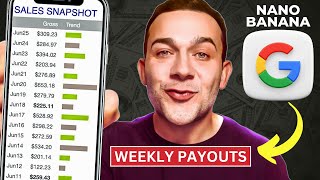

Why Tokyo Searches Explode Every Christmas
43sGoogle Trends data reveals a seasonal travel affiliate opportunity that viewers can act on immediately.
▶ Play Clip"Delivers a real step-by-step method, but padded with repeated pitches for KD and Hostinger."
This video presents a step-by-step method for earning affiliate income by combining Google's Nano Banana AI image generator with Pinterest traffic and travel affiliate programs like Viator. The tutorial demonstrates creating realistic, branded Pinterest pins and supporting blog posts to drive conversions, using tools like KD, Hostinger, and Viator.
Start by getting an affiliate link for a high-paying offer. The example uses Viator, which pays 8% commission on travel activity bookings.
Sign up for free at partnerresources.viator.com, then generate affiliate links for thousands of travel activities worldwide, with commissions paid weekly.
Use Google Trends to identify destinations with rising demand. Tokyo peaks around Christmas, making it a timely niche for travel affiliate content.
Pinterest autocomplete reveals specific buyer searches like 'hotels near Tokyo Disneyland with shuttle,' which can guide your pin topics and hashtags.
Pinterest has over 570 million users, 80% of whom are in a shopping mindset, and more than 1/4 of time on the platform is spent shopping.
In KD, use Nano Banana to create a photorealistic image of your target audience—e.g., a smiling family of four—that becomes the visual anchor for all your pins.
Add a Smartboard, drop in the generated photo, and prompt Nano Banana to create pin variations with call-to-action text and titles like 'Explore Mount Fuji.'
Direct affiliate links on pins lead to low conversions. Instead, send clicks to an article that heightens interest, then link to the affiliate offer from there.
Use Hostinger's business plan (under $4/month) to create a website with AI in seconds, then generate SEO-friendly articles that promote your affiliate activities.
Place your affiliate link in the article's call-to-action buttons, and replace default images with the same Nano Banana family photo for brand consistency.
Use KD's Klows feature to create multiple consistent pin variations from one design. Consistent branding builds trust and maximizes affiliate conversions.
The video delivers a complete affiliate marketing system that combines Nano Banana's AI image generation, Pinterest's free traffic, and content-driven affiliate links. The core takeaway is to warm up leads with useful content and use consistent, realistic visuals to stand out and convert.
What commission rate does the Viator affiliate program pay on bookings?
8%
01:26
How many monthly AI images does the free KD plan include?
100
25:53
What is the recommended article length for the AI-generated blog posts?
300 to 500 words
19:41
Why should you NOT place your affiliate link directly on a Pinterest pin?
It leads to low conversions; you need to warm up the visitor's interest with an article first.
15:47
What percentage of Pinterest users are in a shopping mindset?
80%
06:44
What is the promo code for 25% off KD plans mentioned in the video?
RMSYT (all caps)
26:08
What feature in KD allows you to create multiple pin variations from a single design?
Klows (K flows)
24:31
Which hosting service is recommended for creating the affiliate content website?
Hostinger (business plan under $4/month)
17:36
Viator pays 8% commission
This specific number gives a concrete sense of the earning potential for each booking.
01:26Pinterest's shopping mindset stats
570M+ users and 80% shopping intent prove Pinterest is a viable free traffic source for affiliate marketing.
06:31Warm-up strategy before affiliate links
Avoiding direct affiliate links on pins is a counterintuitive principle that greatly increases conversion rates.
15:47Brand consistency with Nano Banana
Using the same AI-generated family across pins and articles builds trust and makes content more relatable.
22:32Klows for scalable pin creation
One design can be turned into many variations, enabling bulk content production without losing consistency.
24:31[00:03] I've been using that anybody can use whose goal is to start earning a few thousand dollars every single month with Nano Banana by creating hundreds of pins just like this to earn hundreds of dollars with affiliate offers just like
[00:17] this, which thousands of online shoppers are searching for right now and ready to purchase. The first step to start making money with this method is to get an affiliate link for an offer that will pay us. In this example, over 8% in
[00:31] affiliate marketing commissions every time somebody completes a booking via our link, which I'm just about to show you exactly how to get. Now, those affiliate marketing commissions will be paid out weekly, as you can see right
[00:43] here. And I'm talking about the Viata affiliate program. Vi is a hugely popular travel booking website owned by Trip Adviser, a company that you've probably already heard of. There are thousands of people coming over to Vieta
[00:58] every single day, booking different travel activities for literally any destination in the world that you can think of. For example, here is a travel think of. For example, here is a travel activity in Tokyo, Japan. It is a Mount
[01:10] Fuji tour going for over almost $550 whenever anybody places a booking for this travel activity via our affiliate link. If I click onto get affiliate link over here, here you can see our affiliate link will get paid 8% of the
[01:26] booking price which is over or almost $550. So before I show you exactly how to use Nano Banana to absolutely maximize the commissions that you can generate, let's first get signed up to the Viata
[01:40] affiliate program so we can actually access those affiliate links. To do that, you first want to go over to partnerresources.viator.com. vier.com. I'll also leave a link in the description of this video. Simply click
[01:52] onto where it says become a Viet affiliate. Enter in a few simple details to create your free Viet affiliate account. And once you're logged in, you tools, affiliate tools, and to get access to thousands of affiliate links.
[02:06] says start selecting over here. And you'll then see this bar at the top of the page which says get your affiliate link. And what you can now do in this search bar is type in any destination in the world to get access to a huge
[02:20] selection of affiliate links for the travel activities in that destination. Now, in this example, I'm going to type in Tokyo over here. You can filter down even further by clicking onto Tokyo day trips, cultural tours, and so on. I'm
[02:33] simply going to click onto where it says Tokyo. And as you can see, over 1,000 Tokyo results with all of these different travel activities, which we can very easily get affiliate links for. I'm going to click onto this first
[02:45] bestselling activity over here. I can then simply click onto where it says get onto where it says generate link and there is my affiliate link, which I can quite simply copy. And I'm going to show you how to use Nano Banana to absolutely
[02:59] maximize the amount of clicks that you get onto your affiliate link to maximize the amount again of those affiliate conversions that you can generate. Now you can generate an affiliate link for any travel destination on the vi
[03:11] platform that you so choose. The reason why I am choosing Tokyo in this example is because there has been a massive increase in the amount of searches for phrases such as flights to Tokyo out of the US for example. This is a Google
[03:26] Trends chart over the past 5 years and especially on the runup to Christmas. As you can see guys, every single year, this is out of the United States again. The Google search term Tokyo Christmas is starting to absolutely skyrocket
[03:42] starting every sort of October. Right now, at the time of recording this video, it is October 2025. And I'm going to show you how to create Pinterest pins utilizing Nano Banana just like this to place directly in front of thousands of
[03:59] people specifically searching on Google on Pinterest with the sole intention of making a booking for either a Tokyo hotel flight or a travel activity just
[04:11] like this. Let me give you an example of how we can see what people are searching for on Pinterest. If I type in hotels Tokyo over here, for example, here we can see very specific searches that people are searching for on Pinterest
[04:25] with purchasing intent. For example, hotels near Tokyo Disneyland with free we're able to see how people are making money on Pinterest with affiliate marketing, which I'm just about to show you exactly how to do with Nano Banana
[04:40] step by step. So, as you can see, somebody would type in this search term different Pinterest pins, such as hotels with a shuttle, Tokyo, Disney. You got this one over here, for example. There's only a couple, so there's not much
[04:54] competition. And if I click onto any one of those pins, let's say this one over article, which the creator of that Pinterest pin also created. It is a guide to Tokyo Hotels with a Disney shuttle. Now, if I scroll down, as you
[05:09] can see, they are recommending different hotels. Of course, they're doing so with affiliate links. For example, if I click onto this link for the Disney Ambassador Hotel, I'm taken directly over to Expedia.com, which is another travel
[05:24] booking website via their affiliate link. Expedia also have an affiliate program. Now, let's just say that we are one of those thousands of people looking to travel to Tokyo during the Christmas period. Let's say we're going from the
[05:38] December, right? And let's say that we're traveling as a family. That is two adults and two children. Let's say child one is age 8. Let's say child two is age
[05:50] 12. If I click onto where it says done and then search, you're able to see how much those hotels are going for. And they are going for quite a lot, guys, as you can imagine. Disneyland, Japan for the whole of December. Let's say that
[06:04] somebody books this hotel over here for over $11,000. The creator of both that Pinterest pin and that corresponding article will get paid a cut of that huge amount over there. That is their affiliate
[06:18] commission. Now, in our example, we're looking at how we can promote affiliate links from the Vieta affiliate program so that we can place our affiliate link in front of thousands of people searching on Pinterest specifically
[06:31] interested in booking travel activities just like this. And let me tell you about the amount of traffic that we can get on Pinterest completely for free. get on Pinterest completely for free. Well, first of all, there are over 570
[06:44] million users on Pinterest. And Pinterest these days is essentially a shopping platform. 80% of users on Pinterest are in a shopping mindset. And more than one quarter of all time spent on Pinterest is spent shopping,
[06:59] purchasing travel activities just like this, which makes sense. When you look performing on Pinterest, if I simply type in Tokyo activities, people are searching for activities for kids, fun activities to do in Tokyo, and so on.
[07:15] But in order to actually start making sales and generating those affiliate commissions via our affiliate link with travel activities just like this, you need to create Pinterest pins that actually get clicks. And we're going to
[07:29] be doing that using Google's new AI tool which is Nano Banana. And the best way to access Nano Banana for this strategy is to click onto my link in the description of this video for KDL. Once you click onto that link, you will be
[07:43] taken to a page like this. Now, KD is the platform that I use to create all of my Pinterest pins, and they've just integrated fully with Nano Banana. So, simply want to click onto where it says start creating for free right here.
[07:58] Enter in a few simple details to create your free KD account. So, once you're signed up and you are logged into KD, you will be taken to the homepage now to rapidly create Pinterest pins with Nano Banana that actually get clicks. so we
[08:11] affiliate link. The first thing you want to do is to click onto where it says new project on the top right here. I'll then click onto where it says show all. Scroll down to where it says social and click onto where it says Pinterest
[08:24] pin/ad. And you'll then be taken over to this design canvas. And the very first thing that you want to do to create your Pinterest pin with Nano Banana is to create a super realistic looking image of the type of audience or traveler in
[08:38] our example that you want your activity to appeal to. So for example, for this Mount Fuji tour in Tokyo, we can see that this particular travel activity, judging by some of the photos, would appeal to somebody traveling as a
[08:54] family. You got all types of travelers searching Pinterest looking to book different activities. For example, people are searching for familyfriendly hotels. Again, guys, family trip to Tokyo. But you've also got people
[09:06] searching for Tokyo solo trip, solo travel, people traveling as a couple, and so on. So, what you first want to do is go back over to KD, click onto your artboard, and what I'm going to do, since our affiliate activity would
[09:21] appeal to people traveling as a family, I'm going to then click onto where it says kit AI on the left hand side over here. And crucially, make sure that you've clicked onto this dropdown and you've got nano banana selected. And I'm
[09:35] simply going to type in a smiling family of four looking like they're happy and in vacation mode. And with one click, I'll simply click onto where it says generate image. And it's given us exactly that, a smiling family of four
[09:49] looking like they're definitely on vacation mode. And what we're now going to do is utilize this super realistic looking image. I haven't seen any images generated by AI looking this realistic just yet, guys. It does look like an
[10:04] actual real family photo. We're going to use this family photo to generate a ton of Pinterest pins that specifically appeal to families looking to book travel activities in Tokyo, just like this one right here. In order to rapidly
[10:21] create those pins, what I'm first going to do is click onto the artboard itself. And to create our first pin, I'm going to click onto where it says add a smartboard. And I'm just going to drag this photo onto the artboard and expand
[10:35] it outwards just like this. Now, this first smartboard over here, that's going to be our first Pinterest pin. And to rapidly create that pin, I will simply type in over where it says, "Describe your variation with a prompt right here.
[10:49] Capture this same family on vacation in Tokyo standing in front of Mount Fuji. Add a call to action at the bottom of the pin, which says, "Explore Mount Fuji." And at the top of the pin, Tokyo family activities. Again, in one click,
[11:04] I'll simply click onto where it says generate. I am almost lost for words at the quality of the pin that it has given us. It looks like a professional photo that has been taken of a family standing directly in front of Mount Fuji. Of
[11:19] course, it has a strong call to action to drive those clicks onto your Pinterest pins, which says, "Explore Mount Fuji." clearly says in a black text with a contrasting white in the background, Tokyo family activities. And
[11:32] you can imagine just how much our pin would stand out. For example, I've typed in Mount Fuji Japan Travel. While these are all great pins, what sets our pin apart is not only the sheer quality of the pin itself, but also that families,
[11:49] for example, who do want to book a trip to Mount Fuji are far more likely to click onto our pin since they're able to envision themselves on the trip since we do have a photo of an actual family, which sets us far apart from the
[12:06] competition. And you don't want to stop with just one pin. Again, guys, you want to go back over to Viet. And you want to identify as many of those travel affiliate activities that would resonate with each type of your target audience.
[12:21] So in this example, our target audience are those who are traveling as a family. So for example, what about a sushi making class in Tokyo? Well, if you wanted to also create a Pinterest pin promoting that travel activity, which we
[12:35] can very easily do again by clicking onto where it says get affiliate link, you can very easily do that. In fact, I've done just that. If you simply click again onto that artboard, you can create another smartboard to create something
[12:48] like this. I've simply said, capture this same family of four on vacation in this same family of four on vacation in Tokyo making sushi at a sushi class. add at the bottom of the pin which says become a sushi sensei and at the top of
[13:03] the pin Tokyo family activities. Now to actually start driving traffic to our affiliate activities from people who we know are specifically searching on Pinterest with strong purchasing intent. What we're first going to do is to
[13:16] actually upload our pins over to Pinterest. To do that, I'm first going to download our pins over in Kitle by clicking onto this icon over here where it says export. I'm then going to click onto this dropown underneath where it
[13:28] says artboards. Deselect artboard one. Keep everything that says smartboard selected since those are our Pinterest pins. And I will simply hit download. Now to earn money with affiliate marketing on Pinterest. You do want to
[13:41] Pinterest account if you don't already have one. So you simply want to go over to business.pinterest.com. Click on to say sign up. Enter in a few account. And once you're signed up, if you click on Teresa's create content at
[13:55] the top here and then click on Tesa's how to make pins, you'll then be able to the first thing I'll do is to simply drag in the image that we created with the help of Nano Banana in KD for that Mount Fuji travel activity. Give our
[14:10] Pinterest pin a title and a description. Now, to start with, what I suggest that you do is to go back over to the travel activity that your Pinterest pin is promoting and simply read the overview to get some ideas. So I've inserted that
[14:23] title and description and crucially to ensure that your pin gets as much visibility as possible from people for example who are searching for things to do in Tokyo with kids and Japan family trip and so on is you want to utilize
[14:37] again Pinterest search bar specifically their autocomplete feature to figure out exactly what people are searching that may relate to the exact travel activity that you are promoting. And once you've identified those search terms, you can
[14:52] then add them in as hashtags as I have done here. For example, hashtag things to do in Tokyo with kids, #mount Fuji, and so on. That will ensure that your Pinterest pin gets visibility for those who are searching for those search terms
[15:06] on Pinterest, which we know they're doing with strong purchasing intent, not that you get onto your Pinterest pin, but also the amount of those affiliate conversions that you can generate. Now, to actually generate those affiliate
[15:20] this part, guys. You do want to make sure that you copy over your affiliate link. Going back over to my travel activity page for the activity that we're promoting along with the first pin that we'll be uploading, which is this
[15:33] Mount Fuji Day tour in Tokyo, I'm going to click onto where it says get I'm going to click onto where it says short link. Doesn't really make a where it says copy link. But you don't want to place your affiliate link
[15:47] directly onto your Pinterest pin. Although your Pinterest pin may get a ton of clicks. What you won't get is a ton of conversions. That's because after clicking onto your pin, they will be taken directly to the product page. What
[16:01] you actually need to do is to follow a proven working method that tons of comes to affiliate marketing, especially in the travel niche, is you first need to heighten their level of interest. You
[16:15] want to make sure that when they click onto your pin, you first provide them more information about the destination that they are interested in traveling to. In this case, it is Mount Fuji. And within that article, you would then
[16:28] recommend this specific travel activity. By the time they've read our article, their level of interest would be heightened and their chances of purchasing this travel activity via our link will substantially increase. And to
[16:42] very easily create that article that we can then generate a link for to place onto our Pinterest pin, what you want to do is to create a website just like this, which we can literally do in a couple of seconds using AI, which I'm
[16:55] just about to show you exactly how to do. And once you've created your website, what you can then do is click onto where it says blog on the left hand side here. go over to where it says add new post and again use AI to then place
[17:09] different articles onto your website just like these over here. That will allow you to then generate links for these articles and you can then place those links directly onto your Pinterest pin. And of course within those articles
[17:22] we will be promoting those travel activities and that is how you maximize the amount of those clicks that you convert into paying customers. Now, in order to very quickly create a website just like this, the tool that I use to
[17:36] do that is Hostinger, and I'll leave a link in the description of this video. get signed up to the business plan, which is super affordable and under only $4 a month, you'll not only be able to create up to 50 of these different
[17:50] websites, which we're able to do in literally seconds using AI, but with the business plan, we're also able to create those articles incredibly quickly. And description of this video, you'll see next to that link will be a coupon code
[18:06] that you could use to sign up to Hostinger for even less than this. So once you're signed up to Hostinger, here is how easy it is to start creating those articles. You first want to click onto where it says websites on the left
[18:18] where it says add a website and then hosting a website builder. And literally website a brand name. For this example, I will say Japan Travel Strategies. And "Create a blog that provides travel tips to Japan." And in literally one click,
[18:34] I'll go to create a website. And you will get something that looks like this in literally only a few seconds. As you can see, guys, explore Japan's hidden gems. I can very easily move this. I can edit the text. And for this sort of
[18:47] background video banner, it looks like it is in Tokyo, which I absolutely love. It's very much on brand with our website. And if you wanted to change that video into another video or an image, super easy to do, guys. I can
[19:01] literally click onto it, go over to where it says edit section. Let's say I wanted to keep it as a video, but I wanted to change the video. I'll simply click onto where it says replace video over here. Let's say I'll type in Japan
[19:14] as well. And I can literally select from any one of these other Japan related videos. Look, let's go with this one over here for example. Also looks incredible. And to create our article so we can actually start driving traffic to
[19:28] that article via our Pinterest pin to start earning those affiliate commissions. What I will do again on the left hand side I'll click onto where it says blog. I'll then go over to where it says add new post and I will change the
[19:41] tone of voice from formal to casual which you should do with a travel blog. And for the length of content you want to keep it short. Anywhere from 300 to 500 words is absolutely fine. And for my blog post description, I'll simply say,
[19:55] write a blog post titled in this example, five essential Mount Fuji travel tips and the easiest way to visit on a guided tour. And I'll also say this audience is international travelers planning a trip to Japan. The tone
[20:09] should be friendly and practical with clear subheadings. And because we will be promoting this particular travel activity in our article, what I'm going to do is simply again make sure that you've copied over that affiliate link.
[20:23] I'm going to go back into our AI blog post generator and I will simply say recommend the Mount Fuji and Hakone one-day bus tour returned by Bullet Train, which I copied over as the title of this particular travel activity. And
[20:38] I'll then say and promote it using this info with a strong call to action to learn more. And the info that I'm talking about is if I go back over to
[20:50] down, guys, you should see something that says something like overview. Simply copy over the overview, which is a description of that travel activity. And I'll simply paste it in over here. And with one click, I'll go to create
[21:05] content. and it's very quickly given us this incredible article. It's even provided us with these call to actions, two call to actions which we can very easily insert our affiliate link into. So, let's do that now. I'll go back over
[21:18] to our travel activity. And what I do urge you to do, guys, is to not solely rely on the AI. Just make sure that your article actually makes sense and everything does stack up against the affiliate activity that you are
[21:31] promoting. So what I am going to do is to go over to get affiliate link again. Click on the to generate link short link and copy it. Go back over to our article and where it has these call to actions such as this one over here which says
[21:44] learn more about Mount Fuji and the hack on one day bus tour over here is I will simply highlight it click onto this link symbol and then simply paste in that affiliate link. Click on to save and do exactly the same for the call to action
[21:59] course, guys, you can edit these articles, which I do urge you to do. You to actions throughout your article, but what I'm also going to do is to change up some of these images. So, for the headline image, it is Mount Fuji, but we
[22:16] know that we can produce much better with the help of Nano Banana. And when it comes to maximizing those conversions is consistency behind the brand or image displayed on your Pinterest pin. And what they will also
[22:32] what I'm going to do is simply click onto this image over here which I want to replace. I'll go over to where it says edit image. And I'll simply click I've replaced it with this image right here. You may recognize these familiar
[22:46] here. You may recognize these familiar faces. It is that exact family of four appearing on our Pinterest pin. And of course, I generated that image within Kit utilizing Nano Banana. And you want to make sure that you insert multiple of
[23:00] those different images throughout your article. So to insert a second image, I will simply go over to elements on the left hand side here. Click onto where it says image. I'll then click onto edit image and then again replace image which
[23:12] I've now done for multiple different images that I've now inserted into my article making it far more engaging again increasing the amount of clicks that we get onto the affiliate links contained within our article and once
[23:25] you're happy with your article I will simply click onto where it says go live right here and rather than pasting our raw affiliate link into where it says add destination link I can now paste the link to our article into that field.
[23:37] Now, before we hit publish, you want to make sure that you group all of your related pins into one place, increasing their discoverability by adding them to where it says create board over here. And I'll name it Japan Travel Tips for
[23:51] Families. Again, click onto where it says create. And I will then simply hit created, as you can see, it looks absolutely incredible. Massively stands out among the competition, maximizing the amount of clicks that we get onto
[24:05] our pin. And you want to make sure that you promote as many of these different affiliate activities from the Vieta affiliate program in this example by creating as many of these pins as possible with those corresponding
[24:18] articles so that you warm up your lead to heighten their level of interest, increasing the amount of those conversions that you can generate and with the quality of pins that we're able to rapidly create within KD specifically
[24:31] utilizing first of all their K flows feature. Kle flows is where you feature. Kle flows is where you literally create a single input design and you can then place that design or image in our case it is that family of
[24:43] four onto multiple different variations of pins in this example right that then allows you to go back over to an affiliate program such as Viet and promote as many of these let's say familyfriendly affiliate activities as
[24:56] possible by creating Pinterest pins and their corresponding articles with a high level of brand consistency which is super important because brand consist Consistency establishes trust and credibility with your audience,
[25:08] maximizing the affiliate conversions that you can generate. Now, also with Nano Banana now available for use within Kitle. As you can see, guys, the consistency is absolutely insane. It literally appears to be in our example
[25:22] the exact same family no matter what variation of that design that we ask it to create. The quality is absolutely second to none. And the speed at which we can create these images is also up to 10 times faster compared to other AI
[25:39] image generators as well. Nano Banana is actually more affordable too. Now in terms of getting started with KD, although you can get signed up completely for free. I do recommend upgrading to at least the pro or the
[25:53] expert version because you're able to generate with the pro version up to 1,000 monthly AI images with the expert version. That's up to 3,000 versus only 100 with the free version. And I've managed to get a promo code from KDL.
[26:08] So, if you type in RMSYT in all caps, you'll be able to get a 25% discount off any one of these plans. So, I strongly recommend taking action with this strategy if you're serious about
[26:23] earning money with affiliate marketing. Pinterest, I'll say it again, is one of the best free traffic sources when it comes to affiliate marketing simply due to the sheer audience size and due to our ability to gauge exactly what people
[26:39] are searching for on Pinterest with purchasing intent. And if you got value from this video, please make sure that you smash that like button and hit the hype button as well. And also turn that notification bell on so that you get
[26:52] notified every single time that I release a new online money making video.
⚡ Saved you 0h 26m reading this? Transcribe any YouTube video for free — no signup needed.